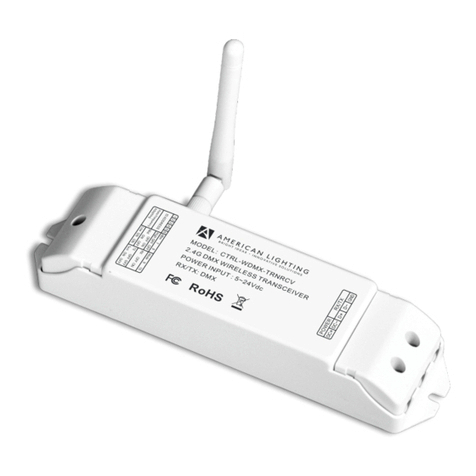
Antenna:
Channel switch selection
1. There are two channel selection switches, CH
Selector 1 and CH Selector 2 shown below:
2. Use CH. Selector 1 to select one of the two CH
groups: (1,3,5,7) or (2,4,6).
3. Use CH. Selector 2 to select the desired channel.
Using the Remote Control Feature
1. Plug the connector of the IR LED eyes cable into its
special jack at the rear of the Video Sender
Transmitter.
2. Find the location of the IR sensor on the AV source
equipment you wish to control. If you can’t find it, you
may consult with the user’s manual of the AV source
equipment.
3. Place one of the IR LED eyes of the cable close to
the IR sensor of the AV source device or attach it on
the IR sensor window of the AV source device using
the double- side sticky tape provided with the IR LED
eyes.
4. Position the Video Sender receiver such that its IR
sensor window on the front side faces toward the
viewer so that he or she can easily point the IR
remote toward the window.
Specification
General:
1. Frequency: 5.725GHz – 5.875GHz
2. Channel: 7 selectable channels
3. Antenna: Patch array antenna
4. IR Remote Frequency 433.92MHz
5. IR Carrier Frequency 32 ~ 57KHz
6. Input /Output port 3.5mm AV phone jack
7.Powersupply DC9Vpoweradapter
8. Dimension 120 x 65 x 30 mm
-------------------------------------------------------------
Transmitter:
1. Supply Current 140mA ±10mA
2. Output Power 13dBm 1dB ( CE )
0dBm 1dB ( FCC )
IR Extender Receiver
Receiving Sensitivity -95dBm,min
IR LED Operation Range 2 Meters (min.)
External IR LED Port 2.5mm Mono Phone Jack
-------------------------------------------------------------
Receiver:
1. Supply Current 230mA ±20mA
2. Input Sensitivity -85dBm, Typ.
3. Video Output 1VP-P , typ. (±0.2V)
IR Extender Transmitter
RFOutputPower 8dBm±2dB(CE)
0dBm ±2dB (FCC)
Sensor Operation Range 5 Meters, min.
Trouble Shooting
If a problem occurs, first refer to this information before
you take the device for repair.
If you are unable to rectify the fault using the information
given here, contact your local dealer or service
specialist.
Under no circumstances should you attempt to repair
the device yourself, as this would invalidate the
warranty.
PROBLEM POSSIBLE CAUSE REMEDY
No
picture/sound
transmission
The transmission
channels for the
transmitter/receiver do
not correspond.
Set the transmission
channel on the
transmitter/receiver
The transmission
distance is out of range.
Reduce the distance.
(Suggest less than 3 walls
or less 100 meters)
Connecting cable. Check the cable plug and
the cinch plug.(for
transmitter use and
receiver use which is
different)
Transmitter or receiver
not switched on.
Switch on the transmitter
or receiver
Wrong direction of
patch antenna
Adjust the antenna to the
right position.
Poor picture
or sound
quality
Interference. Move the transmitter or
receiver a few
centimeters.(Suggest less
than 3 walls or less 100
meters)
Change the transmission
channel on the
transmitter/receiver
Microwave units and
the use of the blue tooth
/ Wireless LAN function
on mobile phone or
Notebook.
Change channel to find
better channel to receive.
Infrared module. Check the connection and
position of the infrared
module.
The remote
control of the
signal source
does not
respond.
A wireless transmitter in
the 433MHz range (e.g.
a baby-phone) is
interfering with the
transmission.
Switch the interference
device off.
Out of transmission
range
Short the transmitter and
receiver range less than
70 meters.
0560 DOZ0000-0497
Transmitter
Receiver
Front side
(Antenna front side of both Tx and Rx antennas
need to face toward each other for best reception.)
CH. Selector 2 CH. Selector 1