2 ASD-150 SATEL
Do not install the battery if the sounder is disconnected.
There is a danger of battery explosion when using a different battery than recommended by the
manufacturer, or handling the battery improperly.
Be particularly careful during installation and replacement of the battery. The manufacturer is
not liable for the consequences of incorrect installation of the battery.
1. Remove the plastic dust cap.
2. Turn the cover counter-clockwise (Fig. 2) and remove it (Fig. 3).
3. If the detector is to work as a stand-alone device, remove the jumper (designated by letter B on Fig. 4) from
the pins situated on the electronics board and skip the steps 5-8.
Note: After the battery is installed, removing / placing the jumper will have no effect on the detector operation.
4. Install the battery.
5. Add the detector to the wireless system (see the ACU-120 / ACU-270 controller manual, installer manuals
for INTEGRA 128-WRL or VERSA control panels).
6. Close the enclosure and temporarily fasten the detector at the future installation place.
7. Check the level of signal received from the detector by the ABAX controller or the INTEGRA 128-WRL
control panel. If the signal level is lower than 40%, select another place for installation. Sometimes, it is
sufficient to shift the device ten or twenty centimeters to obtain a considerable improvement in the signal
quality.
8. Open the enclosure.
9. Using wall plugs (screw anchors) and screws, secure the enclosure base to the wall. The wall plugs (screw
anchors) and screws delivered with the detector are intended for brick, concrete and similar mounting
surfaces. For other surfaces (e.g. drywall, wood, styrofoam), use other wall plugs (screw anchors), as
required.
10. Close the detector enclosure.
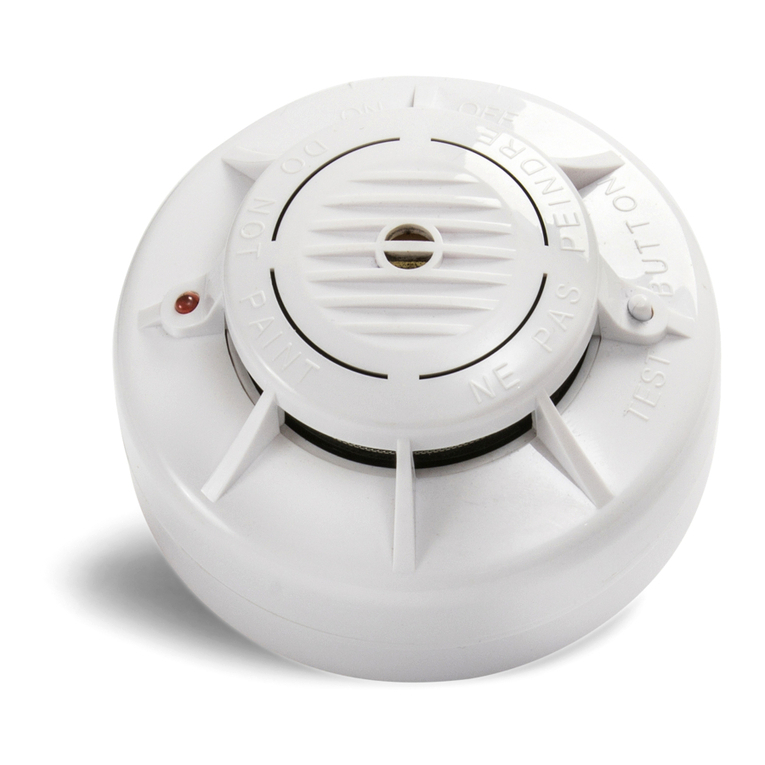
11. Press and hold down the test / reset button (designated with the letter A in Figure 2). Alarm should be
triggered after a few seconds.
12. If any other operations which may cause contamination of the optical chamber are being carried in the
facility where the detector is installed, the detector must be temporarily covered with a plastic dust cap.
4. Maintenance
The detectors should be subject to regular checks to ensure they are working correctly. Periodic checks should
be conducted at least every six months. To check whether the detector works, press and hold down the test /
reset button (designated with the letter A in Figure 2). Alarm should be triggered after a few seconds.
Cleaning the optical chamber
The detector is monitoring the state of the optical chamber. Deposition of dust in it may lead to malfunctioning of
the device. It is recommended that you have the optical chamber cleaned at least once a year. Cleaning the
chamber is necessary when the LED indicates fouling of the chamber (operation as part of the ABAX system –
2 short flashes during polling; stand-alone mode – 2 flashes every 30 seconds).
1. If the detector is used in the ABAX system, start the service mode in the control panel.
2. Remove the screw fastening the cover (Fig. 1).
3. Turn the cover counter-clockwise (Fig. 2) and remove it (Fig. 3).
4. Remove the battery.
5. Disconnect the plug (designated by letter A in Fig. 4) connecting the sounder wires with the electronics
board.
6. Push outward the catches (Fig. 5) and take out the electronics board with the optical chamber (Fig. 6).
7. Push outward the catch securing the optical chamber cover (Fig. 7) and remove it (Fig. 8).
8. Using a soft brush or compressed air, clean the labyrinth in the cover, as well as the base of the optical
chamber, paying attention to the recesses where LEDs are installed.
9. Replace the cover of the optical chamber.
10. Lay the sounder wires in their corresponding grooves.
11. Secure the electronics board with the optical chamber in the cover mounting catches. The board must be
mounted so that the LED coincides with the light guide.
12. Reconnect the plug connecting the sounder wires with the electronics board.
13. Re-install the battery.
14. Close the detector enclosure.