9
Maximizing the capability of the MovieTimeS.
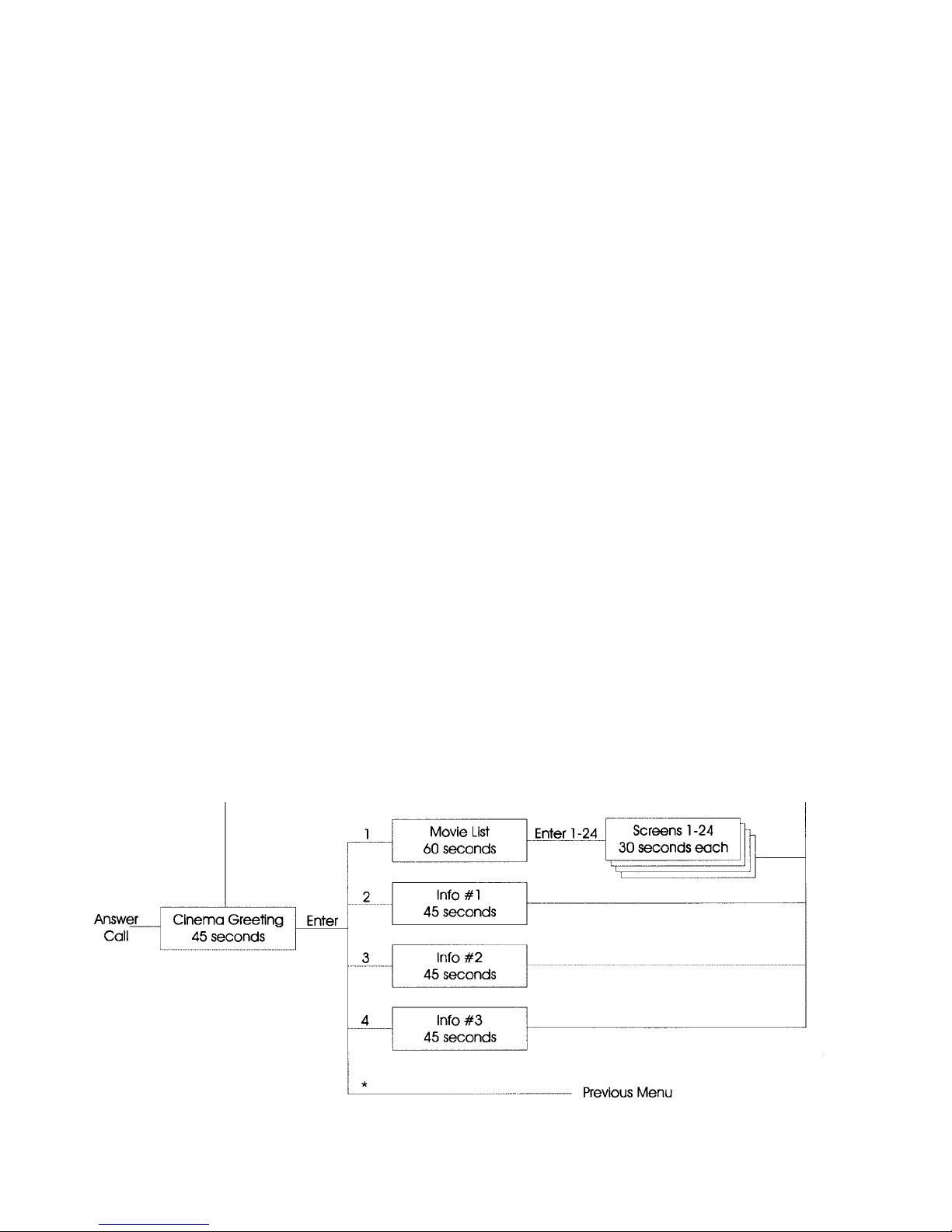
This digital answering device has 24 message boxes for show times on 24 screens. If you have
a 30 screen complex, often a movie is played in interlock on multiple screens. We suggest
you mention the movie once and use a show times box to give the show times for all show-
ings.
If you have more than 24 movies you may use one show times box for two different movies if
they run the at same times.
If you have a 10-plex, you will have 14 unused show times boxes.You may elect to use these
empty boxes for movie reviews of the current movies. For example: In the Movie List box say
“For Titanic press 2, for a review of this movie by the leading film critics, press 23.” Then
record a review in box 23.
SET UP / OPERATION
FACTORY RESET
The MovieTimeS can be reset to the factory default settings by holding the mode button down
while power is applied. This erases all messages and brings the system to a fresh state which
provides a good starting point for system configuration. See appendix C for a full listing of the
default values.
SEIZING CONTROL
The MovieTimeS is setup by seizing control of the unit to enter Command Mode and then
entering a series of two digit command codes to manipulate settings and record messages.
Seizing control of a unit can be done by one of two ways:
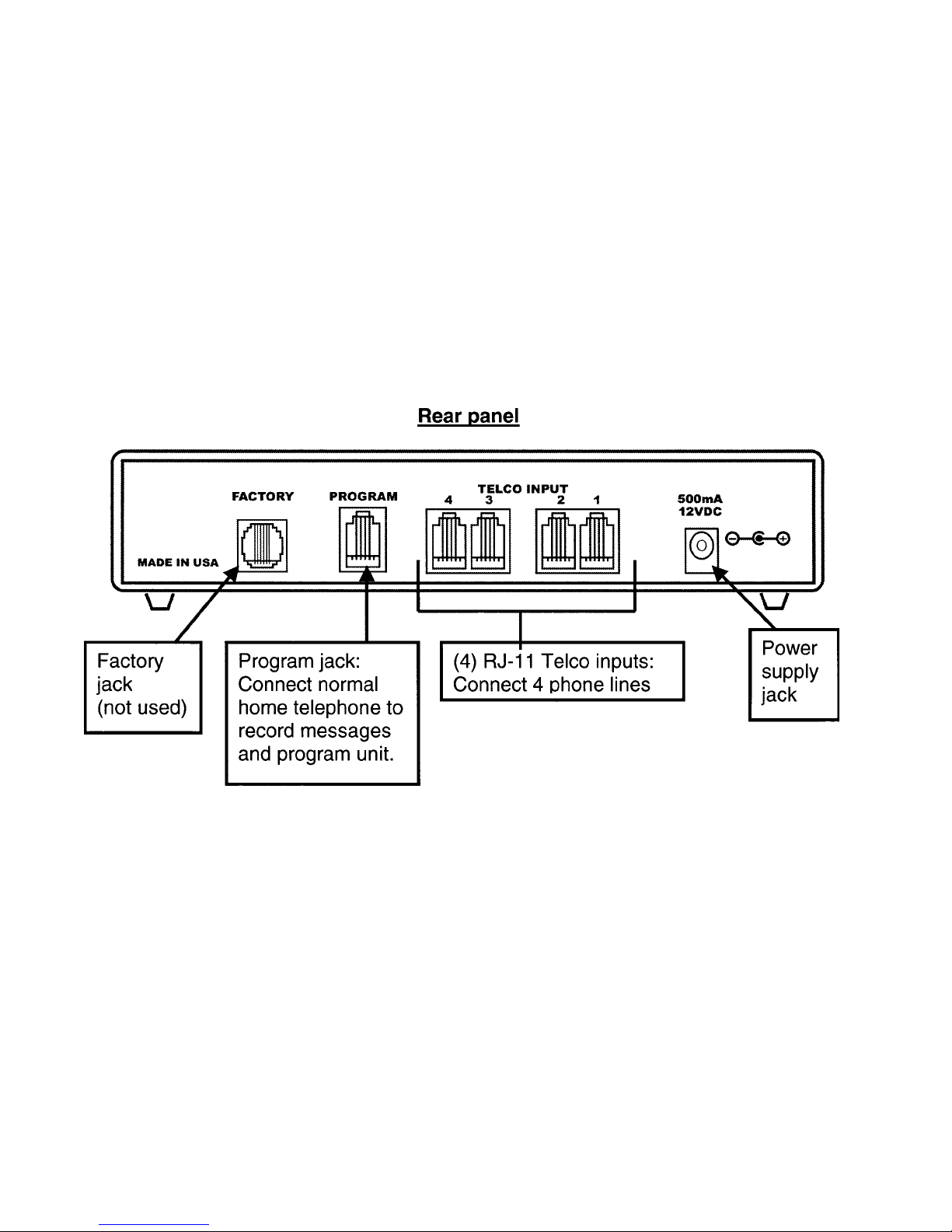
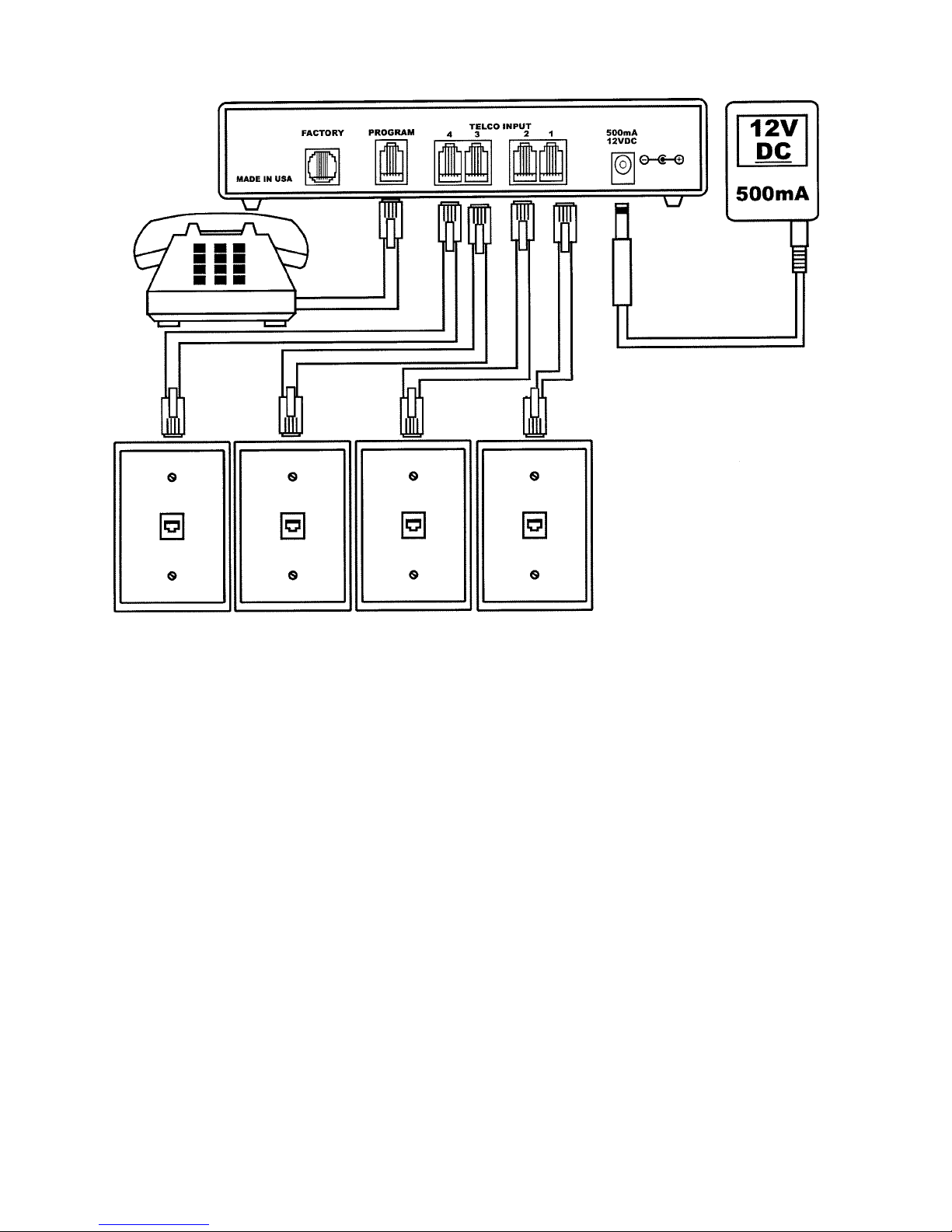
•Local -Through the use of a phone that is installed in the PGM jack of the MovieTimeS.
Control is seized by picking up the handset of the local phone, listening for a Beep tone
and then entering # * * followed by the Master Password (factory default = 1 2 3 4"). After
entering # * * followed by the Master Password, the dial tone may change to a busy tone
or start ringing, ignore it. Within 5 seconds of entering the Master Password the
MovieTimeS seizes the line and plays a triple beep indicating it has been placed in Com-
mand Mode.
•Remote -The unit answers and plays the Greeting message after a predetermined number
of rings (factory default = 1). If the message is not present, the unit answers and plays a
single beep. After the unit answers you may proceed by entering # * * followed
by the Master Password (factory default = “ll 2 3 4”). Within 5 seconds of entering the
Master Password the MovieTimeS seizes the line and plays a triple beep indicating it has
been placed in Command Mode. Failure to enter a password in 20 seconds, or after the
end of the message results in a disconnection.
NOTE: When control has been seized from the Remote, a busy signal is heard on the
Local telephone you are using.