Quickstart
Guide
www.sonos.com
© 2015 Sonos Inc. All rights reserved.
Sonos, PLAY:5 and all other Sonos product names
and slogans are trademarks or registered trademarks
of Sonos, Inc. Sonos Reg. U.S. Pat & TM Off.
If you purchased a Sonos
BOOST, set it up first.
BOOSTRouter
1
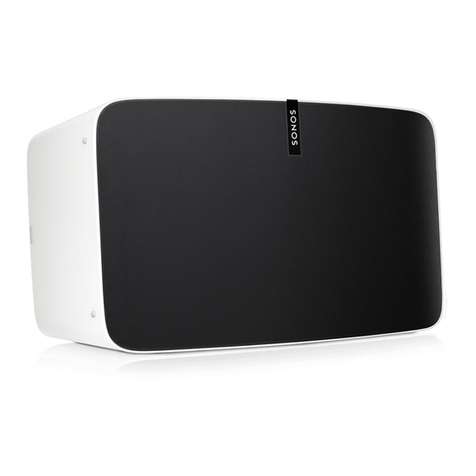
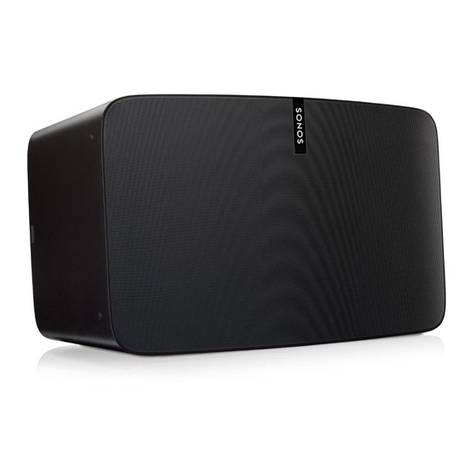
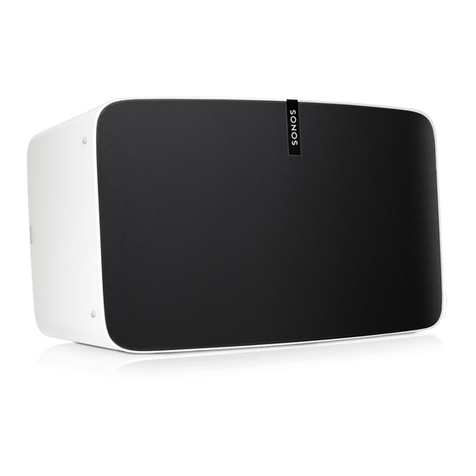
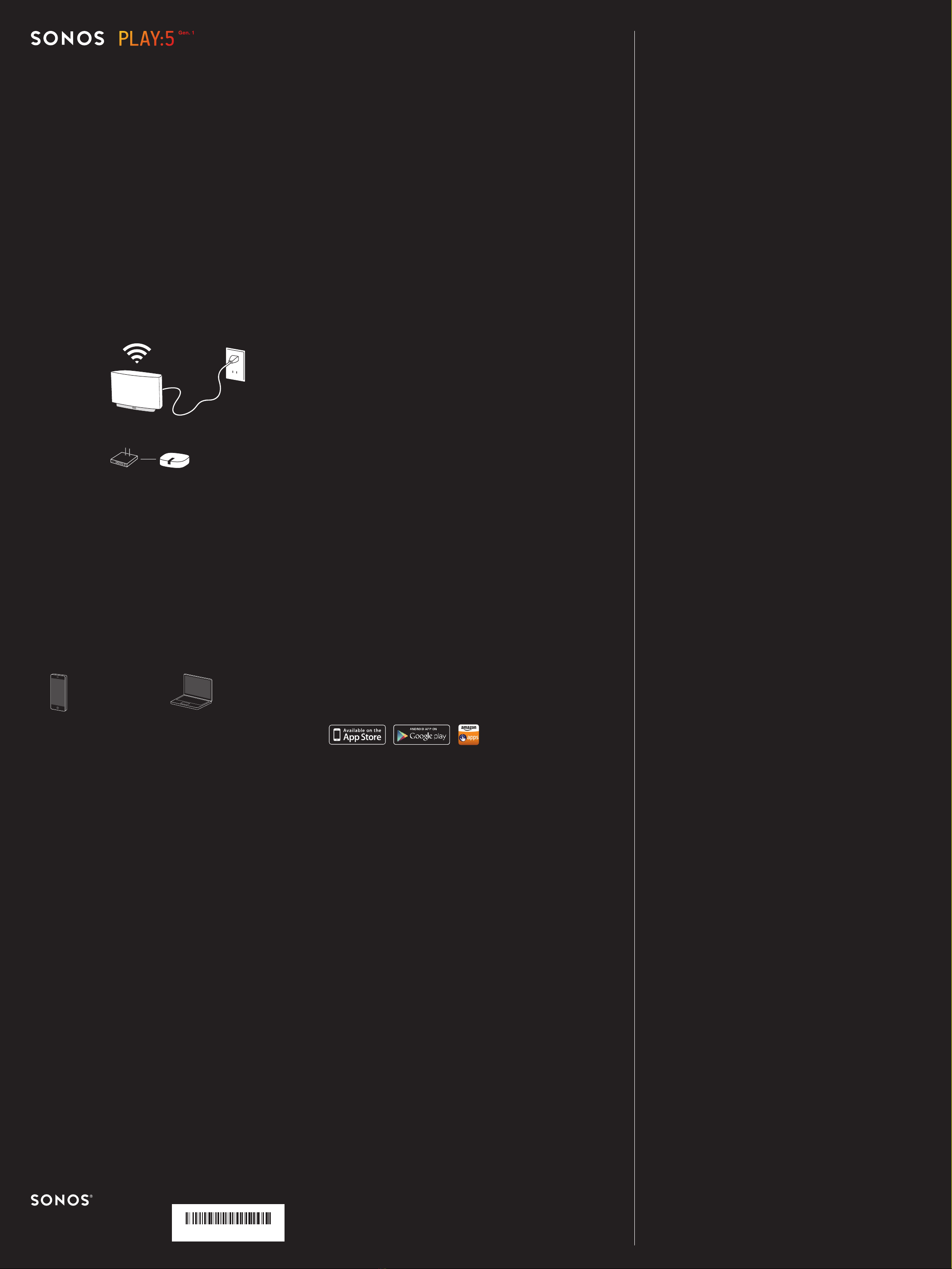
Plug in your PLAY:5
2
Download the Sonos app
Open the app and follow the setup instructions.
Mac / PC:
Download from
www.sonos.com/install
Mobile / Tablet
(recommended):
Download from the
store on your device
Ask Us
No question is too big or too small.
Website
Sonos.com/support
Email
Twitter
@SonosSupport
Product User Guides
Sonos.com/guides
Telephone
Australia
03 9874 0800
Austria
0800 291 623
Belgium
0800 38904
Brazil
0800 025 0827
Denmark
80 251135
France
0800 910 769
Finland
0800917381
Germany
0800 000 5339
Ireland
008002 409 2012
Italy
800 972444
Mexico
01 800 083 5513
Netherlands
0800 0234361
Norway
800 691 13
Singapore
8001013283
Spain
0917 482942
Sweden
0207 93593
Switzerland
0800 56 25 25
UK
0808 2346596
Europe (toll call)
+49 (0) 1803 447000
US and Canada
(English)
1 800 680 2345
The Ethernet cable is optional and only
needed if you want to connect your player,
or a BOOST, to your router (ideal if the WiFi
in your home isn’t reliable).
If you don’t connect the Ethernet cable,
Sonos will join your home’s wireless
network during setup. For more information,
go to www.sonos.com/rock-solid-wireless.
Dansk
Lynstartsvejledning til PLAY:5. Har du allerede Sonos? Du skal blot sætte din PLAY:5 i stikkontakten og vælge
Indstillinger Tilføj en afspiller eller SUB fra Sonos-app’en på din mobilenhed eller vælge Administrer Tilføj en
afspiller eller SUB, hvis du bruger en Mac eller PC. Er du ny bruger af Sonos? Følg nedenstående trin for at kongurere
et nyt system.
1 Tilslut din PLAY:5 Brug af Ethernet-kablet et valgfrit, og du skal kun bruge det, hvis du vil slutte din afspiller eller en
BOOST til routeren via et kabel (ideelt hvis den trådløse dækning i dit hjem er utilstrækkelig). Hvis du ikke tilslutter
Ethernet-kablet, kobler Sonos sig på dit hjems trådløse netværk under opsætningen. Du kan se ere oplysninger på
www.sonos.com/rock-solid-wireless. Hvis du har købt en Sonos BOOST, skal du kongurere den først.
2 Download Sonos-app’en. Åbn app’en, og følg opsætningsvejledningen. Mac/PC: Download fra www.sonos.com/
install Mobil/Tablet (anbefalet): Download fra din enheds tilknyttede store
Berøringsknapper: PLAY:5’s enkle berøringsgrænseade gør det nemt at styre musikken. Før ngeren mod højre for
næste nummer (når det er muligt), og før ngeren mod venstre for forrige nummer (når det er muligt).
Norsk
PLAY:5 Hurtigstartsveiledning. Har du allerede Sonos? Slå på PLAY:5 og velg Innstillinger Legg til en spiller eller
SUB fra Sonos-appen på mobilenheten din, eller velg Administrer Legg til en spiller eller SUB hvis du bruker en Mac
eller PC. Ny med Sonos? Følg fremgangsmåten nedenfor for å kongurere et nytt system.
1 Slå på PLAY:5. Ethernet-kabelen er valgfri og brukes bare hvis du ønsker å koble spilleren, eller en BOOST, til ruteren
(ideelt hvis det trådløse hjemmenettverket ikke er pålitelig). Hvis du ikke bruker Ethernet-kabelen, kobler Sonos til
hjemmenettverket ditt under oppsettet. Gå til www.sonos.com/rock-solid-wireless for mer informasjon. Hvis du kjøpte
en Sonos BOOST, kongurerer du den først.
2 Last ned Sonos-appen. Åpne appen og følg oppsettsinstruksjonene. Mac / PC: Last ned fra www.sonos.com/install.
Mobiltelefon / nettbrett (anbefalt): Last ned fra butikken på enheten din
Berøringskontroller: PLAY:5 har et enkelt berøringsgrensesnitt som gjør at du enkelt kan styre musikken din. Dra
ngeren til høyre for neste spor (når tilgjengelig), dra ngeren til venstre for forrige spor (når tilgjengelig).
Nederlands
Snelstarthandleiding PLAY:5. Bekend met Sonos? Sluit de PLAY:5 aan op netstroom en selecteer Instellingen Speler
of Sub toevoegen vanaf de Sonos-app op uw mobiele apparaat of selecteer Beheren Speler of SUB toevoegen als
u de Sonos-app voor Mac of PC gebruikt. Nieuw bij Sonos? Volg onderstaande stappen voor het installeren van een
nieuw systeem.
1 Sluit de PLAY:5 aan op netstroom. De ethernetkabel is optioneel en alleen nodig om een speler, of een BOOST, op de
router aan te sluiten (ideaal als de WiFi-verbinding in huis niet betrouwbaar is). Zonder de ethernetkabel wordt Sonos
tijdens de installatie op uw thuisnetwerk aangesloten. Ga voor meer informatie naar www.sonos.com/rock-solid-
wireless. Als u een Sonos Boost hebt aangeschaft, installeert u deze eerst.
2Download de Sonos-app. Open de app en volg de installatie-instructies. Mac / PC: Download van www.sonos.com/
install. Mobiel / Tablet (aanbevolen): Download van de winkel op uw apparaat
Touch-bediening: De touch-interface van de PLAY:5 maakt het bedienen van muziek eenvoudig. Veeg naar rechts voor
het volgende nummer (als van toepassing); veeg naar links voor het vorige nummer (als van toepassing).
Português – BR
Guia de início rápido do PLAY:5. Já tem o Sonos? Apenas conecte seu PLAY:5 e selecione Congurações Adicionar
um Player ou SUB no aplicativo Sonos em seu dispositivo móvel ou selecione Gerenciar Adicionar um Player ou
SUB, se estiver utilizando um Mac ou PC. O Sonos é novidade para você? Para congurar um novo sistema, siga os
passos abaixo.
1 Conecte o seu PLAY:5. O cabo Ethernet é opcional e somente é necessário se você deseja conectar seu player (ou
um BOOST) a seu roteador (isso é ideal se a rede WiFi de sua casa não for conável) Se você não conectar o cabo
Ethernet, o Sonos vai conectar a rede sem o da sua casa durante a conguração. Para obter mais informações,
visite www.sonos.com/rock-solid-wireless. Se você adquiriu um Sonos BOOST, congure-o primeiro
2Baixe o aplicativo Sonos. Abra o aplicativo e siga as instruções de conguração. Mac / PC: Baixe o aplicativo em
www.sonos.com/install. Celular / tablet (recomendado): Baixe da loja em seu dispositivo
Controles de Toque: A interface simples do PLAY:5 proporciona controle fácil da sua música. Deslize para a direita
para ir à próxima faixa (quando aplicável) e para a esquerda para ir à faixa anterior (quando aplicável).
Svenska
PLAY:5 Snabbstartguide. Har du redan Sonos? Anslut din PLAY:5 och välj Inställningar Lägg till en spelare eller SUB
på din mobila enhet från Sonos-appen, eller välj Hantera Lägg till spelare eller SUB om du använder en Mac eller
PC. Nytt för Sonos? För att installera ett system, följ stegen nedan.
1 Anslut din PLAY:5. Ethernet-kabeln är valfri och behövs endast om du vill ansluta din spelare, eller en BOOST till din
router (idealt om ditt Wi-Fi hemma är opålitligt). Om du inte ansluter Ethernet-kabeln kommer Sonos att ansluta sig till
ditt hemmanätverk under installationen. Gå till www.sonos.com/rock-solid-wireless för mer information. Om du har
köpt en Sonos BOOST, installera den först.
2 Ladda ned Sonos-appen. Öppna appen och följ instruktionerna för installationen. Mac/PC: Ladda ned från www.
sonos.com/install.Mobil/surfplatta (rekommenderad): Ladda ner till din enhet från butiken
Pekkontroller: Det enkla pekgränssnittet i PLAY:5 ger dig bekväm kontroll över musiken. Svep höger för nästa spår (när
så gäller), svep vänster för föregående spår (när så gäller).
Deutsch
PLAY:5 Kurzanleitung. Haben Sie schon Sonos? Schließen Sie den PLAY:5 einfach an die Stromversorgung an, und
wählen Sie in der Sonos-App auf Ihrem Mobilgerät die Optionen „Einstellungen“ „Player oder Sub hinzufügen“, bzw.
wählen Sie in Ihrer Sonos-App für Mac oder PC die Optionen „Verwalten“ „Player oder Sub hinzufügen“. Neu bei
Sonos? Befolgen Sie zum Einrichten eines neuen Systems die folgenden Schritte.
1 Verbinden Sie Ihren PLAY:5 mit der Stromversorgung. Das Ethernet-Kabel ist optional und wird nur benötigt,
wenn Sie den Player oder einen BOOST mit Ihrem Router verbinden möchten (ideal bei einer unzuverlässigen
WLAN-Verbindung). Wenn Sie das Ethernet-Kabel nicht anschließen, verbindet Sonos sich während des
Einrichtungsvorgangs mit Ihrem WLAN. Weitere Informationen hierzu nden Sie unter www.sonos.com/rock-solid-
wireless. Wenn Sie einen Sonos BOOST gekauft haben, richten Sie zuerst den BOOST ein.
2 Laden Sie die Sonos-App herunter. Önen Sie die App, und befolgen Sie die Anweisungen zur Einrichtung. Mac/PC:
Laden Sie die App von www.sonos.com/install herunter. Mobiltelefon/Tablet (empfohlen): Laden Sie die App vom
Store auf Ihrem Gerät herunter.
Touch-Steuerung: Mit der praktischen Touch-Oberäche des PLAY:5 können Sie Ihre Musik ganz leicht steuern.
Streichen Sie nach rechts, um den nächsten Titel abzuspielen (falls vorhanden); streichen Sie nach links, um den
vorherigen Titel abzuspielen (falls vorhanden).
Español
PLAY:5 Guía de Inicio rápido. ¿Ya tiene Sonos? Simplemente conecte su PLAY:5 y seleccione Ajustes Añadir un
reproductor o SUB desde la aplicación Sonos en su dispositivo móvil o seleccione Gestionar Añadir un reproductor
o SUB cuando use la aplicación Sonos para Mac o PC. ¿Es nuevo usuario de Sonos? Para congurar un nuevo
sistema, siga los pasos a continuación.
1 Conecte su PLAY:5. El cable Ethernet es opcional y solo necesario si desea conectar el reproductor o un BOOST al
router (ideal si la WiFi de su casa no es able) Si no conecta el cable Ethernet, Sonos se unirá a su red inalámbrica
doméstica durante la conguración. Para obtener más información, visite www.sonos.com/rock-solid-wireless. Si
compró un Sonos BOOST, congúrelo primero.
2 Descargue la aplicación Sonos. Abra la aplicación y siga las instrucciones de conguración. Mac/PC: Descárguela en
www.sonos.com/install Móvil/tableta (recomendado): Descárguela de la tienda en su dispositivo
Controles táctiles: La interfaz táctil sencilla del PLAY:5 le ofrece un control cómodo de la música. Deslice el dedo
hacia la derecha para ir a la siguiente pista (cuando corresponda); deslice el dedo hacia la izquierda para ir a la pista
anterior (cuando corresponda).
Français
Guide de démarrage rapide PLAY:5. Vous possédez déjà un système Sonos ? Branchez-le à votre PLAY:5, puis
sélectionnez Paramètres Ajouter un Player ou un SUB dans l’application Sonos sur votre périphérique mobile, ou
sélectionnez Gérer Ajouter un Player ou un SUB si vous utilisez un Mac ou un PC. Vous découvrez Sonos ? Pour
congurer un nouveau système, suivez les étapes suivantes.
1 Branchez votre PLAY:5. Le câble Ethernet est optionnel. Il n’est nécessaire que si vous souhaitez connecter votre
lecteur ou un BOOST à votre routeur (la solution idéale lorsque le réseau WiFi de votre domicile n’est pas able).
Si vous ne connectez pas le câble Ethernet, Sonos s’associe au réseau sans l de votre domicile pendant la
conguration. Pour plus d’informations sur l’abonnement, consultez le site www.sonos.com/rock-solid-wireless. Si
vous avez acheté un Sonos BOOST, congurez-le d’abord.
2 Téléchargez une application Sonos Controller. Ouvrez l’application et suivez les instructions qui s’achent sur l’écran
pour congurer votre système Sonos. Portable / Tablette (recommandé) : téléchargez l’application Sonos controller à
partir du magasin d’applications de votre périphérique Mac / PC : téléchargez Sonos controller pour Mac ou PC sur le
site Web www.sonos.com/install
Contrôles tactiles : l’interface tactile simple du PLAY:5 vous permet un contrôle pratique de la musique. Faites glisser
votre doigt vers la droite pour accéder à la piste suivante (le cas échéant). Faites glisser votre doigt vers la gauche
pour accéder à la piste précédente (le cas échéant).
Italiano
PLAY:5 - Guida rapida. Sonos è già installato È suciente collegare il PLAY:5 e selezionare Impostazioni Aggiungi
un lettore o un SUB dall’app Sonos sul dispositivo mobile oppure selezionare Gestisci Aggiungi un lettore o un
SUB se si utilizza un Mac o un PC. Sonos non è ancora installato. Per installare un nuovo sistema, seguire i passi
riportati sotto.
1 Collegare il PLAY:5. Il cavo Ethernet è opzionale ed è necessario solo se si desidera collegare via cavo al router il
lettore o un BOOST (ideale se la rete WiFi domestica non è adabile). Se non si connette il cavo Ethernet, Sonos si
collega direttamente alla rete wireless di casa durante l’installazione. Per maggiori informazioni, visitare il sito www.
sonos.com/rock-solid-wireless. Se si è acquistato un Sonos BOOST ,installarlo per primo.
2 Scaricare l’app Sonos. Aprire l’app e seguire le istruzioni per l’installazione. Mac / PC: Scaricare dal sito www.sonos.
com/install. Mobile / Tablet (consigliato): Scaricare dallo store sul dispositivo.
Controlli touch: La semplice interfaccia touch di PLAY:5 permette di controllare la musica con grande facilità.
Scorrere verso destra per la traccia successiva (ove applicabile); scorrere verso sinistra per la traccia precedente
(ove applicabile).
Already have Sonos?
Plug in the PLAY:5.
Select Settings Add a Player or SUB from
the Sonos app on your mobile device or select
Manage Add a Player or SUB if you’re using
a Mac or PC.
New to Sonos?
To set up a new system, follow the steps below.
640-00137 Rev B
640–00137