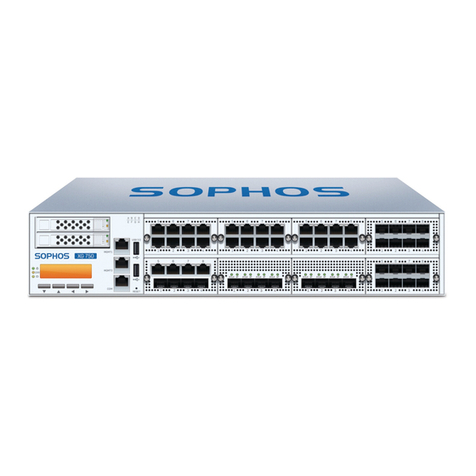
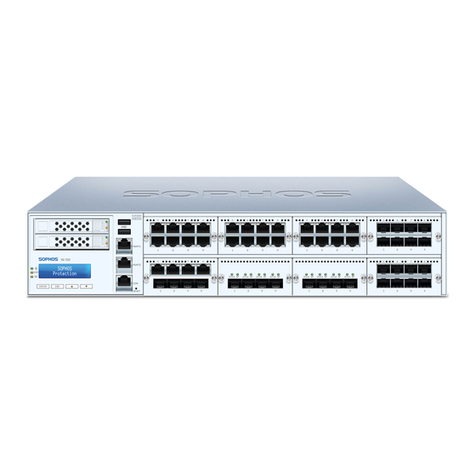
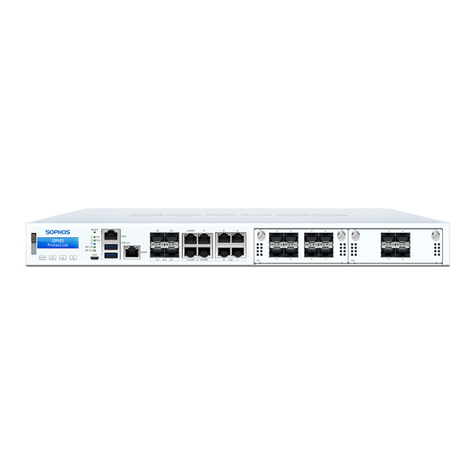
5XGS 5500/6500
Operating Instructions
Technical Specifications
XGS 5500 XGS 6500
Physical Specification
#Fixed Ethernet Ports 16 20
#Fixed ByPass Port Pairs 2 2
max. #Flexi Ports 32 48
#Cores Main CPU 16/32 24/48
Main Memory 64GB DDR4 ECC 2666 80GB DDR4 ECC 2666
#Cores NPU 24 24
NPU Memory 12GB DDR4 ECC 12GB DDR4 ECC
Stoarge 2 x 480 GB HW RAID-1 2 x 480 GB HW RAID-1
Power Supply 1+1 Internal auto-ranging
100-240VAC, 50-60 Hz hot swap
1+1 Internal auto-ranging
100-240VAC, 50-60 Hz hot swap
Power Consumption (idle) 168.0W/573.81 BTU/h 188.00 W/642.13 BTU/h
Power Consumption (full load) 478.01W/1117.43 BTU/h 497.09 W/1697.8 BTU/h
Mounting 2U sliding rails (included)
min. rack depth: 588mm (23.125”)
max. rack depth: 870mm (34.25”)
2U sliding rails (included)
min. rack depth: 588mm (23.125”)
max. rack depth: 870mm (34.25”)
Dimensions
Width x Depth x Height
438 x 660 x 88 mm
17.24 x 25.98 x 3.46 inches
438 x 660 x 88 mm
17.24 x 25.98 x 3.46 inches
Weight (kg) unpacked/packed 17.8 kg/39.24 lbs (unpacked)
27 kg/59.53 lbs (packed)
17.8 kg/39.24 lbs (unpacked)
27 kg/59.53 lbs (packed)
Environmental
Noise level (avg.)
(Typical/Max Operation)
58.3/64.2 dBA 58.3/64.2 dBA
Operating Temperature 0°C to 40°C 0°C to 40°C
Storage Temperature -20°C to 70°C -20°C to 70°C
Operational/Storage Humidity 10% to 90% non-condensing 10% to 90% non-condensing
Operational/Storage Altitude 2000/5791 m 2000/5791 m
MTBF (hours)
(Telcordia SR-332 Issue 3)
135099 135099
Certifications (Safety, EMC) CB, CE, UL, FCC, ISED, VCCI, CCC,
KC, BSMI, RCM, NOM, Anatel
CB, CE, UL, FCC, ISED, VCCI, CCC,
KC, BSMI, RCM, NOM, Anatel
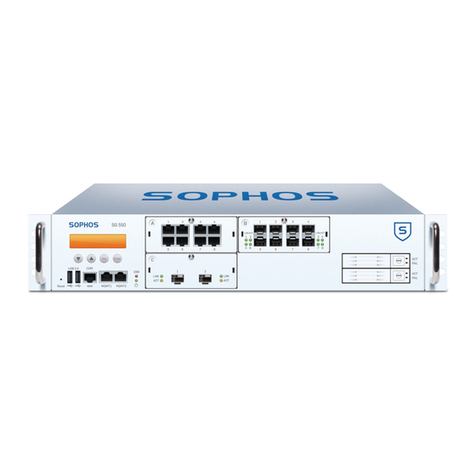
LED Status
Status LEDs
Power 1
(Upper Power
Supply)
Green Solid Power Supply 1 Active.
Red Solid Power Supply 1 Failure.
Off Power Supply not present
Power 2
(Lower Power
Supply)
Green Solid Power Supply 2 Active.
Red Solid Power Supply 2 Failure.
Off Power Supply not present
SSD Blue Flashing SSD reading/writing data.
BP 1/2 Green Solid Bypass mode on Ports 1/2 enabled.
Off Bypass mode on Ports 1/2 disabled and inactive.
BP 3/4 Green Solid Bypass mode on Ports 3/4 enabled.
Off Bypass mode on Ports 3/4 disabled and inactive.
LEDs on each RJ45 Ethernet connector
ACT/LNK
(Left LED)
Green Solid 1. The Ethernet port has established link.
2. Good connection between the Ethernet port and hub.
Flashing The adapter is sending or receiving network data.
Off 1. The adapter and switch are not receiving power.
2. No connection between both ends of network.
3. Network drivers have not been loaded
or do not function correctly.
Speed
(Right LED)
Amber On If Ethernet port is operating at 1000 Mbps.
Green On If Ethernet port is operating at 100 Mbps.
Off If Ethernet port is operating at 10 Mbps.