Streambox.com Streambox Media Player for Apple TV Page 6 of 12
•Enter the Session ID (you may use the
onscreen keyboard or iPhone remote)
•Click ‘Open’and the stream will start within
60 seconds. Once the stream has started, the
stream will respond within a second
(depending on encoder settings) to
stop/start and scrubbing.
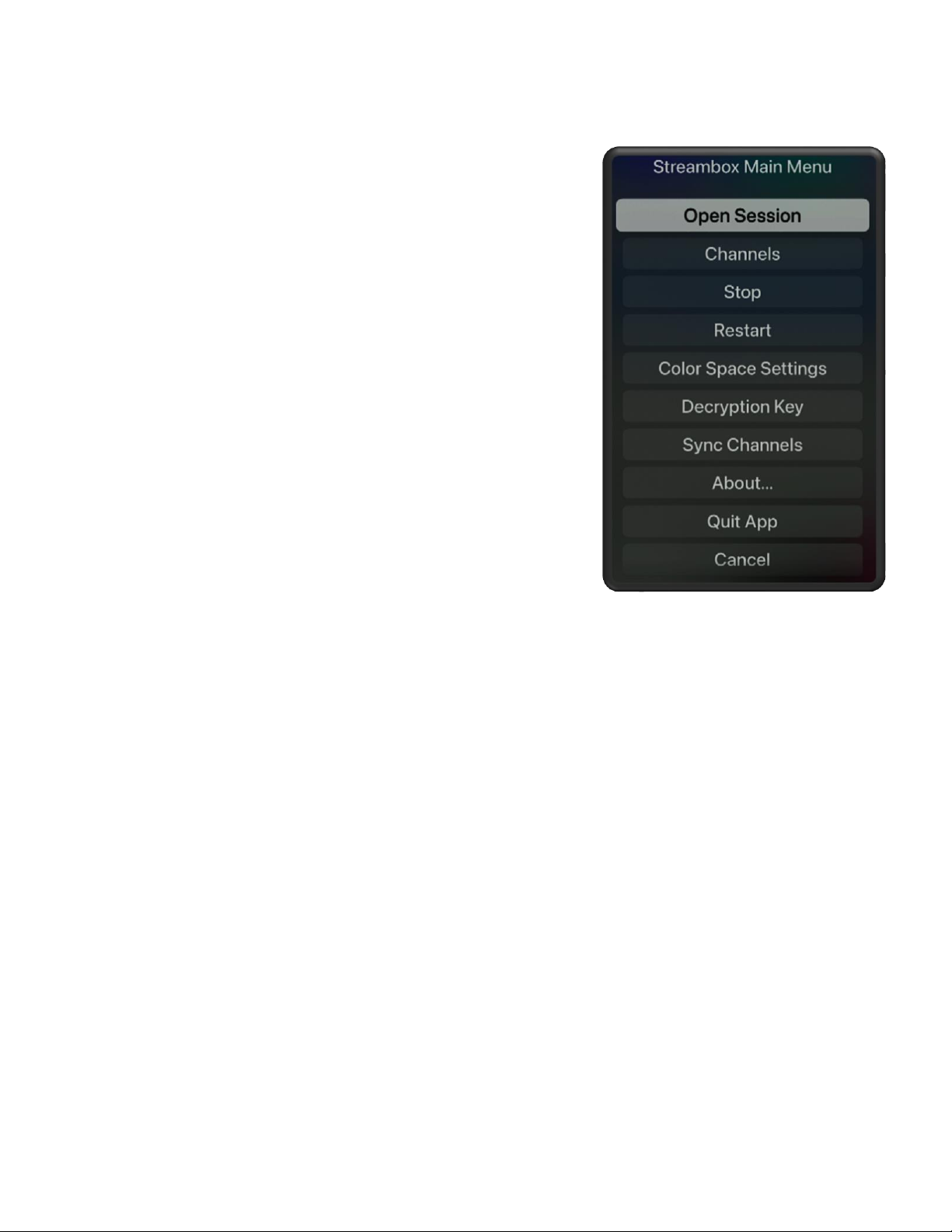
Color Space Settings
Under most condition, on most systems, selecting the ‘Auto Detect’ color
space works well. Should you need to fine tune color rendering, you can
pick the color space that best matches the source:
Rec.709 (Full BT.1886), Rec.709 (Legal BT.1886), P3 D65 (Full), Rec.2020
(Full), Rec.601 (Legal), Rec.709 (Legal), Rec.709 (Full), P3 DCI (Full), HDR
Rec.2020 (PQ Full), HDR P3 D65 (PQ Full), HDR Rec.2020 (HLG Full), HDR P3
D65 (HLG Full), HDR Rec.2020 (PQ Legal), HDR P3 D65 (PQ Legal), HDR
Rec.2020 (HLG Legal), HDR P3 D65 (HLG Legal).
Advanced Features
Sync Channels
Media Player supports over 30 programmable
channels. You can update the Channels menu list
via the Sync Channels feature. This is
accomplished by storing an XML file with the
desired settings on an internet accessible server
(e.g., Dropbox). Then by providing the URL of the
channels XML file you can populate the Channels
menu. From the Channels menu, select ‘Sync
Channels’ to open the Sync Channels dialog page.
Enter the URL for the XML file and click the Sync button.
Channels XML file
You can store your custom channel XML file on any server accessible to the internet. For example, you
can place the XML file in a Dropbox folder and then use the ‘Copy Dropbox link’ command to fetch a
link for your ‘Custom URL’ (**Note: for this to work, replace the dl=0 with dl=1 at the end of the