The meter parameters have been set before delivery. It can be installed directly after acception and there is
no need to set parameters again.
Button description: “SET” represents “confirm” or “cursor shift” (when input digits), “ESC” represents “exit”,
and “→” represents “add”. The password is 701 by default.
Programming function
Programming Parameter
Programming Parameter
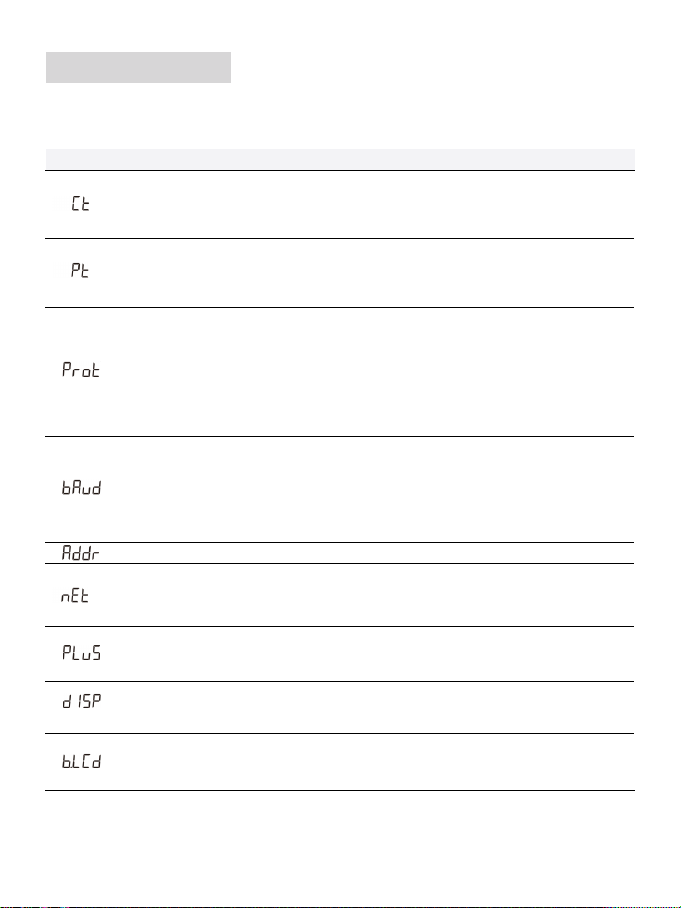
Parameter Value range Description
Voltage ratio, used for setting the voltage ratio of the input loop.
When the voltage is connected to the line via the transformer, Pt= the rated
voltage of the primary loop / the rated voltage of the secondary circuit.
When the voltage is directly connected to the line, Pt shall be set as 1.0.
1: 645
2: n.2
3: n.1
4: E.1
5: O.1
Settings for communication stop bit and Parity: bits
1: 645mode
2: None parity, 2 stop bits, n.2
3: None parity, 1 stop bit, n.1
4: Even parity, 1 stop bit, E.1
5: Odd parity, 1 stop bit, O.1
0: 1.200
1: 2.400
2: 4.800
3: 9.600
Communication baud rate:
0: 1.200 bps
1: 2.400 bps
2: 4.800 bps
3: 9.600 bps
0: n.34
1: n.33
Option for wiring mode:
0: n.34 represents three phase four wire
1: n.33 represents three phase three wire
0: P0
1: P1
Pulse output:
0 ~ 30
0: Timely display
1 ~ 30: Time interval of actual display
0 ~ 30
Backlight lighting time control(minute)
0: Normally light
1 ~ 30: Backlight lighting time without button operation
:
1 ~ 88
0.1 ~ 1.0
1:CT01:100A/333mV 2:CT02:250A/333mV
3:CT03:400A/333mV 4:CT04:500A/333mV
5:RS01:1000A/333mV 6:RS02:2000A/333mV
7:RS03:3000A/333mV 8:RS04:4000A/333mV
P0: First channel actsive energy pulse
P1: Second channel actsive energy pulse