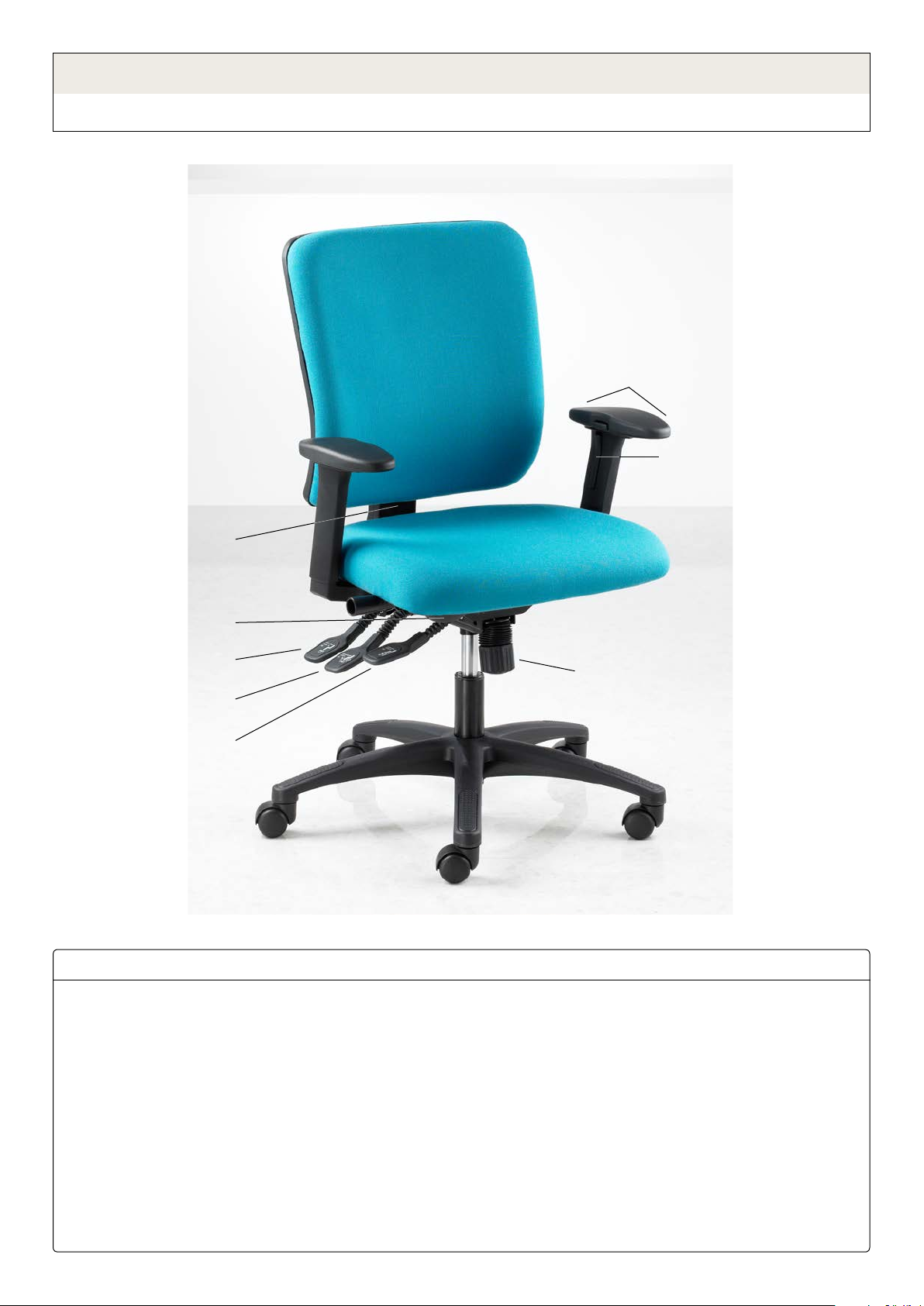
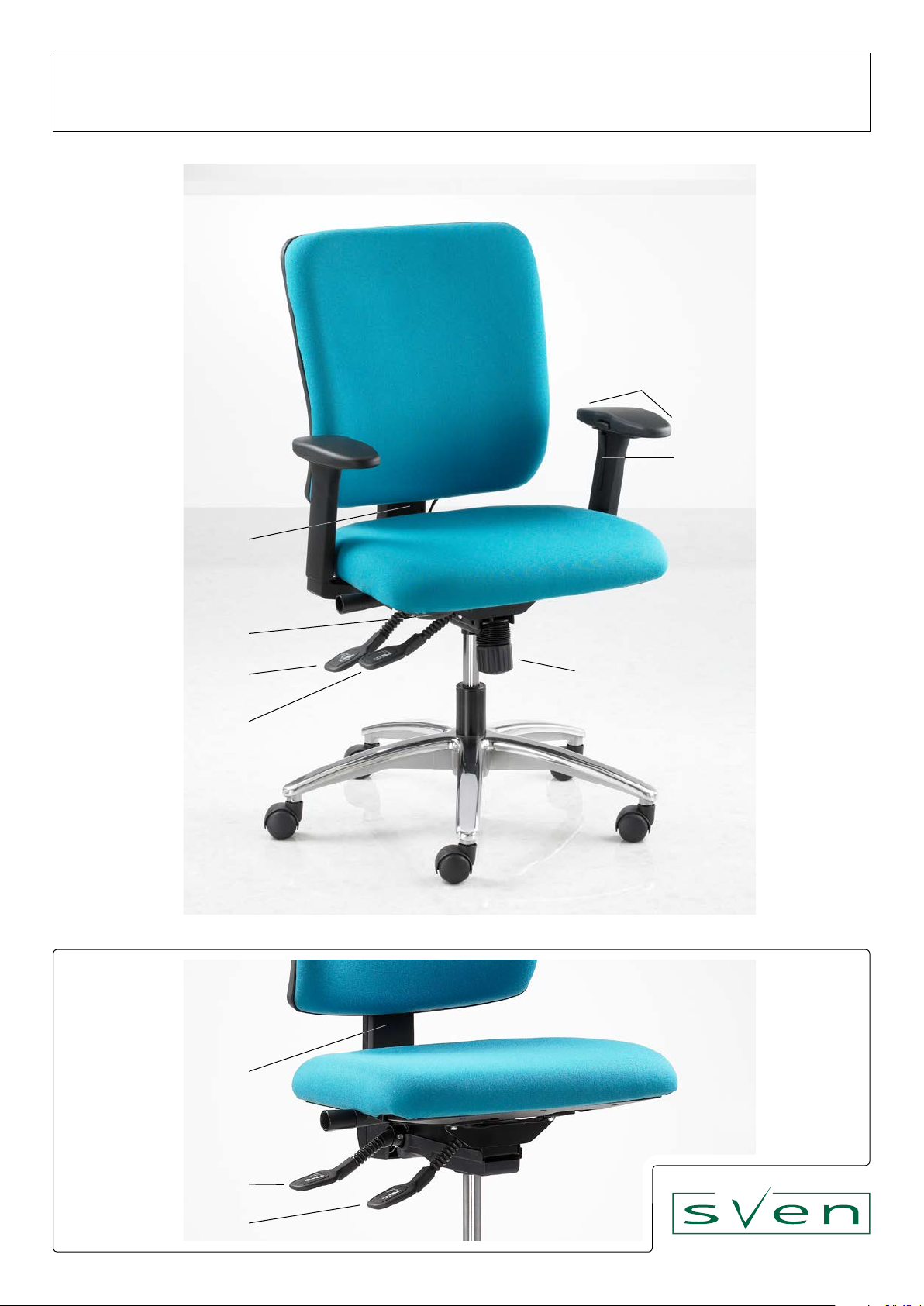
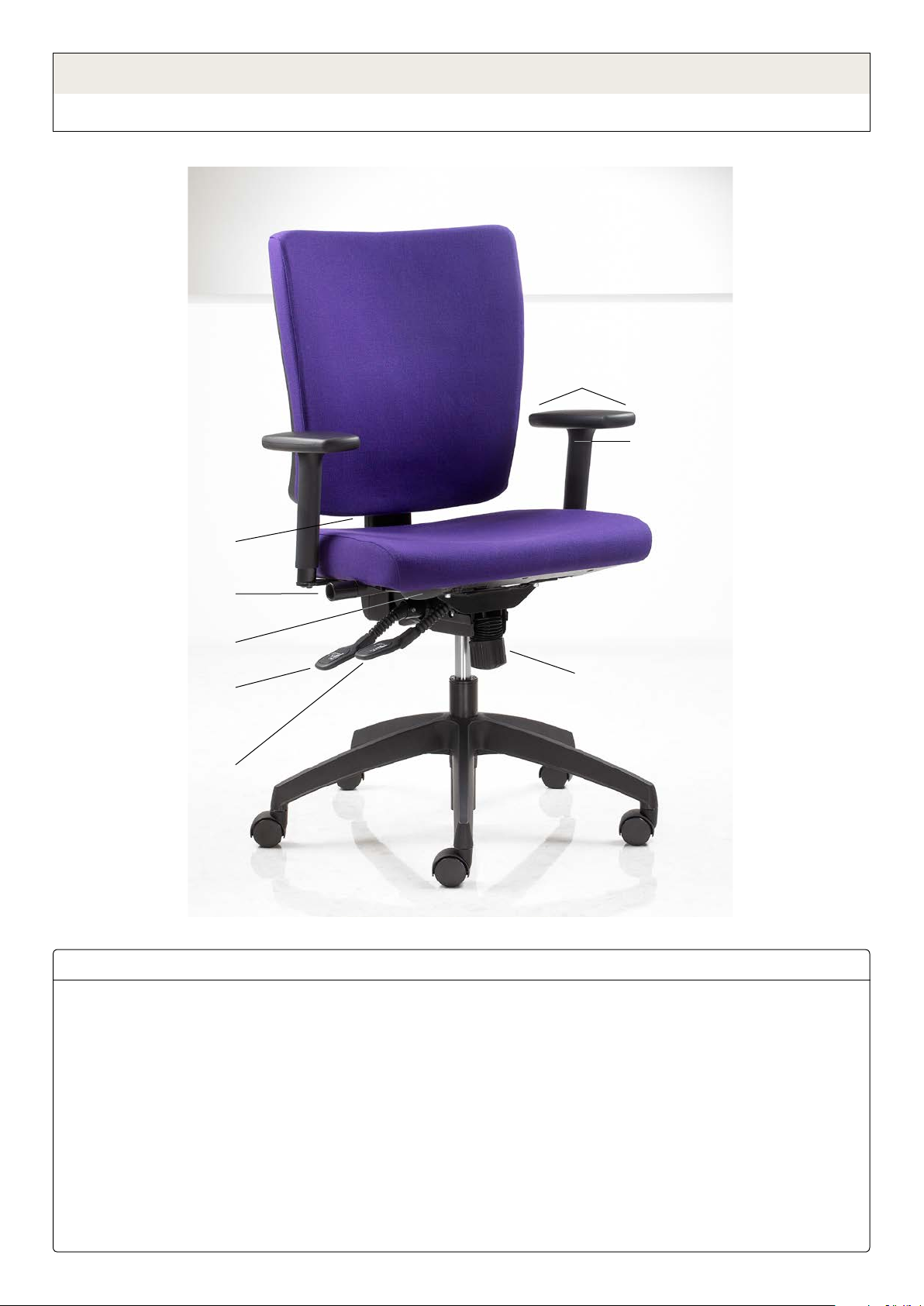
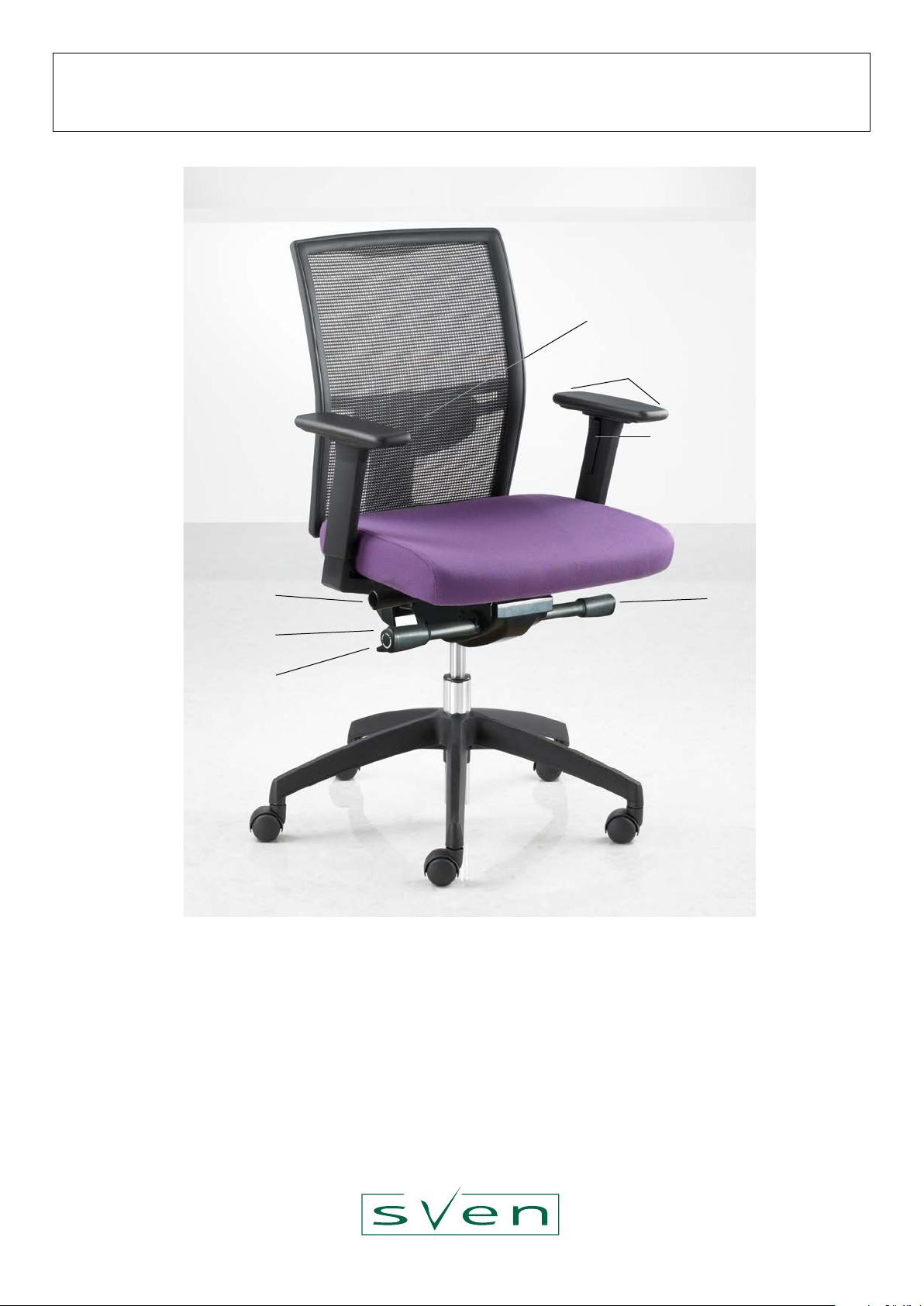
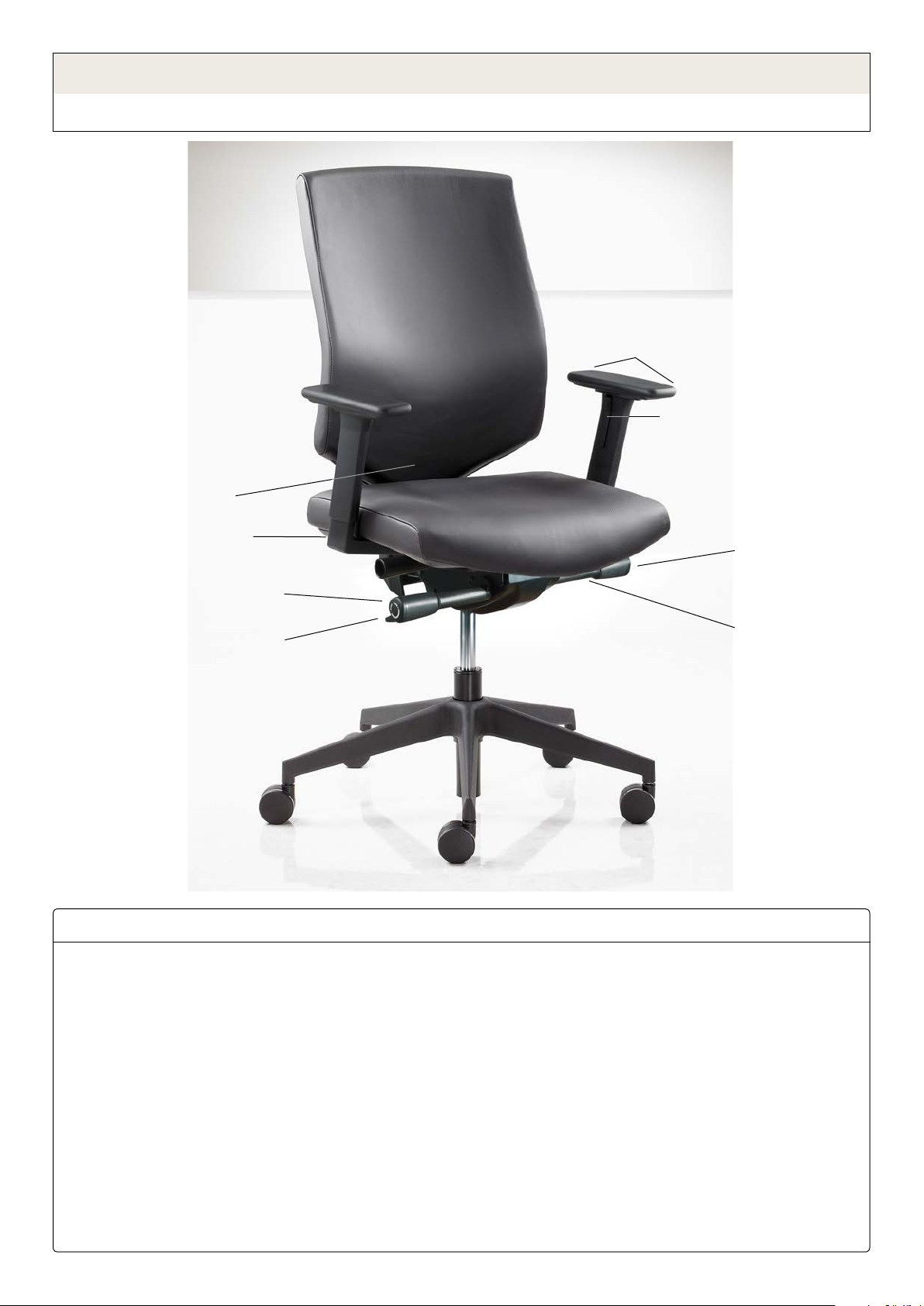
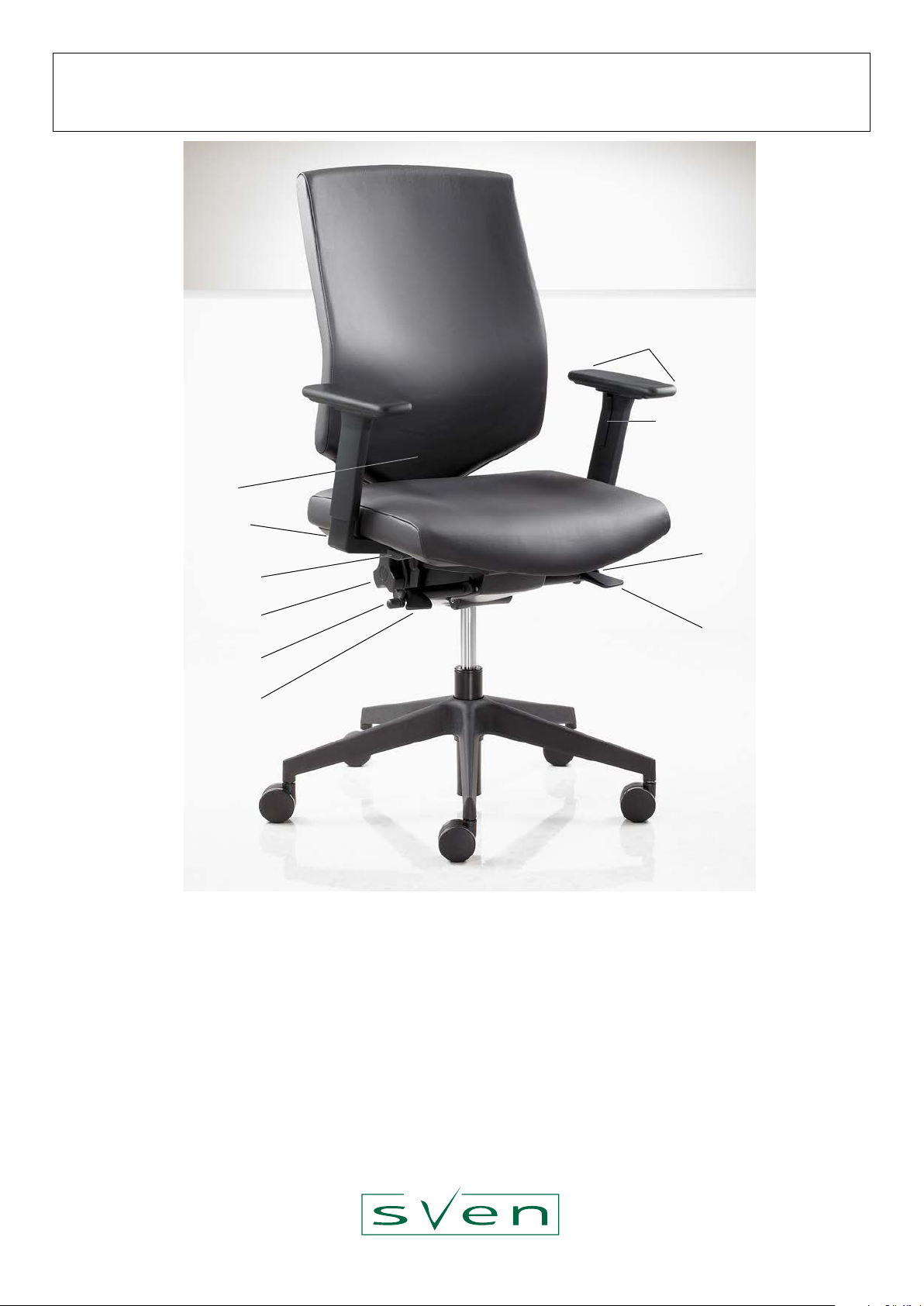
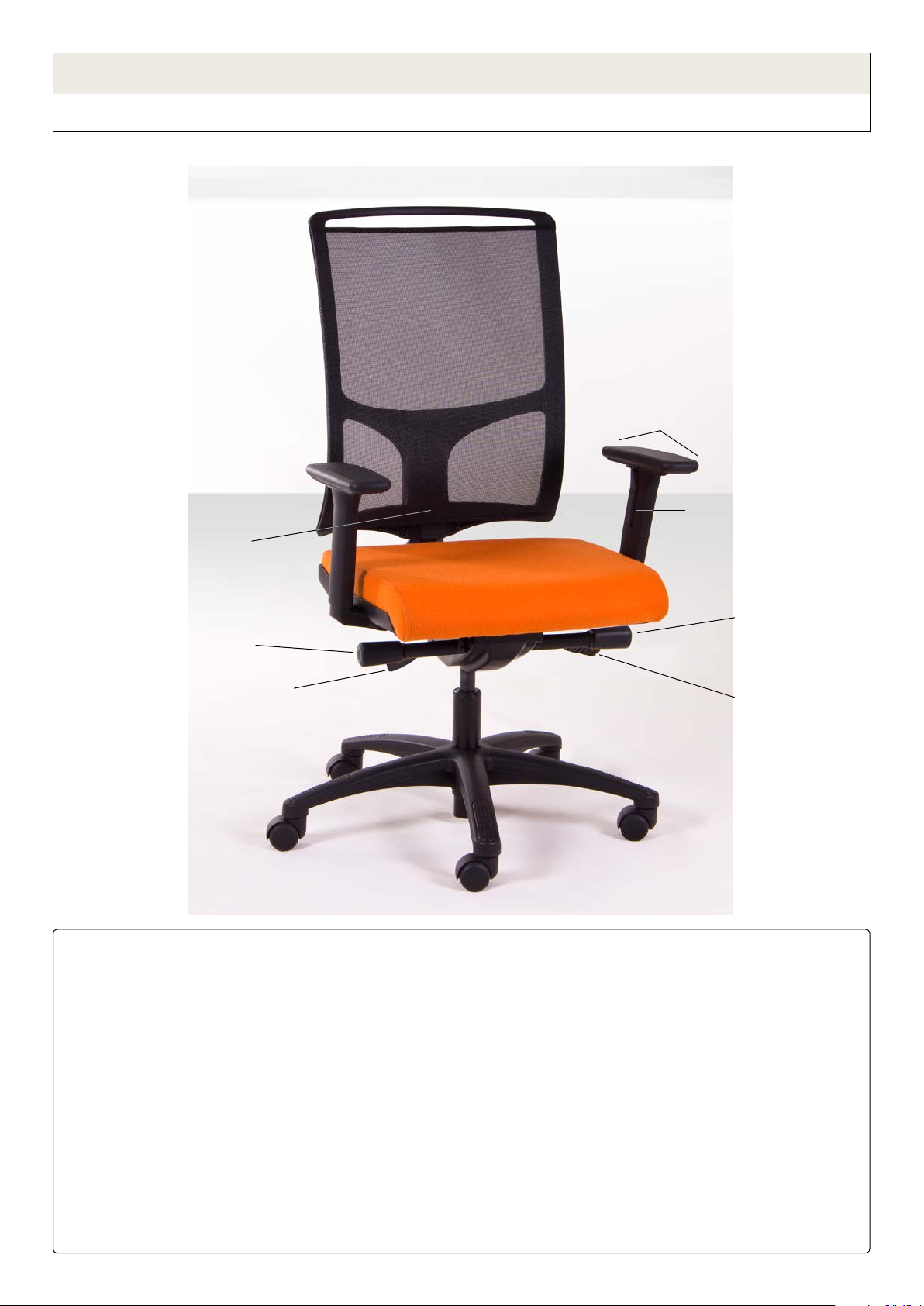
Backrest height
Seat height
Tilt tension
Lumbar support
(rear right) Tilt lock
(sit against backrest
before releasing)
Seat depth (at rear)
Armrest height
Armrest depth
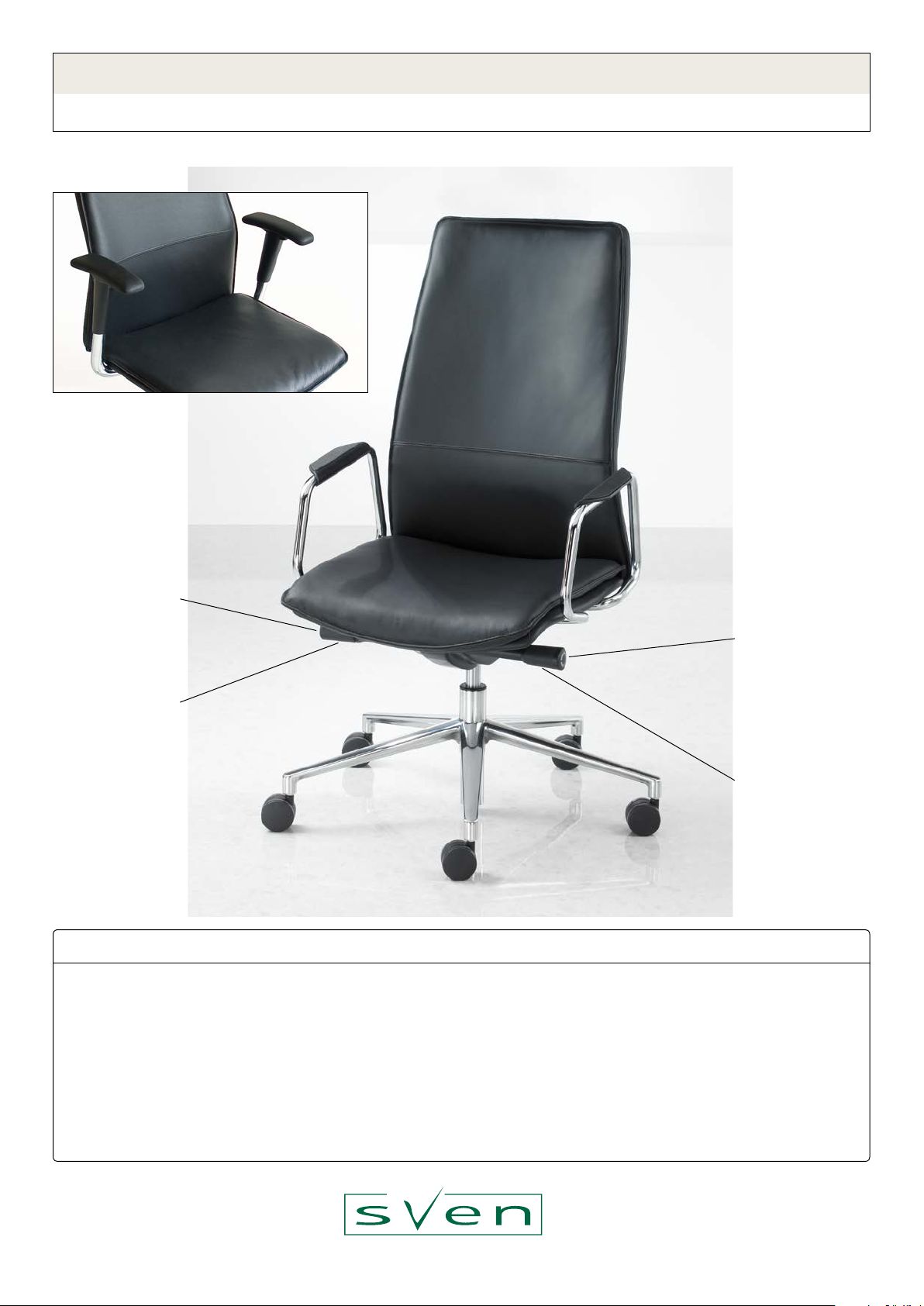
Instructions for adjusting G3 working chairs
synchro mechanism with 2:1 back/seat movement and integral seat depth adjustment
G3 M4
1. Adjust seat height so that your thighs are either sloping slightly
downwards or level. While sitting on the chair, raise your
weight a little off the seat and lift the height adjustment lever
on the right side of the chair. To lower, sit very lightly on the
seat and lift the height adjustment lever.
M6 mechanism only: to enable the seat to angle slightly
downwards when sitting forwards (recommended), pull out the
forwards tilt enable/disable button.
2. Adjust seat depth to your preference, by lifting the lever under
the left side of the seat while sliding forwards or backwards.
We recommend at least a ‘st’ of clearance between the back
of your knees and the front of the seat.
3. Adjust backrest height. Lift the back to raise in steps. After
reaching maximum height the back will drop back down to the
lowest position.
4. Adjust armrest height. Depress the button on the inside of the
arm and raise or lower to the desired height.
5. Adjust armrest depth. Push or pull the rear or front of the
armrest pad to slide it forwards or backwards.
6. Ensure tilt is not locked and adjust the tilt tension to suit your
preference. We recommend that the tilt is not locked in normal
use, to enable and encourage healthy movement.
7. Optional inatable lumbar support: Squeeze the bulb to
increase the lumbar curve. Press the small button adjacent to
the bulb to release the pressure and decrease the curve.
Recommended adjustment sequence for G3: