logo
Brands
  1. Home
  2. •
  3. Brands
  4. •
  5. Swissvoice
  6. •
  7. Telephone
  8. •
  9. Swissvoice Eurit 4000 User manual

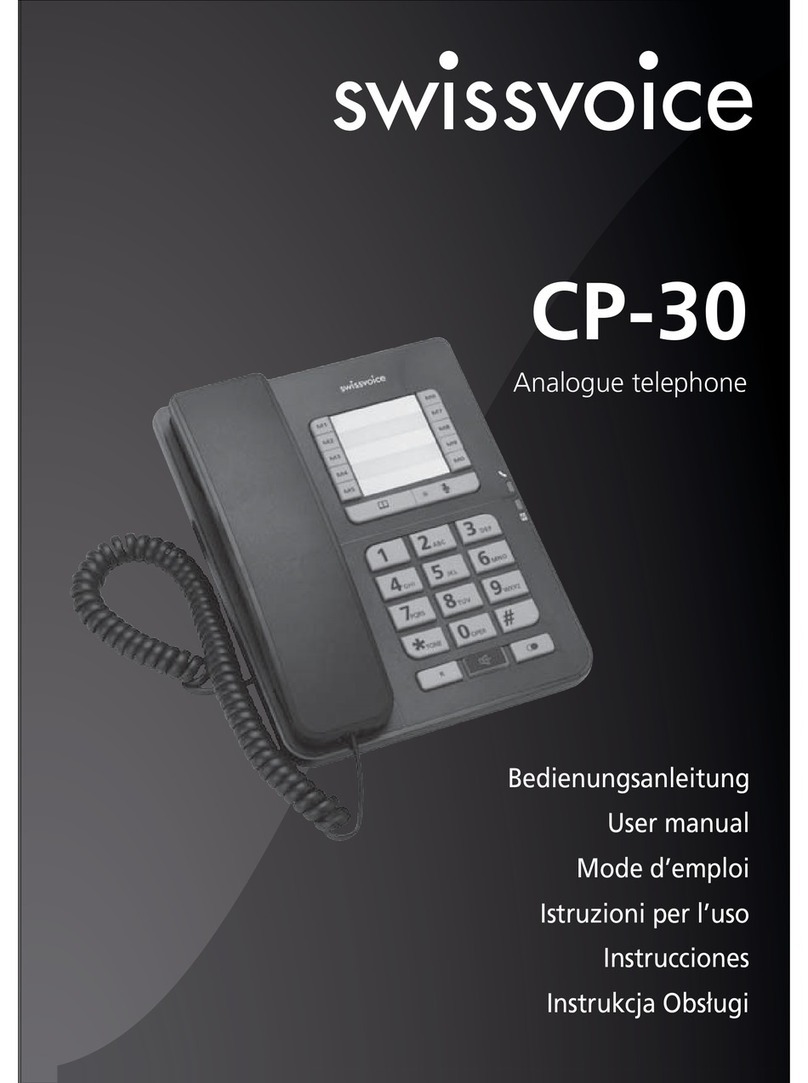
Swissvoice Eurit 4000 User manual

Other manuals for Eurit 4000

1

Other Swissvoice Telephone manuals

Swissvoice Aeris 196T User manual

Swissvoice

Swissvoice Aeris 196T User manual

Swissvoice CP100 User manual

Swissvoice

Swissvoice CP100 User manual

Swissvoice Xtra 1150 User manual

Swissvoice

Swissvoice Xtra 1150 User manual

Swissvoice Vintage 20 User manual

Swissvoice

Swissvoice Vintage 20 User manual

Swissvoice IP-10 User manual

Swissvoice

Swissvoice IP-10 User manual

Swissvoice G55 User manual

Swissvoice

Swissvoice G55 User manual

Swissvoice S38 Instruction manual

Swissvoice

Swissvoice S38 Instruction manual

Swissvoice Xtra 1110 User manual

Swissvoice

Swissvoice Xtra 1110 User manual

Swissvoice Avena 439 User manual

Swissvoice

Swissvoice Avena 439 User manual

Swissvoice CP-40 User manual

Swissvoice

Swissvoice CP-40 User manual

Swissvoice Aeris 154 User manual

Swissvoice

Swissvoice Aeris 154 User manual

Swissvoice Eurit 67 User manual

Swissvoice

Swissvoice Eurit 67 User manual

Swissvoice CP-20 User manual

Swissvoice

Swissvoice CP-20 User manual

Swissvoice CP-40 User manual

Swissvoice

Swissvoice CP-40 User manual

Swissvoice Avena 248 User manual

Swissvoice

Swissvoice Avena 248 User manual

Swissvoice CP110 User manual

Swissvoice

Swissvoice CP110 User manual

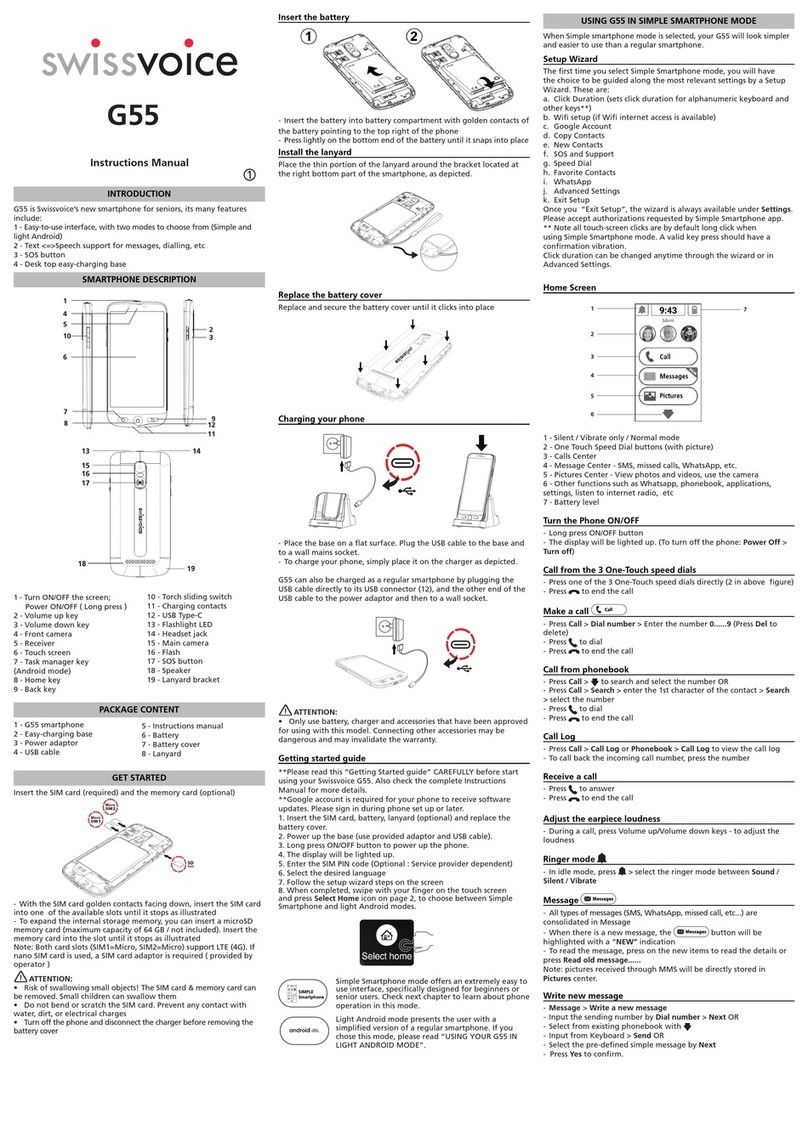
Swissvoice CP-30 User manual

Swissvoice

Swissvoice CP-30 User manual

Swissvoice Avena 479 User manual

Swissvoice

Swissvoice Avena 479 User manual

Swissvoice Xtra 2355 User manual

Swissvoice

Swissvoice Xtra 2355 User manual

Swissvoice CP2505G User manual

Swissvoice

Swissvoice CP2505G User manual

Popular Telephone manuals by other brands

GE 2-9480 user guide

GE

GE 2-9480 user guide

Geemarc PHOTOPHONE 155 user guide

Geemarc

Geemarc PHOTOPHONE 155 user guide

Interquartz Gemini IQ333 operating instructions

Interquartz

Interquartz Gemini IQ333 operating instructions

SSS Siedle HT 840-0 operating instructions

SSS Siedle

SSS Siedle HT 840-0 operating instructions

Motorola TITANIUM manual

Motorola

Motorola TITANIUM manual

Panasonic ICX Quick reference guide

Panasonic

Panasonic ICX Quick reference guide

LG H870DS user guide

LG

LG H870DS user guide

Samsung GT-I9500 Service manual

Samsung

Samsung GT-I9500 Service manual

AT&T Trimline 205 user manual

AT&T

AT&T Trimline 205 user manual

Selta zenyth 600 user guide

Selta

Selta zenyth 600 user guide

Doro AFTI 20 user guide

Doro

Doro AFTI 20 user guide

UNIQCELL A1 user guide

UNIQCELL

UNIQCELL A1 user guide

Jabra SP5050 - Bluetooth hands-free Speakerphone manual

Jabra

Jabra SP5050 - Bluetooth hands-free Speakerphone manual

BT Decor 425 user guide

BT

BT Decor 425 user guide

NEC SV8500 Reference sheet

NEC

NEC SV8500 Reference sheet

Teledex PEARL user guide

Teledex

Teledex PEARL user guide

Ericsson Dialog 3213 user guide

Ericsson

Ericsson Dialog 3213 user guide

Yealink VP530 user guide

Yealink

Yealink VP530 user guide

https://manuals.online logo
https://manuals.online logoBrands
  • About & Mission
  • Contact us
  • Privacy Policy
  • Terms and Conditions

Copyright 2025 Manuals.Online. All Rights Reserved.

Brief Operating
Instructions
Attention: Operating
instructions contain safety
precautions!
Please read before putting
into operation, and store
in a safe place.
Eurit 4000
ISDN & WAP
I203247441en_ba_d0
Safety instructions
Follow these instructions to avoid physical injury:
➭Never take the telephone apart yourself.
➭Never touch electrical contacts with pointed or metallic objects.
➭Never lay the connecting leads in such a way that they might cause someone to trip
over.
Be sure to follow these instructions when installing, connecting and using the
telephone:
➭The Eurit 4000 is for voice communication via the I DN telephone network as well as
for information access on the Internet via WAP. The device must not be used for any
other purpose.
➭The telephone is intended only for normal use in dry areas of the home or office. Do
not install or use the telephone in wet areas (e.g. bathroom) or in explosion-
endangered rooms.
➭Install the telephone away from sources of heat, direct sunlight and other electrical
appliances. Operate the telephone only in the temperature range from +5 °C to +45 °C.
➭Connect the connecting leads only to the designated sockets. Do not install or use
the telephone with damaged connecting leads. If you discover damage, have it
repaired by authorized service centers.
➭Use only genuine accessories.
➭Protect the telephone from wet, excessive dust, aggressive liquids and vapors.
➭
Clean the telephone with a soft, damp cloth or antistatic cloth. Do not use a dry cloth
or cleaning or scouring agents. trong cleaning agents or solvents are not suitable.
➭The telephone may be repaired only by authorized service personnel.
➭Do not carry the telephone by the connecting leads.
➭Do not drop the telephone.
➭Place the telephone on a non-slip surface.
➭The feet of the telephone may leave marks.
II
203247441en_ba_d0
1 Display with backlighting
for menu functions, information, texts and graphics
2 inus key
Press the minus key to reduce the olume (handset and loudspeaker).
3 Plus key
Press the plus key to increase the olume (handset and loudspeaker).
4 icrophone mute key
Press the microphone mute key to
– switch the microphone on or off (handset microphone, handsfree microphone).
– withhold your own phone number when calling.
5 Loudspeaker key
Press the loudspeaker key to
– follow the connection status when dialing.
– acti ate/deacti ate listening by loudspeaker/handsfree talking during a call.
O erall iew and control panel
28
27
12345 67 89
10 11 12 13 14
15
16
171819202122232425
26
III 203247441en_ba_d0
O erall iew and control panel
6 key
Press the key to
– launch the WAP browser, establish an Internet connection and go to the WAP
home page.
– terminate the Internet connection (if the WAP browser has already been
launched) and restore the telephone to default mode.
7 Fox key
The a ailable functions are shown on the bottom line of the display and are
acti ated by pressing the Fox key directly below the corresponding text.
8 User key
Press the user key to change the user profile on the telephone.
9 LED
The LED tells you the status of your telephone.
LED off – telephone answering machine off
LED lit – telephone answering machine on
– call forwarding unconditional
– if there is a call with olume = 0 or do not disturb
LED flashing slowly – at least one message recei ed
LED flashing quickly – capacity of telephone answering machine exhausted
10 Telephone answering machine key
Press the telephone answering machine key to switch your telephone answering
machine on or off.
11 Redial key
Press the redial key to open the redial memory. The redial memory stores the phone
numbers which were last dialed (up to 1000 entries).
12 LOG key
Press the LOG key to open the LOG memory. The LOG memory stores all incoming
and outgoing calls, SMSs, UUSs, incoming oice messages for the telephone
answering machine, info messages as well as WAP addresses entered using the
keypad (1000 entries).
13 PARK key
Press the PARK key to park the existing call.
14 key
Key, freely assignable for each user, for phone numbers, e-mail addresses, WAP
addresses or functions.
15 Dial keypad
Use the dial keypad to enter numbers and the characters * and #.
16 Alphanumeric keypad
Use the alphanumeric keypad to enter letters as well as special characters such as
full stop (period), comma, brackets etc. (by simultaneously pressing the CONTROL
key and letter key).
IV
203247441en_ba_d0
O erall iew and control panel
17 Backspace key
Press the backspace key to delete letters, special characters, digits etc. you ha e entered.
18 RETURN key
Press the return key to
– mo e to the next line.
– enter corresponding menus.
– confirm or execute functions.
19 Arrow keys
Press an arrow key to
– mo e the cursor horizontally or ertically for entering text.
– scroll up/down the display.
– scroll up/down the menu and select the corresponding menu.
– select WAP pages.
20 BACK key
Press the BACK key to return from a submenu to the associated menu. When
surfing, press the BACK key to go back one le el to the pre ious WAP page. Hold
down the BACK key to reload the home page of the WAP browser or to restore
the telephone to default mode.
21 Wheel navigator
Turn the wheel na igator to
– mo e the cursor ertically for entering text.
– scroll up/down the display.
– scroll up/down the menu and select the corresponding menu.
22 OK key
Press the OK key to
– enter corresponding menus.
– confirm or execute functions.
– scroll up/down the menu and select the corresponding menu.
– dial WAP links.
23 Space key
Press the space key to enter spaces.
24 CONTROL key
The keys of the alphanumeric display can also be used to enter special characters.
To enter special characters, simultaneously press the CONTROL key with a
corresponding key on the alphanumeric keypad.
25 SHIFT key
Simultaneously press the Shift key to enter letters in upper case.
26 Special character key
Press the special character key to display a one-line list with special characters, which
you can select with the wheel na igator, the arrow keys or the alphanumeric keypad.
27 Loudspeaker
28 Handset cradle
1203247441en_ba_d0
Contents
Safety instructions........................................................................................................ I
Overall view and control panel .................................................................................. II
Introduction ................................................................................................................. 4
The telephone .......................................................................................................... 4
Operating instructions .............................................................................................. 5
Getting started ............................................................................................................ 7
Unpacking ................................................................................................................ 7
Choosing a location .................................................................................................. 8
Connecting the telephone ........................................................................................ 8
The display ............................................................................................................. 10
Key assignment ...................................................................................................... 12
First steps (brief instructions) ................................................................................... 13
WAP ............................................................................................................................ 16
Definitions .............................................................................................................. 16
Status symbols in the WAP browser ........................................................................ 19
Launching the WAP browser (going online) ............................................................. 19
Quitting the WAP browser (going offline)................................................................ 19
Surfing the Internet (surfing through WAP pages) ................................................... 20
Surfing and making a phone call at the same time .................................................. 22
Sa ing WAP pages .................................................................................................. 23
Settings for WAP access .......................................................................................... 25
Error messages........................................................................................................ 27
Phone calls ................................................................................................................. 28
User concept .......................................................................................................... 28
Handsfree talking.................................................................................................... 29
Listening by loudspeaker ......................................................................................... 30
Mute ...................................................................................................................... 30
Adjusting the olume .............................................................................................. 30
Manual dialing ........................................................................................................ 31
Withholding your phone number (making an anonymous call) ................................ 32
Callback on busy/no answer ................................................................................... 33
Automatic redial on busy ........................................................................................ 34
Scheduled call (reminder to call back)...................................................................... 34
Dialing from the phonebook ................................................................................... 35
Dialing from the redial memory ............................................................................... 36

2
203247441en_ba_d0
Contents
Dialing from the LOG memory ................................................................................ 36
Dialing from the inbox ............................................................................................ 37
Dialing from the VIP display .................................................................................... 37
Incoming calls ......................................................................................................... 38
Anonymous callers .................................................................................................. 39
While making a phone call ...................................................................................... 40
Sending keypad information ................................................................................... 42
Sending DTMF ........................................................................................................ 42
Phonebook ................................................................................................................. 43
Creating a new entry .............................................................................................. 43
Changing an entry .................................................................................................. 46
Deleting an entry .................................................................................................... 46
Checking the phonebook capacity .......................................................................... 46
Telephone answering machine ................................................................................. 47
Switching the telephone answering machine on/off ................................................ 47
Accepting a call in mid-recording ............................................................................ 48
Recording/playing back/changing/deleting a greeting .............................................. 48
Assigning greeting to a user.................................................................................... 50
Setting the recording length ................................................................................... 51
Switching call screening on/off................................................................................ 51
Number of rings before answer/remote access toll sa e function ............................. 52
Recording quality .................................................................................................... 52
Playing back/deleting oice messages ...................................................................... 53
Remote access ............................................................................................................ 54
Remote access settings ........................................................................................... 54
Operating the telephone remotely .......................................................................... 56
Operation on a PBX ................................................................................................... 62
Switching on/off operation on a PBX....................................................................... 62
Trunk access code (TAC) for outgoing calls .............................................................. 62
Trunk access code (TAC) for incoming calls .............................................................. 63
Length of internal phone numbers .......................................................................... 63
On-hook transfer .................................................................................................... 64
Setting the method of transfer ................................................................................ 65
Automatically sending keypad information ............................................................. 65
3203247441en_ba_d0
Contents
Advanced features .................................................................................................... 66
Timers .................................................................................................................... 66
ETV® Online ............................................................................................................ 68
Messages (SMS, UUS, info message) ....................................................................... 70
Message waiting notification .................................................................................. 74
Call forwarding ....................................................................................................... 76
Call charges ............................................................................................................ 76
Do not disturb ........................................................................................................ 77
Pro iders ................................................................................................................. 79
Ringing tone ........................................................................................................... 81
Games .................................................................................................................... 82
Locking the telephone with security PIN .................................................................. 82
key .................................................................................................................... 84
Appendix .................................................................................................................... 85
Renumbering (prefix) .............................................................................................. 85
Headset .................................................................................................................. 86
Reset ...................................................................................................................... 86
Software update ..................................................................................................... 87
Trouble shooting ..................................................................................................... 88
Care ....................................................................................................................... 89
Function list ............................................................................................................ 89
Eurit Office Tool ...................................................................................................... 90
Technical data ......................................................................................................... 91
Warranty Conditions ............................................................................................... 91
Disposal .................................................................................................................. 92
Appro al and CE marking ....................................................................................... 92
Liability ................................................................................................................... 92
Declaration of conformity ....................................................................................... 93
Warranty certificate .................................................................................................. 95
Key words .................................................................................................................. 97
4
203247441en_ba_d0
Introduction
Thank you for the confidence you ha e shown in us by choosing our product.
This product is intended for office or home use.
The telephone
Type of line
Your telephone is intended for an ISDN standard line (protocol DSS1, Euro ISDN) and can
be connected to the ISDN bus (S0). The power supply is ia the plug-in power supply unit.
WAP
Your telephone has an integrated WAP browser. Press the key to access information on
the Internet ia WAP. With ISDN you ha e two telephone lines at your disposal, which
means you can surf and phone at the same time.
User profiles
Your Eurit 4000 can be used to set up 10 user profiles. All users can define their own
settings, such as ringing melodies, call forwarding, do not disturb etc. Press the user key
to switch from one user to the next.
Details about the user concept can be found in the section entitled "Phone calls - User
concept".
Phonebook
The phonebook has space for up to 800 entries for names and addresses. Each indi idual
entry can hold up to 5 different phone numbers (home, office, mobile, fax, pager), e-mail
addresses (home email, office email) or WAP addresses (URLs).
Telephone answering machine
The built-in digital telephone answering machine has a total capacity of around 28
minutes. A total of 10 greetings, 5 end messages and 2 "memory full" messages can be
recorded. The recording length is adjustable. The telephone answering machine can be
remotely accessed and configured using a PIN code.
➭The abbreviation TAM (Telephone Answering Machine) is often used in the operating
instructions and in the text on the display.