Thoma • Tel./Fax: +48 95 741 11 62 • info@t4w.eu • www.t4w.eu
4
Operation Manual TW-6s
more against the green side of the calibration sheet, wait until the result stabilizes and press the
OK [MENU] button while the sensor still touches the sheet. On the display will appear a O K ...
caption and the device will return automatically to the main menu.
If the device is calibrated, You can cancel the Zero function by pressing the OK [MENU]
button. Please note not to press the OK [MENU] button before the ------ caption appears in
the second line of the display – otherwise the gauge will decalibrate!
WARNING! WhIle zeRoING, The cAlIbRATIoN sheeT should b e
plAced o N Af l A T , s T A b l e NoN-m e T A l I c suRfAce (e.G.
d o NoT plAce The sheeT o N The bodyWoRk). Also, pleAse A v o I d holdING The sheeT I N
yo u R hANds A s ThIs m A y AffecT The opeRATIoN.
Please note that zeroing is worth to be made when the measurement conditions are changing
(e.g. the temperature or humidity rises or falls).
WARNING! 1. us e o N l y AlkAlINe bATTeRIes A s NoRmAl bATTeRIes
pRovIde uNsuffIcIeNT poWeR. 2. INsTeAd o f AAlkAlINe
b A T T e R y yo u cAN use AcompATIble, fully chARGed Accu. 3. IfThe devIce seems T o WoRk
ImpRopeRly I T cAN b e cAused b y A N empTy b A T T e R y o R Accu.
To take a measurement please put the device’s sensor against the examined surface. The sensor
should adhere as at as possible. The examined surface should be clean and smooth, otherwise
the measurement may be incorrect. It is advised to hold the gauge with both hands and press
gently towards the examined surface to eliminate vibration. Usually it takes 1-2 seconds to
stabilize the measurement result.
Gauge manual3.
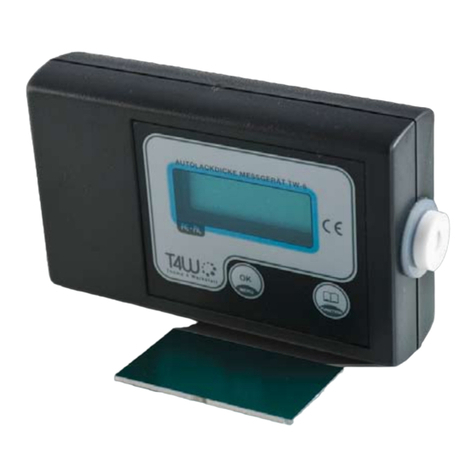
The device is operated with 2 buttons:
button • OK [MENU]: turns the device on, accepts the selected functions and returns
from them to the main menu, when pressed during the measurement it memorizes the
displayed value;
button • FUNCTION: switches between the functions in the main menu, switches between
the stored measurement values.
To turn the device on please press the OK[MENU] button for about 1 second. After displaying
the company’s logo and the device’s type, the device switches automatically to the main menu.
You will see on the display Measur in the rst line and Memory in the second line. The *
symbol indicates the currently selected function.