PROGRAMMABLE TIMER
Specifications subject to change as develop ent is a continuous process. TX2_Manual Ver: 1.0
www. icros artindia.co
Specifications
Display: 0.56” height 3 digit Red.
Ti e ranges: 9.99 / 99.9 / 999 sec,
9:59 in:sec, 99.9 / 999 in, 9.99 /
99.9 / 999 Hrs.
Counting
Direction: Up / Down.
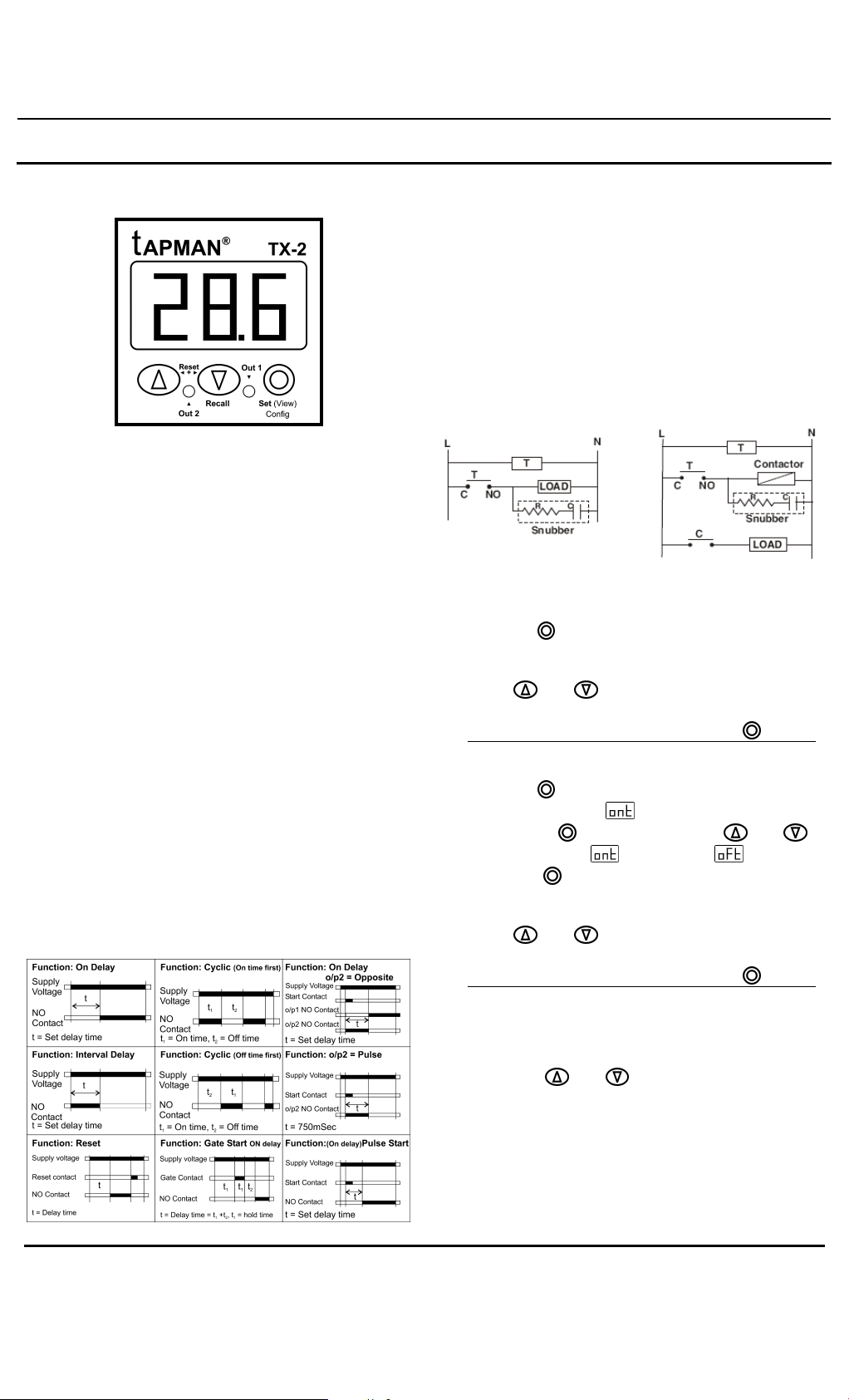
Modes: a) ON delay b) Interval c) Cyclic On
first d) Cyclic OFF first.
Ti e setting: By front keypad.
Outputs: 2 C/O.
Relay rating: 7A @ 240VAC.
Inputs: a) START b) RESET
Reset: a) Front panel. b) Rear ter inal. c) On
power interruption.
Reset Ti e: Less than 100 s.
Accuracy: ±0.05% or 50 sec which ever is
greater.
Supply: 220VAC ±10% @ 50 / 60 Hz.
Mounting: Panel ounting.
Housing: ABS.
Operating
Te perature: 0˚C to 50˚C.
Hu idity: 95% R.H. Non condensing.
OPERATING MODES
Precautions during use
High voltage spikes (noise) present in the industrial
environ ent can cause alfunctioning of the
instru ent like erratic display, latch up, data loss or
per anent da age to the instru ent.
To reduce the chances of alfunction
a) Use of MOV across supply of ti ers and snubber
circuits across loads are reco ended.
b) Use separate shielded wires for inputs.
SET ALUE PROGRAMMING
1. On-delay / Interval mode
a. Keep the button pressed for 3 seconds.
b. The display shows the Set value and starts to
flash (on and off).
c. Using and buttons change to desired
value.
d. While the display is still flashing press button.
2. Cyclic On-first/ Cyclic Off first mode.
a. Keep the button pressed for 3 seconds.
b. The display shows and starts flashing.
c. Keeping the button pressed use and
buttons to select (On ti e) or (Off ti e).
d. Leave the button.
e. Now the display shows the corresponding set
value.
f. Using and buttons change to desired
value.
g. While the display is still flashing press button.
RESETTING THE TIMER
1. By front panel:
Press the and buttons together for 3
seconds.
2. Remote reset:
TX2 can be reset fro a re ote push button by
shorting the RST and COM ter inals.