Contents
1 – Introduction ..............................................7
Features..................................................................................7
Included items ..................................................................... 7
About this manual..............................................................8
Trademarks............................................................................ 8
Precautions for placement and use..............................8
Connecting the power...................................................... 8
Beware of condensation...................................................8
Cleaning the unit.................................................................8
About discs............................................................................9
Handling of compact discs ....................................... 9
2 – Names and Functions of Parts ...............10
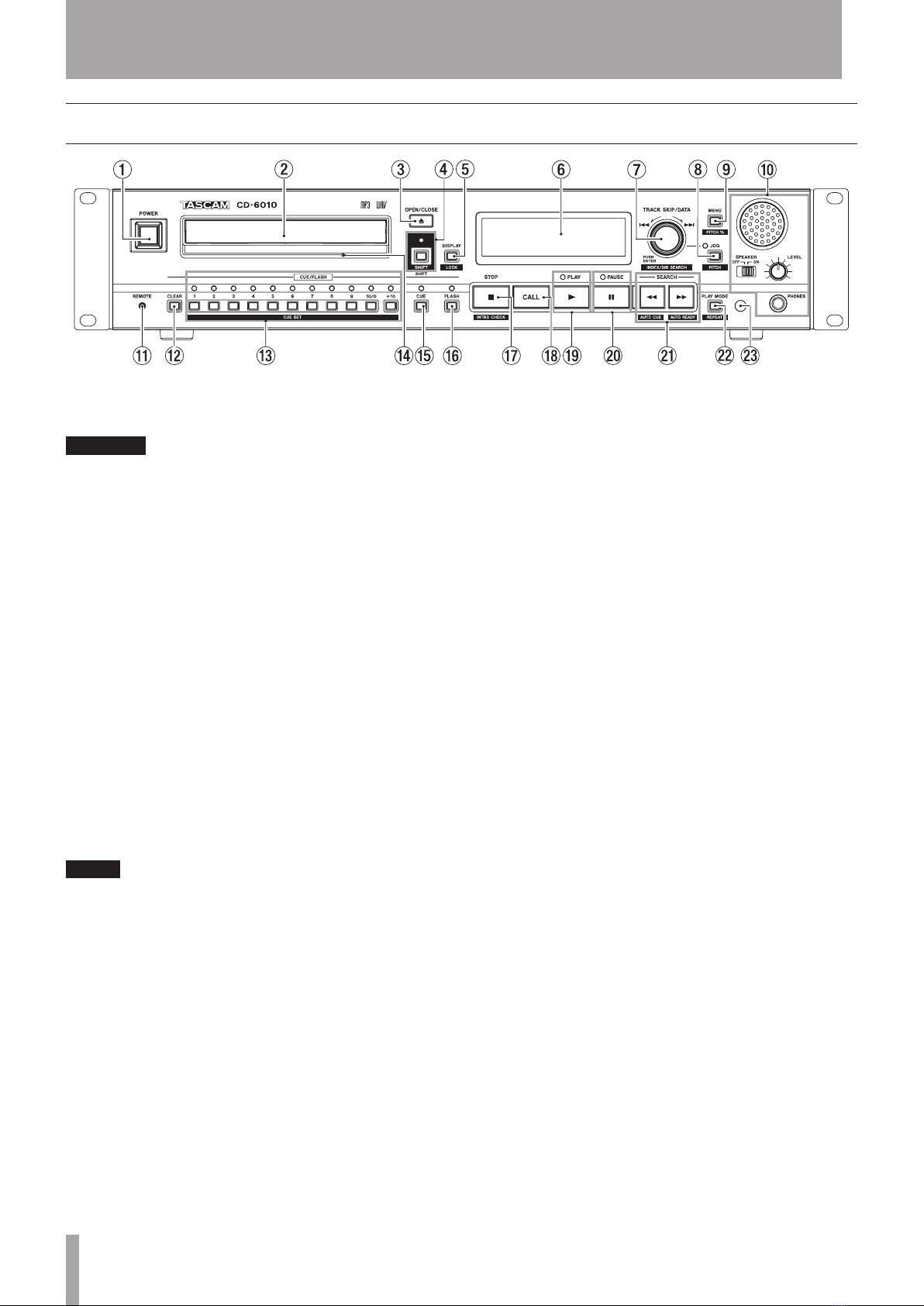
Front panel ..........................................................................10
Rear panel............................................................................12
Display...................................................................................13
Wireless remote control (TASCAM RC-500) .............14
3 – Preparation..............................................16
Making connections ........................................................16
Preparing the remote control ...................................... 17
Inserting batteries......................................................17
When to replace the batteries...............................17
Precautions about using batteries.......................17
Precautions about using the remote control...17
Remote control reception settings.............................17
Panel lock function ..........................................................18
4 – Menu ........................................................19
Menu structure ..................................................................19
Menu operation basics ...................................................19
5 – Operation ................................................20
Compatible disc and file types ....................................20
Directories and tracks on data CDs ............................20
Loading discs .....................................................................21
Inserting a disc............................................................21
Ejecting a disc..............................................................21
Tray lock function .............................................................21
Playing back a CD..............................................................21
Selecting a track................................................................22
Skipping to the next or previous track...............22
Designating track numbers....................................22
Selecting indexes and directories ..............................22
Using the SEARCH buttons............................................23
Using the jog function to search.................................23
Playback modes.................................................................23
Selecting the playback mode ...............................23
6 – Various Playback Functions ...................24
Auto-cue function ...........................................................24
Setting the auto-cue level ......................................24
Auto-ready function .......................................................24
Resume function...............................................................24
Call function .......................................................................25
Cue function .......................................................................25
Setting cue points......................................................25
Using cue points.........................................................25
Clearing cue points....................................................25
Incremental play function ............................................25
Repeat playback ...............................................................26
Ordinary repeat playback ......................................26
A-B repeat playback..................................................26
Intro check mode .............................................................27
Power on play function...................................................27
Pitch control playback.....................................................27
Setting the pitch adjustment increment...........28
Changing playback speed without changing
pitch (KEY ORIG) ...............................................................28
Program playback ............................................................28
Program setting mode.............................................28
Checking the program ............................................29
Editing the program..................................................29
Fade in/fade out playback .............................................30
Skip back playback ..........................................................30
Setting the skip back time ......................................30
Flash start function ..........................................................30
Relay playback ..................................................................31
7 – Other Functions ......................................32
Changing the playback time display mode.............32
Frame time display setting ...........................................32
End of track warning (TRACK EOM)............................32
End of disc warning (Disc EOM)...................................32
Interval time setting ........................................................33
Outputting in mono ........................................................33
Controlling the player with a footswitch .................33
Setting the footswitch .............................................33
Using the footswitch.................................................33
Footswitch mode settings......................................33
Controlling the player with a direct playback
remote...................................................................................34
Fader and event start ......................................................34
Fader start and stop ..................................................34
Event start ....................................................................34
Using the RS-232C connector ......................................34
Setting the baud rate ...............................................34
Restoring factory default settings ..............................34