TE Connectivity LGA4189 User manual

LGA4189 Socket Instruction
Sheet
411-115008 Rev.A
20th Mar’20

TE Connectivity Confidential & Proprietary. Do not reproduce or distribute.
LGA4189 Socket is designed to receive the
4189 position LGApackage. Read these
instructions thoroughly before installing the
package onto the socket. This sheet covers
the instruction after SMT till package
installation.
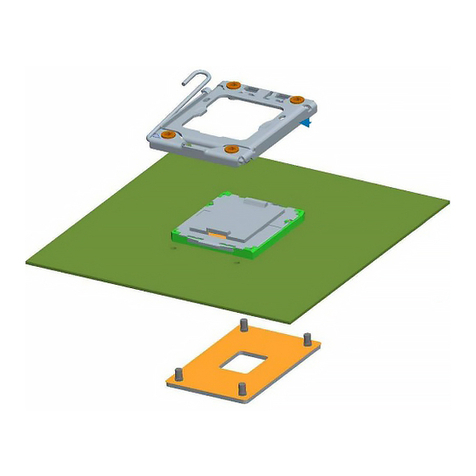
TE provides five components for LGA4189
socket system. socket(Fig.2a),bolster
assembly(Fig.2b),back plate(Fig.2c),carrier
(Fig.2d), and dust cover(Fig.2e).
These components shall be used correctly to
secure electrical and mechanical quality.
1. Introduction
Fig.1 System of LGA 4189 socket
2
Dust cover
Heatsink
Processor Carrier
Processor
Bolster Plate Assembly
LGA4189
Back plate
Instruction Sheet
411-115008 Rev.A
20th Mar’20

TE Connectivity Confidential & Proprietary. Do not reproduce or distribute.
2. Components
These components shall be used correctly to secure electrical and mechanical quality.
Please refer the instruction sheet shown in the table below.
Description Part Number(*1)
1) LGA4189Socket Individual Package P/N X-2324271-X
Kit Package P/N X-2332283-X
2) Bolster Plate X-2330550-X
3) Back plate Assy X-2330551-X
4) Carrier X-2330552-X
5) Dust Cover 2-2330553-1
3
Fig.2a Socket assy Fig.2b Bolster Plate Fig.2c Back plate Fig.2d Carrier Fig.2e Dust cover
Instruction Sheet
411-115008 Rev.A
20th Mar’20

TE Connectivity Confidential & Proprietary. Do not reproduce or distribute.
3. Attachment hardwareAssy and back plate Assy procedure
3.1 Prepare components
Below three components are used.
Fig.3
4
Socket P4 Back plate
Pin 1 indicators
Bolster plate
Instruction Sheet
411-115008 Rev.A
20th Mar’20

TE Connectivity Confidential & Proprietary. Do not reproduce or distribute.
3. Attachment hardware Assy and back plate Assy procedure
3.2 Assemble back plate on PCB
Attach back plate to PCB from back side. 6 stud bolts go through applicable 6 holes
of PCB. (Pin 1 indicators)
Please confirm if there are any foreign object or irregular warpage of PCB
5
Socket P4
H5
Fig.4
H4
H6 H3
H2
H1
S5 S4
S6 S3
S1 S2
Pin 1 indicators Pin 1 indicators
Instruction Sheet
411-115008 Rev.A
20th Mar’20

TE Connectivity Confidential & Proprietary. Do not reproduce or distribute.
3. Attachment hardware Assy and back plate Assy procedure
3.3 Assemble bolster plate on PCB
Attach bolster plate on PCB top side. gasket side down, on the board
Holding bolster plate to maintain alignment, fully fasten nut#1 first with 0.904N.m(8in-lbf) of torque.
Tighten the nuts in any order
Tool: Electric torque
T-20 Torx bit
Torque:0.904N.m or
8 in-ibf
IMPORTANT: Tighten the nuts in any order.
Fig.5
6
Instruction Sheet
411-115008 Rev.A
20th Mar’20

TE Connectivity Confidential & Proprietary. Do not reproduce or distribute.
7
3. Attachment hardwareAssy and back plate Assy procedure
3.4.1 Pick & Place cover removal
Instruction Sheet
411-115008 Rev.A
20th Mar’20
TE Connectivity Confidential & Proprietary. Do not reproduce or distribute.
8
3. Attachment hardwareAssy and back plate Assy procedure
3.4.2 Pick & Place cover removal
Gently engage the PnP tool with bolster plate assembly ensuring the corner alignment features sit
on PnP covers evenly.
X
√
IN-CORRECT
CORRECT
NOTE: PnP removal tool has four alignment tabs with
holes that engage with the bolster plate assembly
studs. PnP PnP removal tool
alignment tab
correctly placed on
Bolster plate stud
Instruction Sheet
411-115008 Rev.A
20th Mar’20

TE Connectivity Confidential & Proprietary. Do not reproduce or distribute.
9
3. Attachment hardwareAssy and back plate Assy procedure
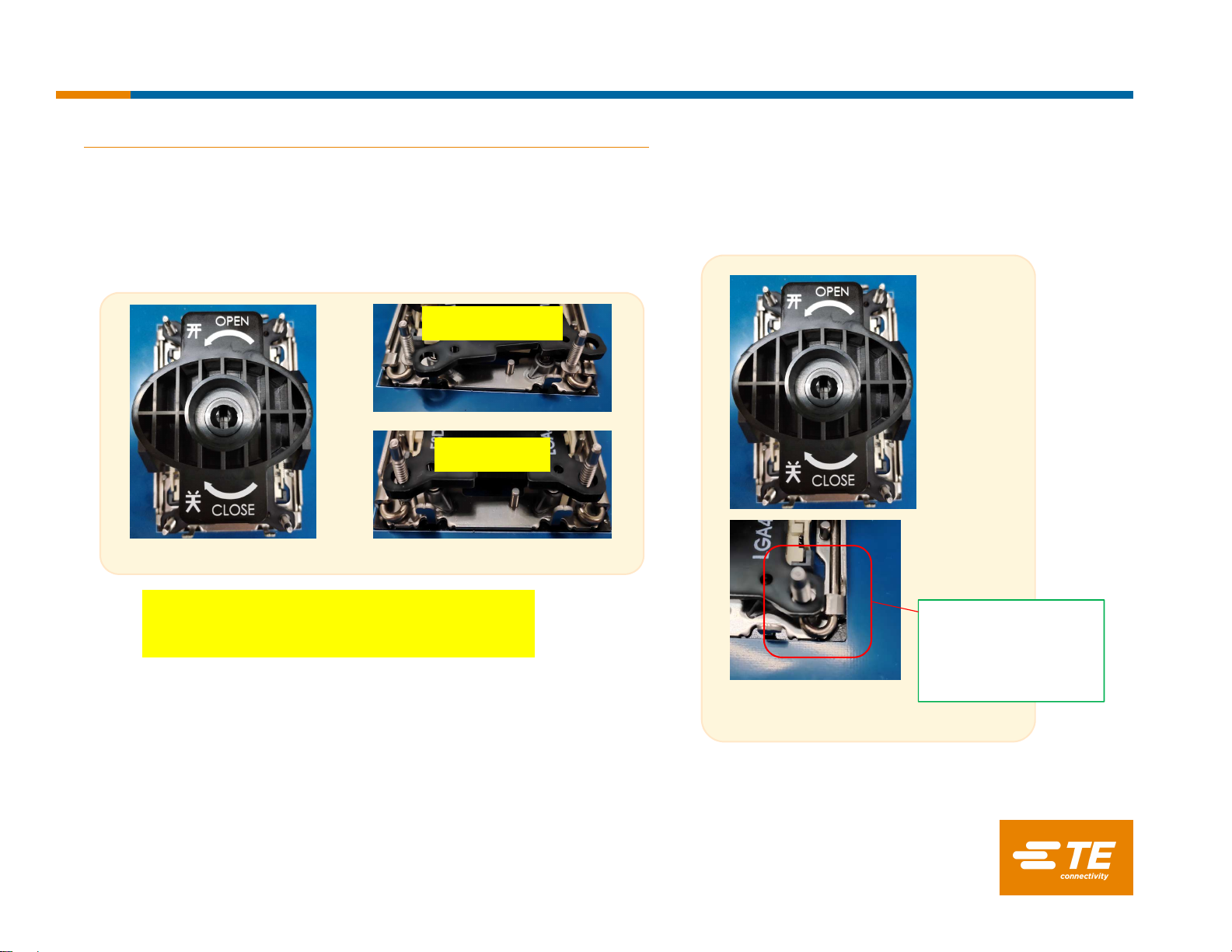
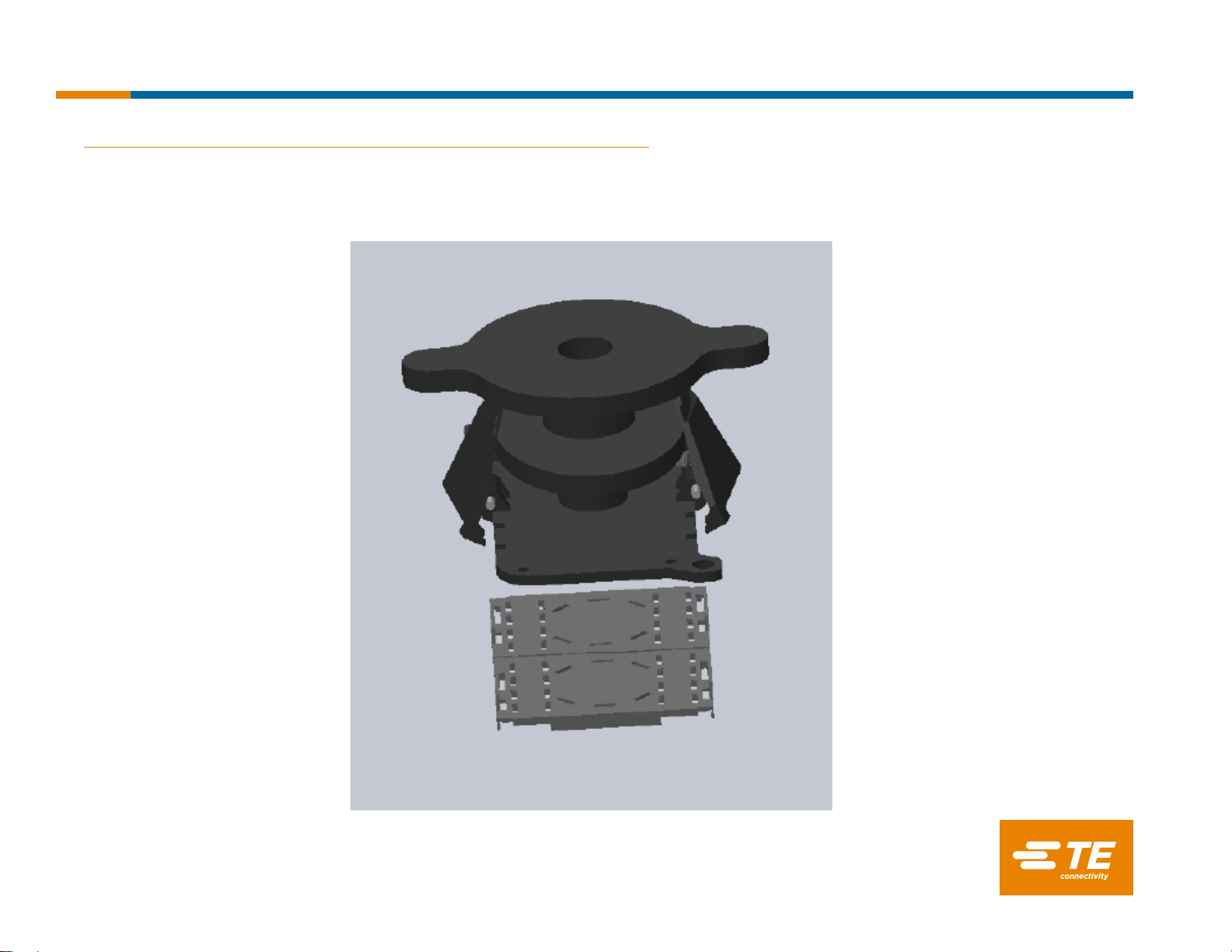
3.4.3 Pick & Place cover removal
Gently hold the tool down and rotate the knob clockwise 90 degrees until it is in the closed position
releasing the PnP Covers.
Slowly lift the tool up vertically. Make sure both PnP covers are securely latched in the tool. Use caution
to not touch socket contacts. Use caution to not touch socket contacts.
Instruction Sheet
411-115008 Rev.A
20th Mar’20
TE Connectivity Confidential & Proprietary. Do not reproduce or distribute.
10
3. Attachment hardwareAssy and back plate Assy procedure
3.4.4 Pick & Place cover removal
Once a tool and PnP covers are away from the board, rotate the knob of the tool counter-clockwise
90 degrees to release PnP covers.
Instruction Sheet
411-115008 Rev.A
20th Mar’20
Other TE Connectivity Accessories manuals