- 4 -
TABLE OF CONTENTS
Special Functions ................................. 13
Displayfunction..................................................13
Locatingaspecifictitle .........................................13
Locatingaspecifictitle/chapter/track..................13
Locatingaspecifictime........................................13
CD / DVD programmable memory ....... 14
DVDprogrammablememory.................................14
CDprogrammablememory..................................14
RepeatPlayback....................................14
Repeatingatitle/chapter(DVD)............................14
Repeatingasingletrack/wholedisc(CD)...........14
Repeatingaspecificsection(DVD)....................14
Playing MP3 and Picture File Disc ....... 15
PlayingaMP3/Picturefiledisc...............................15
Customizing the Function Settings
..............................................................15-16
LANGUAGEsetting..................................................15
VIDEOsetting...........................................................16
RATINGsetting.......................................................16
Language Code List for Disc Language
..................................................................17
Maintenance..........................................18
CleaningDisc..........................................................18
CleaningtheUnit...................................................18
ImportantNote.......................................................18
Trouble Shooting Guide ....................... 19
Safety Precautions ..................................3
TableOfContents ....................................4
DiscFormats.........................................4-5
Accessories...............................................5
RemoteControl........................................5
Control Reference Guide .................... 6-7
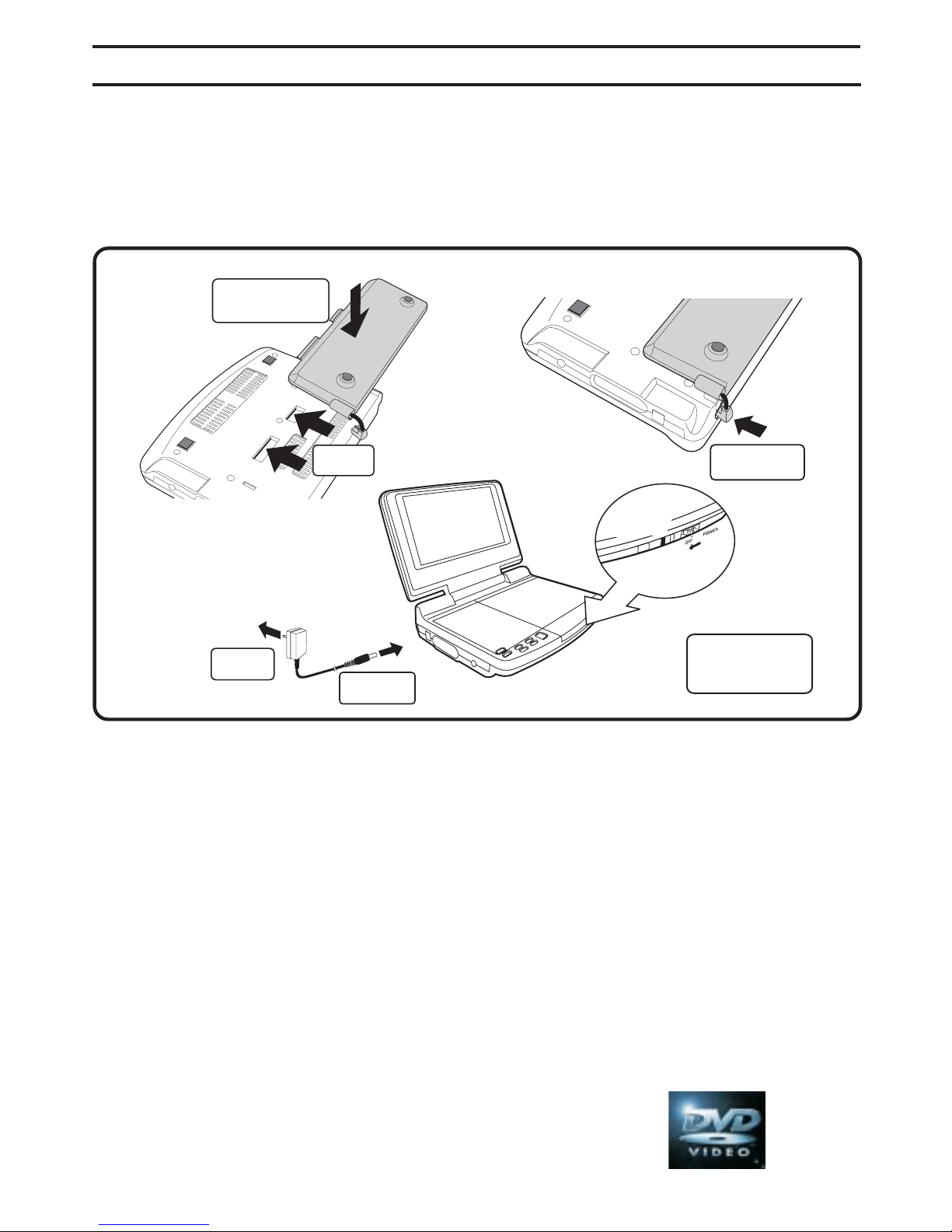
Power Supply ....................................... 8-9
UsingtheACadaptor..............................................8
Usingthecarpoweradaptor...................................8
Using therechargeablebattery..............................9
Turningontheunit................................................9
Connections............................................10
ConnectingaTV....................................................10
Usingheadphones/earphones...........................10
SoundSystem........................................10
Playing a Disc ................................... 11-12
PlayingaDisc.......................................................11
Pausingplayback(stillmode)...............................11
Stoppingplayback.................................................11
Skippingtoadifferenttrack..................................11
FastFoward/FastReverse.....................................11
Skip(Forward/Reverse)..........................................11
Audioselection.......................................................12
Subtitleselection....................................................12
Angleselection.......................................................12
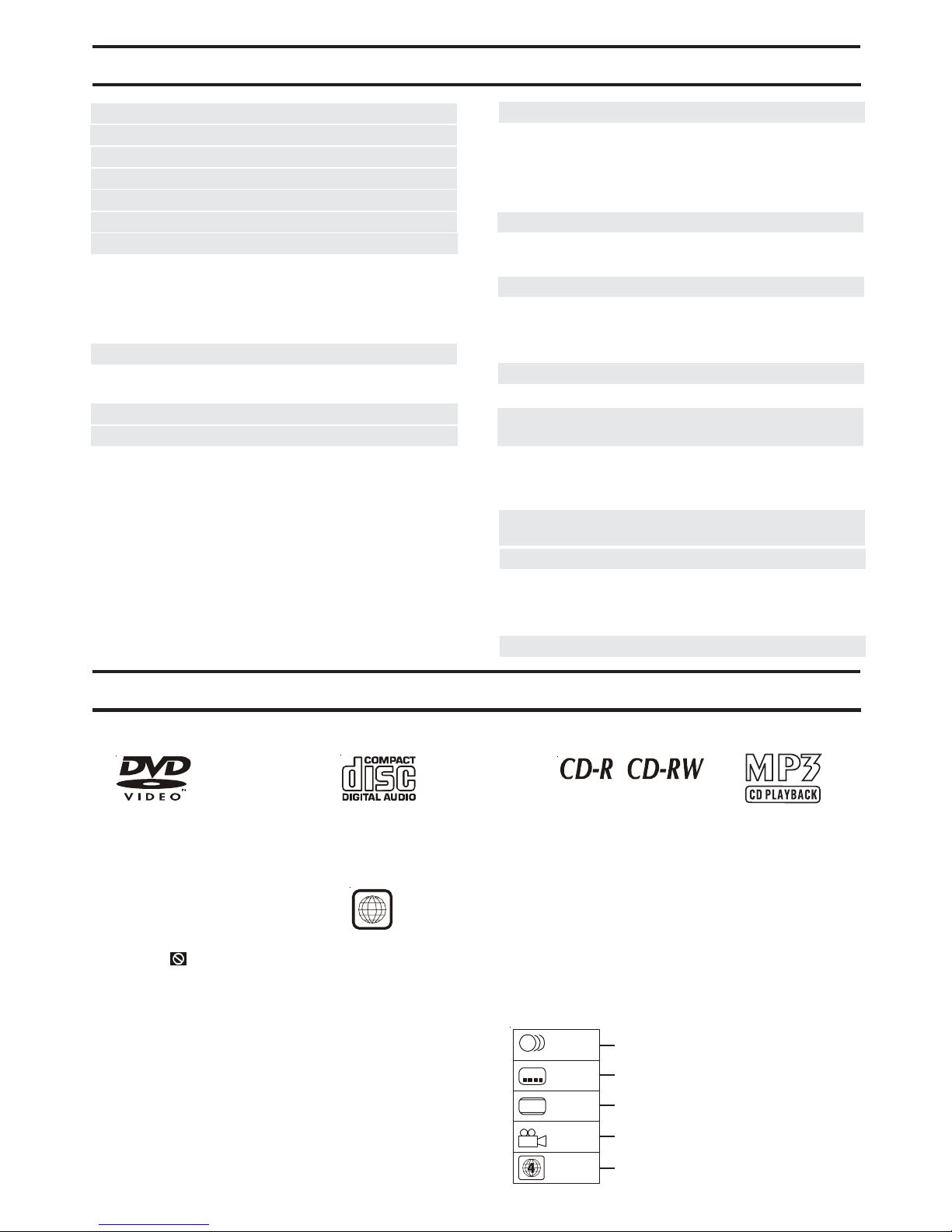
The unit can playback discs bearing any of the following marks:
Region Management Information
RegionManagementInformation:ThisunitisdesignedandmanufacturedtorespondtotheRegionManagement
Information that is encoded on DVD discs. If the Region number printed on the DVD disc does not correspond
to the Region number of this unit, this unit cannot play that disc.
The region number of this unit is 4.
Disc Function or Operation that is Not Available
When the symbol appears on the TV screen, it indicates that the function or operation attempted is not
available at that time. This occurs because the DVD disc manufacturer determines the specific functions.
Certain functions may not be available on some discs. Be sure to read the documentation provided with the
disc.
DISCFORMATS
4
DVDs
[8cm(3")/
12cm(5”) disc]
Audio CDs
[8cm(3")
12cm(5”) disc] Compatible
Icons Used on DVDs
Sample lcons Language selections for audio
Language selections for subtitles
Screen aspect ratio
Multiple camera angles
Region code indicator
2
2
2
1.English
2.French
1.English
2.French
LB
Note:
• When playing back a CD-G (Graphics) or CD EXTRA
disc, the audio portion will be played, but the graphic
images will not be shown.