manuals.online logo
Brands
  1. Home
  2. •
  3. Brands
  4. •
  5. Tektronix
  6. •
  7. Amplifier
  8. •
  9. Tektronix Type M User manual

Tektronix Type M User manual

Other Tektronix Amplifier manuals

Tektronix 11A32 User manual

Tektronix

Tektronix 11A32 User manual

Tektronix 7A22 User manual

Tektronix

Tektronix 7A22 User manual

Tektronix 2A61 User manual

Tektronix

Tektronix 2A61 User manual

Tektronix 7A19 User manual

Tektronix

Tektronix 7A19 User manual

Tektronix TCPA300 SERIES User manual

Tektronix

Tektronix TCPA300 SERIES User manual

Tektronix 7A18 User manual

Tektronix

Tektronix 7A18 User manual

Tektronix TYPE L User manual

Tektronix

Tektronix TYPE L User manual

Tektronix 7A18 User manual

Tektronix

Tektronix 7A18 User manual

Tektronix TYPE CA User manual

Tektronix

Tektronix TYPE CA User manual

Tektronix 7A19 User manual

Tektronix

Tektronix 7A19 User manual

Tektronix Type B Plug-In User manual

Tektronix

Tektronix Type B Plug-In User manual

Tektronix 7A22 User manual

Tektronix

Tektronix 7A22 User manual

Tektronix 7A42 User manual

Tektronix

Tektronix 7A42 User manual

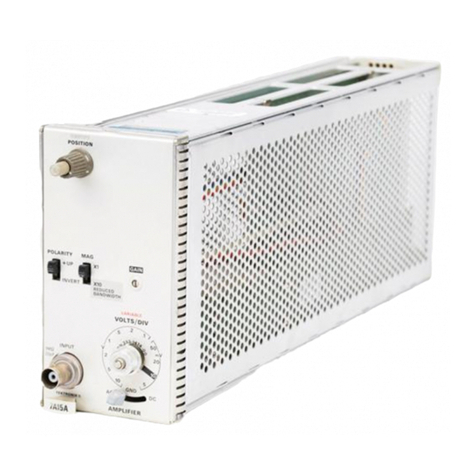
Tektronix 7a15a User manual

Tektronix

Tektronix 7a15a User manual

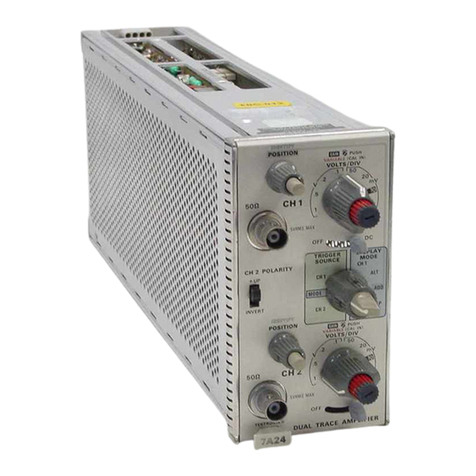
Tektronix 7A24 User manual

Tektronix

Tektronix 7A24 User manual

Tektronix 53C User manual

Tektronix

Tektronix 53C User manual

Tektronix 7A19 User manual

Tektronix

Tektronix 7A19 User manual

Tektronix TYPE L User manual

Tektronix

Tektronix TYPE L User manual

Tektronix 50 User manual

Tektronix

Tektronix 50 User manual

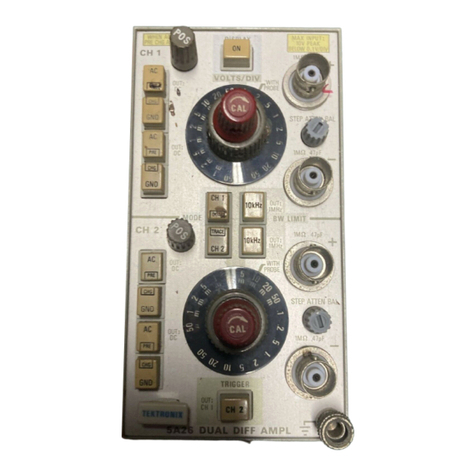
Tektronix 7A26 User manual

Tektronix

Tektronix 7A26 User manual

Tektronix 7a11 User manual

Tektronix

Tektronix 7a11 User manual

Tektronix 7A12 User manual

Tektronix

Tektronix 7A12 User manual

Tektronix 7A29 User manual

Tektronix

Tektronix 7A29 User manual

Tektronix 3240 User manual

Tektronix

Tektronix 3240 User manual

Popular Amplifier manuals by other brands

Magnat Audio EDITION FOUR Owner's manual/warranty document

Magnat Audio

Magnat Audio EDITION FOUR Owner's manual/warranty document

Inter-m PA-2000A Operation manual

Inter-m

Inter-m PA-2000A Operation manual

Yamaha TX6n owner's manual

Yamaha

Yamaha TX6n owner's manual

Peavey TNT 150 user guide

Peavey

Peavey TNT 150 user guide

Bosch LBB 1903/10 Installation and user instructions

Bosch

Bosch LBB 1903/10 Installation and user instructions

Avocent Emerge DA1200D Installer/user guide

Avocent

Avocent Emerge DA1200D Installer/user guide

Redgum RGi35 operating instructions

Redgum

Redgum RGi35 operating instructions

Cambridge Audio AXA25 user manual

Cambridge Audio

Cambridge Audio AXA25 user manual

Alpine MRP-M200 owner's manual

Alpine

Alpine MRP-M200 owner's manual

Technical Pro H1502UrBT user manual

Technical Pro

Technical Pro H1502UrBT user manual

FMS EMGZ307 operating manual

FMS

FMS EMGZ307 operating manual

Racal Instruments 5601 user manual

Racal Instruments

Racal Instruments 5601 user manual

Valcom V-1094A Technical specifications

Valcom

Valcom V-1094A Technical specifications

Cambridge Audio 851D user manual

Cambridge Audio

Cambridge Audio 851D user manual

QSC 3800 Specifications

QSC

QSC 3800 Specifications

NAD C300 owner's manual

NAD

NAD C300 owner's manual

Rotel RMB-1077 owner's manual

Rotel

Rotel RMB-1077 owner's manual

Peavey Monitor 300 Series operating guide

Peavey

Peavey Monitor 300 Series operating guide

manuals.online logo
manuals.online logoBrands
  • About & Mission
  • Contact us
  • Privacy Policy
  • Terms and Conditions

Copyright 2025 Manuals.Online. All Rights Reserved.

IIS IS T R U C T IO IS!
I V 1A I N I U / \ L _
Tektronix, Inc.
S.W . Millikan W ay
™ M
PLUG-IN UNIT
JT /V /// t2
^ ^V-&J-i^ r C tU A i c ( u. s (y i f : <./cn^e. L
P. O . Box 500 • Beaverton, Oregon • Phone Ml 4-0161 • Cables: Tektronix
Tektronix International A .G .
Terrassenweg 1A • Zug, Switzerland • PH .04 2-49192 • Cable: Tekintag, Zug Switzerland • Telex 53.574
070-295
CONTENTS
Warranty
Section 1 Characteristics
Section 2Operating Instructions
Section 3 Circuit Description
Section 4 Maintenance
Section 5Calibration
Section 6 Accessories
Section 7Parts List and Diagrams
Copyright © 1962 by Tektronix, Inc.,
Beaverton, Oregon. Printed in the United
States of America. All rights reserved.
Contents of this publication may not be re
produced in any form without permission
of the copyright owner.
WARRANTY
All Tektronix instruments are warranted
against defective materials and workman
ship for one year. Tektronix transformers,
manufactured in our own plant, are war
ranted for the life of the instrument.
Any questions with respect to the war
ranty mentioned above should be taken up
with your Tektronix Field Engineer.
Tektronix repair and replacement-part
service is geared directly to the field, there
fore all requests for repairs and replace
ment parts should be directed to the Tek
tronix Field Office or Representative in your
area. This procedure will assure you the
fastest possible service. Please include the
instrument Type and Serial number with all
requests for parts or service.
Specifications and price change priv
ileges reserved.
'A " SIG N A L:
, OUT
FOUR-TRACE PREAMP
TYPE M PLUG-IN
VOLTS/CM MODE
. n o r m . ■
DC AC
p o s i t i o n :
V A R . G A IN
GAIN AB4.
1 m&. 4? p
position:
GAIN
NORM.
P OS ITIO N
V A R . GA IN
GAIN
n o r m
P OS ITIO N
CHOPPED
alternate
POSHANO. 0 R650N,
SERIAL
TEKTRONIX, INC
The Type M Plug-In Unit
Type M
C H A R A C T ER IS TIC S
General Information
The Type M Plug-In Unit preamplifier contains four
identical channels that can be used separately or electron
ically switched to produce single- or multi-trace displays.
The unit thus provides a convenient means for viewing one
to four signals, either separately or in combination, reduc
ing cable switching to a minimum. Each amplifier in the
unit has its own attenuator, mode, gain, and position con
trol, which enables the display to be adjusted for optimum
viewing and information.
When using the channels separately (without electronic
switching), the M Unit is useful in all single-trace applica
tions within its frequency and sensitivity capabilities.
During the alternate mode of operation, when the oscillo
scope sweep is set for free-running operation, the sweep
triggers the M Unit and one to four traces can be displayed
alternately. The number of traces depends upon the setting
of the MODE switches. In applications where signals,
related in repetition rate to the sweep, are applied to the
M Unit input connectors, a stable display can be obtained.
In the alternate mode of operation, when the oscillo
scope is set for triggered operation, stationary displays of
four signals unrelated in frequency can be obtained. The
signals internally trigger the sweep which, in turn, triggers
the M Unit to produce alternate displays. Because the
sweeps are identical and time-delay characteristics of the
four channels are equal, accurate time comparisons can
be made between signals.
In the chopped mode of operation, channel switching
occurs at a rate of approximately 1 me divided by the
number of channels in use, making it possible to view from
one to four simultaneous transients. The number of dis
played waveforms depends on the setting of the MODE
switches and the number of inputs used. In four-trace
operation transients of as little as 0.5 millisecond duration
can be well delineated, with approximately 125 elements in
each trace. For many purposes, shorter transients can be
adequately observed.
Amplifier Sensitivity
Nine calibrated steps are provided for each channel:
0.02, 0.05, 0.1, 0.2, 0.5, 1, 2, 5 and 10 volts/cm. Accuracy
is within 3% of panel reading. Variable controls for each
channel permit continuous adjustment (uncalibrated) from
0.02 to 25 volts/cm.
Amplifier Transient Response and Bandwidth
Your instrument was adjusted at the factory for optimum
transient response. Table 1-1 summarizes the risetime and
approximate bandwidths available when the M Unit is
used in combination with various oscilloscopes.
TABLE 1-1
TRANSIENT RESPONSE AND BANDWIDTH
Oscilloscope - M Unit
Combination
Risetime Bandwidth (at — 3 db points)
MODE switch
in any posi
tion except
OFF
MODE switch in
either DC posi
tion
Mode switch in either
AC position
541, 541 A, 543,
543A, 545, 545A,
555, 581* or 585*
17 nsec dc to 20 me
2 cps to 20 me; 0.2 cps
to 20 me with P6000
Probe or equivalent
551 18 nsec dc to 19 me
2 cps to 19mc; 0.2 cps
to 19 me with P6000
Probe or equivalent
531, 531 A, 533,
533A, 535 or 535A
25 nsec dc to 14 me
2 cps to 14mc; 0.2 cps
to 14 me with P6000
Probe or equivalent
536 35 nsec dc to 10 me
2 cps to 10 me; 0.2 cps
to 10 me with P6000
Probe or equivalent
532 70 nsec dc to 5 me
2 cps to 5 me; 0.2 cps to
5 me with P6000 Probe
or equivalent*
* Type 81 Plug-In Adaptor required for use with Types 581 and 585.
Characteristics— Type M
Operating Modes
Channels A, B, C, or D, separately.
Chopped—Sequential electronic switching of channels at
approximately 1-mc rate.
Alternate— Triggered electronic switching of channels
at the end of each sweep, during retrace intervals.
Front-panel switches, in conjunction with the chopped or
alternate modes of operation, permit viewing any combina
tion up to four channels.
Polarity Inversion
Polarity of any channel selected can be inverted for
comparison of signals 180° out of phase.
Input Coupling
Choice of ac or dc coupling. In the AC positions of the
MODE switch a coupling capacitor is inserted, limiting the
low-frequency response to approximately 2 cycles at 3 db
down.
Input Impedance
1 megohm ± 1 % paralleled by approximately 47 pf.
Maximum Allowable Combined DC and Peak
AC Input
600 volts.
Construction
Aluminum-alloy chassis.
Finish
Photo-etched anodized aluminum front panel.
New Weight
5 pounds, 2 ounces.
OISI
2
O P E R A T IN G
IN S T R U C T IO N S
FRONT-PANEL CONTROLS AND CONNECTORS
Functions of the channel A front-panel controls, channel A
connectors, ALTERNATE/CHOPPED switch and Securing Rod
are described in Table 2-1. The functions of the front-panel
controls and input connectors for the other channels are the
same as for channel A. Grouping of the front-panel controls
and connectors is shown in Fig. 2-1.
TABLE 2-1
Input Connector
..................
Connector for coupling ac or dc
signals to the channel A ampli
fier.
VOLTS/CM ............................. Nine-position switch to select the
calibrated vertical-deflection fac
tors.
MODE
.......................................
Five-position switch to provide a
choice of ac or dc coupling,
operational in-phase (normal) or
out-of-phase (inverted) output, or
to turn the channel “off” .
Fig. 2-1. Front-panel view of the Type M Plug-in Unit showing the
grouping of the controls and connectors for each channel.
GAIN ADJ
............................
Screwdriver-adjust potentiometer
to set the gain of the amplifier
accurately.
VAR. G AIN ............................. Potentiometer to provide continu
ously variable attenuation be
tween the calibrated sensitivities
and to extend the attenuation to
a sensitivity of 25 volts/cm. This
control does not have a mechani
cal stop and is therefore con
tinuously variable. It does, how
ever, have a detent stop for the
CALIB. (calibrated) position.
"A " SIGNAL O U T
.............
Output signal from channel A.
Amplitude is 2 volts for each cm
of display on crt. Bandwidth of
the internal channel A Signal
Output Amplifier is 1 me at —3
db with gradual rolloff.
DC BAL
....................................
Screwdriver-adjust potentiometer
to set the dc level so the trace
does not shift position as the
VAR. GAIN control is adjusted.
POSITION
...............................
Potentiometer to shift the trace
position vertically.
ALTERNATE/CHOPPED . . Slide switch to select either al
ternate or chopped mode of
operation. When used in con
junction with the MODE switches,
the ALTERNATE/CHOPPED switch
permits viewing any combination
of channels in either mode of
operation.
Securing R o d
..........................
Holds the M Unit securely in the
oscilloscope plug-in compartment.
(The Securing Rod is located at
bottom center on the front panel.)
FIRST TIME OPERATION
Plug the M Unit into a Type 530-, 540-, 550-, or 580-
Series* Tektronix oscilloscope, tighten the Securing Rod,
and turn the power on. Allow the instrument to reach
operating temperature, about 2 to 3 minutes, and free-run
the oscilloscope sweep at 0.5 millisec/cm. Set the front-
panel controls of the M Unit as follows:
* A Type 81 Adaptor required Tor use with Types 581 and 585
Oscilloscopes.
®2-1
Operating Instructions— Type M
VOLTS/CM (All channels) .02
MODE (channel A) DC NORM.
MODE (channels B, C and D) OFF
VAR. GAIN (all channels) CALIB.
POSITION (all channels) Centered
ALTERNATE/CHOPPED ALTERNATE
1. Position the trace to about + 2 cm with the channel A
POSITION control.
2. Set the channel B MODE switch to the DC NORM, posi
tion and position the B trace to about -f 1 cm with the
channel B POSITION control.
3. Set the channel C MODE switch to DC NORM, and posi
tion the C trace to about — 1 cm with the channel C POSI
TION control.
4. Set the channel D MODE switch to DC NORM, and
position the D trace to about —2 cm with the channel D
POSITION control. This makes a total of four traces which
appear on the crt screen. For each sweep cycle one channel
is conducting and the others are cut off. The channels are
switched alternately at the end of each sweep cycle, during
retrace intervals.
5. To observe the alternate trace switching cycle at a
slower rate, decrease the sweep rate to 0.1 sec/cm.
6. To observe the CHOPPED mode of operation set the
ALTERNATE/CHOPPED switch to the CHOPPED position.
7. Set the oscilloscope triggering controls for -plnfemal
triggered-sweep operation. Notice that all four traces seem
to start simultaneously and continue on across the screen.
8. Increase the sweep rate to 10 psec/cm. Adjust the oscillo
scope Triggering Level control to obtain a stable display.
Notice that each trace is composed of several short-
duration elements with switching-transient traces existing
between the channels. [To blank out the switching tran
sients, set the CRT Cathode Selector switch (located at the
rear of most Tektronix oscilloscopes) to the Dual-Trace
Chopped Blanking position.]
All four channels are being switched successively at a
rate of approximately 1 me. Increase the sweep rate to 1
fisec/cm. Observe that each channel conducts for about
1 psec and then is cut off for 3 psec while the three other
channels each conduct for 1 psec. Chopping rate of each
channel is 250 kc (1 me divided by the number of channels
in use). Approximate switching time between channels is
0.1 psec (see Fig. 2-2a).
9. Now set channel B and D MODE switches to OFF.
Notice that the M Unit switches between channels A and C
only. Each channel conducts for about 1 psec and then is
cut off while the other channel conducts for an equal time
(see Fig. 2-2b). Chopping rate for each channel is now
approximately 500 kc.
GENERAL OPERATION
Any of the four amplifier channels can be used inde
pendently by rotating the appropriate MODE switch to
one of the DC or AC positions and connecting the signal
to be observed to the appropriate input. The following
remarks apply equally to each channel.
= 1 /xsec.v
3 /xsec.—
= 0.1 /isec
r -
(a)
= 1 /./„sec. v
—► III:
= 0.1 i'sec.
A Trace ►
-L*
__
\
/xse<
(b)
Fig. 2-2. (a i Chopping rate of each channel is approximately
250 kc, and (b) the chopping rate is about 500 kc. Switching
rate is approximately 1 me. Sweep rate of the oscilloscope is
1 psec/cm.
Signal Connections
The signal(s) to be displayed is applied to the appropri
ate input connector on the front panel of the M Unit. For
best results, following are some precautions you should
observe when making the connections.
1. It is often possible to make signal connections to the
M Unit with short-length, unshielded test leads. This is
particularly true for high-level, low-frequency signals. When
such test leads are used, you must also use a ground con
nection between the M Unit or oscilloscope chassis ground
and the chassis of the equipment under test. Position the
leads away from any stray electric or magnetic field source
to avoid erroneous displays.
2. In many low-frequency applications, however, unshielded
leads are unsatisfactory for making signal connections be
cause of unavoidable pickup resulting from magnetic fields.
Whenever possible, use shielded (coaxial) cables. Be sure
that the ground conductors of the cables are connected to
the chassis of both the oscilloscope and the signal source.
3. In broadband applications, it may be necessary to ter
minate the coaxial cable with a resistor or an attenuator
equal to the characteristic impedance of the cable, to pre
vent resonance effects and ringing. It becomes more neces
sary to terminate the cable properly as the length of the
cable is increased. The termination is generally placed at
the oscilloscope end of the cable, although many sources
require an additional termination at the source end of the
cable as well. (Refer to the Accessories section of this
manual for a listing of available cables, terminating re
sistors, and attenuators.)
4. As nearly as possible, simulate actual operating condi
tions in the equipment under test. For example, the equip-
2-2
Operating Instructions— Type M
merit should work into a load impedance equal to that
which it will see in actual use.
5. Consider the effect of loading upon the equipment under
test due to the input circuit of the M Unit. The input circuit
can be represented by a resistance of 1 megohm (± 1 % )
shunted by a capacitance of approximately 47 picofarads.
With a few feet of shielded cable, the capacitance may
well be 100 picofarads. Where the effects of these re
sistive and capacitive loads are not negligible, you might
want to use a probe in the manner described next.
Use of Probes
An attenuator probe having a standard length cable
(42" long) lessens both capacitive and resistive loading,
but at the same time reduces sensitivity. The attenuation
introduced by the probe permits measurements of signal
voltages in excess of those that can be accommodated by
the M Unit alone. When making amplitude measurements
with an attenuator probe, be sure to multiply the observed
amplitude by the attenuation of the probe (marked on the
probe).
An adjustable probe capacitor compensates for variations
in input capacitance from one plug-in unit to another. To
assure the accuracy of pulse and transient measurements,
this adjustment should be checked frequently.
To make this adjustment, set the oscilloscope calibrator
controls for a calibrator output signal of suitable ampli
tude. Place the MODE switch for the channel in use to
DC NORM. Touch the probe tip to the calibrator-output
connector and adjust the oscilloscope controls to display
several cycles of the waveform. Adjust the probe variable
capacitor for best square-wave response, as shown in the
right-hand picture of Fig. 2-3.
Deflection Factor
The amount of vertical deflection produced by a signal
is determined by the signal amplitude, the attenuation factor
(if any) of the probe, the setting of the VOLTS/CM switch,
and the setting of the VAR. G AIN control. Calibrated
deflection factors indicated by the settings of the VOLTS/CM
switch apply only when the VAR. G AIN control is set to
the CALIB. position. Serious errors in display measurements
may result if the setting of this control is unintentionally
moved away from this position.
The range of the VAR. GA IN control is approximately
2.5 to 1 to provide continuously variable (uncalibrated)
vertical-deflection factors between calibrated settings of the
VOLTS/CM switch. The VAR. GAIN control can be manu
ally rotated continuously in either the clockwise or counter
clockwise direction, thus permitting the control to be set
quickly to any desired position. The control has one detent
position (CALIB.), which is the calibrated deflection factor
setting.
Voltage measurements may be made directly from the
oscilloscope screen by noting the calibrated VOLTS/CM
switch setting for the applicable channel and the amount
of vertical deflection on the crt. Multiply the deflection on
the screen by the setting of the VOLTS/CM switch and the
attenuation factor, if any, of the probe.
MODE Switch
The MODE switch has five positions: DC NORM., AC
NORM., OFF, DC INV. and AC INV. To display both the
ac and dc components of an applied signal, set the MODE
switch to one of the DC positions; to display only the ac
component of a signal, set the MODE switch to one of the
AC positions.
In the AC positions of the MODE switch, the dc com
ponent of the signal is blocked by a capacitor in the input
circuit. The lower frequency limit (3-db point) of the M
Unit is about 2 cps (0.2 cps if using a 10X attenuator probe).
Therefore, some low-frequency distortion of signals with
components below this frequency will result if the AC posi
tions are used.
It may be desirable, at times, to invert the displayed
waveform, particularly when using the multi-trace feature
of the M Unit. With the MODE switch you can choose
either a normal or inverted display, and either dc or ac
coupling. In the DC- or AC-NORM. positions the displayed
waveform has the same polarity as the input signal. In
the DC- or AC-INV. positions the displayed waveform is
inverted.
Placing the MODE switch to the OFF position turns the
channel “off", disconnects the input signal, and excludes
the channel from the electronic switching cycle.
Fig. 2-3. Probe compensation waveforms.
Operating Instructions— Type AA
ALTERNATE/CHOPPED Switch
For single-trace operation the ALTERNATE/CHOPPED
switch is inoperative and no electronic switching of the
channels occurs. For multi-trace operation the setting of
the ALTERNATE/CHOPPED switch is important. The best
setting to use depends on the repetition rate of the applied
signals and whether or not they are related in time to
each other.
In general, the ALTERNATE position is usually used with
sweep rates above 10/xsec and the chopped position with
lower sweep rates. The ALTERNATE position is useful for
observing unrelated or related signals of high repetition rate
(usually above 100 kc), observing fast transients, and making
phase and time-delay comparison measurements. The
CHOPPED position is most useful for observing related low-
frequency signals and for observing transients having a dura
tion as short as 0.5 millisecond.
When determining the best mode of operation to use in
a particular application, it is also necessary to choose the
best triggering method. In the discussion that follows, trig
gering methods are described in more detail.
Multi-Trace Triggering
Multi-trace triggering is divided into the following order:
(1) External triggering using ALTERNATE and CHOPPED
modes, (2) Internal triggering using ALTERNATE mode, and
(3) Internal triggering using CHOPPED mode.
External triggering using ALTERNATE and CHOPPED
modes. For multi-trace operation, it is usually best to trig
ger the time base with an external triggering signal which
bears a fixed time relationship to the applied signals. A
convenient source for obtaining the external trigger signal
is from the "A " SIGN AL OUT connector. With an external
triggering signal a stable display is more easily obtained
and the true time or phase relationship between input sig
nals can be determined.
To trigger from the channel A signal, simply connect a
test lead between the “ A" SIGNAL O UT connector on the
M Unit and the Trigger Input connector on the oscilloscope.
Then set the oscilloscope triggering controls for external
triggered-sweep operation. To obtain a stable display, the
signals applied to the other channels must be related in
frequency to the channel A signal.
If the trigger signals have components above 10 kc, use
the AC Fast or AC LF Reject triggering mode (if your oscil
loscope has these positions). For lower frequency signals,
use the A C or AC Slow triggering mode.
Internal triggering using ALTERNATE mode. If the time
or phase relationship between signals is not critical, you
can use internal triggering of the time base when the
ALTERNATE/CHOPPED switch is set to ALTERNATE. In
this mode of operation, the signals applied to the indi
vidual channels can be either related or unrelated in fre
quency. The oscilloscope Triggering Level control must be
set at a point where the sweep will trigger on the display
having the lowest amplitude. If the signals have components
above lOkc, use the AC Fast or AC LF Reject triggering
mode (if your oscilloscope has these positions). For lower
frequency signals, use the AC or AC Slow triggering mode.
In the AC Fast or AC LF Reject position, an rc filter is in
serted into the trigger-input circuit of the oscilloscope which
allows it to recover quickly from the dc level changes en
countered with ALTERNATE sweep.
Internal triggering using CHOPPED mode. For multi-trace
CHOPPED mode of operation, internal triggering should not
be used unless the input signals are related to the chopped
switching rate. If the signals are not related to the chopping
rate, the sweep will try to trigger on the switching wave
form rather than on the applied signals and will result in
an unstable display. To obtain stable displays, externally
trigger the sweep from the channel A signal. To do this,
use the "A" SIGN AL OUT connector and set the oscillo
scope controls for external triggered-sweep operation.
DC Balance Adjustments
After the M Unit has been in use for a period of time,
the trace may change position as the VAR. GAIN control
is rotated. This is caused by slight changes in the operating
characteristics of components in the M-Unit amplifier stages
and resultant shift in operating potentials. To correct this
condition in one or all channels proceed as follows:
1. Set the front-panel controls of the channel to be dc-
balanced to these settings:
VOLTS/CM Any position
MODE DC NORM, or AC NORM.
VAR. GAIN CALIB.
POSITION Centered
ALTERNATE/CHOPPED ALTERNATE
2. Set the oscilloscope sweep rate and triggering controls
for a 0.5-millisec/cm free-running sweep.
3. With the POSITION control, position the trace to approx
imate center of the graticule.
4. Set the DC BAL. adjustment to the point where there is
no trace shift on the crt as the VAR. G AIN control
is rotated.
Gain Adjustments
The gain adjustments should be checked periodically to
assure correct vertical deflection factors, particularly when
the M Unit is transferred from one oscilloscope to another.
The following procedure describes a method for setting the
gain of each channel when the M Unit is used with an
oscilloscope having 4 centimeters of vertical scan. If the
vertical scan of your oscilloscope is greater than 4 centi
meters, use 100 millivolts from the oscilloscope calibrator
and set the gain for a vertical deflection of exactly five
centimeters. In other respects the procedure for setting the
gain is the same.
To check the gain of each channel:
2-4