Telex Firefly P200 User manual
Telex®
User’s Manual
Firefly™P200/P250
LCD Notebook Projector
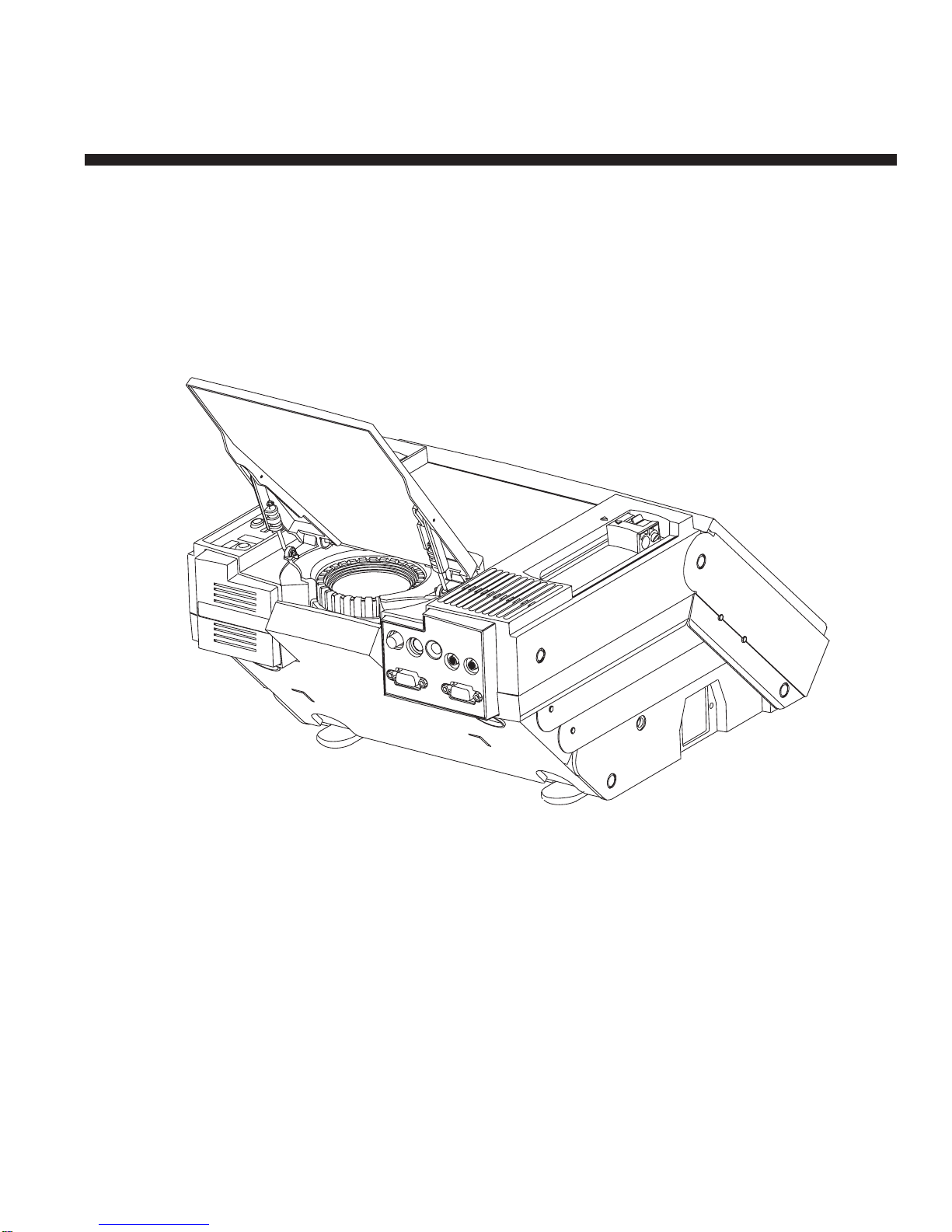
COMPUTER MONITOR
AUDIO
OUT
AUDIO
IN
SVHS
VIDEO
Firefly P200

The lightning flash with arrowhead symbol is displayed on the product to
alert the user to the presence of uninsulated “dangerous voltage” within
the product’s enclosure that may constitute a risk of electric shock.
The exclamation point symbol is displayed on the product to alert the
user to the presence of important operating and maintenance (servicing)
instructions in the literature that accompanies the product.
The heat warning symbol is displayed on the product to alert the user to
the presence of a hot surface that may constitute a risk of burns.
IMPORTANT SAFETY INSTRUCTIONS
1. Read Instructions - All the safety and operating instructions should
be read before the product is operated.
2. Retain Instructions - The safety and operating instructions should be
retained for future reference.
3. Heed Warnings - All warnings on the product and in the operating
instructions should be adhered to.
4. Follow Instructions - All operating and use instructions should be
followed.
5. Cleaning - Unplug the product from the wall outlet before cleaning
any exterior surface. Follow the cleaning instructions in this manual.
6. Water and Moisture - Do not use this product near water - for
example, near a bathtub, washbowl, kitchen sink, laundry tub, in a
wet basement, or near a swimming pool, etc.
7. Ventilation - Slots and openings in the cabinet are provided for
ventilation and to ensure reliable operation of the product and to
prevent it from overheating. These slots and openings must not be
blocked or covered in any manner.
CAUTION
RISK OF ELECTRIC SHOCK
DO NOT OPEN
CAUTION: TO REDUCE THE RISK OF ELECTRIC SHOCK,
DO NOT REMOVE COVER (OR BACK)
NO USER-SERVICABLE PARTS INSIDE
REFER SERVICING TO QUALIFIED SERVICE PERSONNEL
ii User Manual

8. Power Cord Protection - Power supply cords should be routed so
that they are not likely to be walked on or pinched by items placed
upon or against them, paying particular attention to cords at wall
outlets, convenience receptacles, and the point where they exit from
the product.
9. Lightning - For added protection for this product during a lightning
storm, or when it is left unattended and unused for long periods of
time, unplug it from the wall outlet. This will prevent damage to the
product due to lightning and power-line surges.
10. Overloading - Do not overload wall outlets, extension cords, or
integral convenience receptacles as this can result in a risk of fire or
electric shock.
11. Object and Liquid Entry - Care should be taken so that objects do
not fall and liquids are not spilled onto the product as they may touch
dangerous voltage points or short-out parts that could result in a fire
or electric shock.
12. Servicing - Do not attempt to service the product beyond that
described in the operating instructions as opening or removing
covers may expose you to dangerous voltage. All other servicing
should be referred to qualified service personnel.
13. Damage Requiring Service - Unplug this product from the wall outlet
and refer servicing to qualified service personnel when:
a. The power supply cord or the plug has been damaged.
b. Objects have fallen, or liquid has been spilled into the product.
c. The product has been exposed to rain or water.
d. The product does not appear to operate normally or exhibits a
marked change in performance.
e. The product has been dropped, or the enclosure damaged.
14. Replacement Parts - When replacement parts are required, be sure
the technician has used replacement parts that have the same
characteristics as the original parts. Unauthorized substitutions may
result in fire, electric shock, or other hazards.
User Manual iii

Warranty
Telex warrants that the Firefly™P200/P250 will provide a usable active
pixel ratio of at least 99.995%. This means that out of 1.44 million pixels
on the Firefly™P250 (921,600 pixels on the P200), less than 50 pixels
will be inactive.
Inactive pixels may appear illuminated on the display, however, they will
not affect picture quality or the life expectancy of the unit. If you have
any questions on this matter, please feel free to contact Telex
Communications, Inc.
FCC Statement
This equipment generates, uses, and can radiate radio frequency energy
that may cause interference to radio communications if not installed and
used in accordance with this manual. The equipment has been tested
and found to comply with the limits for a Class A computing device
pursuant to Subpart J, Part 15 of FCC Rules which are designed to
provide reasonable protection against such interference when operated
in a commercial environment. Operation of this equipment in a
residential area may cause interference which the user (at their own
expense) will be required to correct.
Canadian Department of Communications Statement
This digital apparatus does not exceed the Class A limits for radio noise
emissions from digital apparatus as set out in the Radio Interference
Regulations of the Canadian Department of Communications.
Le présent appareil numérique émet pas de bruits radioélectriques
dépassant les limites applicables aux appareils numériques de la classe
A prescrites dans le Règlement sur le brouillage radioélectrique édicté
par le Ministère des Communications du Canada.
Firefly™is a trademark of Telex Communications, Inc.,
Minneapolis, Minnesota 55420
iv User Manual

TABLE OF CONTENTS
IMPORTANT SAFETY INSTRUCTIONS .................ii
Warranty .............................. iv
FCC Statement ........................... iv
Canadian Department of Communications Statement ....... iv
GENERAL FEATURES ......................... 1
ACCESSORIES ............................ 3
UNPACKING THE P200/P250 ..................... 4
P200/P250 SETUP ........................... 6
Positioning the P200/P250 On the Desktop ............ 6
Connecting the P200/P250 ..................... 6
Remote Control Battery ......................10
OPERATION ..............................11
Basic Operation ..........................11
CONTROLS ..............................14
Keypanel Controls .........................14
Menu Mode On-Screen Controls ..................16
Illuminated Indicators ........................18
Remote Control ..........................18
CARE AND MAINTENANCE ......................19
Storage and Transportation ....................19
Lens Cleaning ...........................19
Lamp Replacement ........................19
Fuse Replacement .........................21
Troubleshooting Guide .......................22
SERVICE INFORMATION .......................25
TECHNICAL SPECIFICATIONS ....................26
ABBREVIATIONS ...........................28
INDEX .................................29
User Manual v

GENERAL FEATURES
The Firefly™P200/P250 is a full-color compact LCD projection system
that is used to display a computerized multi-media presentation. The
built-in amplifier/speakers lets you connect to a wireless microphone,
portable CD player, or to the auxiliary output of a stereo system. The
P200/P250 also allows you to connect to the output of a VCR or
LaserDisc player.
The P200/P250 is equipped with a monitor interface connector. This
allows you to simultaneously view your computer video on both the small
and large screens. Figure 1 shows the P200/P250 in use to project
computer-generated images onto a large screen.
The Telex
Difference
A System Approach
Flexible Yet Easy To Use
True Value
The Telex
Difference
A System Approach
Flexible Yet Easy To Use
True Value
Figure 1. P200/P250 In Operation
User Manual 1

The Firefly™P200/P250 can be connected to any IBM or IBM compatible
computer equipped with a VGA/SVGA video output. The P200/P250 can
also be connected to any Apple Macintosh computer that is equipped
with a standard Macintosh video output.
The Firefly™P200/P250 uses advanced thin-film-transistor liquid crystal
display (TFT LCD) technology and is capable of displaying up to
16,194,277 colors. The fast response time of the P200/P250’s TFT LCD
provides you with the ability to display sharp, clear, fast-moving images.
The P200 liquid crystal display is a matrix of 921,600 pixels arranged in
480 rows x 640 columns x 3 colors, while the P250 liquid crystal display
is a matrix of 1.44 million pixels arranged in 600 rows x 800 columns x 3
colors. Each pixel is a single thin-film-transistor that actively controls the
brightness of the light that passes through the pixel.
To protect the P200/P250 from excessive heat, it is equipped with fans
that are turned on whenever the LCD notebook projector is turned on.
The keypanel and on-screen controls allow you to change the video
source, color, tint, focus, position, volume, tone, etc. of the projected
color image and sound.
2 User Manual

ACCESSORIES
The accessories shown in Figures 2 and 3 are available for use with the
Firefly™P200/P250 LCD notebook projector:
The RC-8 is specifically designed for use with the Firefly™P200/P250. It
allows remote control of all the P200/P250 keypanel and on-screen
functions. (The RC-8 comes with the Firefly™P200/P250.)
The B-10 features a permanently attached omni-directional lapel
microphone. The unique microphone cable doubles as an efficient
antenna, and the transmitter can be clipped to your belt or placed in your
pocket. The B-10 can be configured for use with either the PAS-1 or
ENG-1 Telex receiver.
BLANK FOCUS
BRIGHT CONTRAST VOLUME
SOURCE MODE MENU/RESET
Figure 2. RC-8 Remote Control
Catalog 47436-030
by Telex
on
mic
off
Figure 3. B-10 Lapel Microphone with Transmitter
Catalog 70889-xxx
User Manual 3

UNPACKING THE P200/P250
Unpack the Firefly™P200/P250 LCD notebook projector and check the
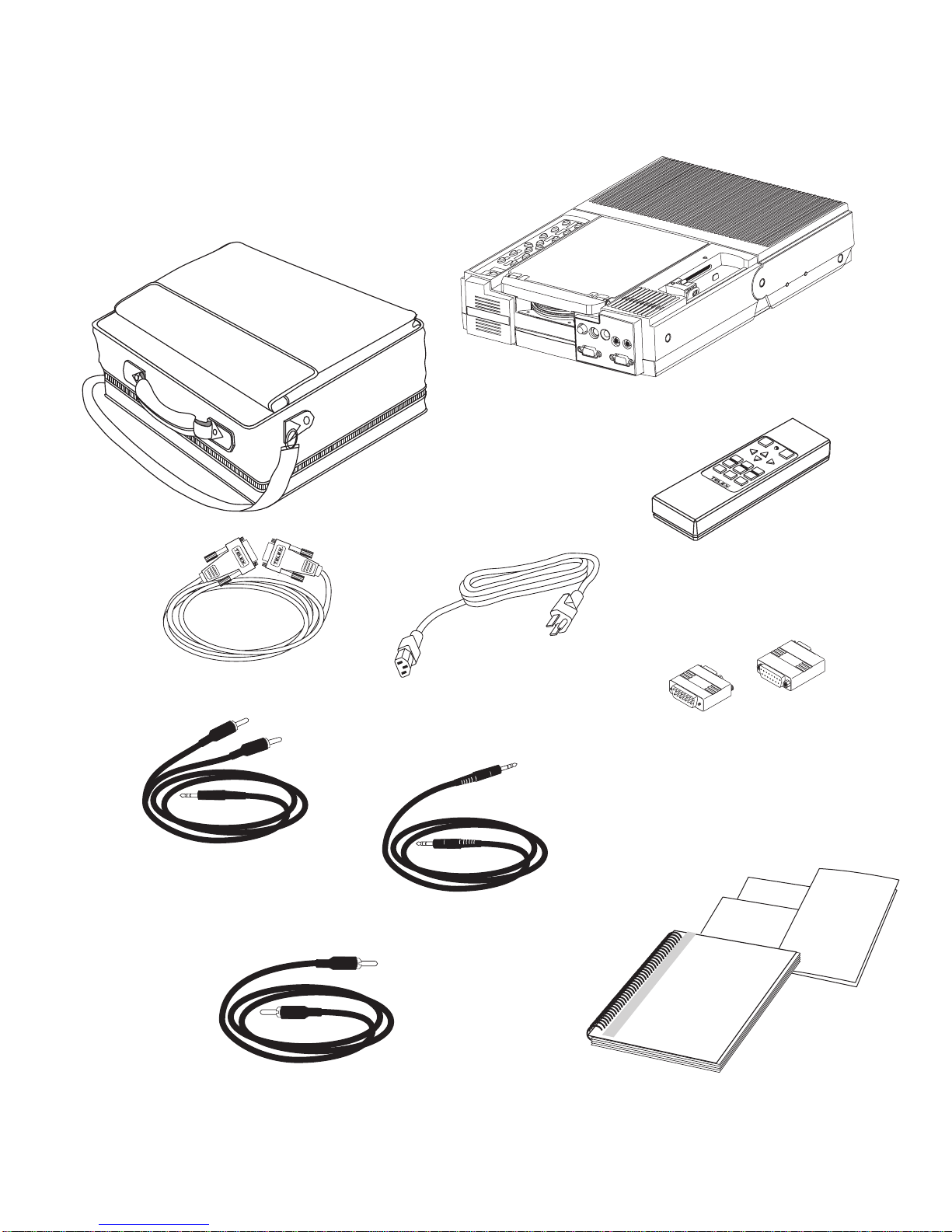
package contents. Refer to Figure 4 and the following list for items that
are included in the P200/P250:
•P200/P250 LCD notebook projector, with appropriate labels
•User’s manual
•Quick reference guide
•Adapter Redemption Card
•VGA/SVGA video cable
•Macintosh adapters for P200
(550093-000 and 550093-001)
•Macintosh adapters for P250
(550093-002 and 550093-003)
•Audio cable (1/8" stereo phone to 1/8" stereo phone)
•Audio cable (dual RCA to 1/8" stereo phone adapter)
•Composite video (RCA to RCA)
•RC-8 Remote control
•Power cord (110V units only)
•Registration card
•Soft-sided case
•Warranty card
Contact your dealer if anything is missing or damaged.
NOTE: The 550093-002 and 550093-003 adapters are for use with
Macintosh multisync monitors. (Telex part numbers 550093-000 and
550093-001 are for 640 x 480 Macintosh mode, while Telex part
numbers 550093-003 and 550093-004 are for 832 x 624 Macintosh
mode.)
NOTE: If the adapters that came with your P200/P250 do not meet your
Macintosh computer requirements, complete and return the Adapter
Redemption Card.
☞
☞
4 User Manual
ADAPTERS
(Used on Macintosh units only)
VGA/SVGA VIDEO CABLE
POWER CORD
COMPOSITE VIDEO
(RCA to RCA)
RC-8 REMOTE
SOFTCASE
AUDIO CABLE
(dual RCA to 1/8" stereo)
AUDIO CABLE
(1/8" stereo to 1/8" stereo)
SOURCE POWER
BRIGHT
CONTRAST
VOLUME
F1
MENU/RESET
Warranty Card
Registration Card
Firefly P200
Quick Reference Guide
U
Manual
Firefly P200/P250
Firefly P200
COMPUTER MONITOR
AUDIO
OUT
AUDIO
IN
SVHS
VIDEO
ser's
F2
Figure 4. P200/P250 Package Contents
User Manual 5
This manual suits for next models
1
Table of contents
Other Telex Projector manuals