Texas Instruments CC2541 User manual

CC2541 Advanced Remote Control Quick Start
Guide
User's Guide
Literature Number: SWRU341B
April 2013–Revised June 2015

Contents
1 Opening the Box and Evaluating Bluetooth®low energy............................................................ 4
1.1 Kit Contents................................................................................................................... 4
1.2 Introduction ................................................................................................................... 4
1.3 Hardware Setup.............................................................................................................. 5
2 Connecting Using the Single-Mode BLE CC2540USB HID Dongle.............................................. 6
2.1 Inserting the Dongle in the USB Port ..................................................................................... 6
2.2 Advertising and Connecting ................................................................................................ 6
2.3 Managing Connection and Bonds ......................................................................................... 7
3 Connecting to Windows 8 with Bluetooth® 4.0 LE (Smart Ready) Hardware................................ 8
3.1 Ensure BLE Works .......................................................................................................... 8
3.2 Opening PC Settings........................................................................................................ 9
3.3 Adding an Advanced Remote ............................................................................................ 10
3.4 Adding an HID AdvRemote ............................................................................................... 11
3.5 Entering the Pairing Code................................................................................................. 12
3.6 Removing a Device ........................................................................................................ 12
4 Using the Advanced Remote Control.................................................................................... 13
4.1 Advertising and Connecting............................................................................................... 13
4.2 Using the Keyboard ....................................................................................................... 13
4.3 Controlling the Media Settings With Consumer Control Buttons..................................................... 14
4.4 Using the Mouse ........................................................................................................... 14
4.5 Removing Bond Information .............................................................................................. 14
4.6 Calibrating................................................................................................................... 14
4.6.1 Calibrating.......................................................................................................... 14
5 Additional Tools and Links.................................................................................................. 15
5.1 BLE Packet Sniffer......................................................................................................... 15
5.2 SmartRF Flash Programmer.............................................................................................. 15
5.3 IAR Embedded Workbench............................................................................................... 16
5.4 BLE E2E Forum ............................................................................................................ 16
5.5 BLE Wiki..................................................................................................................... 16
5.6 Links ......................................................................................................................... 17
2Contents SWRU341B–April 2013–Revised June 2015
Submit Documentation Feedback
Copyright © 2013–2015, Texas Instruments Incorporated

www.ti.com
List of Figures
4-1. Advanced Remote Control................................................................................................ 13
5-1. BLE Packet Sniffer......................................................................................................... 15
5-2. SmartRF Flash Programmer.............................................................................................. 15
5-3. IAR Embedded Workbench............................................................................................... 16
5-4. BLE E2E Forum ............................................................................................................ 16
SmartRF is a trademark of Texas Instruments.
OSX is a registered trademark of Apple Inc.
Bluetooth is a registered trademark of Bluetooth SIG Inc.
Bluetooth Smart is a registered trademark of Bluetooth SIG.
Ubuntu is a registered trademark of Canonical.
Windows is a registered trademark of Microsoft Inc.
3
SWRU341B–April 2013–Revised June 2015 List of Figures
Submit Documentation Feedback Copyright © 2013–2015, Texas Instruments Incorporated

Chapter 1
SWRU341B–April 2013–Revised June 2015
Opening the Box and Evaluating Bluetooth®low energy
1.1 Kit Contents
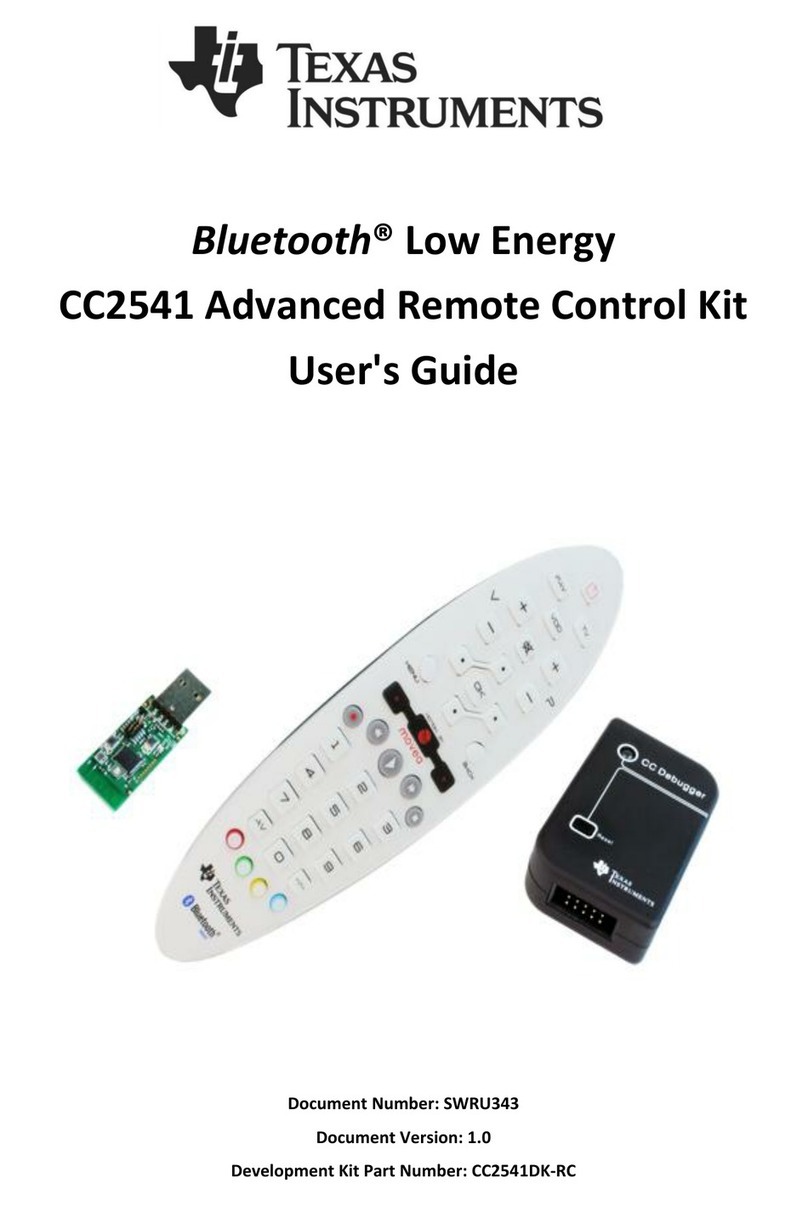
• 1 × Advanced remote with batteries
• 1 × CC2540 USB dongle
• 1 × CC Debugger with cables
• Documentation
The RF boards in this kit are FCC- and IC-certified, and tested to comply with ETSI/R&TTE over
temperature from 0 to 35°C.
FCC/IC Regulatory Compliance
• FCC Part 15 Class A compliant
• IC ICES-003 Class A compliant
CAUTION
The kit contains ESD-sensitive components. Handle with care to prevent
permanent damage.
1.2 Introduction
This document guides you through the steps to run the preprogrammed Bluetooth low energy (BLE)
demonstration application.
This guide will familiarize you with the hardware in the box, and show you how to interface the advanced
remote with different platforms.
•Evaluate using a USB dongle. A USB dongle, preprogrammed with firmware acting as a translator
between BLE human interface device (HID) and USB HID, is in the kit and works with most operating
system platforms (tested on Windows®, OSX®, and Ubuntu®).
•Evaluate using Windows 8. Windows 8 includes native support for the BLE HID over GATT profile.
Use a Bluetooth Smart®Ready dongle or internal Bluetooth Smart Ready hardware to connect the
advanced remote to the computer.
4Opening the Box and Evaluating Bluetooth®low energy SWRU341B–April 2013–Revised June 2015
Submit Documentation Feedback
Copyright © 2013–2015, Texas Instruments Incorporated

www.ti.com
Hardware Setup
1.3 Hardware Setup
1. Pull down the white cover on the back of the advanced remote to access the battery holder.
2. Insert 3×AAA (1.5-V alkaline, nonrechargeable) batteries in the battery holder.
NOTE: The advanced remote and CC2540 USB dongle come preprogrammed with their respective
HID over GATT profile roles.
The advanced remote works out of the box with both the dongle and Windows 8 machines
with Bluetooth 4.0 hardware.
When not bonded with a client, the advanced remote advertises for 60 seconds with low duty
cycle. If it is bonded, the remote advertises for 5 seconds with a high duty cycle to send the
button press quickly when reconnected.
When connected, the advanced remote disconnects after 60 seconds to conserve power.
Pressing any button reconnects the remote and transmits that button press.
5
SWRU341B–April 2013–Revised June 2015 Opening the Box and Evaluating Bluetooth®low energy
Submit Documentation Feedback Copyright © 2013–2015, Texas Instruments Incorporated

Chapter 2
SWRU341B–April 2013–Revised June 2015
Connecting Using the Single-Mode BLE CC2540USB HID
Dongle
2.1 Inserting the Dongle in the USB Port
NOTE: The dongle is enumerated by a computer as several USB HID class devices.
The dongle translates received Bluetooth low energy HID service reports, and transmits them
to the computer through these virtual devices.
The red LED on the dongle will be lit, indicating it is idle.
1. To remove old bonding information, press the red key on the remote
2. Press SW1 on the dongle.
3. Press SW2. (The dongle starts scanning for 5 seconds.)
While scanning, the LED blinks red, indicating that it is scanning for a Bluetooth low energy peripheral
advertising HID service capabilities.
2.2 Advertising and Connecting
Press any number key or consumer control key, such as play or pause, on the advanced remote to have
the device advertise.
The devices can now connect and pair without PIN entry. The dongle LED should be lit green, and blink
red whenever data is received from the advanced remote.
Long-term bonding entries are stored in both the advanced remote and the USB dongle to speed up
subsequent reconnections.
When bonded and disconnected, the dongle blinks green and always scans for its paired remote.
6Connecting Using the Single-Mode BLE CC2540USB HID Dongle SWRU341B–April 2013–Revised June 2015
Submit Documentation Feedback
Copyright © 2013–2015, Texas Instruments Incorporated

www.ti.com
Managing Connection and Bonds
2.3 Managing Connection and Bonds
Pressing SW2 on the dongle disconnects any active connection between the dongle and an advanced
remote.
Pressing SW1 on the dongle when disconnected erases all long-term bond information stored on the
dongle.
Pressing SW1 does not affect bond data stored on the advanced remote.
7
SWRU341B–April 2013–Revised June 2015 Connecting Using the Single-Mode BLE CC2540USB HID Dongle
Submit Documentation Feedback Copyright © 2013–2015, Texas Instruments Incorporated

Chapter 3
SWRU341B–April 2013–Revised June 2015
Connecting to Windows 8 with Bluetooth® 4.0 LE
(Smart Ready) Hardware
3.1 Ensure BLE Works
In the device manager under Bluetooth, look for Bluetooth LE.
8Connecting to Windows 8 with Bluetooth® 4.0 LE (Smart Ready) Hardware SWRU341B–April 2013–Revised June 2015
Submit Documentation Feedback
Copyright © 2013–2015, Texas Instruments Incorporated

www.ti.com
Opening PC Settings
3.2 Opening PC Settings
1. Click on Settings.
2. Click Change PC settings.
9
SWRU341B–April 2013–Revised June 2015 Connecting to Windows 8 with Bluetooth® 4.0 LE (Smart Ready) Hardware
Submit Documentation Feedback Copyright © 2013–2015, Texas Instruments Incorporated

Adding an Advanced Remote
www.ti.com
3.3 Adding an Advanced Remote
1. Click on PC and devices.
2. Choose Bluetooth.
10 Connecting to Windows 8 with Bluetooth® 4.0 LE (Smart Ready) Hardware SWRU341B–April 2013–Revised June 2015
Submit Documentation Feedback
Copyright © 2013–2015, Texas Instruments Incorporated
Other manuals for CC2541
4
Table of contents
Other Texas Instruments Remote Control manuals