manuals.online logo
Brands
  1. Home
  2. •
  3. Brands
  4. •
  5. Toa
  6. •
  7. Speakers
  8. •
  9. Toa SC-P620-AS User manual

Toa SC-P620-AS User manual

This manual suits for next models

2

Other Toa Speakers manuals

Toa PC-5CL User manual

Toa

Toa PC-5CL User manual

Toa PC-1869EN User manual

Toa

Toa PC-1869EN User manual

Toa F-500WP User manual

Toa

Toa F-500WP User manual

Toa PC-580RU User manual

Toa

Toa PC-580RU User manual

Toa PC-245AB-EB User manual

Toa

Toa PC-245AB-EB User manual

Toa SR-H2L, SR-H2S, SR-H3L, SR-H3S User manual

Toa

Toa SR-H2L, SR-H2S, SR-H3L, SR-H3S User manual

Toa SL-60W User manual

Toa

Toa SL-60W User manual

Toa ME-120 User manual

Toa

Toa ME-120 User manual

Toa BS-1030 User manual

Toa

Toa BS-1030 User manual

Toa PJ-154BS User manual

Toa

Toa PJ-154BS User manual

Toa ER-1000 WR User manual

Toa

Toa ER-1000 WR User manual

Toa HY-38S User manual

Toa

Toa HY-38S User manual

Toa EV-700 User manual

Toa

Toa EV-700 User manual

Toa BS-1030 User manual

Toa

Toa BS-1030 User manual

Toa IP-A1PC580R User manual

Toa

Toa IP-A1PC580R User manual

Toa BS-680FC User manual

Toa

Toa BS-680FC User manual

Toa IP-1000 Series User manual

Toa

Toa IP-1000 Series User manual

Toa HLS38UL-8/16 User manual

Toa

Toa HLS38UL-8/16 User manual

Toa PC-2268 User manual

Toa

Toa PC-2268 User manual

Toa HLS46S-8 User manual

Toa

Toa HLS46S-8 User manual

Toa HY-UH08 User manual

Toa

Toa HY-UH08 User manual

Toa IP-A1PC238 User guide

Toa

Toa IP-A1PC238 User guide

Toa IP-1000 Series User manual

Toa

Toa IP-1000 Series User manual

Toa HLS46UL-8 User manual

Toa

Toa HLS46UL-8 User manual

Popular Speakers manuals by other brands

Yamaha DXR10 null

Yamaha

Yamaha DXR10 null

argon audio IE20 quick start

argon audio

argon audio IE20 quick start

Denon SC-N7 owner's manual

Denon

Denon SC-N7 owner's manual

Gemline Ace 3952 user manual

Gemline

Gemline Ace 3952 user manual

Focal ON WALL 300 User manua

Focal

Focal ON WALL 300 User manua

HEADRUSH Maximus HRSP 5024 manual

HEADRUSH

HEADRUSH Maximus HRSP 5024 manual

SoundLogic BCCS-6/6395 instruction manual

SoundLogic

SoundLogic BCCS-6/6395 instruction manual

Peavey DTH 218 Specification sheet

Peavey

Peavey DTH 218 Specification sheet

Avantree Pluto Air user guide

Avantree

Avantree Pluto Air user guide

Morel Integra Series INTEGRA OVATION 4 install guide

Morel

Morel Integra Series INTEGRA OVATION 4 install guide

Oppo SONICA quick start guide

Oppo

Oppo SONICA quick start guide

Bose SoundLink Wireless Music System owner's guide

Bose

Bose SoundLink Wireless Music System owner's guide

Rocksteady Stadium owner's manual

Rocksteady

Rocksteady Stadium owner's manual

Bowers & Wilkins 4 owner's manual

Bowers & Wilkins

Bowers & Wilkins 4 owner's manual

Sonance SONOS OUTDOOR Series installation manual

Sonance

Sonance SONOS OUTDOOR Series installation manual

Electro-Voice EVID FM4.2 Brochure & specs

Electro-Voice

Electro-Voice EVID FM4.2 Brochure & specs

Pioneer XW-HTD630 manual

Pioneer

Pioneer XW-HTD630 manual

Onn BWA16AA002 Product guide

Onn

Onn BWA16AA002 Product guide

manuals.online logo
manuals.online logoBrands
  • About & Mission
  • Contact us
  • Privacy Policy
  • Terms and Conditions

Copyright 2025 Manuals.Online. All Rights Reserved.

POWERED HORN SPEAKER
INSTRUCTION MANUAL
SC-P620-AS
SC-P620-EB
Thank you for purchasing TOA’s Powered Horn Speaker.
Please carefully follow the instruction in this manual to ensure long, trouble-free use of your equipment.
292 (11.49”)
230 (9.05”)
4.5 (0.18”)
212 (8.35”)
280 (11.02”)
94 (3.70”)
124 (4.88”)
85 (3.35”)
1960 - 2000
36 (1.42”)
152 (5.98”)
51 51
3 - Ø11(Ø0.43”)
[Front] [Side] Unit: mm(inch)
[Rear] [Mounting bracket]
1.5 (0.06”)
(77.16” - 78.74”)
(2.01”) (2.01”)
2. DIMENSIONAL DIAGRAM
Do not operate the speaker for an extended period
of time with the sound distorting. Doing so may
cause the speaker to overheat, resulting in a fire.
Do not stand or sit on, nor hang down from the
speaker as this may cause it to fall down or drop,
resulting in personal injury and/or property damage.
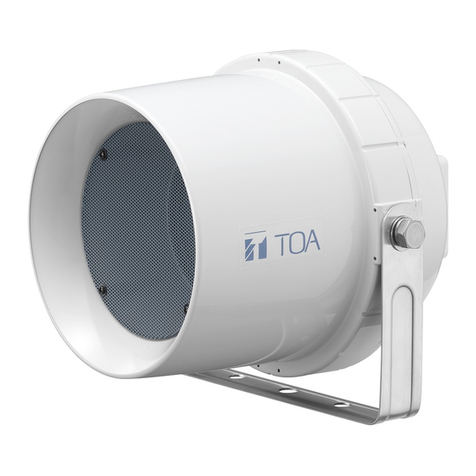
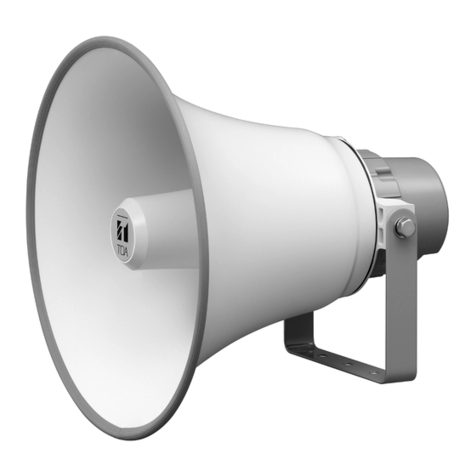
The SC-P620-AS/EB is a highly inteligible speaker with a built-in 20W digital power amplifier, that provides public address
announcement and remote paging via network video surveillance applications. Its powder-coated finish and stainless steel
screws ensure the unit’s weatherproof capability.
3. GENERAL DESCRIPTION
4.5 (0.18”)
GAIN G1 G2
8dB OFF OFF
16dB ON OFF
24dB OFF ON
32dB ON ON G1 G2 NC
ON
123
4. SET THE GAIN AND VOLUME LEVEL
To Set the gain and volume level of the amplifier module, please follow
instruction as below :
1. Remove 4 screws to open back cover of Horn speaker.
On the PCB, there is DIP Switch marked “SW1”.
To Set gain refer to table below :
Adjust the internal volume (anti-clockwise for
volume down or clockwise for volume up)
until the output level is adequate. If the output
level is insufficient, set the gain to the next
highest gain, according to the table and
repeat the precedure with the internal
volume.
2.
Note.
Factory preset the gain and volume :
* Gain setting : 16dB
* Internal Volume : Maximum
Now replace the rear cover. As this Horn speaker is
weatherproof to IP65, care must be taken during the
replacement of the back cover, to ensure the gaskets are
correctly refitted and watertight.
3.
When installing the Horn speaker, be sure the drain hole is positioned toward the
ground. Otherwise, rainwater could enter the interior of speaker and the aging of
parts may cause speaker failure.
5. WIRING CONNECTION AND WIRING BALANCED INPUT
Speaker cord
RCA Jack
( Audio input)
DC Plug
( DC Input )
Power sources
(DC 12 V)
Audio sources
WARNING
Please ensure that power source is terminated correctly to
prevent damage to the amplifier module
Connect the DC plug to power sources (DC 12V).
Recommended adaptor power supply, please use TOA’s optional adaptor product.
For Audio sources, connect to RCA Jack.

Yellow (Hot)
Green (Cold)
Cut Black cable (Earth)
(ground wire)
Remove RCA Jack Cover
RCA Jack
(Audio input)
Default wiring audio input from factory is unbalanced installation.
Below is the instruction to adjust audio input for balanced-line installation .
HOW TO MAKE BALANCED-LINE INPUT
Speaker cord
Local codes may be required for other installation methods. Check with authority
having jurisdiction to determine acceptability of the mounting methods.
Do not install the speaker face-up from a horizontal plane. If water accumulates in
the horn, this may cause the speaker to malfunction.
Do not install the speaker under environment that subject speaker to contamination.
[Front view]
Drain hole Center horn
6. INSTALLATION PRECAUTIONS
INTERNAL VOLUME
ATTENTION !!
To avoid damage, do not put more
pressure when turning the internal control.
The rotational stopper strength of internal
volume is about 2.94 N.cm.

133-01-00101-00
URL : http://www.toa.com.sg/URL : http://www.toa.com.sg/
Traceability Information for Europe
Manufacturer: Authorized representative:
TOA Electronics Europe GmbH
Suederstrasse 282, 20537 Hamburg,
Germany
PT. TOA GALVA INDUSTRIES
Jl. Raya Bogor km 34-35, Tapos
Depok 16958, Indonesia
Note: The design and specifications are subject to change without prior notice for improvement.
Optional product
Power Source 12V DC, 2A ( DC Socket “+” Type A : 5.5 x 2.1mm )
Power Consumption 15W (1.25A) at Rated output
25W (2.10A) at Maximum output
Input 0 dB*, 10kΩ, Unbalanced (RCA plug)
Signal Gain 8, 16, 24 or 32 dB ( Factory pre-set to 16dB )
Volume Adjustment Internal volume control ( Factory pre-set to maximum position )
113dB ( 1W, 1m at 500 Hz to 2.5 kHz peak level )
Max. SPL ( above 120dB )
Sound Pressure Level
Frequency Response 250 - 10,000 Hz
Operating Temperature -20°C to +55°C ( must be free from dew condensation )
Dust/Water Protection IP 65
Horn Flare: HIPS resin, white ( RAL9010 equivalent )
Finish Reflector horn and case: ABS resin, white ( RAL9010 equivalent )
Bracket, screws & bolts:
Cable Cord Length: 2m Flying Lead ( RCA plug ) & DC socket ( ”+” )
Dimensions 292 (W) x 230 (H) x 280 (D) mm
Weight Approx. 1.8 kg
Stainless steel
0 dB = 1 V
AD-5000-2 (LTE24E-S2-1) AC Adapter: Use this adaptor for supply voltage DC12V to product.
8. SPECIFICATIONS
Power Amplfier Module
DC Input
Audio Input
(12V)
32 dB 4
0
+
-
* Factory setting preset :
- Internal volume : maximum
- Setting gain : 16 dB
Ω
Shown below is a connection diagram when shipped from the factory.
7. WIRING DIAGRAM