logo
Brands
  1. Home
  2. •
  3. Brands
  4. •
  5. Tripp Lite
  6. •
  7. Adapter
  8. •
  9. Tripp Lite B120-000 User manual

Tripp Lite B120-000 User manual

Other Tripp Lite Adapter manuals

Tripp Lite U444-06N-VGA-RA User manual

Tripp Lite

Tripp Lite U444-06N-VGA-RA User manual

Tripp Lite P937-000 User manual

Tripp Lite

Tripp Lite P937-000 User manual

Tripp Lite P134-000 User manual

Tripp Lite

Tripp Lite P134-000 User manual

Tripp Lite Thunderbolt MTB3-002-HD User manual

Tripp Lite

Tripp Lite Thunderbolt MTB3-002-HD User manual

Tripp Lite SNMPWEBCARD User manual

Tripp Lite

Tripp Lite SNMPWEBCARD User manual

Tripp Lite DisplayPort to HDMI Adapter P136-000 User manual

Tripp Lite

Tripp Lite DisplayPort to HDMI Adapter P136-000 User manual

Tripp Lite U444-T6N-H4UBC User manual

Tripp Lite

Tripp Lite U444-T6N-H4UBC User manual

Tripp Lite U444-06N-DU-C User manual

Tripp Lite

Tripp Lite U444-06N-DU-C User manual

Tripp Lite B032-VU1 User manual

Tripp Lite

Tripp Lite B032-VU1 User manual

Tripp Lite P116-000-HDSC2 User manual

Tripp Lite

Tripp Lite P116-000-HDSC2 User manual

Tripp Lite B090-A9M User manual

Tripp Lite

Tripp Lite B090-A9M User manual

Tripp Lite UNIPLUGINT User manual

Tripp Lite

Tripp Lite UNIPLUGINT User manual

Tripp Lite U444-06N-HD8K6W User manual

Tripp Lite

Tripp Lite U444-06N-HD8K6W User manual

Tripp Lite p945-06i User manual

Tripp Lite

Tripp Lite p945-06i User manual

Tripp Lite U444-T6N-H4GUBC User manual

Tripp Lite

Tripp Lite U444-T6N-H4GUBC User manual

Tripp Lite U437-001 User manual

Tripp Lite

Tripp Lite U437-001 User manual

Tripp Lite U344-001-R User manual

Tripp Lite

Tripp Lite U344-001-R User manual

Tripp Lite S244-000 User manual

Tripp Lite

Tripp Lite S244-000 User manual

Tripp Lite U457-1M2-NVME-L User manual

Tripp Lite

Tripp Lite U457-1M2-NVME-L User manual

Tripp Lite U460-003-3A1GB User manual

Tripp Lite

Tripp Lite U460-003-3A1GB User manual

Tripp Lite Keyspan USA-49WG User manual

Tripp Lite

Tripp Lite Keyspan USA-49WG User manual

Tripp Lite P118-000 User manual

Tripp Lite

Tripp Lite P118-000 User manual

Tripp Lite U442-DOCK5D-GY User manual

Tripp Lite

Tripp Lite U442-DOCK5D-GY User manual

Tripp Lite U444-06N-H4-C User manual

Tripp Lite

Tripp Lite U444-06N-H4-C User manual

Popular Adapter manuals by other brands

NETGEAR XAV1301v1/XAVB1301v1 null

NETGEAR

NETGEAR XAV1301v1/XAVB1301v1 null

PCB Piezotronics 090B274 Installation and operating manual

PCB Piezotronics

PCB Piezotronics 090B274 Installation and operating manual

Gossen MetraWatt AT3-III E operating instructions

Gossen MetraWatt

Gossen MetraWatt AT3-III E operating instructions

Akribis ITF-21-BISS-MIT user manual

Akribis

Akribis ITF-21-BISS-MIT user manual

Auvidea J20 Technical reference manual

Auvidea

Auvidea J20 Technical reference manual

Tenda W54U user guide

Tenda

Tenda W54U user guide

ROHO AGILITY Operation manual

ROHO

ROHO AGILITY Operation manual

PROLiNK WN2001 Quick installation guide

PROLiNK

PROLiNK WN2001 Quick installation guide

Hawking HUF2 Specifications

Hawking

Hawking HUF2 Specifications

Airlink101 AWLC4030 user manual

Airlink101

Airlink101 AWLC4030 user manual

NETGEAR XAV101v1 - Powerline AV Ethernet Adapter user manual

NETGEAR

NETGEAR XAV101v1 - Powerline AV Ethernet Adapter user manual

Philips SWA4554S/10 user manual

Philips

Philips SWA4554S/10 user manual

JVC TS-C9D2B Assembly and installation instructions

JVC

JVC TS-C9D2B Assembly and installation instructions

NETGEAR A6100 quick start

NETGEAR

NETGEAR A6100 quick start

D-Link DWA-121 Quick install guide

D-Link

D-Link DWA-121 Quick install guide

Philips SWA2037 Specifications

Philips

Philips SWA2037 Specifications

Basalte 0610-20 installation manual

Basalte

Basalte 0610-20 installation manual

Yealink EHS40 user guide

Yealink

Yealink EHS40 user guide

https://manuals.online logo
https://manuals.online logoBrands
  • About & Mission
  • Contact us
  • Privacy Policy
  • Terms and Conditions

Copyright 2026 Manuals.Online. All Rights Reserved.

DVI Dual Link
Extender Adapter
Model: B120-000
Owner’s Manual
Warranty
Registration
Register online today for a
chance to win a FREE Tripp Lite
product! www.tripplite.com/warranty
Tripp Lite World Headquarters
1111 W. 35th Street, Chicago, IL 60609 USA
(773) 869-1234 • www.tripplite.com
NOTE: Follow these instructions to ensure proper operation and prevent damage to this device
and its connected equipment.
Copyright © 2006 Tripp Lite. All rights reserved.
All trademarks are the property of their respective owners.
200609216 93-2622 B120-000 OM.qxd 10/12/2006 1:07 PM Page 1
Installation
Connect the longer DVI-D cable between the DVI Source and the
B120-000 connector marked “IN”.
Then connect the shorter DVI-D cable between the DVI Display and
the B120-000 connector marked “OUT”.
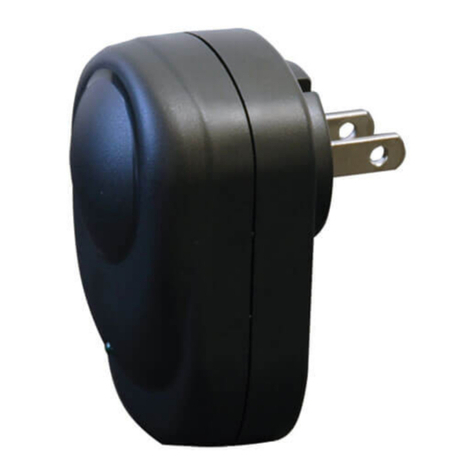
Connect the DC Power to the DC Jack of the B120-000 and then
connect the DC Adapter to the wall socket.
1
2
3
Troubleshooting
Direct connect a short cable (5 meters or less is recommended)
between the source and the display to ensure that both devices and
the cable are working properly.
Confirm that the two short cables are functional by using the above
step. Then use these cables to connect the B120-000 between the
source and display. If there is no video, either the long cable or the
B120-000 is faulty.
To test the power supply, use a voltmeter and measure the DC output
of the DC adapter to ensure that 5V is present. If output is 5V, the DC
adapter is functional and the B120-000 unit has failed.
Note: The positive (+) is in the middle and the ground (-) is on the exterior of the plug.
1
2
3
Warranty Registration
Visit www.tripplite.com/warranty today to register the warranty for
your new Tripp Lite product. You'll automatically be entered into a
drawing for a chance to win a FREE Tripp Lite product!*
* No purchase necessary. Void where prohibited. Some restrictions apply. See website for details.
1-Year Limited Warranty
TRIPP LITE warrants its products to be free from defects in materials and workmanship for
a period of one (1) year from the date of initial purchase. TRIPP LITE's obligation under this
warranty is limited to repairing or replacing (at its sole option) any such defective products.
To obtain service under this warranty, you must obtain a Returned Material Authorization
(RMA) number from TRIPP LITE or an authorized TRIPP LITE service center. Products
must be returned to TRIPP LITE or an authorized TRIPP LITE service center with
transportation charges prepaid and must be accompanied by a brief description of the
problem encountered and proof of date and place of purchase. This warranty does not
apply to equipment which has been damaged by accident, negligence or misapplication or
has been altered or modified in any way.
EXCEPT AS PROVIDED HEREIN, TRIPP LITE MAKES NO WARRANTIES, EXPRESS OR
IMPLIED, INCLUDING WARRANTIES OF MERCHANTABILITY AND FITNESS FOR
A PARTICULAR PURPOSE. Some states do not permit limitation or exclusion of implied
warranties; therefore, the aforesaid limitation(s) or exclusion(s) may not apply to the purchaser.
EXCEPT AS PROVIDED ABOVE, IN NO EVENT WILL TRIPP LITE BE LIABLE FOR
DIRECT, INDIRECT, SPECIAL, INCIDENTAL OR CONSEQUENTIAL DAMAGES ARISING
OUT OF THE USE OF THIS PRODUCT, EVEN IF ADVISED OF THE POSSIBILITY OF
SUCH DAMAGE. Specifically, TRIPP LITE is not liable for any costs, such as lost profits or
revenue, loss of equipment, loss of use of equipment, loss of software, loss of data, costs
of substitutes, claims by third parties, or otherwise.

200609216 93-2622 B120-000 OM.qxd 10/12/2006 1:07 PM Page 2
Tripp Lite World Headquarters
1111 W. 35th Street, Chicago, IL 60609 USA
(773) 869-1234 • www.tripplite.com
FCC Radio / TV Interference Notice
Note: This equipment has been tested and found to comply with the limits for a Class B
digital device, pursuant to Part 15 of the FCC Rules. These limits are designed to provide
reasonable protection against harmful interference in a residential installation. This
equipment generates, uses and can radiate radio frequency energy, and if not installed and
used in accordance with the instruction manual, may cause interference to radio
communications. However, there is no guarantee that interference will not occur in a
particular installation. If this equipment does cause harmful interference to radio or
television reception, which can be determined by turning the equipment off and on, the user
is encouraged to try to correct the interference using one or more of the following
measures: reorient or relocate the receiving antenna; increase the separation between the
equipment and the receiver; connect the equipment into an outlet on a circuit different from
that which the receiver is connected; consult the dealer or an experienced radio/television
technician for help. The user must use shielded cables and connectors with this product.
Any changes or modifications to this product not expressly approved by the party
responsible for compliance could void the user's authority to operate the equipment. This
device complies with part 15 of the FCC rules. Operation is subject to the following 2
conditions: (1) This device may not cause harmful interference, and (2) This device must
accept any interference received, including interference that may cause undesired
operation.
Tripp Lite follows a policy of continuous improvement. Specifications are subject to change
without notice.

93-2622 200609216
200609216 93-2622 B120-000 OM.qxd 10/12/2006 1:07 PM Page 4