Accessing the Configuration Interface
Connect to the Configuration Interface by performing the
following steps:
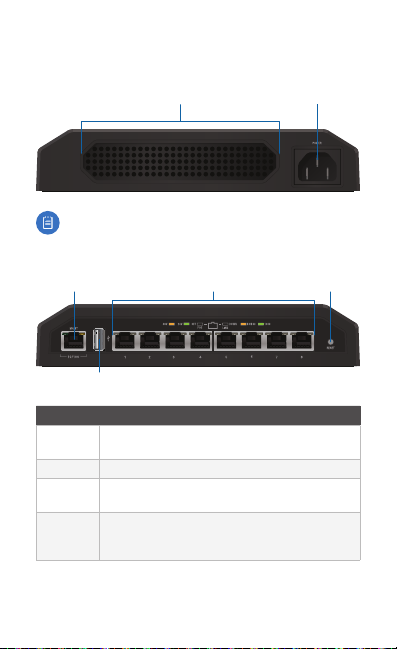
1. Ensure that your computer (or other host machine) is
connected to the Management port on the TOUGHSwitch.
Note: By default, you can configure the
TOUGHSwitch via any port; however, we
recommend the Management port. (Access to
the Configuration Interface can be limited to the
Management port only. You can configure this
setting on the Device tab.)
2. Configure the Ethernet adapter on your host system with a
static IP address on the 192.168.1.x subnet
(e.g., 192.168.1.100).
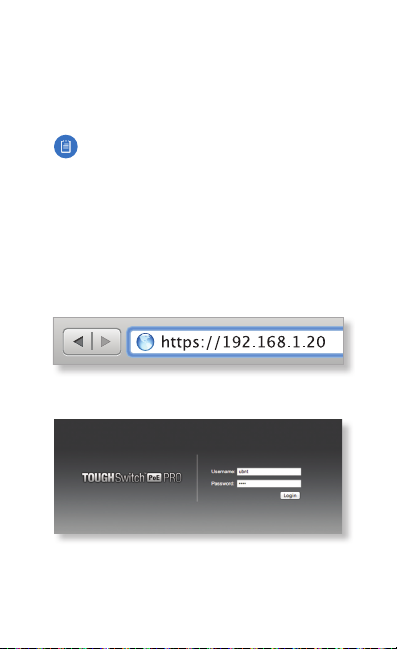
3. Launch your web browser. Type https://192.168.1.20 in
the address field. Press enter (PC) or return (Mac).
4. The login screen will appear. Enter ubnt in the Username
and Password fields. Click Login.
The Configuration Interface will appear, allowing you to
customize your settings as needed.