United Surface Solutions | 11919 Burke St, Santa Fe Springs, CA 90670 | info@unitedusa.com | (877) 837-4623
3.0 Setup
Overview:
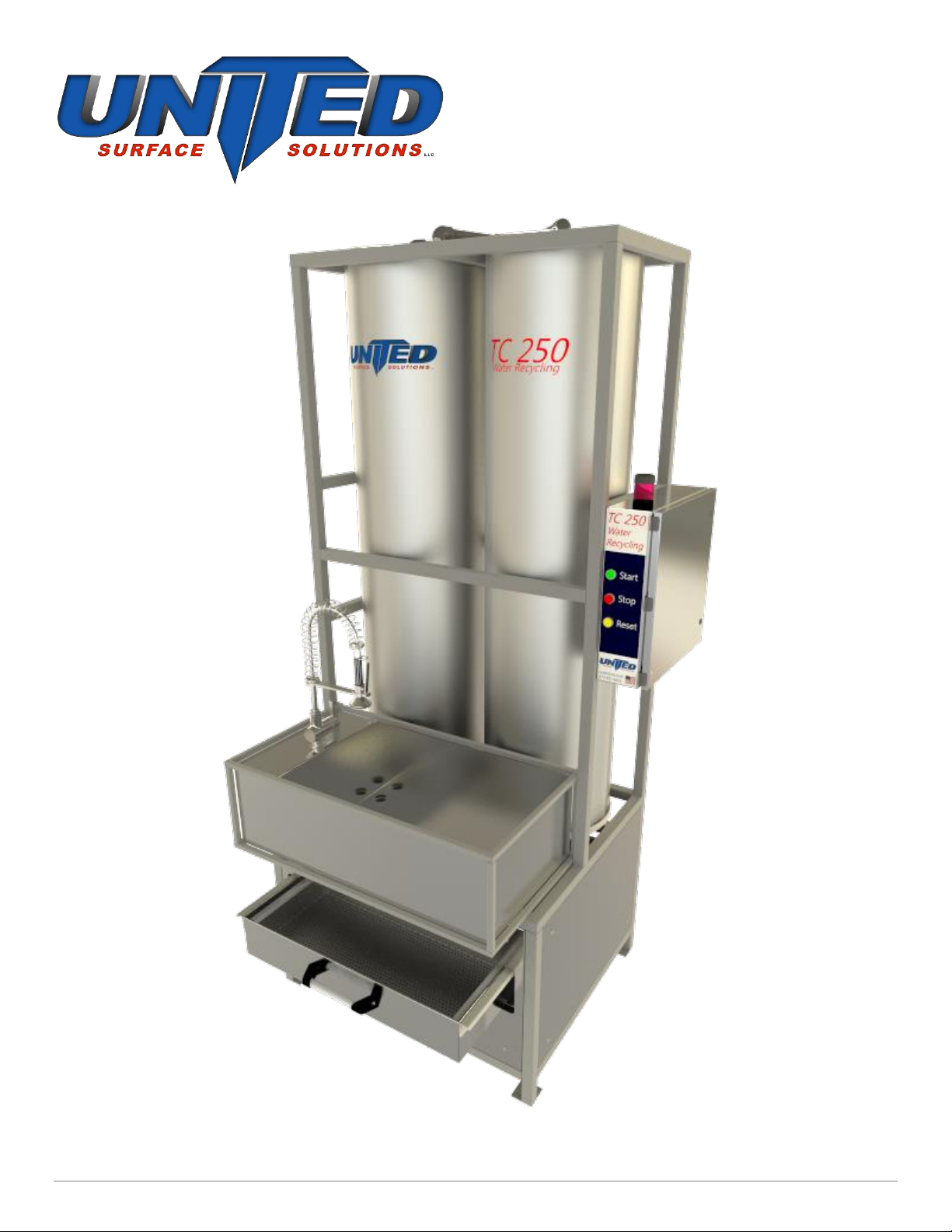
The TC250 is a stand-alone closed loop parts rinsing station. Once filled with fresh water it will recycle
the water many times by utilizing a polymer reactant to remove any suspended solids and cleanse the
water. It is not intended to remove all surfactants, oils or to purify the water. The system consists of a
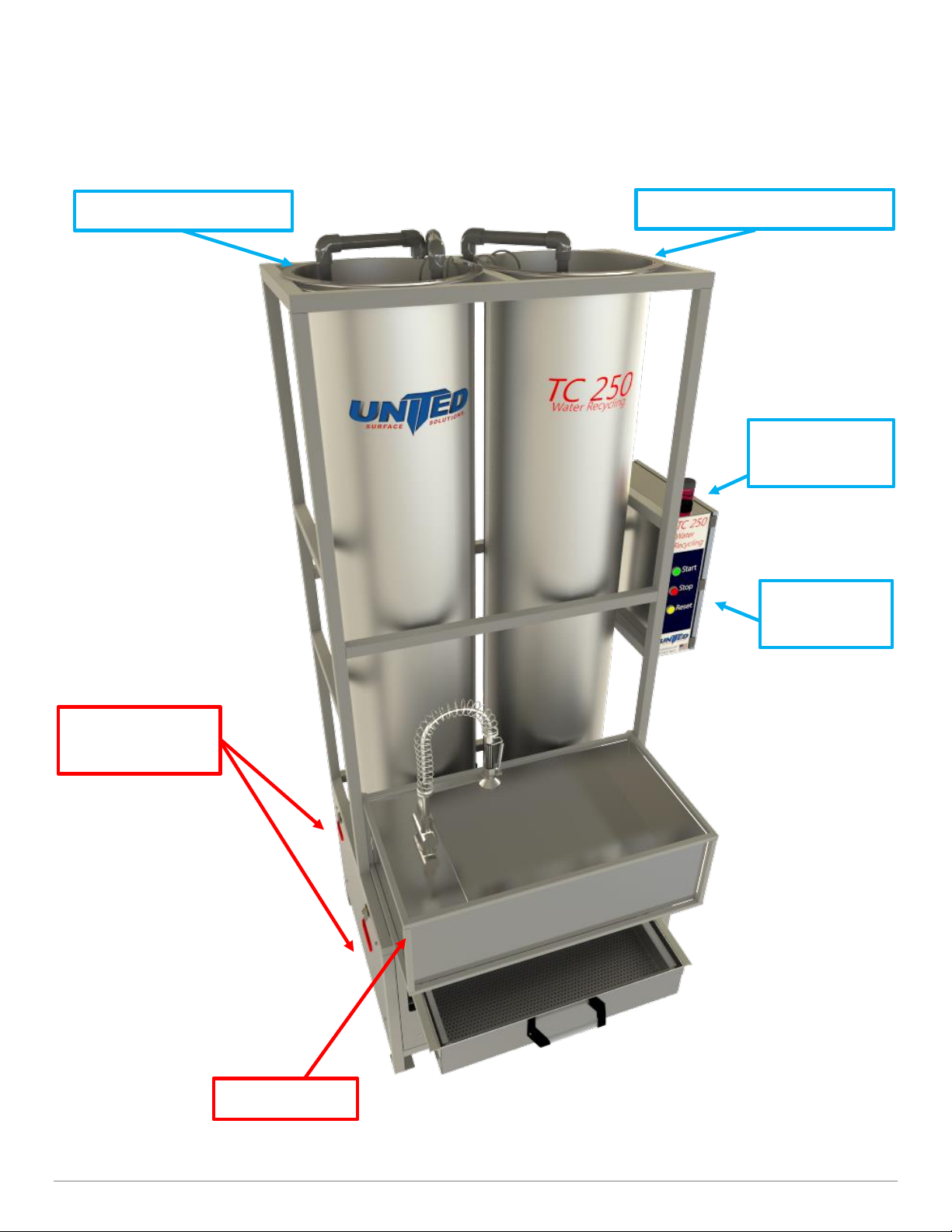
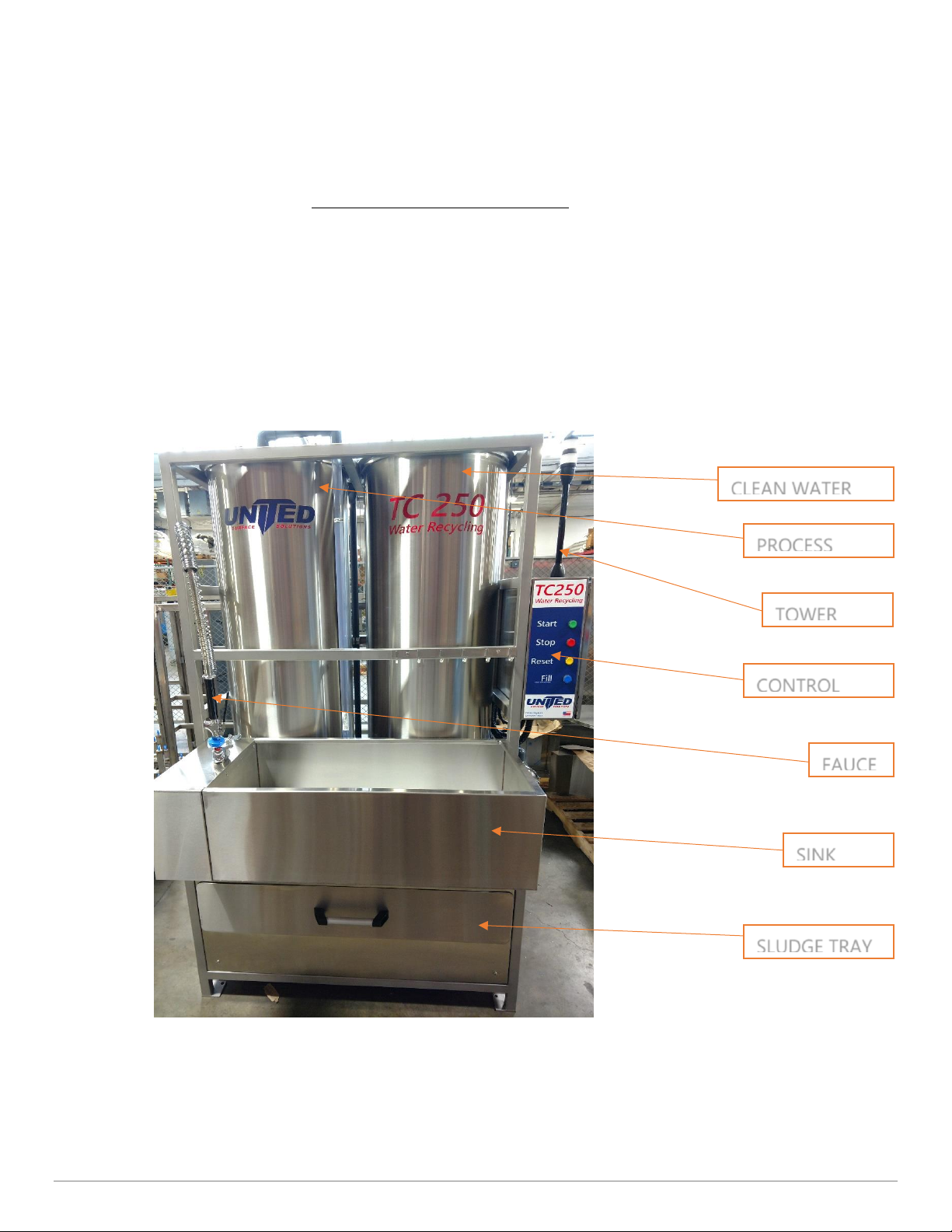
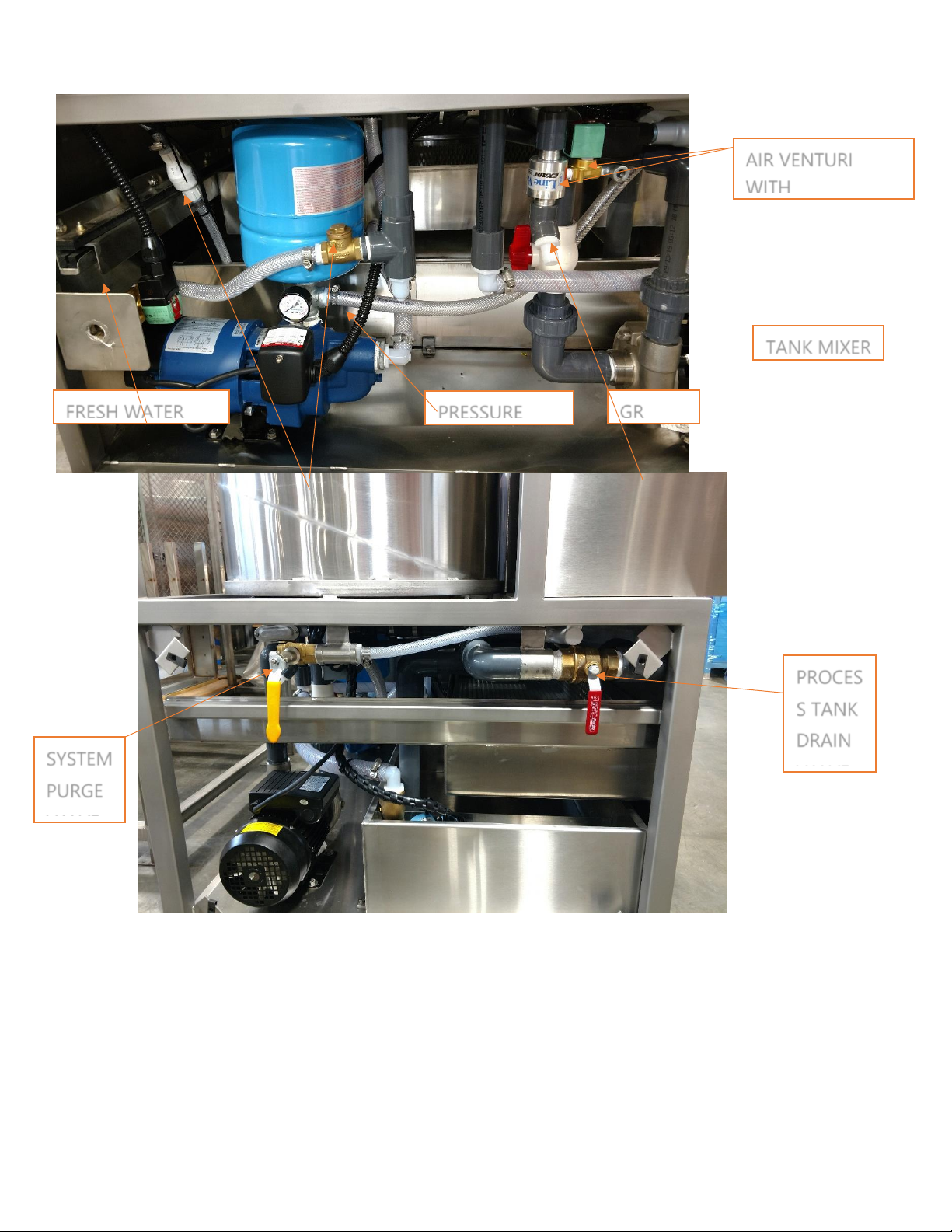
clean water holding tank, pressurized well pump, sink basin with faucet and process tank. When the
spray handle is pressed the water is pumped from the clean water tank to the faucet via the pressure
pump. The water rinses the parts, passes through the sink basin to a gray water sump and then is
pumped into the process tank. The process tank fills and starts the cleaning process. The water is
mixed while a granular reactant is added. This creates a floc gathering suspended solids and cleansing
the water. Microbubbles are added to the floc to causing it to float. After mixing, a rest period is
needed to allow the floc to float to the top and separate from the clean water. The Clean water drains
through a filter media and is pumped back into the clean water tank. The filter media then traps the
floc and allows the sludge to dewater in the sludge tray. Once completely dewatered the floc, now
sludge, can be disposed of. The unit can also be plumbed to include a finishing system in a closed
loop type of configuration.
Start Up:
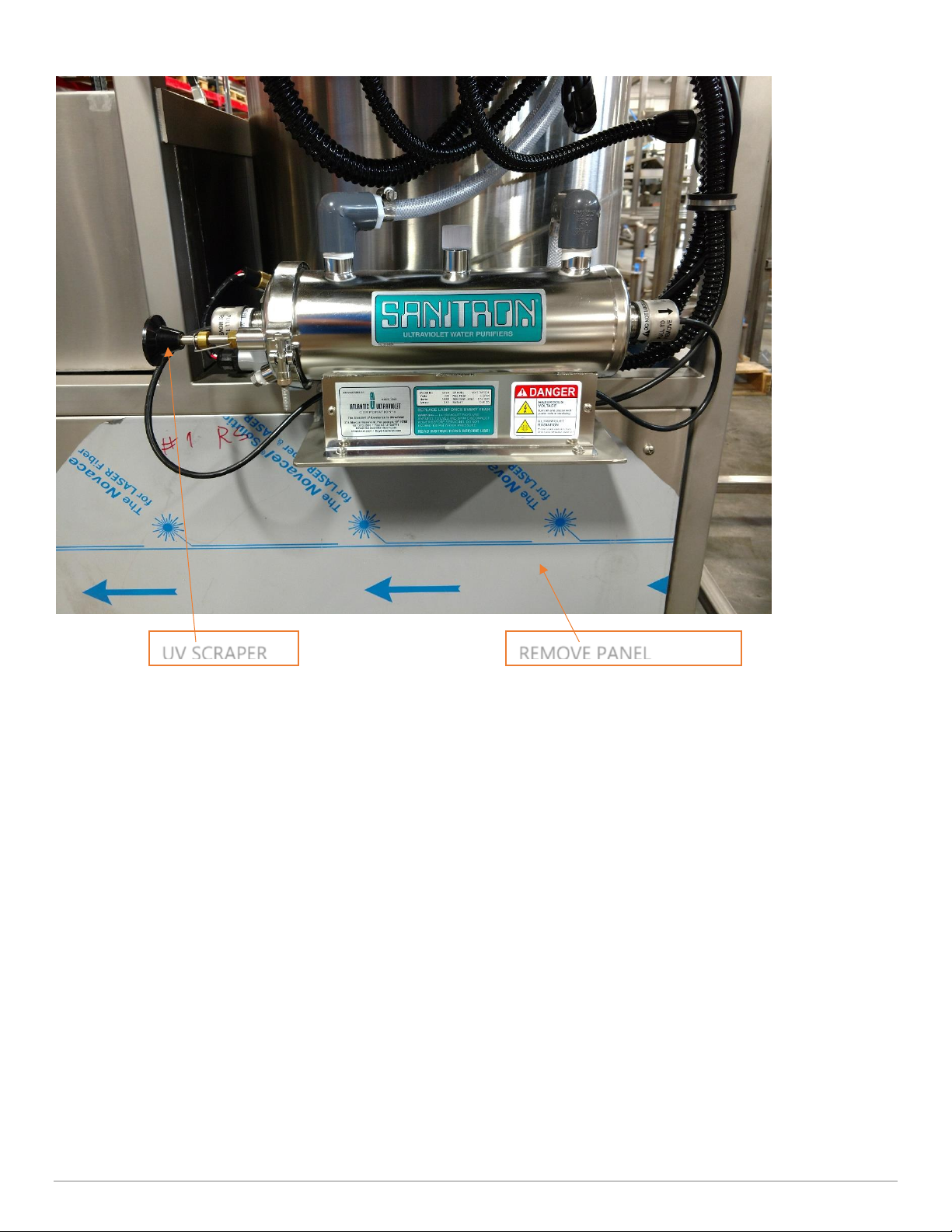
1. Remove all packing material, panel protectors. Cut ties on float switches and hang inside tanks
2. Connect power to 240VAC/60Hz, 1ph, 20-amp source
3. Plumb closed loop system according to P&ID
4. Press the Blue Fill button to fill the clean water tank
5. Test run with clean water to prime all pumps and check for leaks
6. Install filter paper in the tray
7. Insert the Intake hose into the box or bucket of GR
Operation:
1. As you use the Sink the TC250 will automatically fill up the Left/Process tank, when it is full the
Red light will come on - this indicates you need to start the process. NOTE: There is a small
reserve of clean water to continue rinsing parts while processing. The clean water pump will
shut off and RED light will activate when the reserve is depleted. NOTE: Flashing Green light
plus RED steady light indicates system processing & reservoir depleted.
2. Press the Start button to begin the process, the Tower Light will turn Flashing Green.
3. Once the batch is complete (approximately 20 mins) the Tower Light will turn Steady Green.
Check that the filter paper is placed properly in the sludge tray.