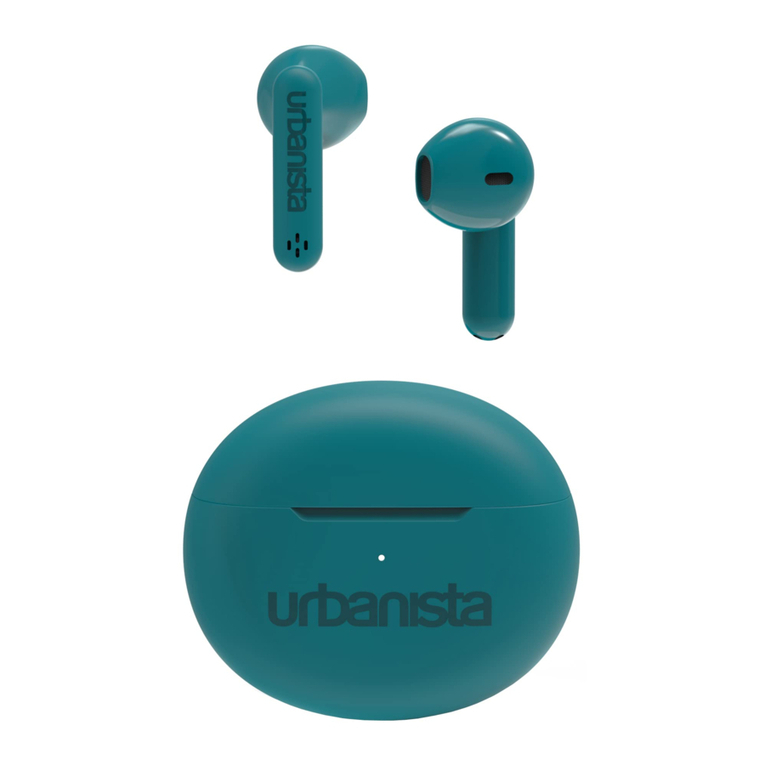
4 5
URBANISTA COPENHAGEN
Thank you for choosing an Urbanista product.
POWER ON AND OFF
The earphones automatically power on and off as you open and
close the charging case lid. Five minutes of disconnect or 30 minutes
of inactivity will automatically power off. If your earphones are
automatically powered off outside the charging case, you can press the
left and right sides separately for 5 seconds to power them on.
FIRST-TIME PAIRING AND RECONNECTING
Open the charging case lid to initiate first-time pairing. The LEDs will
first indicate the charging case battery level, followed by simultaneous
flashing to indicate pairing mode. Go to the Bluetooth settings on your
device and select “Urbanista Copenhagen” to connect. The LEDs will
stop flashing as the earphones successfully connect. The earphones
will automatically try to reconnect to the last connected device every
time they are powered on.
CONNECT TO ANOTHER DEVICE
Disconnect the earphones from your device to enter pairing mode
again. The earphones can store up to six paired devices.
TOUCH CONTROLS
Use the double- and triple-tap commands to control music and calls.
Left and right side long-press can be customized through the Urbanista
Audio app.
• Play/Pause: Double-tap left or right side.
• Previous song: Triple-tap left side.
• Next song: Triple-tap right side.
• Answer/Hang-up: Double-tap left or right side.
• Reject a call: Long-press left or right side.
• Activate voice assistant: Long-press left side.
RESET
Should the earphones fail to connect, be unstable or unresponsive,
please follow the below steps:
1. Put the earphones back in the charging case and close the lid.
Reopen after 10 seconds to pair or reconnect to your device.
USER MANUAL (EN)
Should the problem persist, please follow the below steps for a full
reset:
2. Delete “Urbanista Copenhagen” from the Bluetooth settings on your
device.
3. With the earphones in the charging case, press the reset button (2)
for 10 seconds until the LEDs turn solid. The earphones will restart
and initiate pairing mode.
4. Follow the instructions in “First Time Pairing and Reconnecting” to
reconnect to your earphones.
THE URBANISTA AUDIO APP
The Urbanista Audio app is the perfect companion for your Urbanista
Copenhagen earphones, available for both iOS and Android. The app
allows you to customize features and personalize the way you use and
experience your Urbanista products.
CHARGING AND BATTERY
The earphones will automatically start charging when put back into the
charging case. A “low battery” voice prompt will notify you when there
are 30 minutes of playtime remaining, after which the earphones will
automatically turn off.
Use the included USB Type-C cable connected to a power source
to charge the case. The “Battery Status Indicator” (1) will pulse
during charging and continuously lit when the case is fully charged.
• 0-25 % - The first LED pulses white.
• 25-50 % - The first LED is lit and the second pulses white.
• 50-75 % - The first two LEDs are lit and the third pulses white.
• 75-100 % - The first three LEDs are lit and the fourth pulses white.
• 100 % - All four LEDs are lit continuously.
TROUBLESHOOTING
If you have any additional questions, please visit our online help center
where you will find our FAQs and an online version of this manual:
https://support.urbanista.com/
USER MANUAL (EN)