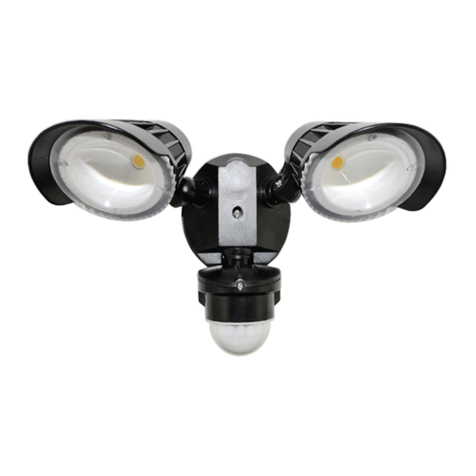
OPERATING INSTRUCTIONS
operation and sensitivity, move the switch to the “1,
5, or 10” position. Each of these positions allows the
these settings indicates the time frame that the light
will remain on after detecting motion. If set for the “1”
setting, the lights will come on for 1 minute after
detecting motion, and then will go off and return to the
AUTO motion sensor mode. When set for “5”, the lights
will remain on for 5 minutes after detecting motion. If
set for “10”, the lights will remain on for 10 minutes
after detecting motion. If motion is continuously
detected during the lights’ “ON” cycle, the lights will
remain on until the motion ceases.
6. To be able to manually turn on the security light from inside your home, toggle the wall light switch OFF
and ON within 2 seconds. The security light will turn on and stay on for approximately 8 hours, or until the
dusk-to-dawn sensor detects light in the morning. Once the dusk-to-dawn sensor detects light, the manual
“ON” mode will automatically go back to its original settings of the AUTO motion sensor mode. At any point
while in manual “ON” mode, return to the AUTO motion sensor mode by toggling the wall light switch OFF
and ON again within 2 seconds.
SECURITY LIGHT OPERATION
MODE SLIDE SWITCH WALL SWITCH SENSITIVITY A
Test Mode Test Turn on Any setting
AUTO Motion Sensor 1, 5, or 10 Minutes ON Any setting
Mode
Manual “ON” Mode 1, 5, or 10 Minutes Toggle OFF and ON Any setting
within 2 seconds
Return to AUTO Motion 1, 5, or 10 Minutes Toggle OFF and ON Any setting
Sensor Mode within 2 seconds
8
CARE AND MAINTENANCE
NOT
use solvents or cleaners containing abrasive agents. When clean
TROUBLESHOOTING
• Extreme hot or cold weather could affect the performance of the built-in sensors that detect body heat.
Certain winter clothing can shield a person’s body heat from the sensor during extreme cold weather.
During extreme hot weather, the sensor may not be able to distinguish the difference between normal body
temperatures and the surrounding high temperatures. The sensor will begin working normally once weather
conditions return to normal.
PROBLEM POSSIBLE CAUSE CORRECTIVE ACTION A
Light does not come on 1. No power is being 1. Check that circuit breaker and/or wall
at night when motion switch power is on.
is detected.
2. Another light source is 2. Turn off surrounding lights and/or re-aim
causing the security light the sensor head.
to think it is daylight.
came loose. reconnect any loose wiring.
5