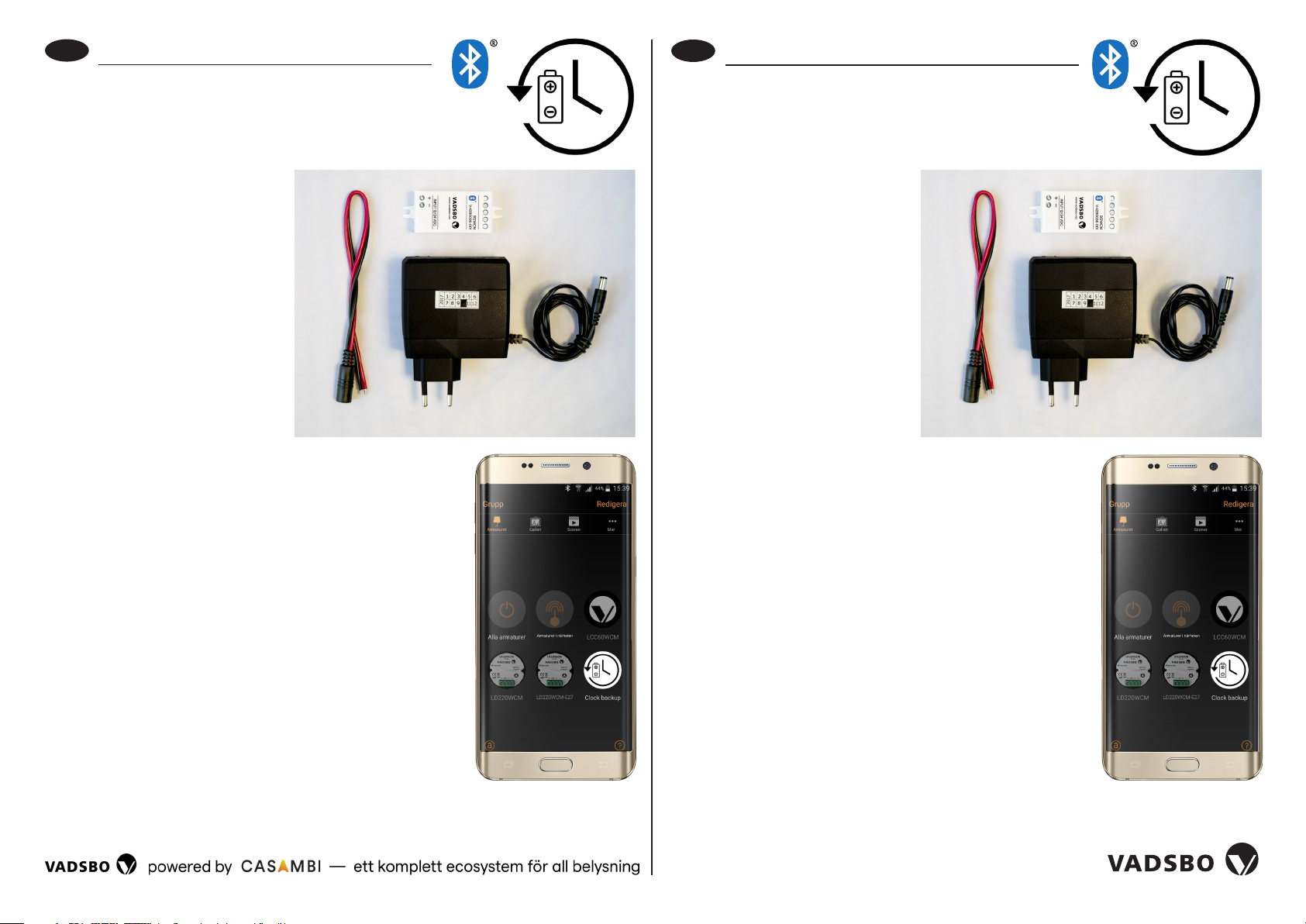
Setup and connection
to network
1. Connect the B12WCM with
the backup battery using the
quick connector.
2. Connect to wall socket. The
battery will charge at the
same time as the B12WCM is
powered on.
3. The B12WCM is now active in
your Casambi App. Assign it to
the required network.
4. You will find it under “Fittings”
as “Clock backup”. When it is
active and power is connected,
the icon is white. If the power
remains disconnected for longer than the Clock
backup’s battery time, the icon will be grey.
When the battery is fully charged, the memory is kept
for 18 hours.
Disconnect from existing network
1. Go to “More” and then “Nearby units”. Locate
Clock backup.
2. Press the unit icon and select “Disconnect from network”.
If the user is logged on as a network administrator,
it disconnects immediately.
3. If the user is not logged on as an administrator, a new
window will open. Here, press “Stat” and you have five
seconds to switch the power on and off. B12WCM is the
correct unit to switch off. As the unit is battery powered,
it is switched on/off by unplugging and replugging the
quick connector between the B12WCM and backup
battery. This process sometimes requires several
attempts to work.
Instructions
The B12WCM is used in combination with a backup battery to maintain
position and time in a Casambi mesh network in a power failure.
Installation manual, BTWCM Clock backup
EN
Quick connector
Backup battery
B12WCM
Einkoppeln und Anschließen
an das Netzwerk
1. B12WCM mit Hilfe der Schnell-
kupplung mit der Backup-Unit
verbinden.
2. An die vorhandene Steckdose
anschließen. Während B12WCM
an Spannung liegt, wird die
Backup-Unit geladen.
3. B12WCM ist jetzt in Ihrer
Casambi-App aktiviet.
Verknüpfen Sie sie mit dem
entsprechenden Netzwerk.
4. Es ist jetzt in der App unter
“Leuchten“ und der Bezeichnung
“Clock Backup“ zu finden. So
lange B12WCM aktiviet ist und Strom hat, ist das Symbol
weiß. Wenn der Stromausfall länger dauet als die
Akkulaufzeit von Clock Backup, wird das Symbol grau.
Bei vollgeladenem Akku bleiben die Daten bis zu 18 h
gespeichet.
Auskoppeln aus dem vorhandenen Netzwerk
1. Gehen Sie unter‚ “Mehr“, gefolgt von‚ “Geräte in der
Nähe“. Suchen Sie nach‚ “Clock Backup“.
2. Drücken Sie auf das Gerät und wählen Sie‚ Aus Netzwerk
auskoppeln‘. Wenn der Benutzer als Netzwerkadministra-
tor angemeldet ist, erfolgt die Auskopplung direkt.
3. Wenn der Benutzer nicht als Netzwerkadministrator an-
gemeldet ist, öffnet sich ein neues Fenster. Hier drückt
man auf‚ “Stat“. Danach hat man fünf Sekunden Zeit, um
den Strom aus- oder einzuschalten. Das Gerät, das
ausgeschaltet werden soll, ist B12WCM. Wenn das
Gerät im Akkubetrieb ist, muss dazu die Schnellkupplung
zwischen B12WCM und der Backup-Unit getrennt oder
zusammengesteckt werden. Manchmal sind mehrere
Versuche nötig, bis man Erfolg hat.
Verwendung
B12WCM wird in Kombination mit einer Backup-Unit dazu verwendet,
um die Position und Uhrzeit in einem Casambi Mesh-Netzwerk bei
Stromausfall zu speichern.
Installationsanleitung BTWCM Clock-Backup
DE
Schnellkupplung
Backup-Unit
B12WCM