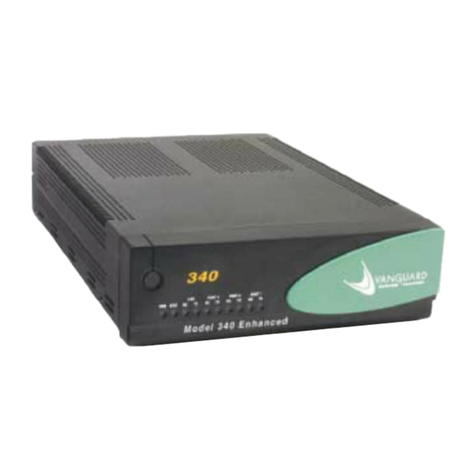
Vanguard 342 User manual

Vanguard Managed Solutions
Vanguard 342 Installation Manual

Notice
©2004 Vanguard Managed Solutions, LLC
575 West Street
Mansfield, Massachusetts 0204
(50 ) 261-4000
All rights reserved
Printed in U.S.A.
Restricted Rights Notification for U.S. Government Users
The software (including firmware) addressed in this manual is provided to the U.S.
Government under agreement which grants the government the minimum “restricted rights”
in the software, as defined in the Federal Acquisition Regulation (FAR) or the Defense
Federal Acquisition Regulation Supplement (DFARS), whichever is applicable.
If the software is procured for use by the Department of Defense, the following legend
applies:
Restricted Rights Legend
Use, duplication, or disclosure by the Government
is subject to restrictions as set forth in
subparagraph (c)(1)(ii) of the
Rights in Technical Data and Computer Software
clause at DFARS 252.227-7013.
If the software is procured for use by any U.S. Government entity other than the Department
of Defense, the following notice applies:
Notice
Notwithstanding any other lease or license agreement that may pertain to,
or accompany the delivery of, this computer software, the rights of the
Government regarding its use, reproduction, and disclosure are as set forth
in FAR 52.227-19(C).
Unpublished - rights reserved under the copyright laws of the United States.

Notice (continued)
Proprietary Material
Information and software in this document are proprietary to VanguardMS Inc. (or its
Suppliers) and without the express prior permission of an officer of VanguardMS Inc., may
not be copied, reproduced, disclosed to others, published, or used, in whole or in part, for
any purpose other than that for which it is being made available. Use of software described in
this document is subject to the terms and conditions of the VanguardMS Software License
Agreement.
This document is for information purposes only and is subject to change without notice.
Radio requency Interference Regulations
This equipment has been tested and found to comply with the limits for a Class B digital
device, pursuant to Part 15 of the FCC Rules, CISPR22 and EN55022. These limits are
designed to provide reasonable protection against interference when the equipment is
operated in a residential environment. This equipment generates, uses, and can radiate radio
frequency energy and, if not installed and used in accordance with the instruction manual,
may cause harmful interference to radio communications.
Changes or modifications not expressly approved by VanguardMS could void the user's
authority to operate the equipment.
This Class B digital apparatus meets all requirements of the Canadian Interference-Causing
Equipment Regulations.
This is a Class B product. Operation of this equipment in a residential environment may
cause radio interference, in which case the user may be required to take adequate measures to
correct the interference at his/her own expense.
This product was verified under test conditions that included the use of shielded DTE
cable(s). A cable equipped with a ferrite bead may also have been used. Use of different
cables will invalidate verification and increase the risk of causing interference to radio and
TV reception.
You can obtain the proper cables from Vanguard Managed Solutions.
Telecommunications Regulations
Equipment that complies with Part 6 of the FCC rules includes a label or permanent
marking on the printed circuit board that connects to the network that contains, among other
information, the FCC registration number and ringer equivalence number (REN) for this
equipment. If requested, this information must be provided to the telephone company. A plug
and jack used to connect this equipment to the premises wiring and telephone network must
comply with the applicable FCC Part 6 rules and requirements adopted by the ACTA. A
compliant telephone cord and modular plug is provided with this product. It is designed to be
connected to a compatible modular jack that is also compliant. See installation instructions
for details.

The REN is used to determine the number of devices that may be connected to a telephone
line. Excessive RENs on a telephone line may result in the devices not ringing in response to
an incoming call. In most but not all areas, the sum of RENs should not exceed five (5.0). To
be certain of the number of devices that may be connected to a line, as determined by the total
RENs, contact the local telephone company. The REN for this product is part of the product
identifier that has the format US:AAAEQ##TXXXX. The digits represented by ## are the
REN without a decimal point (e.g., 03 is a REN of 0.3).
If this equipment causes harm to the telephone network, the telephone company will notify
you in advance that temporary discontinuance of service may be required. But if advance
notice isn't practical, the telephone company will notify the customer as soon as possible.
Also, you will be advised of your right to file a complaint with the FCC if you believe it is
necessary. The telephone company may make changes in its facilities, equipment, operations
or procedures that could affect the operation of the equipment. If this happens the telephone
company will provide advance notice in order for you to make necessary modifications to
maintain uninterrupted service. If the equipment is causing harm to the telephone network,
the telephone company may request that you disconnect the equipment until the problem is
resolved. Connection to party line service is subject to state tariffs. Contact the state public
utility commission, public service commission or corporation commission for information. If
your home has specially wired alarm equipment connected to the telephone line, ensure the
installation of this equipment does not disable your alarm equipment. If you have questions
about what will disable alarm equipment, consult a trained technician.
Equipment that meets the applicable Industry Canada Terminal Equipment Technical
Specifications is conformed by the registration number. Equipment that complies with
Industry rules includes a label or permanent marking on the printed circuit board that
connects to the network. The abbreviation, IC, before the registration number signifies that
the registration was performed based on a Declaration of Conformity indicating that Industry
Canada technical specifications were met. It does not imply that Industry Canada approved
the equipment.
This manual is current for Release 6.4 of Vanguard Applications Ware
To comment on this manual, please send e-mail to LGEN031@vanguardms.com
Part No. T0257, Revision D
Technical Writer: Paul Lukowski
Production: Denise Skinner
Illustrator: Tim Kinch
First Release: February 2003

Contents
v
Special Notices and Translations
Customer Information
Customer Response Card
Chapter 1. About the Vanguard 342
Vanguard 342 Description ............................................................................ 1-2
Features and Functionality ........................................................................... 1-3
Target Applications ....................................................................................... 1-5
Virtual Private Network ........................................................................... 1-6
Cost-effective VPN Solutions............................................................... 1-7
Hardware-based Encryption and Compression..................................... 1-7
Standard-based Tunneling and Encryption for IP Traffic..................... 1-
Multi-protocol Tunneling and Encryption............................................ 1-
Frame Relay and X.25 Encryption ....................................................... 1-9
IP and Serial Protocols over Frame Relay ............................................... 1-10
Video and Serial Protocols over Public or Private Networks .................. 1-11
Branch Office to Central Office over Public or Private Networks ........... 1-12
SOHO and Branch Office to Central Office over ISDN .......................... 1-14
DSL/Cable Modem .................................................................................. 1-16
G.SHDSL Daughtercard ........................................................................... 1-17
LAN Segmentation ................................................................................... 1-1
Virtual LAN (VLAN) ............................................................................... 1-19
Clocking Limitations Vanguard 342 ............................................................. 1-20
Chapter 2. Hardware Description
Enclosure ...................................................................................................... 2-2
Motherboard ................................................................................................. 2-4
Vanguard Daughtercards .............................................................................. 2-7
Chapter 3. Installation and Replacement
Checking Your Shipment Contents .............................................................. 3-2
Installing The Vanguard 342 ........................................................................ 3-3
Selecting and Preparing the Installation Site ........................................... 3-4
Installing Your Vanguard 342 ................................................................... 3-6
Thermal Considerations ........................................................................... 3-7
Configuring the Serial Interface ................................................................... 3-
Setting the Interface Type ........................................................................ 3-9
Setting the Interface Options .................................................................... 3-10
Cabling the Vanguard 342 ............................................................................ 3-12

vi
Contents (continued)
Chapter 3. Installation and Replacement
Port Characteristics and Cabling .............................................................. 3-13
Control Terminal Port (CTP) ................................................................ 3-16
10/100BaseT Adapter Cable................................................................. 3-17
DB25 V.24 Pinouts ............................................................................... 3-1
DB25 V.35/V.36 Pinouts....................................................................... 3-19
DB25 X.21/V.11 Pinouts....................................................................... 3-20
Modifying Your Vanguard 342 ..................................................................... 3-22
Installing Vanguard Daughtercards .......................................................... 3-23
Accessing the Motherboard ...................................................................... 3-24
Adding and Removing Memory Modules ................................................ 3-27
Installing/Removing the Lithium Battery ................................................ 3-32
Chapter 4. Powering Up and Loading Software
Powering Up Your Vanguard 342 ................................................................. 4-2
Powering Off The Vanguard 342 .................................................................. 4-3
Powerup Diagnostics .................................................................................... 4-5
Accessing the Control Terminal Port ............................................................ 4-7
Alternative Methods for Accessing the CTP ........................................ 4-
Obtaining and Installing Operating Software ............................................... 4-9
Appendix A. Specifications
Appendix B. Software License and Regulatory Information
FCC Part 6 and Telephone Company Procedures and
Requirements for DSU, T1, and ISDN Interfaces .................................... B-2
Product Declarations and Regulatory Information ....................................... B-4
Limited Warranty
Return Procedures
Index

vii
About This Manual
Overview
Introduction This installation describes features, hardware, specifications, and applications for the
Vanguard 342.
Note
For information on operating system software and configuration, see the
Vanguard Basic Configuration Manual (Part Number T0113).
Audience This manual is intended for people who install and operate the Vanguard 342.
How to Use This
Manual
The following table describes the contents of this manual:
This Chapter Description
Chapter 1 Vanguard 342 hardware and software features.
Chapter 2 Description of the Vanguard 342 hardware features and
components.
Chapter 3 Installing and replacing Vanguard 342 hardware
including daughtercards and motherboard.
Chapter 4 Powerup procedures and software installation.
Appendix A Product specifications.
Appendix B FCC and Telephone Company procedures and
requirements.

viii
About This Manual (continued)
Related Documentation
Introduction This section describes related documentation and where to obtain documentation.
Other
Documentation
All documentation is provided on the Vanguide CD-ROM and the VanguardMS web
site. http://www.vanguardms.com/documentation
Documentation Kit Includes:
Vanguard Applications
Ware Documentation Set
•Vanguard Applications Ware Basic Protocols
(Part Number T0106)
•IP and LAN Feature Protocols
(Part Number T0100)
•SNA Feature Protocols
(Part Number T0101)
•Serial Feature Protocols
(Part Number T0102)
•Multi-Service Feature Protocols
(Part Number T0103)
•Multi edia Feature Protocols
(Part Number T0104)
•Alar s and Reports Manual
(Part Number T0005)
•Software Installation and Coldloading Manual
(Part Number T002 )
IP and LAN Feature
Documentation Set
•IP and LAN Feature Protocols
(Part Number T0100)
SNA Feature
Documentation Set
•SNA Feature Protocols
(Part Number T0101)
Serial Feature
Documentation Set
•Serial Feature Protocols
(Part Number T0102)
Multi-Service Feature
Documentation Set
•Multi-Service Feature Protocols
(Part Number T0103)
Multimedia Feature
Documentation Set
•Multi edia Feature Protocols
(Part Number T0104)
Vanguard Applications
Ware Basic Protocols
Documentation Set
•Vanguard Basic Protocols
(Part Number T0106)

ix
About This Manual (continued)
Vanguide CD-ROM The Vanguide CD-ROM contains all Vanguard documentation available at the time
of release. The Vanguide CD-ROM is shipped with each Vanguard product. To order
an additional copy of the Vanguide CD-ROM, please contact a VanguardMS
Representative.
VanguardMS Web
Site
Check the VanguardMS web site for the latest documentation:
http://www.vanguardms.com/documentation/

Other manuals for 342
1
Other Vanguard Network Router manuals