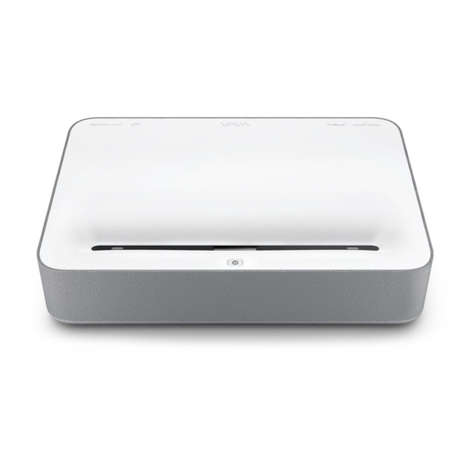
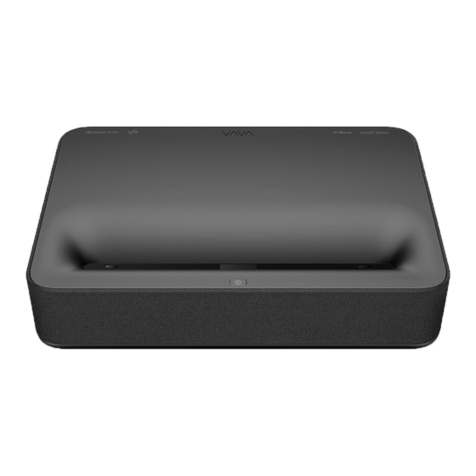
Vava Chroma User manual

CONTENTS
IMPORTANT SAFETY INSTRUCTIONS
01
KNOWING YOUR PROJECTOR 02
USING YOUR PROJECTOR 09
CLEANING AND MAINTENANCE 25
TROUBLESHOOTING 27

KNOWING YOUR
PROJECTOR
1
IMPORTANT SAFETY INSTRUCTIONS
1. ABOUT LASER LIGHT
• Never look into the projector lens when the laser is turned on; this
can result in eye damage.
• Do not try to dismantle the projector. It contains a high-power laser
component; attempting to modify can result in serious injury.
• Do not allow children to operate the projector.
They must be accompanied by an adult for use.
2. HIGH TEMPERATURE
• Do not place anything that can become warped or
damaged by heat near the vents.
• Do not bring your hands or face close to the vents while
projection is in progress.
• Do not place flammable materials such as aerosols near
the device in case of fire.
· Danger of explosion if battery is incorrectly replaced. Replace only
with the same or equivalent type.
· Disposal of a battery into fire or a hot oven, or mechanically crushing
or cutting of a battery, that can result in an explosion.
· Leaving a battery in an extremely high temperature surrounding
environment that can result in an explosion or the leakage of
flammable liquid or gas.
· A battery subjected to extremely low air pressure that may result in an
explosion or the leakage of flammable liquid or gas.
· The operation altitude is up to 2500m.
FOR HOUSEHOLD USE ONLY
READ AND SAVE THESE INSTRUCTIONS
01 // VAVA Chroma

Package Contents
1.1
VAVA Chroma *1
Remote Control *1
AAA Battery *2
59-inch Power Cord *1
Cleaning Cloth *1
User Manual *1
Quick Start Guide *1
Parts and Components
1.2
PROJECTOR
Front/Top
1
4
3
25
1. Speaker 4. PIR Sensor
2. Power Button 5. Lens
3. Status Indicator
Blinking
Off
Solid On
Booting/Shutting down
Outage/Abnormal
Powered but not on
03 // VAVA Chroma VAVA Chroma // 04

05 // VAVA Chroma VAVA Chroma // 06
Side
6
7
Forward-Lower
Backwards-
Higher
Forward-Higher
Backwards-
Lower
6. Height Adjusting Wheels 7. Heat Dissipation Vents
Rear/Bottom
8 9 10 11 12 13 14 15 16
17 20
18
19
8. HDMI Input 1
9. HDMI Input 2
10. HDMI 3 ARC
11. USB Port
12. Audio Output
13. AV Input
14. S/PDIF Port
15. Ethernet Port
16. Power Port
17. Rear Foot
18. Speaker Air Vents
19. Front Foot *2
20. Product Nameplate
REMOTE CONTROL
13
2
4
56
7
8
910
11
12 13
14 15
16
1. Power
2. Mic
3. Voice Assistant
4. Up
5. Left
6. OK
7. Right
8. Down
9. Return
10. Settings
11. Home
12. Signal
13. Menu
14. Volume -
15. Volume +
16. AAA Battery Holder

Smart TV System
07 // VAVA Chroma VAVA Chroma // 08
Specifications
1.3
Projection System
Display Type
Light Source
Throw Rate
Projection Size
Resolution
Brightness
Luminance Uniformity
Contrast Ratio
Color Gamut
DLP
RGB-Laser
0.233
Up to 150”
4K
2500 lumen (100% CLO) / 6000 lumen
(Light Source)
> 80%
> 300:1 (ANSI) / > 3000:1 (FOFO)
106% Rec.2020
System
App Store
ROM
RAM
Motion Detection
HDR 10
HLG
Keystone Correction
Electric Focus
Built-in Alexa
Android 9.0
VAVA Store
32GB
3GB
Yes
Yes
Yes
Yes (8 Points)
Yes
Yes
Interface
Audio
Speaker
Bluetooth In
Bluetooth Out
DTS-HD
Dolby Audio
Harman / Kardon, 60W (total)
Yes (connect with mobile phone)
Yes (connect with Bluetooth speaker)
Yes
Yes
HDMI
USB
Video In
Audio Out
RJ45
3 ports (HDCP2.2, 1 with ARC)
1 (5V DC, 500mA)
AV3.5
Line out 1 (3.5mm) and S/PDIF 1
1
Connectivity
Internet
Bluetooth
Wired and wireless
(802.11ac 2.4G / 5G 2T2R, with DFS)
BT5.0
Power
Input
Power Consumption
Standby Power
Consumption
100-240V AC, 50/60Hz, 4A
≤360W
<0.5W
Others
Projection Method
Dimensions
Weight
Noise
Working Temperature
Storage Temperature
Desktop projection/Ceiling mounted projection
542*378*117.4mm/21.34*14.88*4.62 inch
10.65kg/375.67oz
<30dB
0 - 40°C / 32 - 104°F
-20 - 65°C / -4 - 149°F

VAVA Chroma // 10
USING YOUR
PROJECTOR
2
Quick Installation Guide
2.1
PREPARATION
Install the electrical outlet near the equipment. It should be easily
accessible. Take the 4 following items into consideration when installing
the projector:
1) Distance between the projector back and the wall (W1)
2) Height: image width (height) (H1), height between the bottom of the
image and the desk (H2), height of the desk (H3), and the
recommended height of the wall (H4)
3) Surface for placing the projector
You can place the projector on almost any sturdy, flat and level surface,
to project an image.
Dimensions of the desk:
- Mobile desk: W2, H3, and L2
- Immobile desk: W2, H3, L2 and W1 (leave enough space to move the
device on the desk)
4) Image of the projection
The wall for the projection should be larger than the area of your
desired image size.
Wall area: length (L3, ≥L1) x width (H4, ≥H1 + H2 + H3) in the diagram.

L2(21.0in)
L3(87.2in)
H4
(75.7in)
H1
(49in)
SD
L1(87.2in)
W1(7.2in) H2(12.1in)
H2(12.1in)
H3
(14.6in)
W2(21.7in)W2(21.7in)
11 // VAVA Chroma VAVA Chroma // 12
Desk
Length
(L2)
L2≥L
Desk Width
(W2)
Mobile
Desk:
(W2≥W)
Immobile
Desk:
(W2≥W+W1)
Image
center at
1.3m high
Desk
Height
(H3)
L3≥L1
Wall
Length
(L3)
Wall
Width
(H4)
H4≥H1+
H2+H3
≥53.3cm
/ 21.0in ≥36.8cm
/ 14.5in ≥45.3cm
/ 17.8in
≥50.2cm
/ 19.8in
≥55cm
/ 21.7in
≥64.6cm
/ 25.4in
≥79.2cm
/ 31.2in
53.9cm
/ 21.2in
45.4cm
/ 17.9in
37.0cm
/ 14.6in
20.1cm
/ 7.9in
0cm
/ 0in ≥177.1cm
/ 69.7in
≥199.3cm
/ 78.5in
≥221.4cm
/ 87.2in
≥265.7cm
/ 104.6in
≥332.1cm
/ 130.7in ≥179.8cm
/ 70.8in
≥186.5cm
/ 73.4in
≥192.3cm
/ 75.7in
≥204.7cm
/ 80.6in
≥228.7cm
/ 90.0in
Image
SD
80"
90"
100"
120"
150"
Device
Dimensions
(LxWxH)
53.3 x 36.8
x 10.7cm /
21.0 x 14.5
x 4.2in
Image
Length
(L1)
177.1cm
/ 69.7in
199.3cm
/ 78.5in
221.4cm
/ 87.2in
265.7cm
/ 104.6in
332.1cm
/ 130.7in
Image
Width
(H1)
99.6cm
/ 39.2in
112.1cm
/ 44.1in
124.5cm
/ 49.0in
149.4cm
/ 58.8in
186.8cm
/ 73.5in
Device-Wall
Distance
(W1)
8.5cm
/ 3.3in
13.4cm
/ 5.3in
18.2cm
/ 7.2in
27.9cm
/ 11.0in
42.4cm
/ 16.7in
Image-Desk
Height Gap
(H2)
26.3cm
/ 10.4in
28.6cm
/ 11.3in
30.8cm
/ 12.1in
35.2cm
/ 13.9in
41.9cm
/ 16.5in
Image
SD
80"
90"
100"
120"
150"
Parameters for Projection (100'' for example)
Projection Distance & Image Dimensions
Example Calculation for a 100” Image
1) Distance (W1): 18.2cm / 7.2in.
2) Heights: H1: 124.5cm / 49.0in; H2: 30.8cm / 12.1in; H3: 37.0cm /
14.6in (thus the image center is at 1.3m / 51.2in high, suitable for
audience sitting on a sofa in front); H4: ≥192.3cm / 75.7in.
3) Area of the desk (L2 x W2): ≥53.3 x 55cm / 21.0 x 21.7in.
4) Area of the wall (L3 x H4): ≥221.4 x 192.3 cm / 87.2 x 75.7in.

Tips:
1) Conversion figures may have been rounded up or down.
2) Leave plenty of space around and under the projector for
ventilation, and keep the vents unblocked in all directions.
3) Position the projector within reach of a grounded electrical outlet
or extension cord.
4) The projected image size increases as the projector is placed
farther from the wall. Move the desk for placing the projector as
the distance requires.
5) For H3, the provided recommended value of the image center
at 1.3 m./51.2 in. high would be most comfortable with the
assumption that it will be viewed from a sofa. You can adjust per
your personal preference.
13 // VAVA Chroma VAVA Chroma // 14
INSTALLING THE PROJECTOR
Place the projector on the desk. Move to an appropriate distance for
the desired image size while keeping the device parallel with the wall.
Connect the projector to a power source and press the Power button
on the device or remote to turn it on. Follow the instructions to go
through the wizard, including the following operations:
1) Choose a language
2) Pair with the remote control
3) Network settings
4) Adjust the projection area
5) Select the time zone
Functions
2.2
1. MOTION DETECTION
There are two PIR motion sensors at the front of the projector; when it
detects human approaching, the projector will dim the brightness of the
laser light to prevent any potential eye damage. This function is active
by default and can be disabled in Settings -> General. Press any button
on the remote control and the laser light will restore to normal
brightness level.
2. HDR10
This projector supports HDR10, currently the most widely used High
Dynamic Range technology, especially for Blu-ray devices and
professional game consoles. Compared to devices without HDR10, the
projector delivers images with more detail and a wider dynamic range.

15 // VAVA Chroma VAVA Chroma // 16
3. DOLBY AUDIO AND DTS DECODING
The projector supports Dolby Audio and DTS (dedicated to sound)
decoding, perfect for a home theater.
1) Manufactured under license from Dolby Laboratories. Dolby, Dolby
Audio and the double-D symbol are trademarks of Dolby Laboratories.
2) For DTS patents, see http://patents.dts.com. Manufactured under
license from DTS Licensing Limited. DTS, the Symbol, DTS and the
Symbol together, DTS-HD, and the DTS-HD logo are registered
trademarks and/or trademarks of DTS, Inc. in the United States
and/or other countries. ©DTS, Inc. All Rights Reserved.
4. TEMPERATURE PROTECTION
The built-in temperature protection function can protect the device in
the case of a high ambient temperature. The projector will prompt a
warning message and enter ECO mode automatically when the ambient
temperature is higher than 100°F. If the temperature reaches 109°F, the
device will activate the function of protection against
abnormalities and shut off.
Operation Guide
2.3
1. POWER ON/OFF
Connect the projector to a power source. Press the Power button on
the projector or the remote to power it on / off.
2. POSITION ADJUSTMENT
Refer to the following instructions to adjust the position of the projector
and get an undistorted image.
Table of contents
Other Vava Projector manuals