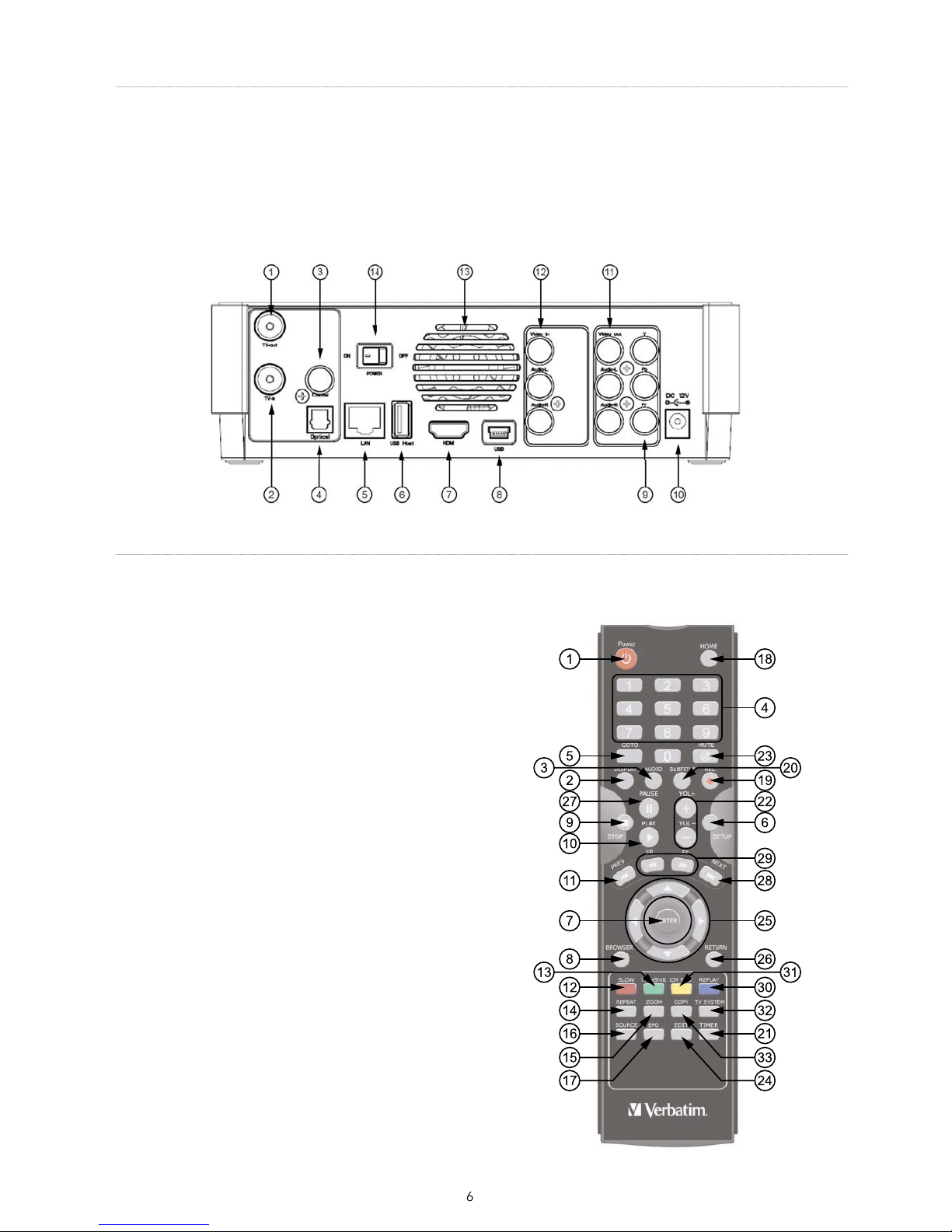
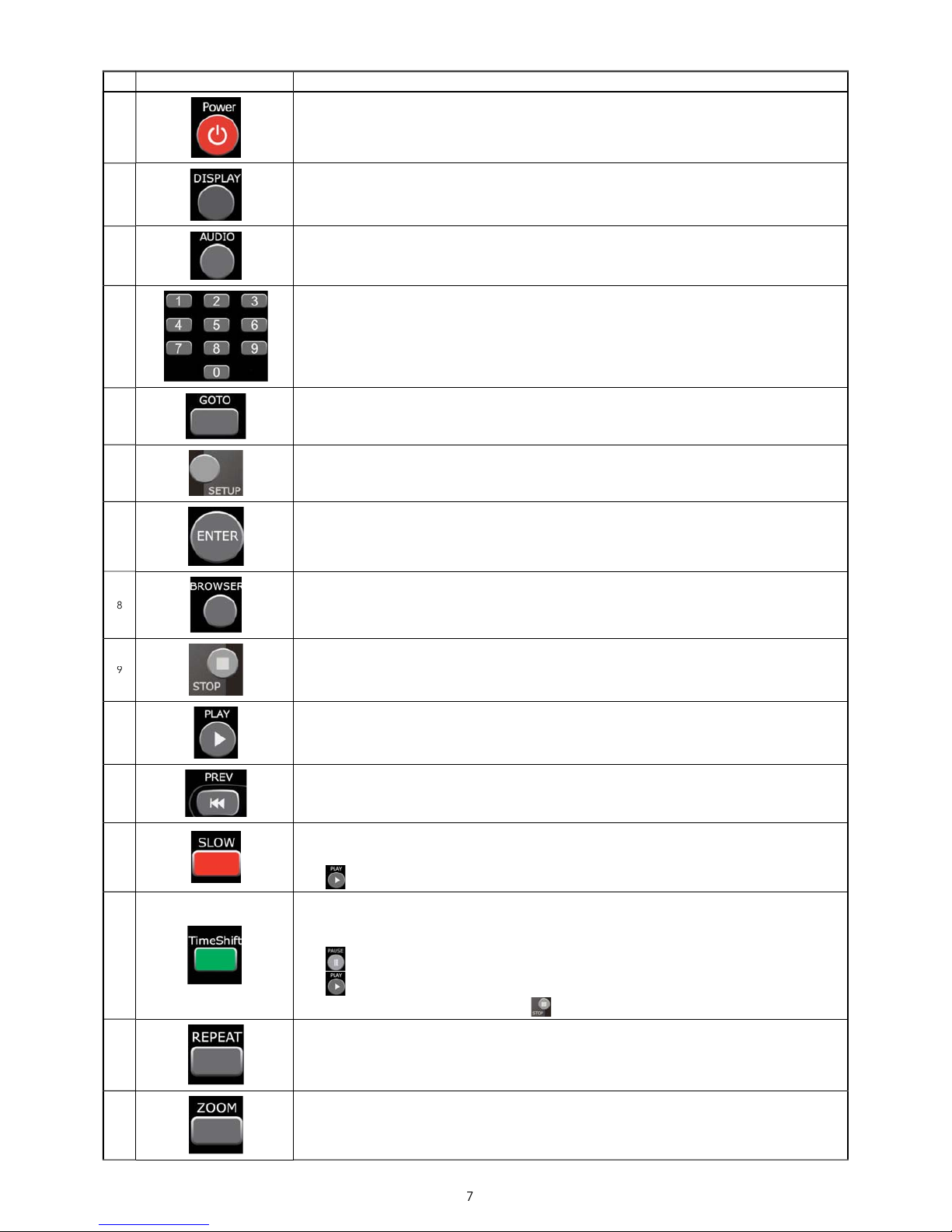
WER button:
Press to POWER on or off
PLAY button:
Press to dis
.
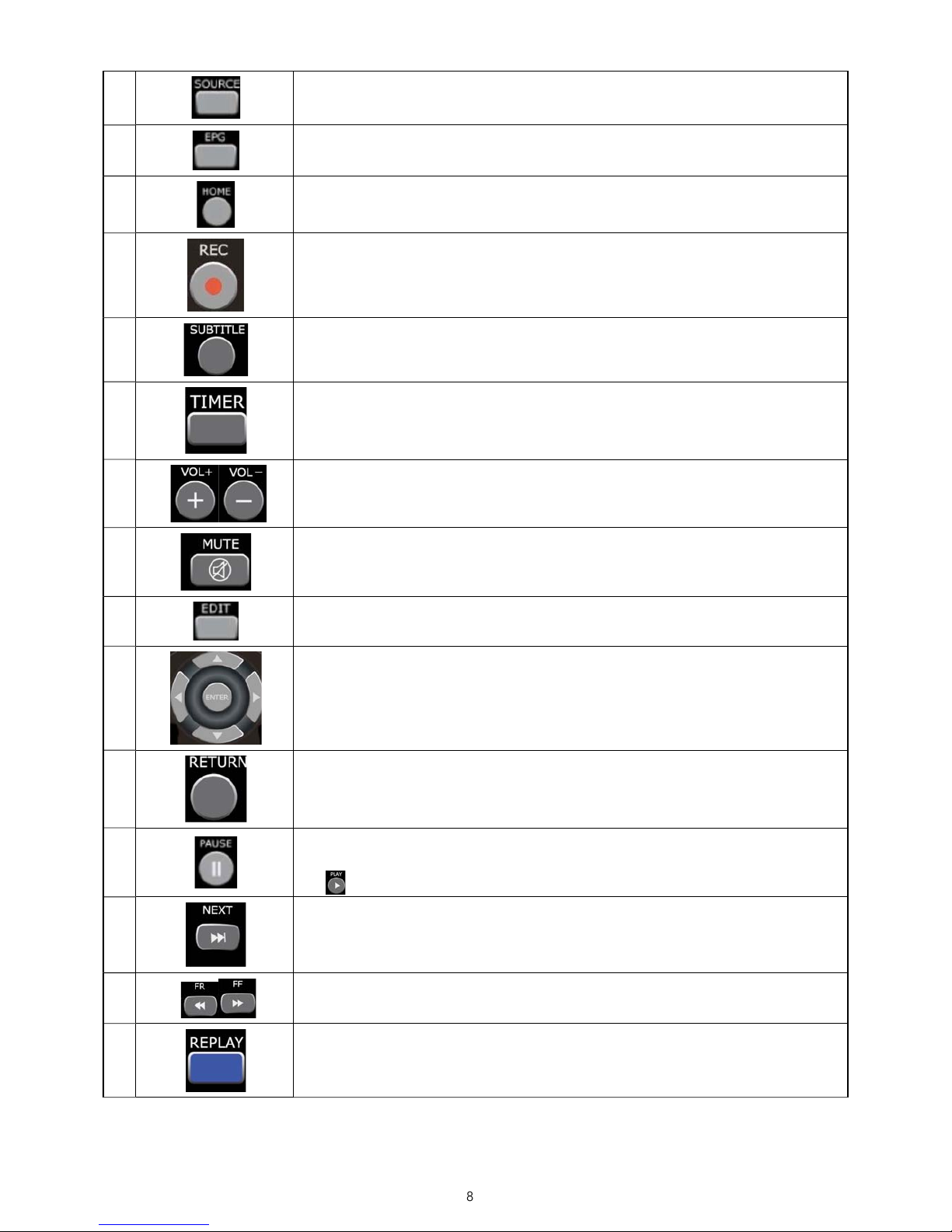
Press during recording and an on screen display appears showing the recording quality setting and time elapsed
button:
Press to select an audio track on a HDD or USB file
oint on the disc or title. S
P button:
Press to access t
n:
Press to select confirm in the menus
utton:
Press to browse music, photo, and movie
les on the HDD and external devices
STOP button:
Press to sto
back of movie files or start a slide show.
the File list under the Browser men
N button:
Press to play back in slow motion. Three motion settings are available.
Five s
3/4, 1/2, 1/4, 1/8, 1/16x
to resume regular playback.
HIFT button:
Press to activate the timeshift function, which allows
ause live TV and resume the
ram is recorded to the HDD, as lon
ace is available.
Press to activate TIME SHIFT
or the PLAY arrow to appear on the screen.
Pr
to resume viewing the program.
Timeshi
t mode remains active until you press the
:
Press REPEAT 1 / ALL to set repeat option: Chapter, Title or O
M button:
Press to zoom in/out w
rams.
Photo zoom levels: 2X,4X,8X,16X;
Video zoom levels: 2X