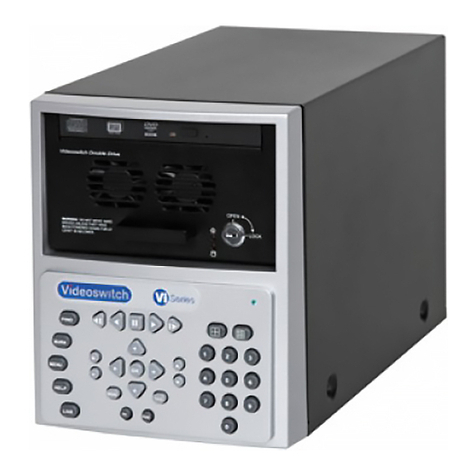
Videoswitch VDM Digital Recorder
Vdm601r.doc
7.8 Replaying Incidents..............................................................................................................................................................24
7.8.1 Selecting an Incident........................................................................................................................................................25
7.8.2 Go to the start of the current incident............................................................................................................................... 25
7.8.3 Go to the end of current incident...................................................................................................................................... 25
8Archiving Images onto CD...............................................................................................................26
8.1 Quick Incident Recording.....................................................................................................................................................26
8.2 Adjusting the Size of an Incident.......................................................................................................................................... 26
8.2.1 Enlarge an Incident by Moving the End ...........................................................................................................................26
8.2.2 Enlarge an Incident by Moving the Start..........................................................................................................................26
8.2.3 Reduce an Incident by Moving the End ...........................................................................................................................26
8.2.4 Reduce an Incident by Moving the Start..........................................................................................................................27
8.2.5 Reduce an Incident by Moving the Start or End...............................................................................................................27
8.3 Creating an Incident by Setting the Start and End...............................................................................................................27
8.3.1 Set the start of an incident ...............................................................................................................................................27
8.3.2 Set the end of an incident ................................................................................................................................................27
8.4 Selecting Incidents...............................................................................................................................................................28
8.5 Clearing unwanted incidents................................................................................................................................................28
8.6 Writing to CD........................................................................................................................................................................28
8.7 Replaying a CD....................................................................................................................................................................29
9Information Screens.........................................................................................................................30
9.1 Viewing Drive Information ....................................................................................................................................................30
9.1.1 Re-Scan Drives................................................................................................................................................................30
9.2 Viewing Image Information...................................................................................................................................................30
9.2.1 Image Authentication .......................................................................................................................................................30
9.3 System Information ..............................................................................................................................................................31
10 Setup..................................................................................................................................................32
10.1 Navigating the menus...........................................................................................................................................................32
10.2 User Menu............................................................................................................................................................................ 33
10.2.1 Incident Options ............................................................................................................................................................... 33
10.2.1.1 Erase CD........................................................................................................................................................33
10.2.1.2 Filename.........................................................................................................................................................33
10.2.1.3 Erase Incident Markers...................................................................................................................................33
10.2.2 Auto Sequence (Main Monitor) ........................................................................................................................................33
10.2.2.1 Sequence Mode .............................................................................................................................................33
10.2.2.2 Camera List ....................................................................................................................................................33
10.2.2.3 Dwell Times....................................................................................................................................................33
10.2.3 Auto Sequence (Spot Monitor)......................................................................................................................................... 33
10.2.3.1 Sequence Mode .............................................................................................................................................33
10.2.3.2 Camera List ....................................................................................................................................................33
10.2.3.3 Dwell Times....................................................................................................................................................33
10.2.4 PIP Mode .........................................................................................................................................................................33
10.2.5 Power-Up Options............................................................................................................................................................33
10.2.5.1 Main Monitor Mode.........................................................................................................................................34
10.2.5.2 Sequence Main...............................................................................................................................................34
10.2.5.3 Sequence Spot (Day) .....................................................................................................................................34
10.2.5.4 Sequence Spot (Night) ...................................................................................................................................34
10.2.5.5 Main Camera..................................................................................................................................................34
10.2.5.6 PIP Camera....................................................................................................................................................34
10.2.5.7 Spot Camera (Day)......................................................................................................................................... 34
10.2.5.8 Spot Camera (Night)....................................................................................................................................... 34
10.2.6 Anti-Flicker.......................................................................................................................................................................34
10.2.6.1 Full Screen......................................................................................................................................................34
10.2.6.2 PIP Screen......................................................................................................................................................34
10.2.6.3 Quad Screen ..................................................................................................................................................34
10.2.6.4 x9 Multi-Screen............................................................................................................................................... 34
10.2.6.5 x16 Multi-Screen............................................................................................................................................. 34
10.2.6.6 Text Windows.................................................................................................................................................34
10.2.6.7 Always Interlace .............................................................................................................................................35
10.2.7 Titles.................................................................................................................................................................................35
10.2.7.1 Digital Recorder Title......................................................................................................................................35
10.2.7.2 Camera Titles .................................................................................................................................................35
10.2.7.3 Alarm Titles.....................................................................................................................................................35