manuals.online logo
Brands
  1. Home
  2. •
  3. Brands
  4. •
  5. Vitek
  6. •
  7. TV Mount
  8. •
  9. Vitek Transcendent Series User manual

Vitek Transcendent Series User manual

Other manuals for Transcendent Series

21

This manual suits for next models

4

Popular TV Mount manuals by other brands

Krüger & Matz KM1300 owner's manual

Krüger & Matz

Krüger & Matz KM1300 owner's manual

Barkan E220 manual

Barkan

Barkan E220 manual

Bauhn ACTVB-1120 installation guide

Bauhn

Bauhn ACTVB-1120 installation guide

Vantage Point Products CB01 instructions

Vantage Point Products

Vantage Point Products CB01 instructions

Ergotron Neo Flex Cantilever UHD user guide

Ergotron

Ergotron Neo Flex Cantilever UHD user guide

ECG LD 174203 instruction manual

ECG

ECG LD 174203 instruction manual

StarTech.com FPCEILBTB user manual

StarTech.com

StarTech.com FPCEILBTB user manual

VonHaus 05/038 instruction manual

VonHaus

VonHaus 05/038 instruction manual

Techlink ECHO TV manual

Techlink

Techlink ECHO TV manual

Sandstrom SSTVMC12X instruction manual

Sandstrom

Sandstrom SSTVMC12X instruction manual

Kanto RCAD590 user manual

Kanto

Kanto RCAD590 user manual

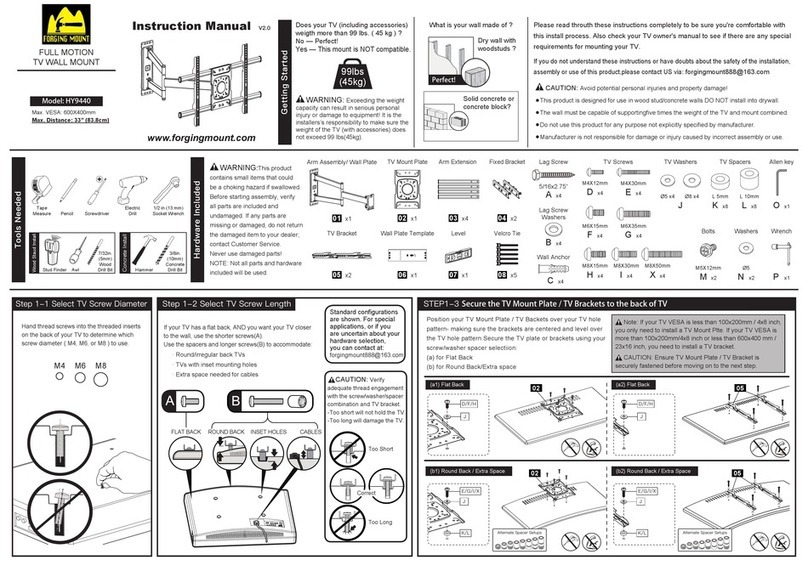
Forging Mount HY9440 instruction manual

Forging Mount

Forging Mount HY9440 instruction manual

ICW SCACC18 installation instructions

ICW

ICW SCACC18 installation instructions

LG WM-L640V owner's manual

LG

LG WM-L640V owner's manual

Gembird WM-65ST-01 user manual

Gembird

Gembird WM-65ST-01 user manual

ERARD FiTUP XXL 035320 quick start guide

ERARD

ERARD FiTUP XXL 035320 quick start guide

PEERLESS PLCK-1 Installation and assembly

PEERLESS

PEERLESS PLCK-1 Installation and assembly

GEM GEM GP001 instructions

GEM

GEM GEM GP001 instructions

manuals.online logo
manuals.online logoBrands
  • About & Mission
  • Contact us
  • Privacy Policy
  • Terms and Conditions

Copyright 2025 Manuals.Online. All Rights Reserved.

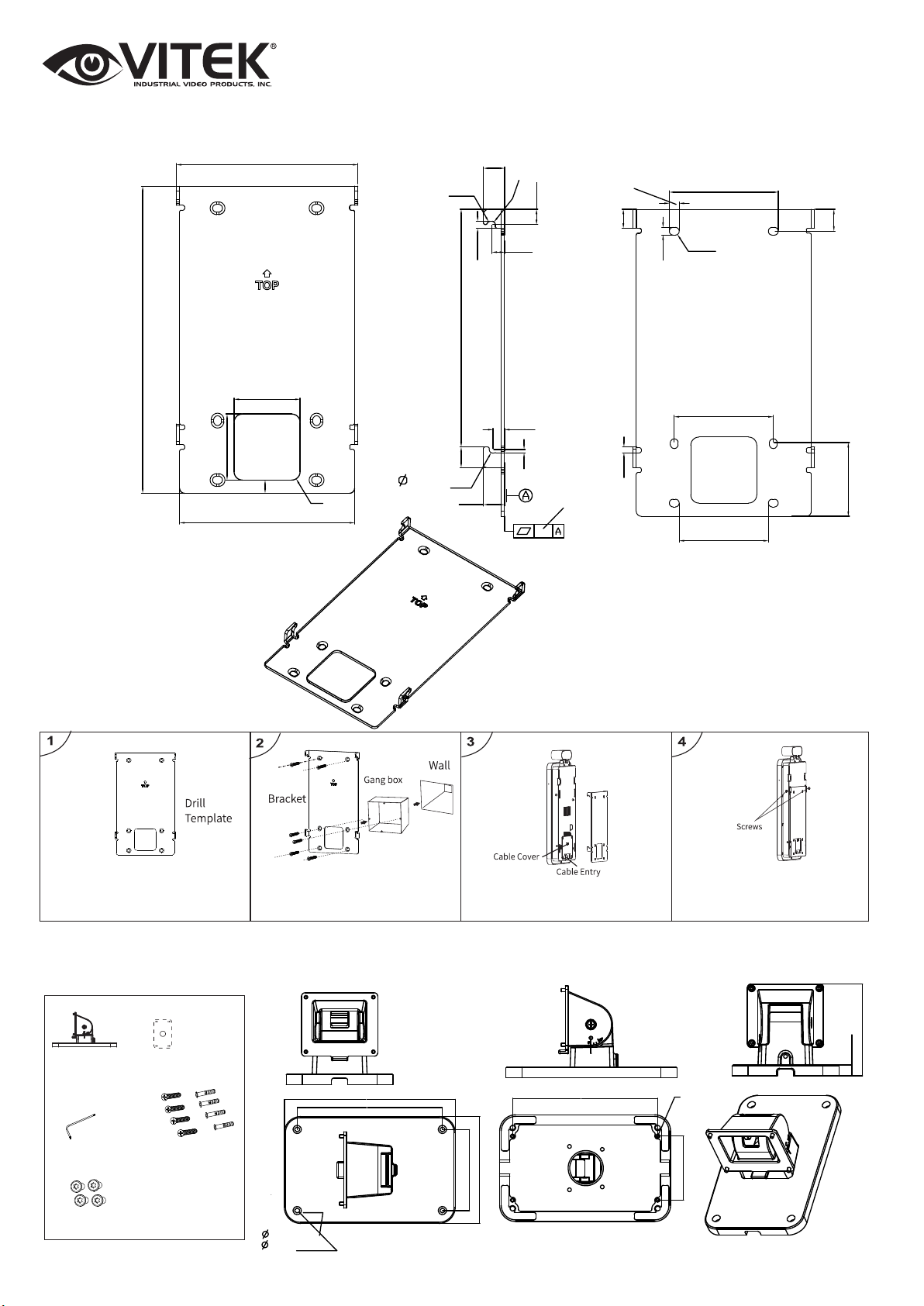
TRANSCENDENT VT-TSP8
MOUNT INSTALLATION GUIDE
WWW.VITEKCCTV.COM
28492 Constellation Road Valencia, CA 91355 1/3
4.33” (110mm)
7.32” (186mm)
R.2”(5mm)
4.17” (106mm)
.5”(12mm)
R.07”(1.75mm)
R.08”(2mm)
.36”(9.25mm)
.3”(7.6mm)
.17”(4.25mm)
5.67”(144mm)
.28”(7.05mm)
R.08”(2mm)
R.49”(12.5mm)
.17”(4.5mm)
.5”(12.8mm) .02”(.4mm)
3.00” (66mm)
R.09” (2.35mm)
.53” (13.3mm)
.19” (4.7mm)
.24” (6mm)
.45” (11.5mm)
2.36” (44.65mm)
2.13” (54.02mm)
.14” (3.5mm)
1.76” (60mm)
4x.12”
(4x3mm)
5.35” (136mm)
5.35” (136mm)
6.30” (160mm)
2.99” (76mm)
3.94” (100mm)
.30” (7.7mm)
.18” (4.5mm)
.39” (10mm)
3.38” (85.9mm)
.24” (6mm)
VT-TDBTH - Optional Desktop Bracket
Bracket
Screws (KM3*9)
Drill Template
Screwdriver
4 tapping screws
4 plastic plugs
Included Flat / Wall Bracket
1) Place drill template onto wall, then
drill holes accordingly.
2) Install gang box on the wall, use two
screws to secure the bracket to the gang
box, then use four screws to finish
securing bracket to the wall.
3) Route and connect cables, then
install cable cover.
4) Hang device on bracket hook,
then tighten screws to secure.
Weight: 6.61lbs (105.83oz.) / 3kg
Gross Weight: 1.10lbs (17.64oz.) / .5kg // Net Weight: .88lbs (14.11oz.) / .4kg

WWW.VITEKCCTV.COM
28492 Constellation Road Valencia, CA 91355
WWW.VITEKCCTV.COM
28492 Constellation Road Valencia, CA 91355 2/3
2.17” (55mm)
11.66” (296.3mm)
12.45” (316.3mm)
VT-TPBTH - Optional Post / Pole
Mount for Use with Turnstiles
1. After connecting all cables, attach
the panel onto the bracket with 4
screws.
2. Loosen the screw as indicated above to
adjust the angle of the bracket.
Screw
0~25° adjustable
3. Put the bracket onto the desktop or attach
the bracket onto the desktop with screws.
VT-TDBTH - Optional Desktop Bracket - Continued
Post / Pole Mounting Instructions
1.32”
1.26”
Attach
11.8” /
15.75” /
51.18” 57.09”
4’7” 6’2”
The ideal
Gross Weight: 1.28lbs (20.46oz.) /.58kg //
Net Weight: 1.15lbs (18.34oz.) / .52kg
VT-TFLBTH - Optional Stand-on-Ground Mount
Gross Weight: 10.36lbs (165.79oz.) / 4.7kg // Net Weight: 10.14lbs (162.26oz.) / 4.6kg
1. Put the ange into the hole of the pedestal.
2. Use the tool to attach the ange and Tube 1
(You can also directly install Tube 2 if you don’t
want to install Tube 1)
3. Install Tube 2 as shown here.
4. Install the telescopic tube.
5. Install the wall mount on the
bracket and attach it with the
4 screws.
6. Adjust the height of the bracket, then tighten the screws.
WWW.VITEKCCTV.COM
28492 Constellation Road Valencia, CA 91355
WWW.VITEKCCTV.COM
28492 Constellation Road Valencia, CA 91355 3/3