manuals.online logo
Brands
  1. Home
  2. •
  3. Brands
  4. •
  5. Vizio
  6. •
  7. LCD TV
  8. •
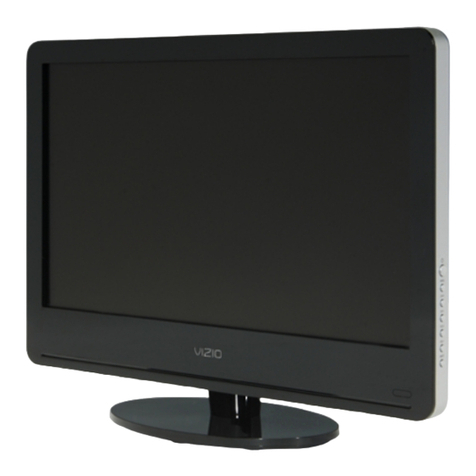
  9. Vizio VP50 HDTV20A User manual

Vizio VP50 HDTV20A User manual

Other manuals for VP50 HDTV20A

1

Other Vizio LCD TV manuals

Vizio XVT3D424SV User manual

Vizio

Vizio XVT3D424SV User manual

Vizio E322AR User manual

Vizio

Vizio E322AR User manual

Vizio VL320M - 32" LCD TV User manual

Vizio

Vizio VL320M - 32" LCD TV User manual

Vizio D39f-E1 User manual

Vizio

Vizio D39f-E1 User manual

Vizio VA220E User manual

Vizio

Vizio VA220E User manual

Vizio VO32LFHDTV10A User manual

Vizio

Vizio VO32LFHDTV10A User manual

Vizio SV320XVT - 32" LCD TV User manual

Vizio

Vizio SV320XVT - 32" LCD TV User manual

Vizio VP50HDTV User manual

Vizio

Vizio VP50HDTV User manual

Vizio VT420M - 42" LCD TV User manual

Vizio

Vizio VT420M - 42" LCD TV User manual

Vizio VF550M - 55" LCD TV User manual

Vizio

Vizio VF550M - 55" LCD TV User manual

Vizio VA220E User manual

Vizio

Vizio VA220E User manual

Vizio E320-B0 User manual

Vizio

Vizio E320-B0 User manual

Vizio E43u-D2 User manual

Vizio

Vizio E43u-D2 User manual

Vizio VO22L User manual

Vizio

Vizio VO22L User manual

Vizio VX42L - 42" LCD TV User manual

Vizio

Vizio VX42L - 42" LCD TV User manual

Vizio VOJ320M User manual

Vizio

Vizio VOJ320M User manual

Vizio E500i-A1 User manual

Vizio

Vizio E500i-A1 User manual

Vizio L15 User manual

Vizio

Vizio L15 User manual

Vizio VO42LF User manual

Vizio

Vizio VO42LF User manual

Vizio E472VL User manual

Vizio

Vizio E472VL User manual

Vizio E321MV User manual

Vizio

Vizio E321MV User manual

Vizio E321ME User manual

Vizio

Vizio E321ME User manual

Vizio VP504F User manual

Vizio

Vizio VP504F User manual

Vizio SV470XVT User manual

Vizio

Vizio SV470XVT User manual

Popular LCD TV manuals by other brands

Samsung LA32E420 E-manual

Samsung

Samsung LA32E420 E-manual

ViewSonic VS12119-1M user guide

ViewSonic

ViewSonic VS12119-1M user guide

iLO CIWL3706 owner's manual

iLO

iLO CIWL3706 owner's manual

LG 32LT560C Quick reference guide

LG

LG 32LT560C Quick reference guide

Sony WEGA KLV-27HR3 operating instructions

Sony

Sony WEGA KLV-27HR3 operating instructions

Zenith Z32LC2D Specifications

Zenith

Zenith Z32LC2D Specifications

Sony KDL-32S3000R - 32" Class Bravia S-series Digital Lcd... Specifications

Sony

Sony KDL-32S3000R - 32" Class Bravia S-series Digital Lcd... Specifications

Medion MEDION LIFE X14330 quick start guide

Medion

Medion MEDION LIFE X14330 quick start guide

Sharp LC-24DV250K Operation manual

Sharp

Sharp LC-24DV250K Operation manual

SOYO Dymond DYLT032A user manual

SOYO

SOYO Dymond DYLT032A user manual

Kalley K-LED40FHDST2 Service manual

Kalley

Kalley K-LED40FHDST2 Service manual

Dynex DX-L40-10A Guide de l'utilisateur

Dynex

Dynex DX-L40-10A Guide de l'utilisateur

Hisense M3300 user manual

Hisense

Hisense M3300 user manual

Toshiba 42XV600A owner's manual

Toshiba

Toshiba 42XV600A owner's manual

Panasonic TX-26LX1A operating instructions

Panasonic

Panasonic TX-26LX1A operating instructions

HP LT3200 Illustrated parts & service map

HP

HP LT3200 Illustrated parts & service map

Sharp LC-32GA8 Service manual

Sharp

Sharp LC-32GA8 Service manual

Sharp LC-15A2M Service manual

Sharp

Sharp LC-15A2M Service manual

manuals.online logo
manuals.online logoBrands
  • About & Mission
  • Contact us
  • Privacy Policy
  • Terms and Conditions

Copyright 2025 Manuals.Online. All Rights Reserved.

Service Manual
V, Inc
320A Kalmus Drive Costa Mesa, CA 92626
TEL : +714-668-0588 FAX :+714-668-9099
Top Confidential
Model #: VIZIO VP50 HDTV20A
(LPL/Samsung Panel)
VIZIO VP50HDTV120A_LPL/Samsung Service Manual
Table of Contents
CONTENTS PAGE
Sections
1. Features 1-1
2. Specifications 2-1
3. On Screen Display 3-1
4. Factory Preset Timings 4-1
5. Pin Assignment 5-1
6. Main Board I/O Connections 6-1
7. Theory of Circuit Operation 7-1
8. Waveforms 8-1
9. Trouble Shooting 9-1
10. Block Diagram 10-1
11. Spare parts list 11-1
12. Complete Parts List 12-1
Appendix
1. Main Board Circuit Diagram
2. Main Board PCB Layout
3. Assembly Explosion Drawing
Block Diagram
VINC Service Manual
VIZIO VP50HDTV120A_LPL/Samsungl
VIZIO VP50HDTV120A_LPL/Samsung Service Manual
COPYRIGHT © 2000 V, INC. ALL RIGHTS RESERVED.
IBM and IBM products are registered trademarks of International Business Machines
Corporation.
Macintosh and Power Macintosh are registered trademarks of Apple Computer, Inc.
VINC and VINC products are registered trademarks of V, Inc.
VESA, EDID, DPMS and DDC are registered trademarks of Video Electronics Standards
Association (VESA).
Energy Star is a registered trademark of the US Environmental Protection Agency (EPA).
No part of this document may be copied, reproduced or transmitted by any means for any
purpose without prior written permission from VINC.
FCC INFORMATION
This equipment has been tested and found to comply with the limits of a Class B digital device,
pursuant to part 15 of the FCC Rules. These limits are designed to provide reasonable
protection against harmful interference in a residential installation. This equipment generates,
uses and can radiate radio frequency energy, and if not installed and used in accordance with
the instructions, may cause harmful interference to radio communications. However, there is
no guarantee that the interference will not occur in a particular installation. If this equipment
does cause unacceptable interference to radio or television reception, which can be
determined by turning the equipment off and on, the user is encouraged to try to correct the
interference by one or more of the following measures -- reorient or relocate the receiving
antenna; increase the separation between equipment and receiver; or connect the into an
outlet on a circuit different from that to which the receiver is connected.
FCC WARNING
To assure continued FCC compliance, the user must use a grounded power supply cord and
the provided shielded video interface cable with bonded ferrite cores. Also, any unauthorized
changes or modifications to Amtrak products will void the user’s authority to operate this
device. Thus VINC Will not be held responsible for the product and its safety.
CE CERTIFICATION
This device complies with the requirements of the EEC directive 89/336/EEC with regard to
“Electromagnetic compatibility.”
SAFETY CAUTION
Use a power cable that is properly grounded. Always use the AC cords as follows – USA (UL);
Canada (CSA); Germany (VDE); Switzerland (SEV); Britain (BASEC/BS); Japan (Electric
Appliance Control Act); or an AC cord that meets the local safety standards.

CONFIDENTIAL
–
DO NOT COPY Page 1-1
File No. SG-0246
Chapter 1 Features
1. Built in TV channel selector for TV viewing
2. Simulatnueous display of PC and TV images
3. Connectable to PC’s analog RGB port
4. Built in HDTV, composite video, HDMI ;,Componet in ,
5. Built in auto adjust function for automatic adjument of screen display
6. Smoothing function enables display of smooth texts and graphics even if
image with resolution lower than 1366x768 is magnified
7. Picture In Picture (PIP) function to show TV or VCR/DVD images
8. Power saving to reduce consumption power too less than 3W
9. On Screen Display: user can define display mode (i.e. color, brightness,
contrast, sharpness, backlight), sound setting, PIP, TV channel program,
aspect and gamma or reset all setting.
CONFIDENTIAL
–
DO NOT COPY Page 2-1
File No. SG-0246
Chapter 2 Specification
1. PDP CHARACTERISTICS
PDP50X4 (50”WXGA PDP MODULE)
Item Specification
Note
Panel SDI S50HW-YD02 LGE X4T35
Display Pixels 1365(H) x 768 (V) pixels
Display Cells 4098 (H) x 768 (V) cells
Pixel Pitch 0.810 mm (H) X 0.810mm (V)
Pixel Type Non-stripe
Color Depth 1,024 (R) x 1,024 (G) x 1,024 (B) colors
Active Display Area 1105.65mm (H) x 622.08 mm(V)
Contrast ratio (panel spec) 13000:1 (Typical,
dark room)
15000:1 (Typical,
dark room)
Color Coordinates (typical)
White (Panel spec) x=0.285±0.02, y=0.285±0.02
White (w/glass filter) Warm (5400K)
Standard (6500K)
Cool (9300K)
User: x=0.285±0.03, y=0.285±0.03 RGB
Viewing Angle(L/R/U/D) Free
Power Consumption Max. 500 W (Full-White)
Weight 22.2±0.5 Kg (Net 1EA)
CONFIDENTIAL
–
DO NOT COPY Page 2-2
File No. SG-0246
2.Input Connectors
RJ11, D-SUB15PIN (MINI, 3rows), HDMIX3, RCAX2 (component), RCAX2 (AUDIO
in), RCAX2 (composite), RCAX2 (AUDIO in), Tuner, S-Video X1
3.Output Connectors
Stereo RCA Jack (Analog audio out) , SPDIF Out (Optical Audio)
4. POWER SUPPLY
Power Consumption: 550W MAX
Power OFF: to less than 3W MAX
5.Speaker
Output 10W (max) X2
6. ENVIRONMENT
6-1. Operating Temperature: 5c~35c (Ambient)
6-2. Operating Humidity: Ta= 35 °C, 90%RH (Non-condensing)
6-3. Operating Altitude: 0 - 14,000 feet (Non-Operating)
7. DIMENSIONS (Physical dimension)
Width: 1241.0mm
Height: 856.3mm
Depth: 291.2mm
8. WEIGHT (Physical weight)
TV net 52.6kg
9.Please pay attention to the followings when you use this PDP module.
9-1. MOUNTING PRECAUTIONS
(1) You must mount a module using holes arranged in four corners or four sides.

(2) You should consider the mounting structure so that uneven force (ex. Twisted
stress) is not applied to the module. And the case on which a module is mounted
should have sufficient strength so that external force is not transmitted directly to
the module.
CONFIDENTIAL
–
DO NOT COPY Page 2-3
File No. SG-0246
(3) Please attach the surface transparent protective plate to the surface in order to
protect the polarizer.
Transparent protective plate should have sufficient strength in order to the resist
external force.
(4) You should adopt radiation structure to satisfy the temperature specification.
(5) Acetic acid type and chlorine type materials for the cover case are not desirable
because the former generates corrosive gas of attacking the polarizer at high
temperature and the latter causes circuit break by electro-chemical reaction.
(6) Do not touch, push or rub the exposed polarizes with glass, tweezers or
anything harder than HB pencil lead. And please do not rub with dust clothes
with chemical treatment.
Do not touch the surface of polarizer for bare hand or greasy cloth.(Some
cosmetics are detrimental to the polarizer.)
(7) When the surface becomes dusty, please wipe gently with absorbent cotton or
other soft materials like chamois soaks with petroleum benzene. Normal-hexane
is recommended for cleaning the adhesives used to attach front / rear polarizers.
Do not use acetone, toluene and alcohol because they cause chemical damage
to the polarizer.
(8) Wipe off saliva or water drops as soon as possible. Their long time contact with
polarizer causes deformations and color fading.
(9) Do not open the case because inside circuits do not have sufficient strength.
9-2. OPERATING PRECAUTIONS
(1) The spike noise causes the mis-operation of circuits. It should be lower than
following voltage :
V=±200mV(Over and under shoot voltage)
(2) Response time depends on the temperature. (In lower temperature, it becomes
longer.)
(3) Be careful for condensation at sudden temperature change. Condensation
makes damage to polarizer or electrical contacted parts. And after fading
condensation, smear or spot will occur.
(4) When fixed patterns are displayed for a long time, remnant image is likely to
occur.
CONFIDENTIAL
–
DO NOT COPY Page 2-4
File No. SG-0246
(5) Module has high frequency circuits. System manufacturers shall do sufficient
suppression to the electromagnetic interference. Grounding and shielding
methods may be important to minimize the interference.
9-3. HANDLING PRECAUTIONS FOR PROTECTION
(1) The protection film is attached to the bezel with a small masking tape. When the
protection film is peeled off, static electricity is generated between the film and
polarizer. This should be peeled off slowly and carefully by people who are
electrically grounded and with well ion-blown equipment or in such a condition,
etc.
(2) When the module with protection film attached is stored for a long time,
sometimes there remains a very small amount of glue still on the bezel after the
protection film is peeled off.
(3) You can remove the glue easily. When the glue remains on the bezel surface or
its vestige is recognized, please wipe them off with absorbent cotton waste or
other soft material like chamois soaked with normal-hexane.
CONFIDENTIAL
–
DO NOT COPY Page 3-1
File No. SG-0246
Chapter 3 On Screen Display
Main unit button
Power
MENU
CH ▲
CH ▼
VOL +
VOL -
Input
On Screen Display
TV Source
A. PICTURE:
a. PICTURE MODE
(CUSTOM/ STANDARD / MOVIE / GAME)
b. BRIGHTNESS (0~100)
c. CONTRAST (0~100)
d. COLOR (0~100)
e. TINT (-32~32)
f. SHARPNESS (0~7)
g. COLOR TEMPERATURE
(CUSTOM/COOL/NORMAL/WARM)
h. ADVANCED VIDEO
h-1. DNR(OFF/LOW/MEDIUM/STRONG)
h-2. BLACK LEVEL EXTENDER (ON/OFF)
h-3. WHITE PEAK LIMITATOR (ON/OFF)
h-4 CTI(OFF/LOW/MEDIUM/STRONG)
h-5 FLESH TONE (ON/OFF)
h-6 ADAPTIVE LUMA (ON/OFF)
CONFIDENTIAL
–
DO NOT COPY Page 3-2
File No. SG-0246
B. AUDIO:
a. VOLUME (0~100)
b. BASS (0~100)
c. TREBLE (0~100)
d. Balance (-50~50)
e. Surround (ON/OFF)
f. SPEAKERS (ON/OFF)
C. TV:
a. TUNER MODE (ANTENNA/CABLE)
b. AUTO SEARCH (RUN)
c. SKIP CHANNEL (TABLE)
d. Digital Audio Out (Off / Dolby Digital / PCM)
e. TIME ZONE
(HAWALL/EASTTERN/INDIANA/CENTRAL/MOUNTAIN/ARIZONA/PACIFIC/ALASKA)
f. Daylight Saving(ON/OFF)