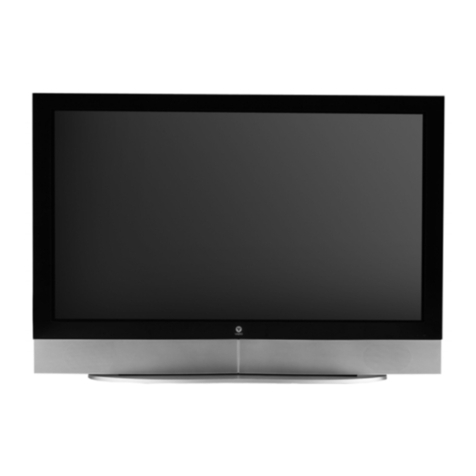
Vizio P46 User manual

1
Table of Contents
1. Safety Guidelines.......................................................................3
2. Before Use.................................................................................5
2.1 Opening the Package.................................................................5
2.2 Installation..................................................................................5
3. Safety.........................................................................................6
4. Product Features.....................................................................11
4.1 Available Input Signals ...........................................................11
4.2 Power Management Function.................................................11
4.3 Fan-Free Design.......................................................................11
4.4 Other Features .........................................................................11
5. Standard Accessories..............................................................12
6. Names and Functions of Parts...............................................13
6.1 Side View ..................................................................................13
6.2 Front View................................................................................14
6.3 Rear View .................................................................................16
6.4 Remote Control........................................................................18
6.4.1 Key Functions........................................................................19
6.4.2 Insertion of Batteries in the Remote Control......................... 21
6.4.3 Remote Control Range.......................................................... 22
6.4.4 Using the Remote Control.....................................................22
7. Connection to External Equipment........................................23
7.1 Connection to Antenna............................................................23
7.2 PC Module................................................................................24
7.3 PC Module + Video Module....................................................25
7.4 Connection to External Speakers...........................................26
8. Basic Operation.......................................................................27
8.1 Power On / Off .........................................................................27
8.2 Input Mode Selection...............................................................27
8.4 Sound Adjustment ...................................................................29
8.5 Zoom Functions........................................................................30
8.6 Other Functions .......................................................................30
8.7 OSD Functions .........................................................................32
8.7.1 General Description of the OSD Function Pages..................32
8.7.2 OSD Menus and Functions.................................................... 33
9. Technical Specification...........................................................43

2
10. Factory Preset Timings...........................................................44
11. Cleaning and Simple Troubleshooting...................................45
11.1 Important................................................................................45
11.2 Cleaning the Housing and the Remote Control...................45
11.3 Cleaning the Screen................................................................45
11.4 Simple Troubleshooting.........................................................45
12. Telephone & Technical Support.............................................47

3
1. Safety Guidelines
Caution: Always use a power cable that is properly grounded. Please use the AC cords
listed below for each area.
USA UL
Canada CSA
Germany VDE
Britain BASE/BS
Japan Electric Appliance Control Act
FCC Information
This equipment has been tested and found to comply with the limits for a Class B digital
device, pursuant to part 15 of the FCC Rules. These limits are designed to provide
reasonable protection against harmful interference in a residential installation. This
equipment generates, uses, and can radiate radio frequency energy. If not installed and
used in accordance with the instructions, it may cause harmful interference to radio
communications. However, there is no guarantee that interference will not occur in a
particular installation. If this equipment does cause unacceptable interference to radio or
television reception, which can be determined by turning the equipment off and on, the user
is encouraged to try to correct the interference by one or more of the following measures:
−Reorient or relocate the receiving antenna.
−Increase the separation between the equipment and receiver.
−Connect the equipment into an outlet on a circuit different from that to which the
receiver is connected.
−Consult the dealer or an experienced radio/TV technician for help.
FCC Warning
To assure continued FCC compliance, the user must use the provided grounded
power supply cord and the provided shielded video interface cables to connect to
this equipment. Also, any unauthorized changes or modifications to this equipment
would void the user's authority to operate this device.

4
Important Safeguards
•Read all the Safety Instructions and the User Manual before using the Display. Keep these instructions in a
safe place for future reference.
•To avoid the risk of electric shock or component damage, switch off the power before connecting other
devices to the Display.
•Unplug the power cord before cleaning the Display. A damp cloth is sufficient for cleaning the Display. Do
not use a liquid or a spray cleaner for cleaning the product. Do not use abrasive cleaners.
•Always use the accessories recommended by the manufacturer to insure compatibility.
•When moving the Display from an area of low temperature to an area of high temperature, condensation may
form on the housing. Do not turn on the Display immediately after this to avoid causing fire, electric shock or
component damage. Do not use the monitor near water, e.g. near a bathtub, washbowl, kitchen sink, laundry
tub, swimming pool or in a wet basement.
•Do not place the monitor on an unstable cart, stand, or table. If the monitor falls, it can injure a person and
cause serious damage to the appliance. Use only a cart or stand recommended by the manufacturer or sold
with the monitor. If you mount the monitor on a wall or shelf, use a mounting kit approved by the
manufacturer and follows the kit instructions.
•A distance of at least 3 feet should be maintained between the Display and any heat source, i.e. radiator,
heater, oven, amplifier etc.
•Slots and openings in the back and bottom of the cabinet are provided for ventilation. To ensure reliable
operation of the monitor and to protect it from overheating, be sure these openings are not blocked or
covered. Do not place the monitor on a bed, sofa, rug, or similar surface. Do not place the monitor near or
over a radiator or heat register. Do not place the monitor in a bookcase or cabinet unless proper ventilation is
provided.
•Never push any object into the slot on the monitor cabinet. It could short circuit parts causing a fire or electric
shock. Never spill liquids on the monitor.
•The monitor should be operated only from the type of power source indicated on the label. If you are not sure
of the type of power supplied to your home, consult your dealer or local power company.
•The power cable must be replaced when using different voltage from that specified in the User Manual. For
more information, contact your dealer.
•The monitor is equipped with a three-pronged grounded plug, a plug with a third (grounding) pin. This plug
will fit only into a grounded power outlet as a safety feature. If your outlet does not accommodate the three-
wire plug, have an electrician install the correct outlet, or use an adapter to ground the appliance safely. Do
not defeat the safety purpose of the grounded plug.
•Unplug the unit during a lightening storm or when it will not be used for long period of time. This will protect
the monitor from damage due to power surges.
•Do not overload power strips and extension cords. Overloading can result in fire or electric shock.
•The wall socket shall be installed near the equipment and shall be easily accessible.
•Do not attempt to repair or service the product yourself. Opening or removing the back cover may expose
you to high voltages, the risk of electric shock, and other hazards. If repair is required, please contact your
dealer and refer all servicing to qualified service personnel.
•If any of the following occurs please contact the dealer:
The power supply or connector fails.
Liquid sprays or any object drops into the Display.
The Display is exposed to rain or other moisture.
The Display is dropped or damaged in any way.
The performance of the Display changes substantially.
•Operating environment:
Temperature: 32°F~95°F (0°C ~ 35°C)
Humidity: 20% to 90% non-condensing
Atmospheric pressure: 800 to 1100hPa
•While handling the remote control, please keep in mind the following:
Do not drop or mishandle the remote control.
Do not get the remote control wet. If the remote control gets wet, wipe it dry immediately.
Avoid heat and humidity.
When not using the remote control for a long period, remove the batteries.
Do not take apart the batteries, heat them, or throw them into a fire.

5
2. Before Use
The VIZIO P46 is a 46" WVGA (wide-screen with VGA resolution) Plasma Display ideal for
individual users and commercial exhibitioners. It has passed the Class-B EMC test and the
UL and CSA safety certifications. The product is a precise electronic product and users
should read the following instructions carefully to maximize the performance of the product.
2.1 Opening the Package
•The VIZIO P46 is packaged in a carton together with other standard accessories.
Any optional accessories are packed separately in another carton.
•The weight of the Plasma Display is approximately 82 lbs. (37 kg.) Due to the size
and weight of the product, it is recommended that it be handled by a minimum of 2
persons.
•The protective glass and the glass substrate are installed on the front of the product.
Since both glasses can be easily scratched or broken, please handle the product
gently. Never place the unit on a surface with the glass facing downwards unless it
is on protective padding.
•When opening the carton, check that the product is in good condition and that all
standard accessories and items are included.
2.2 Installation
•Please read the user manual carefully before performing the installation.
•The power consumption of the display is approximately 330 Watts, significantly
higher than a typical TV set. Please use the power cord designated for the product.
When an extension cord is required, use one with the correct power rating.
•The product should be installed on a flat surface to avoid tipping. Space should be
maintained between the back of the product and the wall for proper ventilation.
•Avoid installing the product in the kitchen, bathroom or other places with high
humidity dust or smoke, so as not to shorten the service life of the electronic
components.
•Please ensure the product be installed with the screen in landscape orientation. Any
90° clockwise or counterclockwise installation may induce poor ventilation and
subsequent component damage.
•To protect the screen and avoid screen burn, do not keep a static picture displayed
for a prolonged period of time. This can result in "sticking" of the image and is not
covered by the warranty.

6
3. Safety
This product is designed and manufactured to operate within defined design limits and
misuse may result in electric shock or fire. To prevent the product from being damaged, the

following rules should be observed for the installation, use and maintenance of the product.
Read the following safety instructions before operating the display.
The User Manual uses the following symbols to ensure safe operation and
prevent user injury or property damage:
WARNING - Disregarding or inappropriate use may cause damage to the
product.
ATTENTION - Disregarding or inappropriate use may cause injury to the user.
ELECTRICAL SHOCK indicated by utilizing the Warning (Attention) symbol with a
lightning rod through it.
Prohibition
WARNING
Do not install the product on sloping or unstable surfaces.
The product may fall over and incur damage or cause injury.
Only the marked power source can be used for the product.
Any power source other than the specified one may cause fire or electric shock.

7
WARNING
Keep the product away from moisture.
Do not expose this appliance to rain or moisture.
If water penetrates into the product, unplug the power cord and contact
your dealer. Continuous use in this case may result in fire or electric shock.
Do not place any objects on the top of the product.
ire or electric
ever use a damaged power cord.
ay damage the power cord and cause
o not modify or open the back cover.
ay cause fire or electric shock.
o not use the product if any abnormality occurs.
power cord
Spilled water or metal objects may cause short circuit, f
shock if they penetrate into the housing of the product.
N
Heavy objects, heat or intense force m
fire or electric shock.
D
Removing the back cover of the product m
Contact the manufacturer when inspection or adjustment is required.
D
If any smoke or odor becomes apparent, unplug the
and contact your dealer immediately. Do not try to repair the
product yourself.

8
WARNING
Avoid using dropped or damaged appliances.
If the product is dropped and the housing is damaged, the internal
components may function abnormally. Unplug the power cord
immediately and contact your dealer for repair. Continued use of
the product may cause fire or electric shock.
Do not touch the power cord during lightning.
To avoid electric shock, avoid handling the power cord
during electrical storms.
ATTENTION
Do not install the product close to smoke or moisture.
Operating the product close to smoke or moisture may cause fire or
electric shock.
Do not install the product in an area with heavy dust or high
humidity.
Operating the product in environments with heavy dust or high
humidity may cause fire or electric shock.
Follow instructions for moving the product.
Ensure that the power connector and any other cables are unplugged before
moving the product.
The power cable should be kept away from heat sources.
Heat sources may melt the covering of the power cable, causing fire or
electric shock.

9
ATTENTION
Hold the power connector when removing the power
cable.
Pulling the power cable itself may damage the wires inside
the cable and cause fire or electric shock.
When the product will not be used for an extended period of time,
unplug the power connector.
Do not touch the connector with wet hands.
To avoid risk of electric shock, do not touch the connector with wet hands.
Insert batteries in accordance with instructions.
Insert the batteries with correct polarities (positive + and negative -
). Incorrect polarities may cause damage and leakage of the
batteries, operator injury and contamination the remote controller.
Do not block or cover the vents.
Blocking the vents may cause overheating and fire.

Do not install the product in a place with little or no
ventilation. Never cover the vents with towels, blankets or
dusters.

10
ATTENTION
Image Sticking
The Plasma monitor illuminates phosphors to display images. The phosphor has a finite
illumination life. After extended periods of illumination, the brightness of the phosphor will
be degraded to such an extent that stationary images would burn-in that part of the screen
as grayed-out images.
Tips to prevent such image sticking are:
*Do not display images having sharp brightness differences or hi-contrast images, such as
monochrome characters and graphic patterns for extended periods.
*Do not leave stationary images for extended periods, but try to refresh them at appropriate
intervals, or try to move them using the screen saver function.
*Turn down the contrast and brightness levels.
NOTE: Such "Image Sticking" constitutes misuse and is NOT COVERED by the
manufacturer's warranty.
Table of contents
Other Vizio Monitor manuals

Vizio
Vizio P602ui-B3 User manual

Vizio
Vizio SV420XVT1A_LPL User manual

Vizio
Vizio VF550XVT1A - 55" LCD TV User manual

Vizio
Vizio VW42LFHDTV10 User manual

Vizio
Vizio VW47L FHDTV10A User manual

Vizio
Vizio SV422XVT User manual

Vizio
Vizio P50HDM - 50" Plasma Panel User manual

Vizio
Vizio VW42L - 42 Inch LCD HDTV User manual

Vizio
Vizio P65-E1 User manual

Vizio
Vizio T32USVZB1RF-VL320M1 Series User manual