manuals.online logo
Brands
  1. Home
  2. •
  3. Brands
  4. •
  5. Whirlpool
  6. •
  7. Microwave Oven
  8. •
  9. Whirlpool MH8150XJ Owner's manual

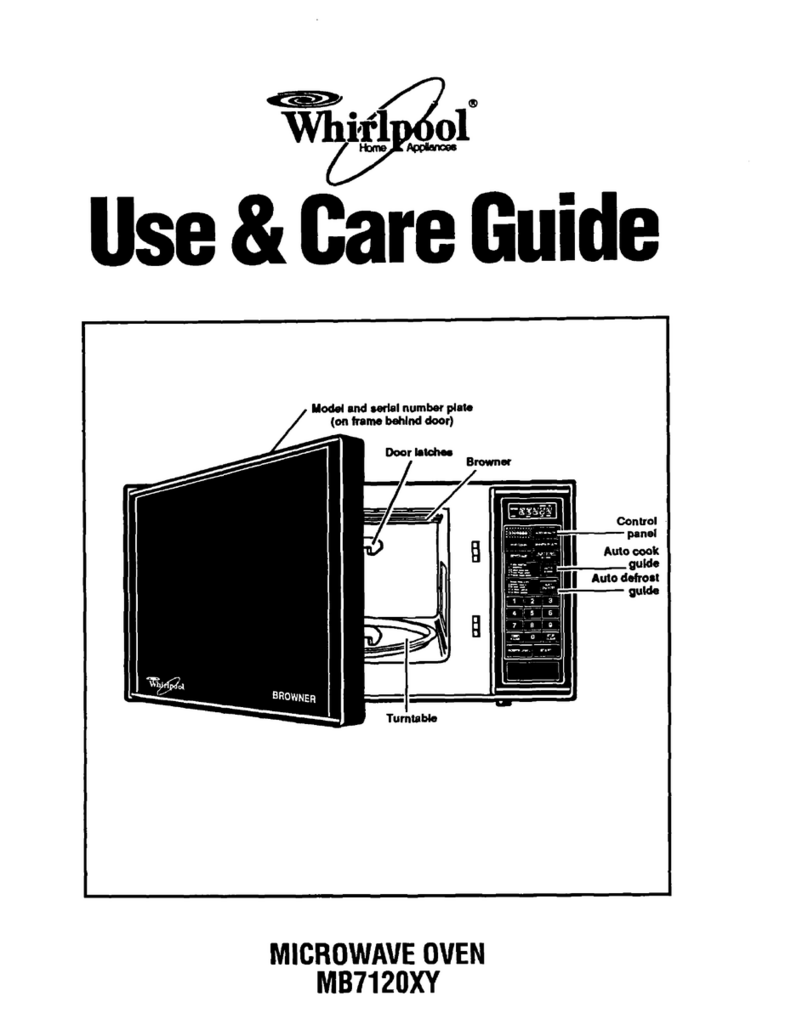
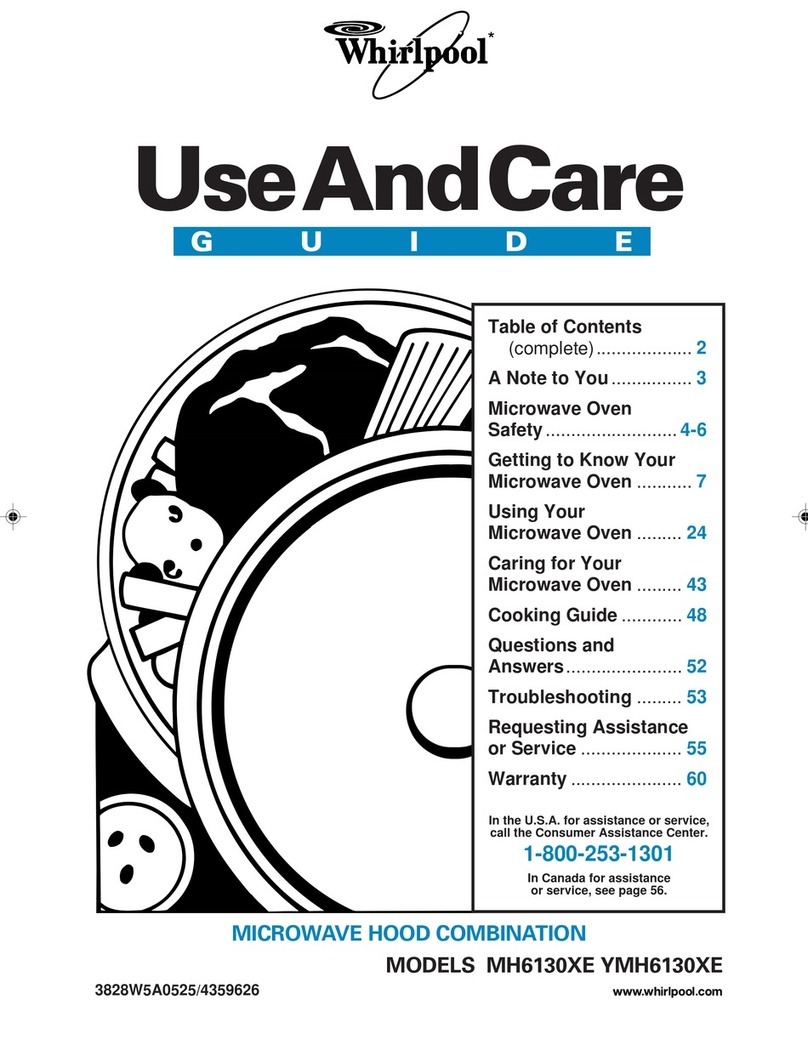
Whirlpool MH8150XJ Owner's manual

Other manuals for MH8150XJ

1

Other Whirlpool Microwave Oven manuals

Whirlpool YWMT50011KS0 User manual

Whirlpool

Whirlpool YWMT50011KS0 User manual

Whirlpool MH6150XM User manual

Whirlpool

Whirlpool MH6150XM User manual

Whirlpool MWO 730 SL User manual

Whirlpool

Whirlpool MWO 730 SL User manual

Whirlpool WMH53520CW User manual

Whirlpool

Whirlpool WMH53520CW User manual

Whirlpool VT 266 User manual

Whirlpool

Whirlpool VT 266 User manual

Whirlpool MH1170XS User manual

Whirlpool

Whirlpool MH1170XS User manual

Whirlpool AMW 583 User manual

Whirlpool

Whirlpool AMW 583 User manual

Whirlpool FT 339 User manual

Whirlpool

Whirlpool FT 339 User manual

Whirlpool MH3184XPY3 User manual

Whirlpool

Whirlpool MH3184XPY3 User manual

Whirlpool GH4184XSS0 User manual

Whirlpool

Whirlpool GH4184XSS0 User manual

Whirlpool WMC30516HV User manual

Whirlpool

Whirlpool WMC30516HV User manual

Whirlpool WMH31017AS User guide

Whirlpool

Whirlpool WMH31017AS User guide

Whirlpool MH1150XM User manual

Whirlpool

Whirlpool MH1150XM User manual

Whirlpool 27' User manual

Whirlpool

Whirlpool 27' User manual

Whirlpool X2-30ES User manual

Whirlpool

Whirlpool X2-30ES User manual

Whirlpool MW8750XL User manual

Whirlpool

Whirlpool MW8750XL User manual

Whirlpool AVM585/IX User manual

Whirlpool

Whirlpool AVM585/IX User manual

Whirlpool 8205984 User manual

Whirlpool

Whirlpool 8205984 User manual

Whirlpool AMW 4910/IX User manual

Whirlpool

Whirlpool AMW 4910/IX User manual

Whirlpool GH6177XPB3 User manual

Whirlpool

Whirlpool GH6177XPB3 User manual

Whirlpool MT7076XD User manual

Whirlpool

Whirlpool MT7076XD User manual

Whirlpool AMW 430 User manual

Whirlpool

Whirlpool AMW 430 User manual

Whirlpool MH6600XV User manual

Whirlpool

Whirlpool MH6600XV User manual

Whirlpool MH3184XPB User manual

Whirlpool

Whirlpool MH3184XPB User manual

Popular Microwave Oven manuals by other brands

Sharp R-390D manual

Sharp

Sharp R-390D manual

PROFILO MD1000 instruction manual

PROFILO

PROFILO MD1000 instruction manual

Candy MIC 201 EX User instructions

Candy

Candy MIC 201 EX User instructions

PITSOS GMW3101B user manual

PITSOS

PITSOS GMW3101B user manual

Sears 5648744780 Use & care manual

Sears

Sears 5648744780 Use & care manual

BOMANN CB 1272 Instruction manual & guarantee

BOMANN

BOMANN CB 1272 Instruction manual & guarantee

Conrad Electronic 2372935 operating instructions

Conrad Electronic

Conrad Electronic 2372935 operating instructions

GE Spacemaker JVM1440BH datasheet

GE

GE Spacemaker JVM1440BH datasheet

DAEWOO ELECTRONICS KOR-6L8K5S83 Operating instructions & cook book

DAEWOO ELECTRONICS

DAEWOO ELECTRONICS KOR-6L8K5S83 Operating instructions & cook book

DAEWOO ELECTRONICS KOR-1N5A9S Operating instructions & cook book

DAEWOO ELECTRONICS

DAEWOO ELECTRONICS KOR-1N5A9S Operating instructions & cook book

Daewoo KQG-6617G Operating instructions & cook book

Daewoo

Daewoo KQG-6617G Operating instructions & cook book

Samsung M1779 Owner's instructions

Samsung

Samsung M1779 Owner's instructions

GE JES1143 Use and care & cooking guide

GE

GE JES1143 Use and care & cooking guide

Miele H6200BM(TB) Operating and installation instructions

Miele

Miele H6200BM(TB) Operating and installation instructions

Jocel JMO011480 instruction manual

Jocel

Jocel JMO011480 instruction manual

Sharp R-752M Operation manual with cookbook

Sharp

Sharp R-752M Operation manual with cookbook

Electrolux EVL8E00X user manual

Electrolux

Electrolux EVL8E00X user manual

STOVES Q900GRF DO User, installation & servicing instructions

STOVES

STOVES Q900GRF DO User, installation & servicing instructions

manuals.online logo
manuals.online logoBrands
  • About & Mission
  • Contact us
  • Privacy Policy
  • Terms and Conditions

Copyright 2025 Manuals.Online. All Rights Reserved.

MODEL MH8150XJ
4619-652-60191/8169687
UseCare
A Note to You............................................. 2
Microwave Oven Safety ........................... 3
mnstallation instructions ............................ 6
Getting to Know Your
Microwave Oven ........................................ 7
How your microwave oven works ...........7
Radio interference ................................. 7
Testing your microwave oven ............... 7
Testing your dinnerware
or cookware ............................................ 8
Operating tips ......................................... 8
Electrical connection ............................. 8
Microwave oven features ...................... 9
Control panel features ......................... 10
Using the cooking rack ....................... 13
Using the exhaust fan ......................... 13
Using the cooktop!
countertop light .................................... 14
Setting the clock .................................. 14
Using the minute timer ........................ 15
Using JET START Mfeature ................. 16
Changing preset cooking times ......... 16
Using Your Microwave Oven ...................17
Cooking at high cook power .............. 17
Cooking at different cook powers_._.17
Cooking in stages ................................ 19
Progress Bar ........................................ 20
Using EZ=TOUCH TM COOK control.._.21
Using EZ=TOUCW MREHEAT control,,22
Using EZ-TOUCW _
JET DEFROST Mfeature ...................... 24
JET DEFROST rMfeature chart ............ 25
Defrosting tips ...................................... 27
Using POPCORN ................................. 28
Using BEVERAGE ................................ 29
Using BAKED POTATO........................ 30
Using VEGETABLE ............................... 31
Using FROZEN ENTREE ..................... 32
Using WARM HOLD ............................ 33
Cooking Guide ......................................... 34
Caring for Your Microwave Oven ...........35
Caring for the filters ............................. 36
Replacing the cooktop
and oven lights ..................................... 37
Questions and Answers ......................... 38
Troubleshooting ....................................... 39
Requesting Assistance
or Service ................................................. 41
Warranty ................................................... 44
Call our Customer Interaction Center
with questions or comments.
www.whirlpool.com
} i ,iliD i ii /'iixii iiii:ii i, i i,,is ¸
The Whirlpool ®Brand is committed to designing quality products that consistently perform for you to make your
life easier. To ensure that you enjoy years of trouble-free operation, we developed this Use and Care Guide.
It is full of valuable information about how to operate and maintain your appliance properly. Please read it care-
fully.
Also, complete and mail the Product Registration Card provided with your appliance The card helps us
notify you about any new information on your appliance
Whenever you call to request service for your appliance,
you need to know your complete model number and
serial number. You can find this information on the
model and serial number label/plate (see the diagram in
the "Getting to Know Your Microwave Oven" section).
Please also record the purchase date of your appliance
and your dealer's name, address, and telephone number.
Model Number
Serial Number
Purchase Date
Dealer Name
Dealer Address
Dealer Phone
Keep this book and the sales slip together in a safe place for future reference. It is important
for you to save your sames receipt showing the date of purchase. Proof of purchase will assure
you of in-warranty service.
To find detailed product information, the location of the nearest Whirlpool dealer or designated servicer, to
purchase an accessory item, or register your appliance online, please visit our Web site at
wwwowhiHpoolocom
Your safety and the safety of others are very important.
We have provided many important safety messages in this manual and on your appliance. Always read and
obey all safety messages.
This is the safety alert symbol.
This symbol alerts you to potential hazards that can kill or hurt you and others.
All safety messages will follow the safety alert symbol and either the word "DANGER" or
"WARNING." These words mean:
You can be killed or seriously injured if you don't
immediately follow instructions.
You can be killed or seriously injured if you don't
follow instructions.
All safety messages will tell you what the potential hazard is, tell you how to reduce the chance of injury,
and tell you what can happen if the instructions are not followed.
mMPORTANT SAFETY INSTRUCTmONS
When using electrical appliances basic safety precautions should be followed, including the following:
WARNING: To reduce the risk of burns, electric
shock, fire, injury to persons, or exposure to
excessive microwave energy:
®Read all instructions before using the microwave
oven.
o Read and follow the specific *'PRECAUTIONS TO
AVOID POSSIBLE EXPOSURE TO EXCESSIVE
MICROWAVE ENERGY" found in this section.
o The microwave oven must be grounded. Connect
only to properly grounded outlet. See
*'GROUNDING iNSTRUCTIONS" found in this
section and in the provided installation instructions.
o Install or locate the microwave oven only in
accordance with the provided installation
instructions.
o Some products such as whole eggs in the shell
and sealed containers = for example, closed glass
jars = may explode and should not be heated in
the microwave oven.
o Use the microwave oven only for its intended use
as described in this manual. Do not use corrosive
chemicals or vapors in the microwave oven. This
type of oven is specifically designed to heat, cook,
or dry food. It is not designed for industrial or
laboratory use.
o As with any appliance, close supervision is
necessary when used by children.
o Do not operate the microwave oven if it has a
damaged cord or plug, if it is not working properly,
or if it has been damaged or dropped.
®The microwave oven should be serviced only by
qualified service personnel. Call an authorized
service company for examination, repair, or
adjustment.
®See door surface cleaning instructions in the
*'Caring for Your Microwave Oven" section.
®To reduce the risk of fire in the oven cavity:
= Do not overcook food. Carefully attend the
microwave oven if paper, plastic, or other
combustible materials are placed inside the oven
to facilitate cooking.
= Remove wire twist=ties from paper or plastic bags
before placing bags in oven.
= If materials inside the oven should ignite, keep
oven door closed, turn oven off, and disconnect
the power cord, or shut off power at the fuse or
circuit breaker panel.
= Do not use the cavity for storage purposes. Do
not leave paper products, cooking utensils, or
food in the cavity when not in use.
®Suitable for use above both gas and electric
cooking equipment.
SAVE THESE iNSTRUCTiONS
!!!!!!!
iMPORTANT SAFETY mNSTRUCTmONS
®intended to be used above ranges with maximum
width of 36 inches.
®Clean Ventilating Hoods Frequently zGrease
should not be allowed to accumulate on hood or
filter.
®Oversized foods or oversized metal utensils
should not be inserted in the microwave oven as
they may create a fire or risk of electric shock.
®Do not clean with metal scouring pads. Pieces can
burn off the pad and touch electrical parts involv-
ing a risk of electric shock.
®Do not use paper products when appliance is
operated in the "PAN BROWN" mode.
o Do not store any materials other than manufactur-
er's recommended accessories in this oven when
not in use.
o Do not store anything directly on top of the
microwave oven when the microwave oven is
in operation.
®When flaming foods under the hood, turn the fan on.
®Use care when cleaning the venbhood filter.
Corrosive cleaning agents, such as lye-based oven
cleaners, may damage the filter.
®Do not cover or block any openings on the
microwave oven.
®Do not store this microwave oven outdoors.
Do not use the microwave oven near water - for
example, near a kitchen sink, in a wet basement, or
near a swimming pool, and the like.
®Do not immerse cord or plug in water.
o Keep cord away from heated surfaces.
o Do not let cord hang over edge of table or counter.
®Do not mount over a sink.
®Do not cover racks or any other part of the oven with
metal foil. This will cause overheating of the oven.
SAVE THESE mNSTRUCTmONS
PRECAUTIONS TO AVOID POSSIBLE EXPOSURE TO
EXCESSIVE MICROWAVE ENERGY
(a) Do not attempt to operate this oven with the
door open since opemdoor operation can result
in harmful exposure to microwave energy. It is
important not to defeat or tamper with the safety
interlocks.
(b) Do not place any object between the oven front
face and the door or allow soil or cleaner residue
to accumulate on sealing surfaces.
(c) Do not operate the oven if it is damaged. It is
particularly important that the oven door close
properly and that there is no damage to the:
(1) Door (bent),
(2) Hinges and latches (broken or loosened),
(3) Door seals and sealing surfaces.
(d) The oven should not be adjusted or repaired by
anyone except properly qualified service
personnel_
Observeaiigoverningcodesandordinances.A
120Volt,60Hz,AConly,15-or20-ampfused
electricalsupplyisrequired.(Atime-delayfuseis
recommended.)Itisrecommendedthataseparate
circuitservingonlythisappliancebeprovided.
Electrical Shock Hazard
Plug into a grounded 3 prong outlet.
Do not remove ground prong.
Do not use an adapter.
Do not use an extension cord.
Failure to follow these instructions can
result in death, fire, or electrical shock.
GROUNDING
®For aH cord connected appliances:
The microwave oven must be grounded. In the
event of an electrical short circuit, grounding
reduces the risk of electric shock by providing an
escape wire for the electric current. The microwave
oven is equipped with a cord having a grounding
wire with a grounding plug. The plug must be
plugged into an outlet that is properly installed and
grounded.
WARNING: Improper use of the grounding plug
can result in a risk of electric shock.
Consult a qualified electrician or serviceman if the
grounding instructions are not completely under=
stood, or if doubt exists as to whether the microwave
oven is properly grounded.
iNSTRUCTiONS
Do not use an extension cord. Ifthe power supply
cord is too short, have a qualified electrician or
serviceman install an outlet near the microwave oven.
®For a permanently connected appliance:
The microwave oven must be connected to a
grounded, metallic, permanent wiring system, or an
equipment grounding conductor should be run with
the circuit conductors and connected to the
equipment grounding terminal or lead on the
microwave even.
SAVE THESE iNSTRUCTiONS
i!ii ,i!!!!iiii::%!;i ,(iiiiii!iiiiJ" ii,<;Tii"iii!iiii:!i!iJl ,iii ,<iiiiiii:!i{iii' l£, @' ii!!i,{}{i iii ii i iii!!tiii ii' i,,iiii£ii"'iii{t!i,i
Excessive Weight Hazard
Use two or more people to move and install
microwave oven,
Failure to do so can result in back or other
injury.
If you need to remove your Microwave Hood
Combination for any reason, foiiow these simple
steps:
1. Unplug microwave oven or disconnect power.
2. Remove filters and vent grille.
[!3 !
W-®If filters _ are
installed, push in at the
tab and slide filter to the
outside edge to remove.
®Remove the two screws
Q from the top of the
microwave oven cabinet
(the screws located
closest to the front
corners). Do not remove
the screws located towards the center of the
cabinet
o Remove the vent grille _. Set the screws and
grille aside. (If grille cannot be removed, see Step 4.)
3o After removing all oven contents, including the
I/ H H _q
i i -
turntable and support,
tape the door in the
closed position. Then
remove the two bolts _}
securing the microwave
oven to the upper
cabinet
4. Hold microwave hood combination in place with
one hand. Puii hook @ to
release microwave hood
from mounting plate. If
grille cannot be removed
(per instructions in Step
2.), insert a thin looped
wire or similar tool
through an opening in
grille to pull hook.
5. Grasp the microwave oven. Rotate the microwave
oven downward. (Be careful
that door does not swing
open.) Lift off the support
tabs _ at the bottom of the
mounting plate. Set the
microwave oven aside on a
protected surface.
k ;*J
1. Carefully lift microwave oven and hang it on the
support tabs at the bottom of the mounting plate.
2, Rotate the front of the microwave oven cabinet
downward. Thread the power supply cord through
the power supply cord hob in the bottom of the
upper cabinet.
3, Rotate the microwave oven towards the cabinet,
Push the microwave oven against the mounting plate
until locking latch snaps into the cabinet.
4, Replace the two bolts securing the microwave oven
to the upper cabinet,
5, Untape the door and replace the turntable and
support.
6. Replace the vent grille.
7. Replace the two screws in the top of microwave oven
cabinet (the screws located closest to front corners).
8. If filters were installed, replace them (see "Caring for
the filters" in the "Caring for Your Microwave Oven"
section, if needed).
9. Mug in microwave oven or reconnect power.
6
This section discusses the concepts behind microwave cooking. It also shows you the basics you need
to know to operate your microwave oven. Please read this information before you use your oven.
Microwave energy is not hot. It causes food to make
its own heat, and it's this heat that cooks the food.
Microwaves are HikeTV waves, radio waves, or
Hightwaves. You cannot see them, but you can see
what they do.
A magnetron in the microwave oven produces
microwaves. The microwaves move into the oven
where they contact food as it turns on the
turntabHe.
Magnetron
!
S
i!
"\
II
Oven cavity
Metal floor Glass turntable
The gmassturntabme of your microwave oven lets
microwaves pass through. Then they bounce off a
metaHfloor, back through the gHassturntabHe, and
are absorbed by the food.
Microwaves pass through most gHass,paper, and
pHasfics without heating them so food absorbs the
energy. Microwaves bounce off metaHcontainers so
food does not absorb the energy.
o Amways cook food for the shortest cooking time
recommended. Check to see how the food is
cooking, if needed, touch JET STARTTMfeature
while the oven is operating or after the cooking
cycle is over (see the "Using JET STARTTMfeature"
section).
oTo hempmake sure the food is evenmycooked,
stir, turn over, or rearrange the food about
halfway through the cooking time.
o mfyou do not have a cover for a dish, use wax
paper, or microwave-approved paper towels or
plastic wrap. Remember to turn back a corner of
the plastic wrap ¼to _ in. (6.35 to 12.7 mm) to
vent steam during heating or cooking.
iiiii,,iii!!iiii:Iiiiiii, :::iiiiii!iiiiiii,,:,, ii!"iiiii:
Using your microwave oven may cause interfer-
ence to your radio, TV, or similar equipment. When
there is interference, you can reduce it or remove it
by:
o Cleaning the door and sealing surfaces of the
oven,
,, Adjusting the receiving antenna of the radio or
television.
o Moving the receiver away from the microwave oven.
o Plugging the microwave oven into a different outlet
so that the microwave oven and receiver are on
different branch circuits.
?,,{X,J!!iiiii!iii}@,tlJ3i" ,, iiii:!iE!iii iiiiiiii'!@i:iii iii iiii!(i iiii;i!
Test dinnerware or cool{ware before using.
To test a dish, put it into the oven with 1 cup
(250 mL) of water beside it. Cook at 100% cook
power for one minute, if the dish gets hot and
water stays cool, do not use it. Some dishes
(melamine, some ceramic dinnerware, etc.)
absorb microwave energy, and may become too hot
to handle or may slow cooking times. Cooking in
metal containers not designed for microwave use
could damage the oven, as could containers with
hidden metal (twist-ties, foil lining, staples, metallic
glaze or trim).
® Never ban on the door or allow a child to swing
on it when the door is open,
® Use hot pads, Microwave energy does not heat
containers, but the heat from the food can make
the container hot,
o Do not use newspaper or other printed paper in
the oven,
o Do not dry flowers, fruit, herbs, wood, paper,
gourds, or clothes in the oven,
o Do not start a microwave oven when it is empty,
Product life may be shortened, If you practice
programming the oven, put a container of water in
the oven, It is normal for the oven door to look
wavy after the oven has been running for awhile,
® Do not try to melt paraffin wax in the oven,
Paraffin wax will not melt in a microwave oven
because it allows microwaves to pass through iL
® Do not operate the microwave oven unless the
glass turntable is securely in place and can rotate
freely, The turntable can rotate in either direction,
Mal{e sure the turntable is correct-side up in the
oven, Handle your turntable with care when
removing it from the oven to avoid possibly
breaking it, If your turntable cracks or breaks,
contact your dealer for a replacement,
®When you use a browning dish, the browning
dish bottom must be at least _6 in, (5 mm) above
the turntable, Follow the directions supplied with
the browning dish,
®Never cool{ or reheat a whole egg inside the
shell. Steam buildup in whole eggs may cause
them to burst, and possibly damage the oven.
Slice hard-boibd eggs before heating. In rare
cases, poached eggs have been known to
explode. Cover poached eggs and allow a stand-
ing time of one minute before cutting into them.
®For best results, stir any liquid several times
during heating or reheating. Liquids heated in
certain containers (especially containers shaped
like cylinders) may become overheated. The liquid
may splash out with a loud noise during or after
heating or when adding ingredients (coffee
granules, tea bags, etc.). This can damage the oven.
• Microwaves may not reach the center of a roast.
The heat spreads to the center from the outer,
cooked areas just as in regular oven cooking. This
is one of the reasons for letting some foods (for
example, roasts or baked potatoes) stand for a
while after cooking, or for stirring some foods
during the cooking time.
o Do not deep fry in the oven. Microwavable
utensils are not suitable and it is difficult to
maintain appropriate deep-frying temperatures.
o Do not overcool{ potatoes. At the end of the
recommended cooking time, potatoes should be
slightly firm because they will continue cooking
during standing time. After microwaving, let
potatoes stand for 5 minutes. They will finish
cooking while standing.
/
If your emectric power mineor outmet voltage is less
than 110 volts, cooking times may be longer. Have a
qualified electrician check your electrical system.

iiii: !!!£1Iiiiiiillii£11+!!!!il¸
@
i!!
Y ,......... ,.................
® .......®
Your microwave oven is designed to make your
cooking experience as enjoyable and productive as
possibb+ To help get you up and running quickly,
the following is a list of the oven's basic features:
1, Door Handle, Pull to open door.
2, Door Safety Lock System, The oven will not
operate unless the door is securely closed.
3, Window with Metal Shield, Shield prevents
microwaves from escaping, It is designed as a
screen to allow you to view food as it cooks+
4, Cooking Rack (Part No+4393826), Use for
extra space when cooking in more than one
container at the same time+
5, Glass Turntable (Part No+4393751) (not shown).
Included in oven cavity - see below for
installation instructions, This turntable turns
food as it cooks for more even cooking, It must
be in the oven during operation for best cooking
results, The turntable is sunken into the cavity
floor to give you more cooking space and better
cooking results+
6, Charcoal and Grease Filters. Included in oven
cavity.
7, Cooktop/Countertop Light, Turn on to light
your cooktop or countertop or turn on as a night
Hight,
8, Cooking Guide TM Label control, Use as a quick
reference for EZ=TOUCH TM COOK, EZ=TOUCH TM
REHEAT control, EZ TOUCH TM JET DEFROST TM
feature and POPCORN.
9, Exhaust Fan and Cooktop Light Switches,
10, Control Panel, Touch the pads on this panel to
perform all functions.
11. Vent Grille,
12, Oven Cavity Light,
13, Microwave Inlet Cover,
14, Model and Serial Number Plate.
+ Remove tape from hub (Part No+4393754)+
+ Place the support
Raised. (Part No. 4393752) on the
cavity bottom+
+ Place the turntable on
the hub+ Make sure the
raised, curved lines in the
center of the turntable
bottom are between the
three "spokes" of the
hub+
+The rollers (Part No+4393753) on the support fit
inside the ridge on the bottom of the turntable+
+The turntable turns both clockwise and
counterclockwise+ This is normal+
9
Yourmicrowaveovencontrolpanelletsyouselecta
desiredcookingfunctionquicklyandeasily.The
followingisa listofalltheCommandpadslocated
onthecontrolpanel.
Formoreinformation on these features, see
"Using your microwave oven" section.
1. Display. This display includes a clock and
indicators to tell you the time of day, cooking
time settings, and cooking functions you chose.
2. EZ=TOUCH TM JET DEFROST TM. Touch this pad
to defrost frozen foods without entering times
and cook powers.
3. EZ-TOUCH TM REHEAT. Touch this pad to reheat
microwavable foods without entering times and
cook powers.
4. EZ-TOUCH COOK. Touch this pad to cook
microwavable foods without entering times and
cook powers.
5. POPCORN. Touch this pad when popping
popcorn in your microwave oven. The oven will
automatically heat for a preset time at a preset
cook power.
6. BEVERAGE. Touch this pad to heat 1 or 2 8-
ounce (237 mL) cups of a beverage, without
entering a cook power or time.
7. BAKED POTATO. Touch this pad to bake 1 to 4
potatoes, without entering a cook power or time.
8. VEGETABLE. Touch this pad to cook 1 to 4
cups (237 to 946 mL) of a frozen vegetable,
without entering a cook power or time.
9. FROZEN ENTREE. Touch this pad to cook a
10zor 20z ounce (283 or 567 g) frozen entree,
without entering a cook power or time.
10. WARM HOLD. Touch this pad to keep hot,
cooked foods warm in your microwave oven.
WARM HOLD can be used by itself, or it can
automatically follow a cooking cycle.
11. COOK TIME. Touch this pad followed by num-
ber pads to set a cooking time.
12. COOK POWER. Touch this pad after the cook-
ing time has been set, followed by a Number
pad in order to set the amount of microwave
energy released to cook the food. Also touch
this pad to lengthen or shorten a preset cooking
time.
13. Number pads. Touch Number pads to enter
cooking times, cook powers, quantities, weights,
or food categories.
14. CLOCK. Touch this pad to enter the correct time
of day
EZ TOUCH
@
LIGHT TURNTABLE
(_) [
15. TIMER SET. Touch this pad to set the Minute
Timer.
16. TIMER OFF. Touch this pad to cancel the Minute
Timer.
17. START/ENTER. Touch this pad to start a func-
tion.
18. JET START TM Feature. Touch this pad to start a
function you have set or to cook food for 30 sec-
onds at 100% cook power.
19. OFF/CANCEL Touch this pad to erase an incorz
rect command, cancel a program during cooking,
or to clear the display.
20. UGHT ON/NmGHT/OFF. Touch this pad to turn
the light or night light on or off.
21. VENT FAN HGN/LOW/OFF. Touch this pad to
turn on the fan at high or low speed. Also use it
to turn the fan off.
22. TURNTABLE ON/OFF. Touch this pad to turn
your turntable on and off.
10