DEHUMIDIFIERS
DEHUMIDIFIERS
-9-
a. Press the M button until the T.I/O selection is flashing. Press“OK”button to select.
b. Use the“Up”and“Down”arrows to adjust the hours and minute of the first cycle.
c. Use the“M”button to move from 1st line of display to second and adjust second
time period with up and down buttons.
d. Press the“OK”button to confirm the time. (Flashing OFF will turn to ON).
( 3 ) Temperature scale set
This selection allows you to switch the machine from displaying temperature in
degrees Celsius to degrees Fahrenheit.
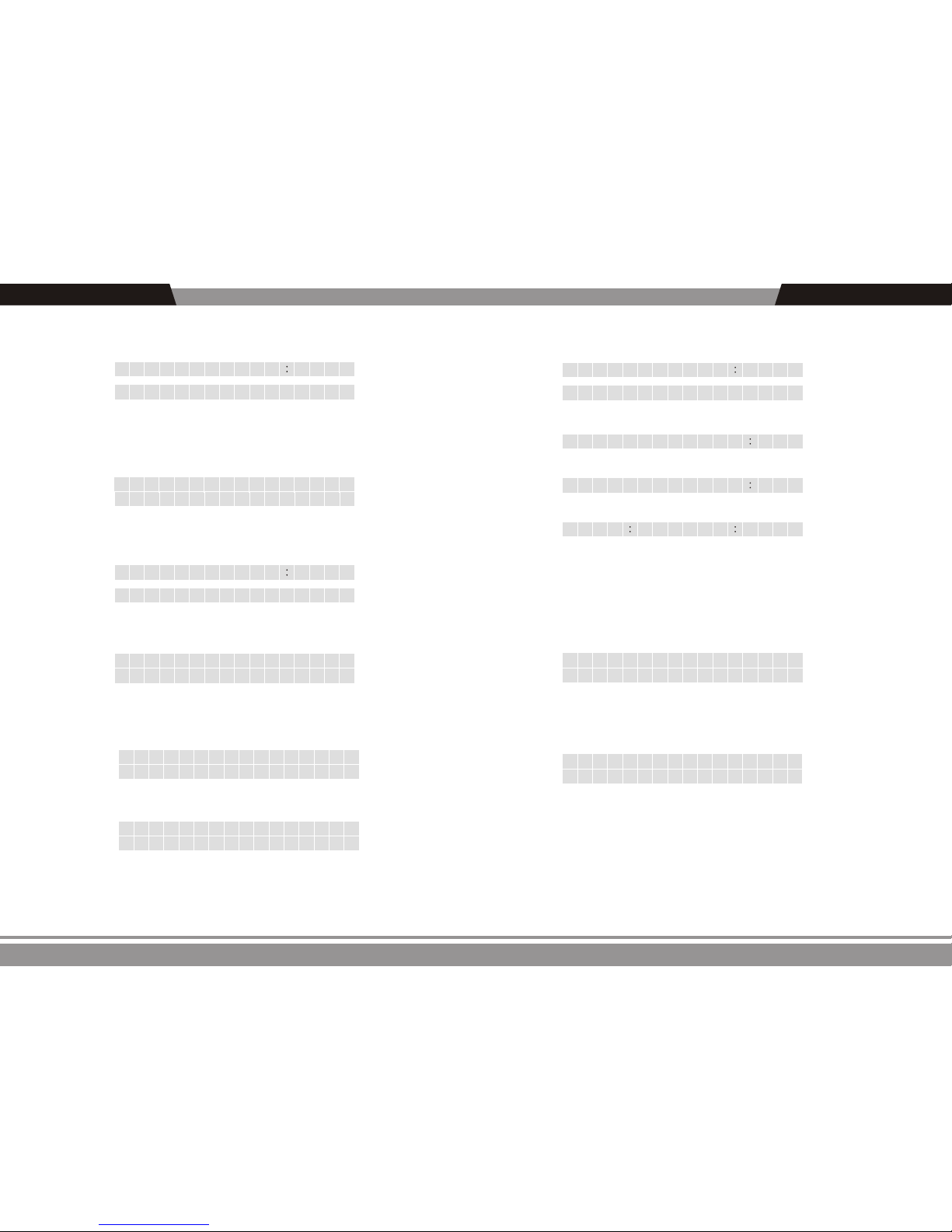
a. Press the menu key. The screen shows: Humid, Timer, Tempu, R.
Humid T i mer
TempU R
TempU
R
Set t in
n
g
O O ff
oF
℃
b. Press the Menu key unit TempU flashes. Press“OK”to select.
c. The screen shows: Celsius degree℃ on/off and Fahrenheit degree the ℉ off/on.
a. Press the M button until the T.off button is flashing. Press“OK”to confirm.
b. Set timer as above.
2) Shut Off Time (T.offSelection). Unit will run for designated time and then turn off.
3) Cycling Timer (T.I/O Selection)
The third selection, T.I/O, lets you set up the machine to cycle on and off during a
specific time frame. For example, you could set the unit to run 8 hours a day and remain
off the other 16 hours. Note: You are selecting on and off periods of time, not set clock
times.
d. Press the menu key to move the cursor to the ℃ on/offor ℉ off/on(flashes).
e. Press to confirm key. The on/off status of C and F will exchange.
-8-
( 2 ) Timer Settings (Timer)
This selection allows you to set a timer for the unit to turn on or turn off. You can also set up cycle
timing, which allows you to set up and repeating cycle of specific on and off durations.
a. Press the menu key several times unit the Timer button is flashing.
Press“OK”button to confirm this option.
f f
noo
T
T
T
R
/
.
..
I0
b. The screen shows: T. on, T. off, T.I / 0,R
Humid Timer
TempU R
“
“T.off” – Unit will stop when timer expires
“T.I/O” – Unit will cycle“on”and“off”based on the set time. If unit is off, the
cycling will start with unit“off”. If unit is on, the cycling will start with the unit“on.”
c. Press the menu key to select your desired selection.
T.on” – Unit will start when timer expires
Timer On
OR
f f
00 00
1) Start Time (T.on Selection)
a. Press to confirm key. The screen runs as follow, the first 00 positions (flashes) at the
same time.
b. Press“Up”and“Down”key to select hour choice between 00-24. Press“Ok”key
to select choice.
c. After the hour selection is confirmed, the minute choice will flash. Select as before
and confirm with“Ok”key.
d. The“OFF”button will now flash. Press“OK”one more time, the“OFF”display will
switch to“ON”and the timer is now set.