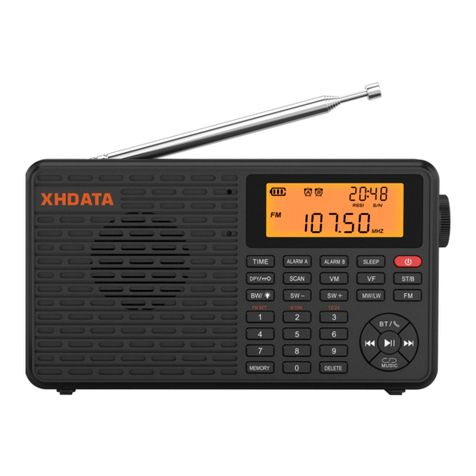
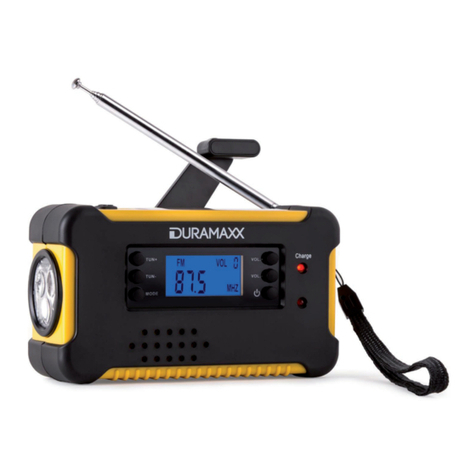
XHDATA D-608 User manual

3000mAH power battery strongly guarantees emergency use
of mobile phone charging
Wireless BT music playback and wireless calling
User Manual
Hand Cranked Emergency Power Generation
Global Band Radio
WB/NOAA Weather Warning Radio
functions
ATS

Function Operation
RESET: Reset switch hole
LOCK/LAMP: Keyboard lock/lighting andother
TORCH/SOS: Flashlight/Danger Signal
switches
CHARGE: Charging indicator
MIC: Cell phone call pickup hole
V-/V+ (VOLUME
Power/short press memory to turn on/long
press to turn on and adjust sleep switch mode
Switch Bluetooth playback/TF card playback mode and save
alarm mode. Turn the alarm on and off when powered off/long
press to adjust the alarm time and duration
BAND: Radio band conversion (FM/MW/SW/WB) and FM
and MW receiving frequency range adjustment after changing the
device
ALERT/DISPLAY: American weather warning WB automatic
standby mode and short press to switch the display content of the
secondary display area
)
Previous song/quick rewind played by Bluetooth and TF card. In radio
mode, manually store radio stations and manually delete stored radio
Short press to manually
adjust the volume/long press to
automatically adjust the volume
stations.
: Previous song/quick rewind played by Bluetooth
and TF card. In the radio state, short press to switch between manually
searching the radio frequency VF and recalling the memory radio frequency
VM. Press and hold to enter radio station browsing mode
: Play/pause key (wireless call key). Long press in radio mode
automatically searches for and remembers radio stations. Double-click on the
short wave band to automatically scan the current meter wave.
TORCH TUNING
TF CARD
DC 5V IN
TYPE-C
HEADPHONE
JACK
DC 5V OUT

FM Antenna
Solar Panels
Hand Crank Generator Rocker Arm
Bass Vibration Plate Air Outlet
Lighting LuminousPanel

Function Operation
DISPLAY
Power Display
Full battery
WB band standby
automatic scanning
Lock keyboard icon
Low battery
Sleep shutdown
Alarm clock icon
Battery charging
indicator Mobile phone call
alert symbol
Radio signal field strength
volume
SW short wave meter wave display
Alarm time display icon
Memory station number display icon
Radio signal strength
Radio signal-to-noise ratio scale value
Temperature display
Secondary display area
Main display area
FM stereo
Bluetooth function symbol
TF card icon
TF plays single loop
DC5V output mobile phone emergency charging
Browse icons by station frequency
KHZ radio frequency unit
MHZ radio frequency unit
FM/MW/SW/WB band
display icon

Please install the positive and negative terminals of the 3.7V (18650) lithium
Operation Introduction
Power Supply
battery correctly into the battery and battery compartment.
DC'5V IN Type-C charging socket power supply
Power on/off
Power on: Short press the power button, the display shows "ON"
Power off: Short press the power button, the display shows "OFF"
(The following operations need to be set in the shutdown state
Radio Operation )
Set frequency coverage
Different countries have different medium wave and FM frequency coverage.
Please set according to the conditions of different countries.
FM frequency range setting:
After long pressing (BAND), short press to switch the FM receiving
frequencyrange respectively.
The screen will show 64,76,87,87.5,
Indicates that the frequency coverage is:
64-108MHZ, 76-108MHZ, 87-108MHZ and 87.5-108MHZ
The corresponding MW frequency coverage range is automatically
When the FM receiving frequency is selected: 64-108MHZ/76-108MHz/
87-108MHz:
set to: 522-1620KHz (9K) (Using Asia, Europe, Africa and Oceania)
In this state, the temperature will be displayed in degrees Celsius (°C)
When the FM receiving frequency is selected: 87.5-108MHz:
The corresponding MW frequency coverage is automatically set to:
520-1710KHz (10K) (applicable to North and South America)
In this state, the temperature will be displayed in degrees Fahrenheit (°F)

Enter Radio Mode
Select band
Short press the (power) button to (ON)
Short press the (BAND) key to switch bands (FM/MW/SW/WB)
Switch to short wave meter band: Press and hold the (BAND) button
in the short wave band, the meter band icon flashes, and turn the
shuttle to switchto each meter band.
When receiving FM and shortwave, you can choose to use a whip
antenna and rotate the antenna angle to get the best reception.
Rotate the body angle for optimal reception sensitivity when using
MW anLW
Search radio frequency
Adjust wireless frequency
Manual scan frequency (VF)
Short press (VF) key
Turn the tuning knob slowly or quickly (tuning)
Automatically browse radio frequency (VF)
Long press the (SCAN) button to enter browsing. When a station is
scanned, it will stop for 15 seconds. Short press (SCAN) to stop
searching, and continue scanning without any operation.
Manually store a station
Manually search for radio stations (VF)
Select band
Rotate (TUNING) to select the station frequency to be stored
Short press the (MEMORY) button again to store the changed radio
Short press the (MEMORY) button, the station number flashes in the
upper right corner
station

Fully automatic scanning and storage of radio stations
Select band
Long press the ( ATS ) key to automatically scan and store the
entire band radio stations
Shortwave single meter band automatic search mode
Quickly double-click the ( ATS ) key in the shortwave receiving
state to enter the current meter band scanning memory mode.
Tip
Radio signals will be affected by factors such as season/time period/weather,
receiving environment, electromagnetic interference, and receiving antenna
angle and azimuth. Therefore, ATS memory should be updated frequently
Manually recall stored radio stations (VM)
After the radio station search is completed, you can short press the (VM)
key to enter the memory radio radio mode.
Turn the (TUNING) shuttle button to recall each stored radio frequency
Automatically retrieve the stored radio frequency (VM)
Select the band and short press the (VM) key. Long press (SCAN) to
enter automatic browsing mode
Scan each memory station code for 5 seconds and press the SCAN
button to select listening. If there is no operation, continue scanning
the next radio frequency.

How to delete stored radio stations
Select the stored station to be deleted
Short press the (VM) key to enter the memory radio mode.
Select the band
Turn the (tuning) button to select the digital station frequency
you want to delete
Press and hold the (DELETE) key for 3 seconds to display [DEL].
Then short press again to confirm deletion
Delete all stored stations for the current band
Short press the (VM) key to enter the memory radio mode.
Select the band
Press and hold the (DELETE) key until the sub-display area
displays (ALL), release it and short press again to confirm
deletion of all stored stations in this band


Use of WB / NOAA / ALERT
WB/NOAA channel reception range
There are 7 channels in total: channels 1-7 (162.400-162.550MHz)
Manually search for WB/NOAA radio channels
Select the band: short press the (BAND) button to WB, turn the (TUNING)
Short press (power) button to (ON) to turn on
shuttle to adjust the receiving frequency (162.400-162.550MHz)
Automatically scan WB/NOAA radio channels and warn
of reception methods
Select the band: Short press the (BAND) key to switch to any radio band
Short press (power) button to (ON) to turn on
Long press the (ALERT) key to directly enter the "NOAA" automatic
scanning warning reminder state. When any "NOAA" channel issues a
disaster warning, the machine will immediately send out a "sos" sound
and light synchronized warning to remind the user to receive NOAA
disaster warning information.
Long press the (ALERT) key to eliminate the "S0S" warning signal.
This machine automatically enters the "NOAA" disaster warning
information receiving channel to receive voice warning information.
SOS Danger Distress Information Usage
In any state, long press (S0S) to turn on the sound and light synchronized
distress signal. Press and hold again to close
Table of contents
Other XHDATA Radio manuals