Yopy YP3700 User manual

YP3700
User Guide
1

Chapter 1. Overview of YOPY
The multimedia PDA YOPY uses the Linux OS developed by G.Mate, Linupy™. With its slim size and
folder type design, mobility, and high performance, YOPY is capable of providing entertainment contents
such as images, games or music, and the newest information on the Internet from anywhere at any time.
2

What is in the YOPY box?
Thank you very much for your purchase of the YOPY.
Please check whether you have all of the following items in the YOPY box.
- YOPY PDA (Model name is “YP3700)
- Cradle
- Wireless LAN Card
- Ear-microphone
- User Manual
- CD
- Fashion Stylus Pen
- AC Adapter
3

YOPY Outside Components
Charge LED
Charging starts when you put
the YOPY on the cradle
Red – On charging
Green – Fully Charged
Scroll Button
Recording
Upper – For starting record
Lower – For stopping record
Playing MP3
Upper – For volume up
Lower – For volume down
Moving the scroll bar on the screen
up and down
IrDA Communication Port
Slot for MMC or SD Card
Headphone Jack
For listening to music with the
Headphone
Event LED
The colorful blinking light works
when you - Open or close the YOPY.
- Are reminded with alarm.
Stylus Pen
Serial/USB Client Port
For communicating with PC or charging
the battery by connecting the YOPY to the
cradle.
CompactFlash Slot
For wireless LAN card and the
other expansion card.
[Picture 1-2] YOPY Outside Panels
4

YOPY Inside Components
[Picture 1-3] YOPY Inside Panels
Reset hole
For doing the soft reset with
the stylus pen.
Execution Button
For playing a program o
r
starting and stopping the MP3
player
End Button
For stopping the currentl
y
operating program.
Send Button
Power Button
Speaker
Microphone
Navigation Keys
Key Pad
Consisting of the letters, the
numbers, the symbols and
other function keys.
(See Chapter.6 for details)
Touch Screen
Touching with the Stylus.
65,536 Colors.
Front Light.
Note.
For the detailed explanation to the way to use the keyboard conveniently and easily, see the guide
for the Keyboard use in the Chapter 6.
5

Chapter 2. Initial settings of YOPY
Have you checked all of the components of the YOPY?
This chapter explains the basic settings you must follow, before using your YOPY for the first time, step by
step.
6
You should set the YOPY in the following orders before you use it for the first time.
1. Soft reset
You should tap the Soft Reset Hole (See the Figure. 1-3) with the stylus.
There appears the “Welcome” screen after the booting screen with the Linux logo (Penguin) shows
up.
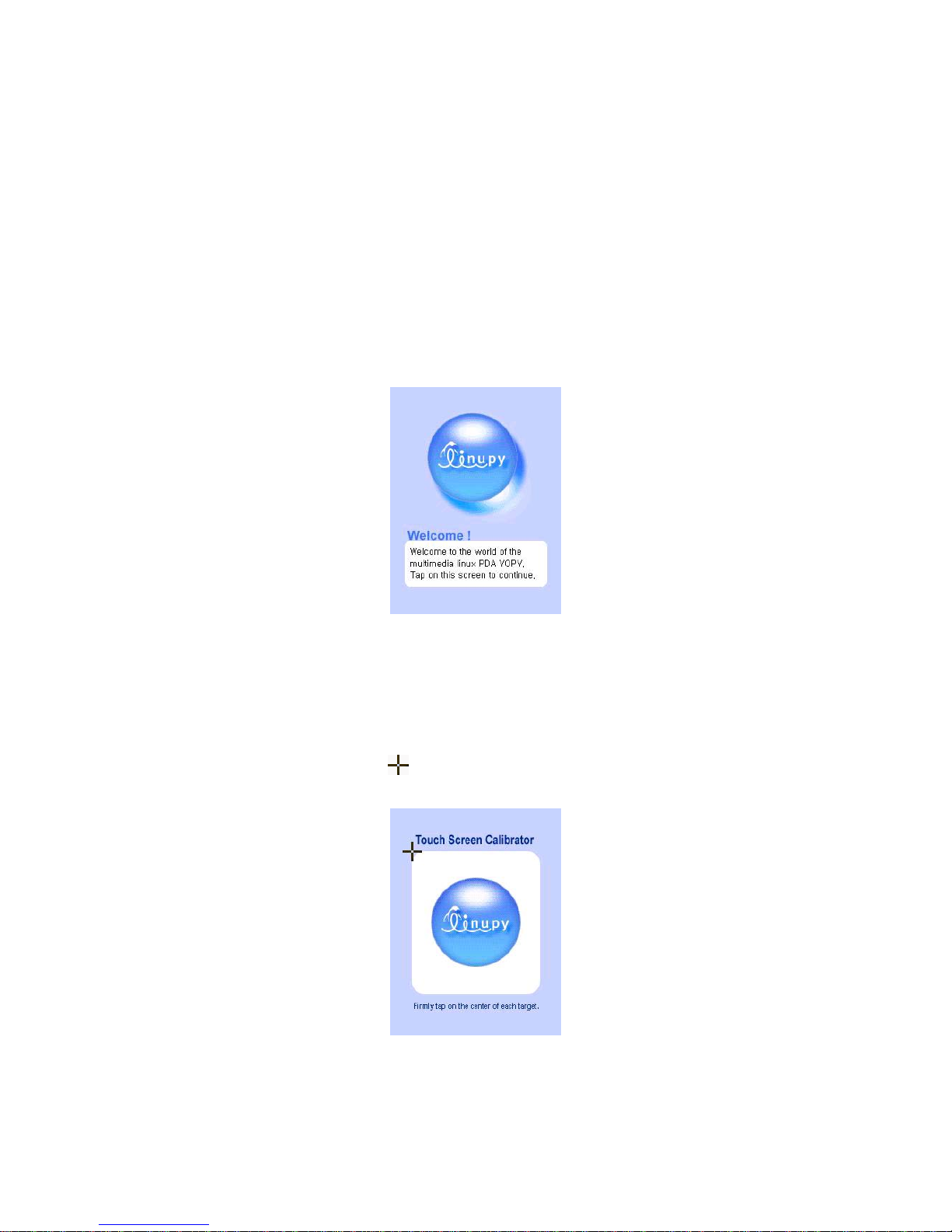
2. ‘Welcome’ Screen
The YOPY has woken up now! Please tap the screen with the stylus gently.
[Welcome Screen]
3. Calibrate
Coordinate adjustment lets your YOPY exactly sense the elements on your screen, when
tapping them with the Stylus.
Tap the center of the cross mark ( ) on your screen with the Stylus until the screen changes.
(The new screen shows up after you correctly tap the cross mark in each five different places).
[Calibraton Screen]
7
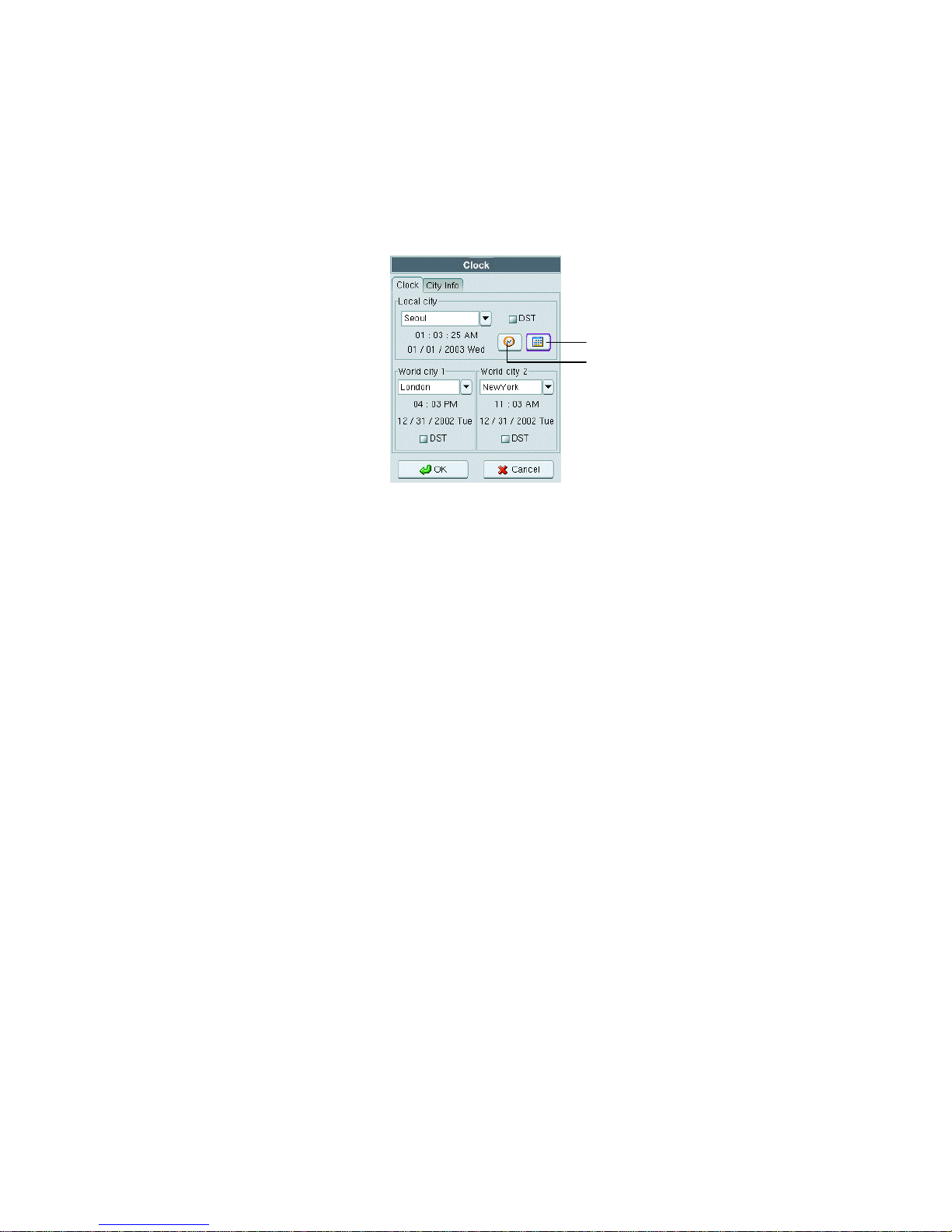
4. Setting the time
The below time setting screen follows calibrating.
You can set the city and the current time and date. You can automatically have the time and the
date of the city around the world when you choose it.
Icon for setting date
Icon for setting time
[Setting Time and Date]
Note
Please refer to the “Setting the time” in the Chapter 10 for more information.
8

Chapter 3. MyPIMS
With the MyPIMS program you can edit, add and delete the data in the PIMS programs of the YOPY such
as Schedule, Task, and Contact. In addition, MyPIMS has the function of file transfer between the YOPY
and your PC and one of the PIMS data backup and recovery.
The features of your PC required to install and use the MyPIMS program are as follows:
■Windows 98SE, Windows 2000, Windows XP, Windows ME, Red Hat 7.1
■Pentium II processor or greater
■64MB RAM or more
■Available hard disk space more than 150 MB
■CD-ROM drive
■VGA Monitor or better
■Mouse
■One USB port
9
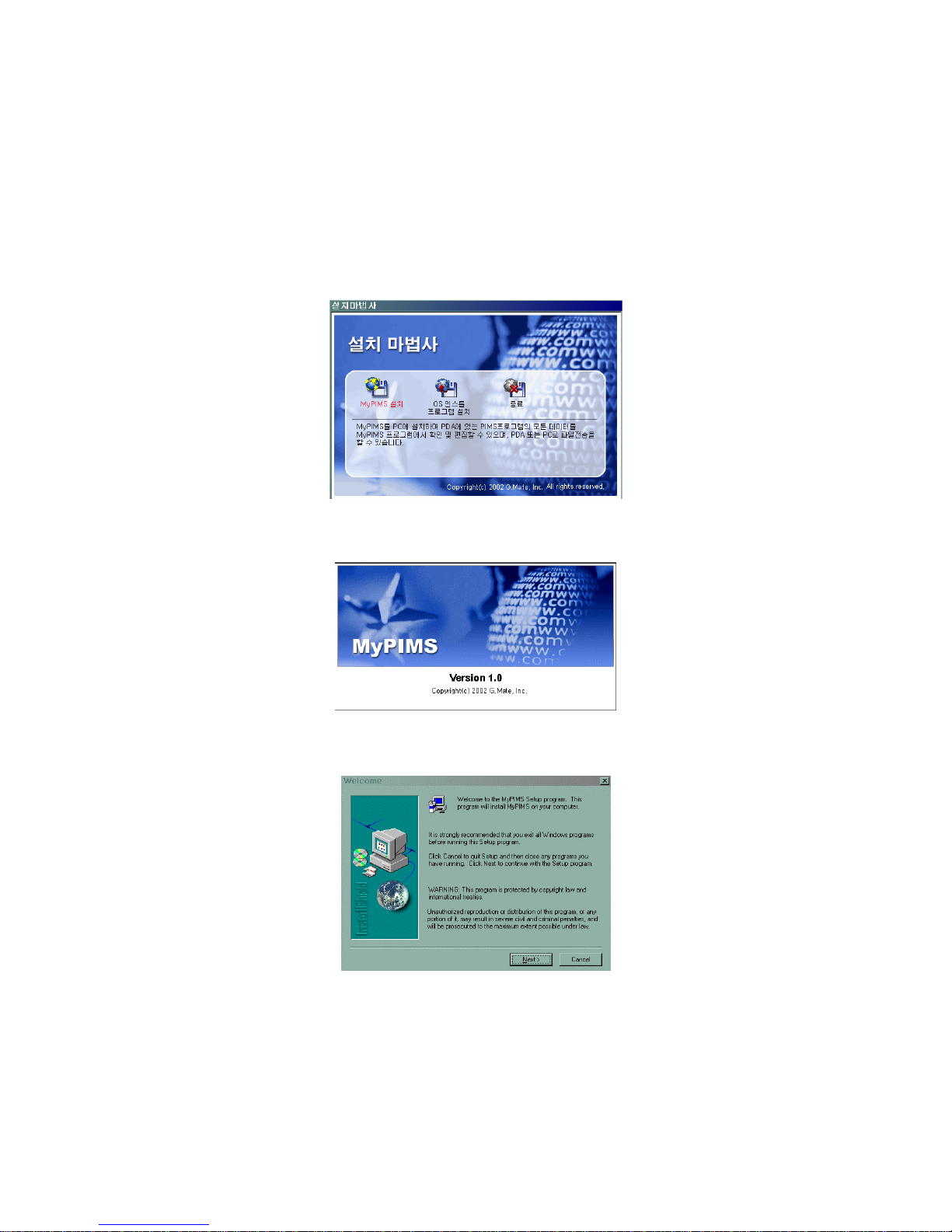
Installing MyPIMS
How to install the MyPIMS Program on your PC?
1. Hardware Wizard automatically runs when you put the CD included in the YOPY package into
the CD-ROM. Click on “MyPIMS Installation”
2. Your PC is warming up for installing the MyPIMS program.
3. Installing starts with the below screen. Click on the “Next” button.
4. The program is automatically installed in the directory of the C drive unless you set a directory
on the below screen yourself. Click on the “Next” button.
10
Table of contents