3Com CoreBuilder 9000 User manual

www.3com.com
GBIC Transceiver
Installation Guide
3Com Gigabit Interface Converter (GBIC) Transceivers
GBICP2_2march03.fm Page 1 Wednesday, March 12, 2003 2:35 PM

2
Copyright © 2002, 3Com Corporation. All rights reserved. No part of this
documentation may be reproduced in any form or by any means or used to make any
derivative work (such as translation, transformation, or adaptation) without written
permission from 3Com Corporation. 3Com Corporation reserves the right to revise this
documentation and to make changes in content from time to time without obligation
on the part of 3Com Corporation to provide notification of such revision or change.
3Com Corporation provides this documentation without warranty, term, or condition of
any kind, either implied or expressed, including, but not limited to, the implied
warranties, terms, or conditions of merchantability, satisfactory quality, and fitness for a
particular purpose. 3Com may make improvements or changes in the product(s) and/or
the program(s) described in this documentation at any time.
3Com registered trademarks are registered in the United States and may or may not be
registered in other countries. 3Com and the 3Com logo are registered trademarks of
3Com Corporation.
All other company and product names may be trademarks of the respective companies
with which they are associated.
Part No. 10013581
Published March 2003
GBICP2_2march03.fm Page 2 Wednesday, March 12, 2003 2:35 PM

3
Introduction
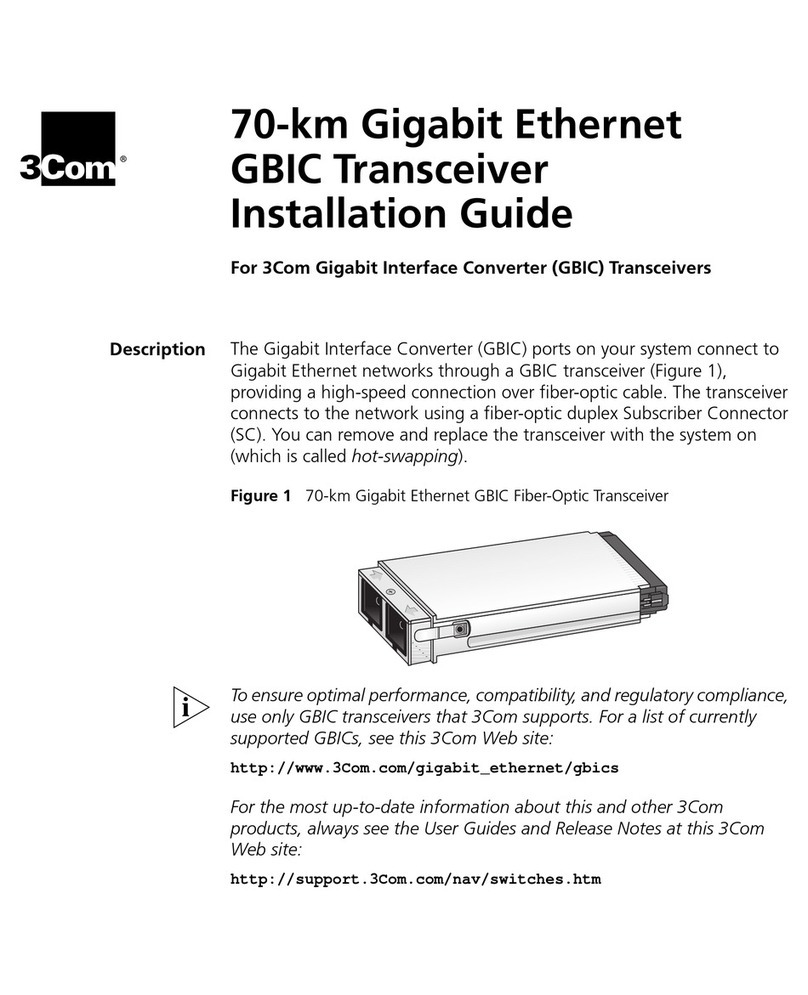
The Gigabit Interface Converter (GBIC) ports on your system connect
to Gigabit Ethernet networks through a GBIC transceiver (Figure 1),
providing a high-speed connection over fiber-optic or copper cable.
The transceiver connects to the network using a fiber-optic duplex
subscriber connector (SC) or a RJ-45 connector. You can remove and
replace the transceiver with the system on (which is called hot-
swapping).
Figure 1 GBIC Fiber-Optic Transceiver
This Guide describes how to install the following GBIC transceivers:
■1000BASE-SX GBIC (3CGBIC91)
■1000BASE-LX GBIC (3CGBIC92)
■1000BASE-T GBIC (3CGBIC93)
■1000BASE-LH70 GBIC (3CGBIC97)
GBICP2_2march03.fm Page 3 Wednesday, March 12, 2003 2:35 PM

4
To ensure optimal performance, compatibility, and regulatory
compliance, use only GBIC transceivers that 3Com supports. For a list
of currently supported GBICs, see this 3Com Web site:
http://www.3com.com/products/
At this web site, you can also find the most up-to-date information,
User Guides and Release Notes about this and other 3Com products.
1000BASE-SX GBIC Transceivers
The 1000BASE-SX GBIC transceiver supports a direct connection to
62.5-micron or 50-micron multimode fiber-optic cable. Table 1 shows
the ranges for each connection.
Table 1 1000BASE-SX GBIC Multimode Transmission Ranges
Fiber Type Diameter
(microns)
Modal
Bandwidth
(MHz • km) Transmission Range
in meters (feet)
Multimode 62.5 160 2 – 220 (6.6 – 721.8)
Multimode 62.5 200 2 – 275 (6.6 – 902.3)
Multimode 50 400 2 – 500 (6.6 – 1640.5)
Multimode 50 500 2 – 550 (6.6 – 1804.6)
GBICP2_2march03.fm Page 4 Wednesday, March 12, 2003 2:35 PM
5
1000BASE-LX GBIC Transceivers
1000BASE-LX GBIC transceiver supports these connections:
■Direct connection to single-mode fiber-optic cable.
■Connection to multimode fiber through a conditioned launch cable
To ensure optimal performance, compatibility, and regulatory
compliance, use only conditioned launch cables that 3Com supports.
For a list of currently supported conditioned launch cables, see this
3Com Web site:
http://www.3Com.com/gigabit_ethernet/gbics
Table 2 shows the transmission ranges for each connection
Table 2 1000BASE-LX GBIC Multimode and Single-Mode
Transmission Ranges
Fiber Type Diameter
(microns)
Modal
Bandwidth
(MHz • km) Transmission Range
in meters (feet)
Multimode 62.5 500 2 – 550 (6.6 – 1804.6)
Multimode 50 400 2 – 550 (6.6 – 1804.6)
Multimode 50 500 2 – 550 (6.6 – 1804.6)
Single-Mode 9 – 2 – 10,000 (6.6 – 32,810)
GBICP2_2march03.fm Page 5 Wednesday, March 12, 2003 2:35 PM
6
1000BASE-LH70 GBIC Transceivers
Table 3 shows the transmission range and other data for this
connection.
Table 4 shows the optical parameters of the 1000BASE-LH70 GBIC
Transceiver.
CAUTION: If using cable lengths shorter than 20 km, you must ensure
that a single-mode fiber attenuator is used to avoid signal saturation.
Table 3 1000BASE-LH70 GBIC Single-Mode Transmission Range
Fiber Type Diameter
(microns)
Minimum
Connector
End Polish Transmission Range
Single-mode 9µm core PC 20 – 70 km (13 – 43 miles)
GBICP2_2march03.fm Page 6 Wednesday, March 12, 2003 2:35 PM

7
1000BASE-T GBIC Transceivers
The 1000BASE-T GBIC transceiver supports connections over Category
5 cabling up to 100 m (328 ft).
Table 4 Optical Parameters
Parameter Symbol Min Typ Max Units
Transmitter
Wavelength
Optical output
power
λc
Pout
1540
01550
N/A 1570
+4 nm
dBm
Note: Average power coupled into single-mode fiber
Receiver
Optical input
power Pin –24 N/A -1 dBm
Note: BER< 10-12 with PRBS 27–1 test data pattern @
1.25Gb/s
GBICP2_2march03.fm Page 7 Wednesday, March 12, 2003 2:35 PM
8
Installing the Transceiver
The following instructions, warnings and notes apply to all of the
transceivers covered in this Guide.
Safety Precautions
Be sure to follow all safety precautions when you replace a GBIC
transceiver in the system. To avoid electric shocks and burns to yourself
and damage to the equipment, read and follow these warnings:
WARNING: When the system is on:
■Never insert a metal object such as a screwdriver or a finger with
jewelry into open module slots.
■Do not touch any connections inside the chassis with your hands or
fingers.
AVERTISSEMENT: Quand le systeme est allumé:
■Ne jamais introdure d'objet métallique, tel qu' un tourne vis ou
meme votre doight si vous portez un bijou dans le reserve au
module.
■Ne touchez aucun engrenage à l' interieur du chasis avec le doight
ou la main.
GBICP2_2march03.fm Page 8 Wednesday, March 12, 2003 2:35 PM
9
VORSICHT: Wenn das Betriebssystem angeschaltet ist:
■Führen Sie niemals einen Metallgegenstand wie z.B. einen
Schraubenzieher oder einen beringten Finger in den offenen
Modulschlitz ein.
■Berühren Sie keine Verbindungen innerhalb des Gehäuses mit
Ihren Händen oder Fingern.
Fiber Safety Precautions
The GBIC fiber ports on your system use lasers. To ensure your safety
when you install or work with these GBIC systems, read and comply
with the precautions in this section.
WARNING: The fiber optic lasers used in 3Com GBIC ports meet the
regulatory requirements for casual exposure to the eye. As with any
source of bright light, however, 3Com recommends that you do not
look into the laser light source.
IEC 825, Class 1 Laser Devices are for connection only to Class 1 Laser
Devices. Multimode and single-mode fiber optic interfaces use lasers.
CLASS 1
LASER PRODUCT
GBICP2_2march03.fm Page 9 Wednesday, March 12, 2003 2:35 PM
10
Inserting the Transceiver
Before you connect the system to the Gigabit Ethernet network, first
insert the transceiver into the GBIC port on the system, as described in
this section. The procedure is similar for all supported units with a
GBIC port.
To ensure optimal performance, compatibility, and regulatory
compliance, use only GBIC transceivers that 3Com supports. For a list
of GBIC devices that are qualified for the 3Com products see this
3Com Web site:
http://www.3com.com/gigabit_ethernet/gbics
CAUTION: GBIC transceivers are keyed and can be properly inserted
only one way. If the transceiver does not click when you insert it,
remove it, turn it over, and reinsert it.
1Read and follow the instructions in “Safety Precautions” earlier in
this guide.
2Orient the transceiver so that the duplex SC or RJ-45 connector is
toward you.
Figure 2 shows how to insert the transceiver into a GBIC port.
Installation into other chassis is the same except that the chassis
ports may be oriented vertically.
3Gently slide the transceiver into the GBIC port until it clicks into
place.
GBICP2_2march03.fm Page 10 Wednesday, March 12, 2003 2:35 PM
Other manuals for CoreBuilder 9000
9
This manual suits for next models
8
Table of contents
Other 3Com Transceiver manuals

3Com
3Com 1000BASE-SX GBIC User manual

3Com
3Com GBIC User manual

3Com
3Com 3C12066 Quick start guide

3Com
3Com SuperStack II 3C12067 User manual

3Com
3Com SS II 100BASE FX TRANSCEIVER User manual

3Com
3Com 3C16681 User manual

3Com
3Com 3C12065 Quick start guide

3Com
3Com 3C12063 Quick start guide

3Com
3Com CoreBuilder 3500 User manual

3Com
3Com 3C12060 Quick start guide