5
Getting Started
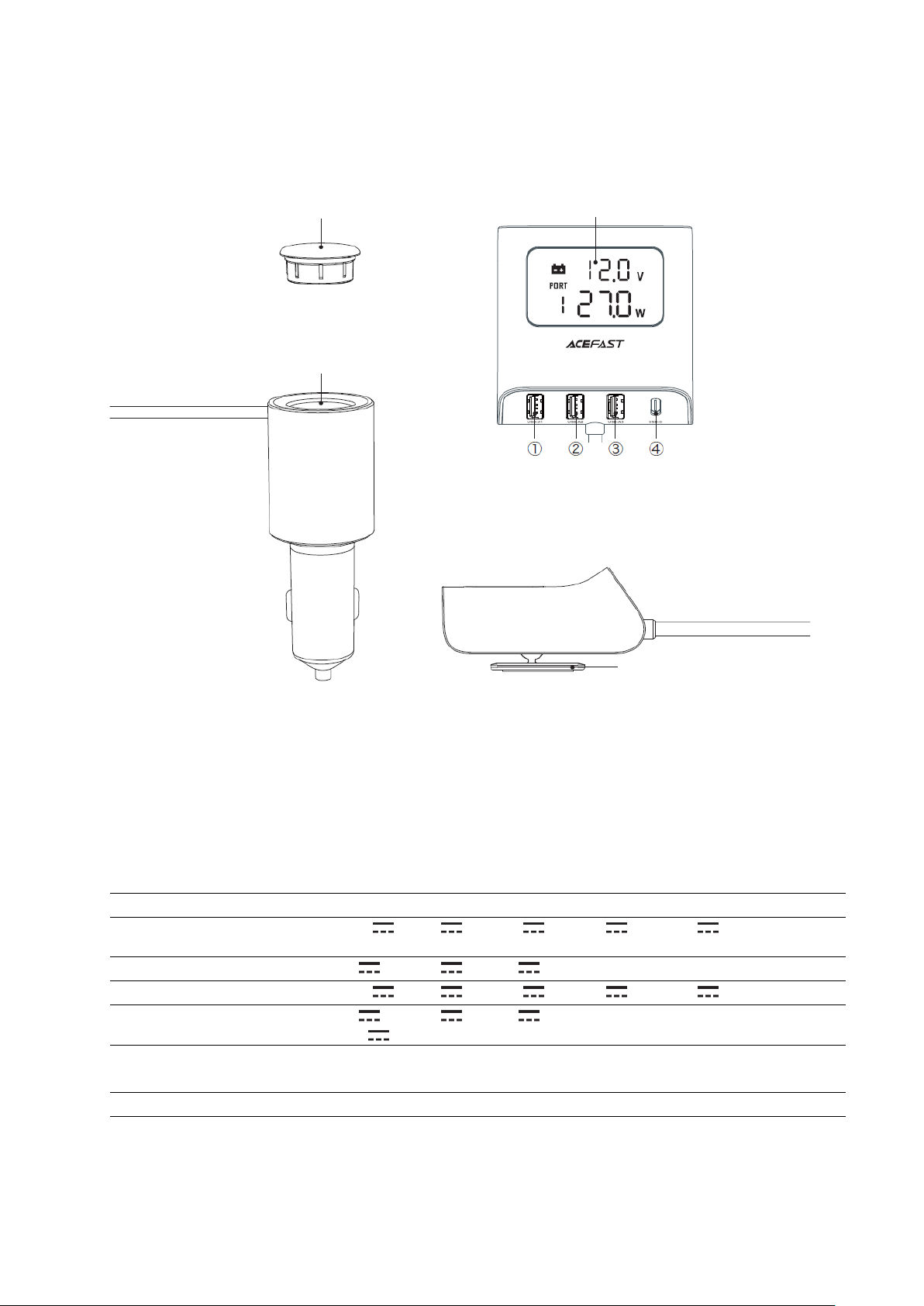
1. Both USB-A1 and USB-A2 ports are independent fast charging ports.
2. USB-A3 and USB-C are used independently for fast charging, and used at the same
time for ordinary high-current charging (5V/4.8A).
3. The USB-C 20V output can only be realized when the input is 24V (large truck).
4. The cigarette lighter slot is only for power supply and does not have a cigarette lighter
function. When using it, you must use vehicle electronic equipment less than 60W.
Exceeding the design power may cause the product to be unusable or burn the car fuse
Instructions
1. First insert the car charger into the car cigarette lighter slot, then choose a suitable
location for the product host and fix it. The display will light up after the car power is
turned on.
2. After power on, if the battery voltage of the car is abnormal, the red battery symbol
on the display will light up, the battery symbol of normal voltage will be steady green.
3. Insert one end of the charging cable into the corresponding charging output port of
the car charger, and connect the other end to the mobile phone or other digital devices
to be charged.
During the charging process, the display will show the real-time charging voltage and
power of the connected port in a carousel for 5 seconds.
4. Display content
①After power on, display turns on checking whether the battery voltage is normal. If
the battery voltage is abnormal, the red battery symbol on the display will light up. If the
voltage is normal, the battery symbol will show a steady green light.
Remarks: When the battery icon on the display is lit red, the voltage is too low. It is
recommended to overhaul the car battery!
②When any one of the four charging ports is connected for chagring, the display will
show the charging voltage and charging power of the charging port in a carousel for 5
seconds, the port that is not connected will not participate in the carousel display.
5. The steering shaft behind the charger host can be adjusted up and down according to
the actual angle.