3
GETTINGSTARTED
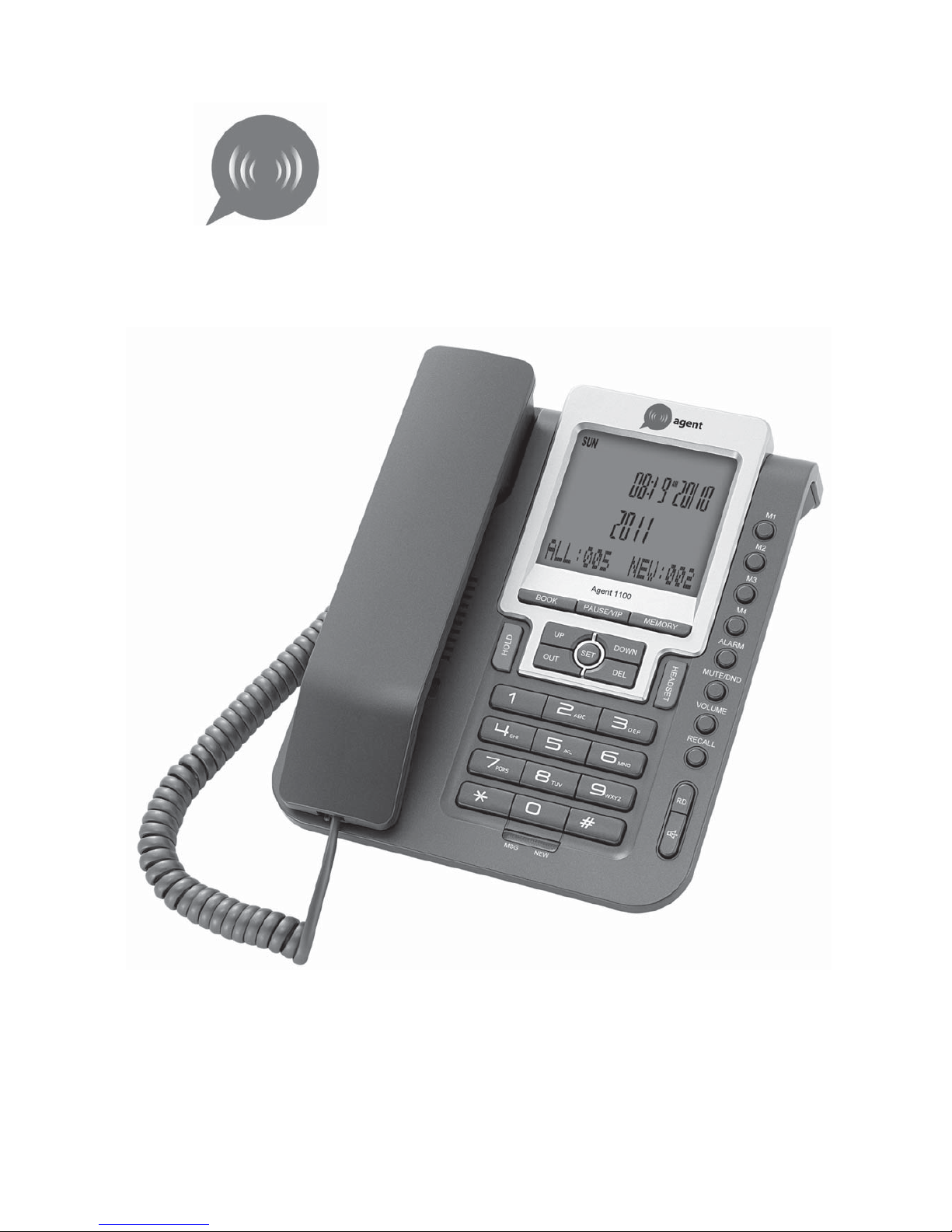
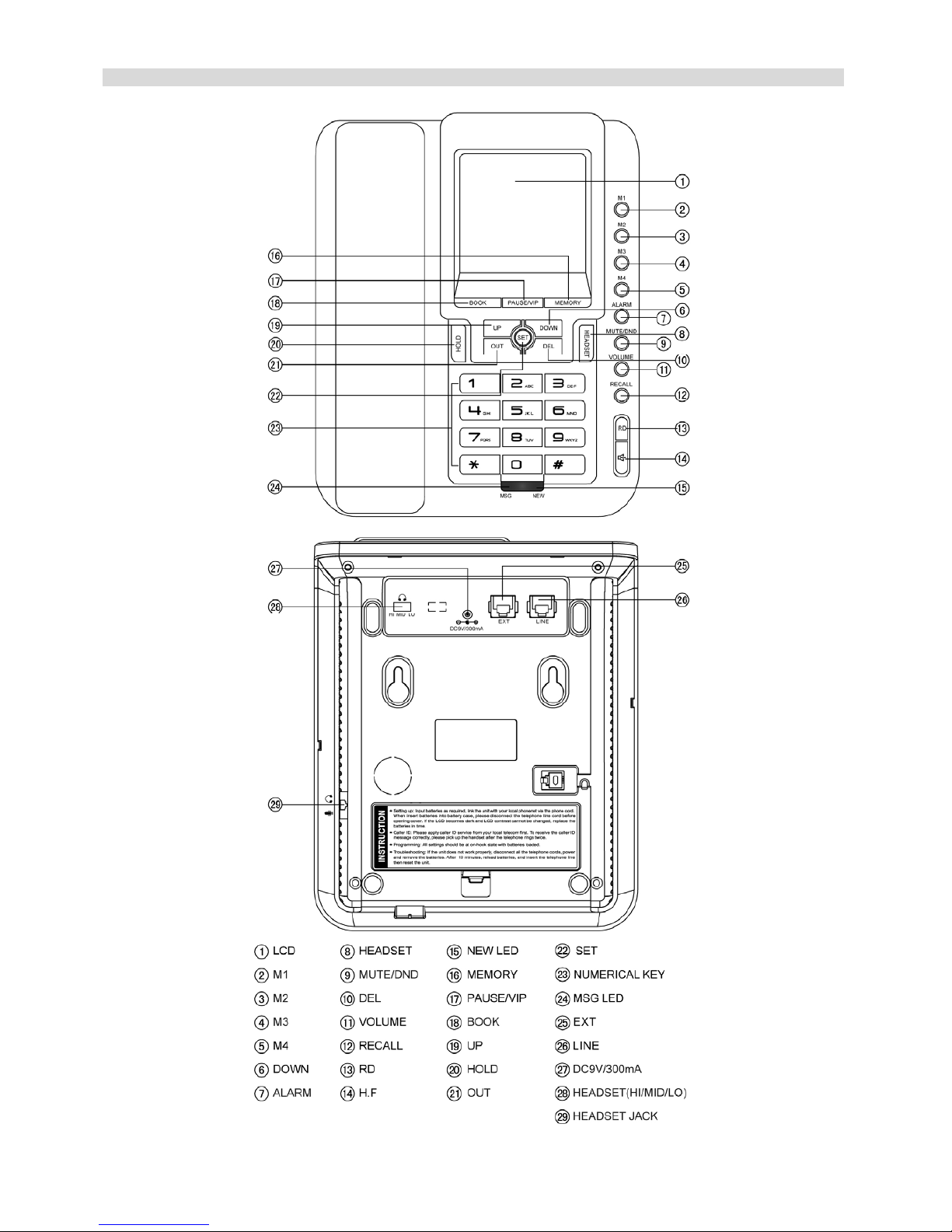
1. The unit requires 3 X 1.5V AA batteries. Open the cover found underneath the phone and insert the
batteries corresponding to the + and – symbols (For best performance consider using alkali batteries).
Alternatively you can use an AC/DC power supply to power your phone instead of batteries (AC-DC
adaptor, Input Alternating Current 220V, Output DC 9V, Current above 300mA, the output plug should be
anode inside and cathode outside, please ensure your adaptor is connected via the correct connection
node and securely plugged into the wall point). If the chosen power source has been installed correctly,
the default time settings should now be shown on the liquid crystal screen. Please be aware, the battery
and DC power supply cannot be used together; when the AC/DC power supply is connected the battery
will be cut off automatically prolonging the battery life. If the AC/DC power supply is removed/ turned off,
you must take the plug out from the DC jack of the phone to activate the battery power supply.
2. Please now connect your handset using the coiled phone cord, attaching the cord via the head jack
sockets found on the side of the phone and the end of the handset.
3. You can now attach the phone line to the socket on the base of the phone, test the connection by
listening for a dial tone on the handset. If there is a constant dial tone the phone is correctly installed.
NORMALUSAGE
RECEIVING A CALL
From handset
1. Pick up the handset and talk to the other party.
2. To end the call, return the handset securely to the base.
Switching to speakerphone whilst on a call
1. When using the handset, press key and return the handset to the base.
2. To end the call, press key again.
Answering a call using a headset
1. Upon receipt of a call, press the HEADSET key to answer and talk with the caller through your headset.
2. To end the call, press the HEADSET key again.
Note: Please follow the manufacturer’s directions on how to connect the headset to your phone.
Answering a call using the speakerphone
1. Upon receipt of a call, press key and talk to the caller.
2. To end the call, press key again.
Note: To view the caller ID, please allow the phone to ring at least twice before answering the call.
MAKING A CALL
Using the handset
1. Remove the handset from the base unit.
2. When you hear the dial tone, dial the desired number.
3. The phone will automatically start to time the conversation 6 seconds after the connection has been
made.
4. To end the call, return the handset to the base.