manuals.online logo
Brands
  1. Home
  2. •
  3. Brands
  4. •
  5. Akai
  6. •
  7. LCD TV
  8. •
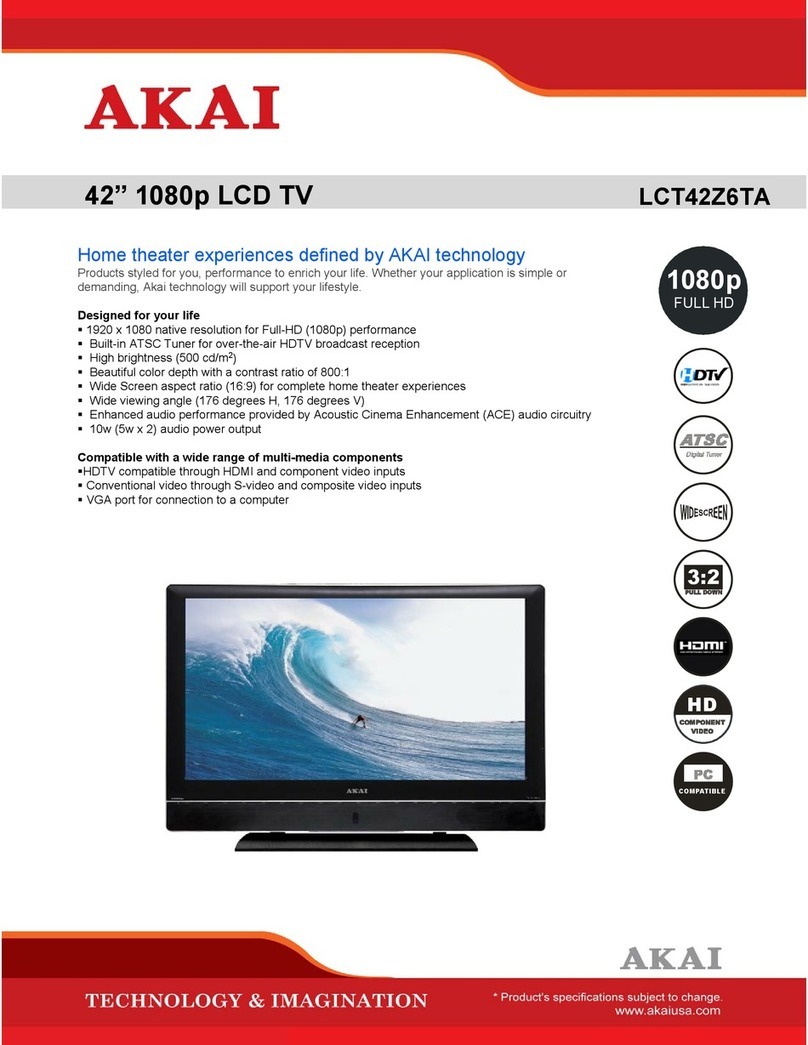
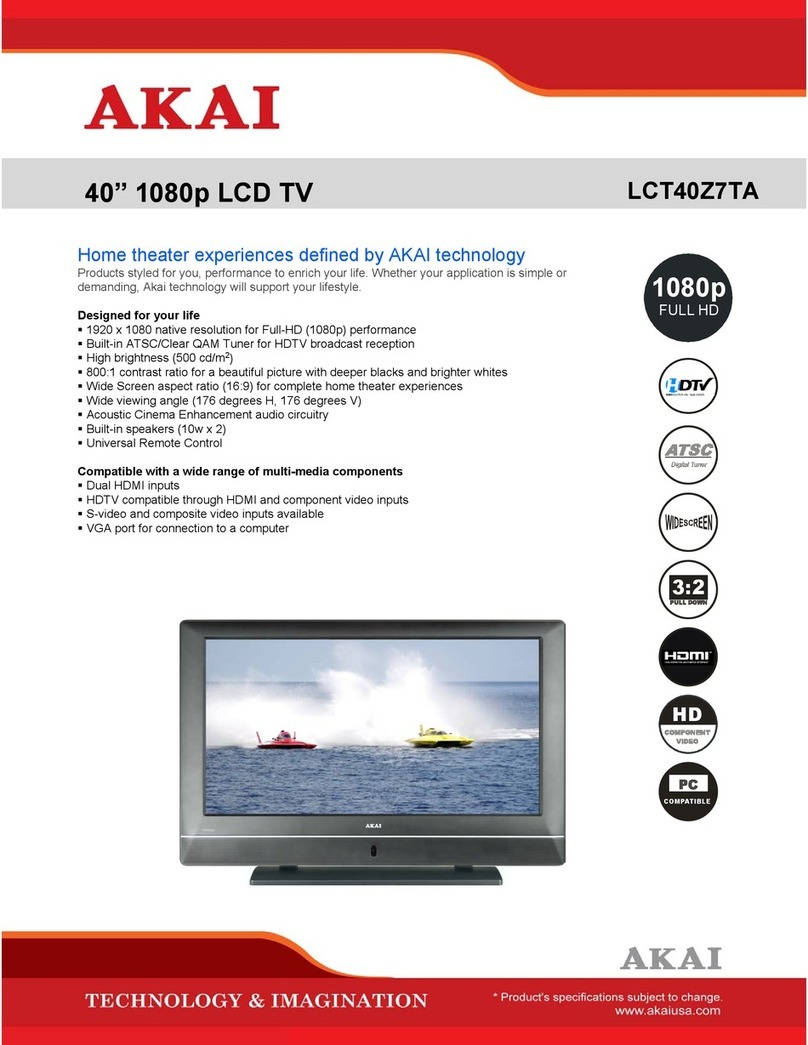
  9. Akai LCT42Z7TAP User manual

Akai LCT42Z7TAP User manual

Other Akai LCD TV manuals

Akai LTC-26R5W1HCM User manual

Akai

Akai LTC-26R5W1HCM User manual

Akai LCT2660 User manual

Akai

Akai LCT2660 User manual

Akai LTA-26C904 User manual

Akai

Akai LTA-26C904 User manual

Akai LCT3785TA User manual

Akai

Akai LCT3785TA User manual

Akai 6 Series User manual

Akai

Akai 6 Series User manual

Akai LCT42Z5TA User manual

Akai

Akai LCT42Z5TA User manual

Akai AK3219NF User manual

Akai

Akai AK3219NF User manual

Akai LCT2715 User manual

Akai

Akai LCT2715 User manual

Akai LCT2785TA User manual

Akai

Akai LCT2785TA User manual

Akai LCT3285TA User manual

Akai

Akai LCT3285TA User manual

Akai DLC-E2250 User manual

Akai

Akai DLC-E2250 User manual

Akai LEA-19A08G User manual

Akai

Akai LEA-19A08G User manual

Akai LEA-22H03P User manual

Akai

Akai LEA-22H03P User manual

Akai LCT32Z5TA User manual

Akai

Akai LCT32Z5TA User manual

Akai LCT47Z7TA User manual

Akai

Akai LCT47Z7TA User manual

Akai LCT2662 User manual

Akai

Akai LCT2662 User manual

Akai LCT37Z6TA User manual

Akai

Akai LCT37Z6TA User manual

Akai LCT3226 User manual

Akai

Akai LCT3226 User manual

Akai ALD1590H User manual

Akai

Akai ALD1590H User manual

Akai LTA-16S01P User manual

Akai

Akai LTA-16S01P User manual

Akai LTA-20A301 User manual

Akai

Akai LTA-20A301 User manual

Akai LTA-32N658HCP User manual

Akai

Akai LTA-32N658HCP User manual

Akai LT-2203AB User manual

Akai

Akai LT-2203AB User manual

Akai LT-32Q5LFH User manual

Akai

Akai LT-32Q5LFH User manual

Popular LCD TV manuals by other brands

Samsung LA32E420 E-manual

Samsung

Samsung LA32E420 E-manual

ViewSonic VS12119-1M user guide

ViewSonic

ViewSonic VS12119-1M user guide

iLO CIWL3706 owner's manual

iLO

iLO CIWL3706 owner's manual

LG 32LT560C Quick reference guide

LG

LG 32LT560C Quick reference guide

Sony WEGA KLV-27HR3 operating instructions

Sony

Sony WEGA KLV-27HR3 operating instructions

Zenith Z32LC2D Specifications

Zenith

Zenith Z32LC2D Specifications

Sony KDL-32S3000R - 32" Class Bravia S-series Digital Lcd... Specifications

Sony

Sony KDL-32S3000R - 32" Class Bravia S-series Digital Lcd... Specifications

Medion MEDION LIFE X14330 quick start guide

Medion

Medion MEDION LIFE X14330 quick start guide

Vizio HDTV30A VW32L Service manual

Vizio

Vizio HDTV30A VW32L Service manual

Sharp LC-24DV250K Operation manual

Sharp

Sharp LC-24DV250K Operation manual

SOYO Dymond DYLT032A user manual

SOYO

SOYO Dymond DYLT032A user manual

Kalley K-LED40FHDST2 Service manual

Kalley

Kalley K-LED40FHDST2 Service manual

Dynex DX-L40-10A Guide de l'utilisateur

Dynex

Dynex DX-L40-10A Guide de l'utilisateur

Hisense M3300 user manual

Hisense

Hisense M3300 user manual

Toshiba 42XV600A owner's manual

Toshiba

Toshiba 42XV600A owner's manual

Panasonic TX-26LX1A operating instructions

Panasonic

Panasonic TX-26LX1A operating instructions

HP LT3200 Illustrated parts & service map

HP

HP LT3200 Illustrated parts & service map

Sharp LC-32GA8 Service manual

Sharp

Sharp LC-32GA8 Service manual

manuals.online logo
manuals.online logoBrands
  • About & Mission
  • Contact us
  • Privacy Policy
  • Terms and Conditions

Copyright 2025 Manuals.Online. All Rights Reserved.

AKAI
SERVICE MANUAL
Model: LCT42Z7TAP
1. Safety Instructions………………...………………………………………………….1~2
2. Trouble Shooting manual of LCD…………………………………………………….3~5
3. Product Specification………………………………………………………………….6~8
4. Block Diagram….…………………………………………………………………….9
5. Circuit diagram……………………………………………………………………….10~34
6. Basic Operation & Circuit Description………………………………………………35~36
7. Main IC Information…………………………………………………………………37~76
8. Panel Information……………………………………………………………………77~105
9. Explored View………………………………………………………………………106
10. Spare Pare List………………………………………………………………………107~110
11. Software Upgrade……………………………………………………………………111~128
This manual is the latest at the time of printing, and does not
include the modification which may be made after the printing,
by the constant improvement of product.
-2-
I. SafetyInstructions
PRECAUTIONSDURINGSERVICING
1. Inaddition tosafety,otherpartsand assembliesare
specified forconformancewithsuchregulationsas
thoseapplying tospuriousradiation.Thesemust
alsobe replaced onlywithspecified replacements.
Examples:RFconverters,tunerunits,antenna
selection switches,RFcables,noise-blocking
capacitors,noise-blocking filters,etc.
2.Usespecified internalWiring.Noteespecially:
1)Wirescovered withPVCtubing
2)Doubleinsulated wires
3)High voltage leads
3.Usespecified insulating materialsforhazardous
liveparts.Noteespecially:
1)Insulating Tape
2)PVCtubing
3)Spacers(insulating barriers)
4)Insulating sheetsfortransistors
5)Plasticscrewsforfixing microswitches
4.When replacing ACprimaryside components
(transformers,powercords,noiseblocking
capacitors,etc.),wrap endsofwiressecurelyabout
the terminalsbeforesoldering.
5.Makesurethatwiresdo notcontactheatgenerating
parts(heatsinks,oxide metalfilmresistors,fusible
resistors,etc.)
6.Check ifreplaced wiresdo notcontactsharplyedged
orpointed parts.
7.Makesurethatforeign objects(screws,solder
droplets,etc.)do notremaininside the set.
MAKEYOUR CONTRIBUTIONTOPROTECTTHE
ENVIRONMENT
Used batterieswiththe ISOsymbol
forrecycling aswell assmall
accumulators(rechargeablebatteries),mini-batteries
(cells)and starterbatteriesshouldnotbe thrown
intothe garbage can.
Pleaseleavethematan appropriatedepot.
SAFETYINSTRUCTION
The serviceshouldnotbe attempted byanyone
unfamiliarwiththe necessaryinstructionson thisTV
receiver.The following arethe necessaryinstructions
tobe observed beforeservicing.
1.Anisolation transformershouldbe connected inthe
powerline between the receiverand the ACline
when aserviceisperformed on the primaryofthe
convertertransformerofthe set.
2.Complywithall caution and safetyrelated provided
on the back ofthe cabinet, inside the cabinet, on the
chassisorpicturetube.
3.Toavoidashock hazard,always discharge the
picturetube'sanode tothe chassisground before
removing the anode cap.
The lightning flashwitharrowhead symbol,
withinan equilateraltriangle,isintended toalert
the usertothe presenceofuninsulated “dangerous
voltage”withinthe product’ s enclosurethatmay
be ofsufficientmagnitude toconstitutearisk of
electricshock topersons.
The exclamation pointwithinan equilateral
triangleisintended toalertthe usertothe
presenceofimportantoperating and maintenance
(servicing)instructio nsinthe li terature
accompanying the appliance.
CAUTION:TOREDUCETHERISKOFELECTRIC
SHOCK,DONOTREMOVECOVER(ORBACK).NO
USER-SERVICEABLEPARTSINSIDE.REFER
SERVICINGTOQUALIFIEDSERVICEPERSONNEL
ONLY.
CAUTION
RISKOFELECTRICSHOCK
DONOTOPEN

1/128
PRODUCTSAFETYNOTICE
Manyelectricaland mechanicalpartsinthisTV
receiverhavespecialsafety-related characteristics.
Thesecharacteristics areofferpassed unnoticed by
visualspection and the protection afforded bythem
cannotnecessarilybe obtained byusing replacement
componentsratesforahighervoltage,wattage,etc.
The replacementpartswhichhavethesespecial
safetycharacteristics areidentified bymarks on
the schematicdiagramand on the partslist.
Beforereplacing anyofthesecomponents,read the
partslistinthismanualcarefully.The useof
substitutereplacementpartswhichdo nothavethe
samesafetycharacteristics asspecified inthe parts
listmaycreateshock,fire,X-RAY RADIATIONor
otherhazards.
Good earthground
suchasthe water
pipe,conductor,
etc.
Placethisprobe
on eachex-
posed metallic
part
ACVOLTMETER
ACLeakage CurrentCheck
4.Completelydischarge the high potentialvoltage ofthe
picturetube beforehandling.The picturetube isa
vacuumand ifbroken,the glass will explode.
5.When replacing aMAINPCBinthe cabinet, always
be certainthatall protectiveareinstalled properly
suchascontrolknobs,adjustmentcoversorshields,
barriers,isolation resistornetworks etc.
6.When servicing isrequired,observethe originallead
dressing.Extraprecaution shouldbe given toassure
correctlead dressing inthe high voltage area.
7.Keep wiresawayfromhigh voltage orhigh tempera
turecomponents.
8.Beforereturning the settothe customer,always
perform an ACleakage currentcheck on the exposed
metallicpartsofthe cabinet, suchasantennas,
terminals,screwheads,metaloverlay,controlshafts,
etc., tobe surethe setissafetooperatewithout
dangerofelectricalshock.Plug the ACline cord
directlytothe ACoutlet(do notusealine isolation
transformerduring thischeck).Usean ACvoltmeter
having 5Kohmsvoltsensitivityormoreinthe
following manner.
Connecta1.5Kohm10 watt resistorparalleled bya
0.15µFACtype capacitor,between agood earth
ground (waterpipe,conductoretc.,)and the exposed
metallicparts,one atatime.
Measurethe ACvoltage across the combination of
the 1.5Kohmresistorand 0.15 uFcapacitor.Reverse
the ACplug atthe ACoutletand repeatthe AC
voltage measurementsforeachexposed metallic
part.
The measured voltage mustnotexceed 0.3VRMS.
Thiscorrespondsto0.5mAAC.Anyvalue exceeding
thislimitconstitutesapotentialshock hazardand
mustbe corrected immediately.
The resistancemeasurementshouldbe done
between accessibleexposed metalpartsand power
cordplug prongswiththe powerswitch"ON".The
resistanceshouldbe morethan 6Mohms.
2/128
Note: The specifications shown above may be changed without notice for quality improvement.
Product Specification
Product Model LCT42Z7TAP
TV System NTSC M, ATSC
VIDEO System NTSC
Screen Size 42” diagonal
Display Area 930mm (W) x 523mm (H)
Aspect Ratio 16:9
External Size (with stand) 1067.3mm (W) x 781.2mm (H) x 275.0mm (D)
Gross Weight (with stand) 34 kg
Display Resolution 1920(H) x 1080(V) Pixels (Each pixel has R/G/B 3 color cells)
Color 16.7 millions of colors (R/G/B each 256 scales)
Gray Scale 256 (R/G/B each 8-bit)
Brightness (Peak Value) 500cd/m2
Contrast (Dark Room) 800:1
Sound Effect Acoustic Cinema Enhancement
Power Supply AC 120V~, 60 Hz
Power Consumption 300W
Input Terminal
Antenna Input (F Type) x 2 (NTSC & ATSC/Clear QAM)
RS-232 (D-SUB 9 Pin Type) x 1 (only for ATSC)
HDMI (Ver. 1.1) connector x 2
VGA (D-Sub 15 Pin Type) x 1
Component Video - YPbPr x 2 RCA Terminals
Video Input RCA Terminal x 1
S-Video Input Mini Din 4 Pin Terminal x 1
Stereo, Audio x 5
Output Terminal 1 set of Audio Output Terminals (RCA, L&R)
SPDIF (Optical) x 1 (only for ATSC)
3/128
Remote Control
(Note:
Details refer to AKAI TV Universal Remote Control Programming Guide.)
󱯎Standby( ): Press to turn on and off.
󱯐 Mute( ): Press this button to quiet the sound. Press again
to reactivate the sound.
󱯒 Press these buttons to select control of the TV, DVD, VCR
or Set-top Box device.
󱯔P. Mode: Press to cycle through the picture modes: Cinema,
Normal, Vivid, Hi-Bright and User.
󱯖 Sleep: Press repeatedly until it displays the time in
minutes (15, 30,
60,
90, 120 and Off) that you want the TV
to remain
on before shutting off. To cancel sleep
time, press
Sleep button repeatedly
until sleep Off appears.
󱯘 S. Mode: Press to cycle through
the sound modes: Normal,
News, Cinema, Concert and User.
󱯚 Display: Press to display the channelinformation; this
information disappears after several seconds.
󱯜 F1: Press to cycle through
the Stereo and Multi-channel TV
sound options: Mono, Stereo and Bilingual.
󱯞 V-Chip: Select the child protect mode you want.
󱯠 CCD: Press to select the Closed Caption mode.
󱯡 Freeze: This button does not function on your TV since it
does not have “freeze” feature.
󱯢 0~9 Number Buttons: Press 0~9 to select a channel, and
input the password.
󱯣 DTV/TV: Press to choose DTV/TV (high definition channels)
directly.
󱯤 Guide (Digital TV Timetable): Press to display the (Digital
TV Timetable) mode. Press again to exit.
󱯥 Source: Press to select the signal source, such as DTV, TV,
AV, S-Video, YPbPr1, YPbPr2, VGA, HDMI 1 or HDMI 2.
󱯦 DOT: Press number buttons with it to
select the channels
directly in DTV.(i.e. channel 108-1 would need the DOT
button after the 8).
󱯧 Enter: Press to enter or confirm.
󱯨 Recall: Press to return to previous channel. (Only for TV)
󱯩 CH +/- : Press to select the channel forward or backward.
󱯪 VOL +/-: Press to adjust the audio levels.
󱯫 Menu: Press to enter into the on-screen setup menu, press again to exit.
󱯬 ∧, ∨, <, >: Press ∧, ∨, <, > to move the on-screen cursor.
󱯭 These buttons are not for controlling the television.
󱯮 Exit: Press this button to exit.
󱯯 Favorite: Press to cycle through the favorite channel list.
󱯰 Pic Size: Press to change the screen size, such as Full, 4:3, Panoramic.
(Note: In VGA mode, it can select picture size is Full. )
󱯱 Add/Erase: Press to add or delete favorite channels.
󱯲 Red: This is a special control function for the Digital tuner.
Green: This is a special control function for the Digital tuner.
 Blue: This is a special control function for the Digital tuner.
Yellow: This is a special control function for the Digital tuner.
Note: Pressing CH+/- button on the remote control can turn on the TV set from standby mode.
󱯎󱯐
󱯥
󱯧
󱯩
󱯫
󱯒
󱯡
󱯣
󱯨
󱯪
󱯭
󱯞
󱯢
󱯔
󱯘
󱯜
󱯠
󱯖
󱯚
󱯤
󱯦
󱯬
󱯯
󱯱󱯰
󱯲
󱯮
4/128
8. Support the Signal Mode
A. VGA Mode
- When the signal received by the Display exceeds the allowed range, a warning
message shall appear on
the screen.
- You can confirm the input signal format from the on-screen.
Resolution
Horizontal
Frequency
(KHz)
Vertical
Frequency
(Hz)
640 x 480 31.50 60.00
37.86 72.81
800 x 600
35.16 56.25
37.90 60.32
46.90 75.00
48.08 72.19
1024 x 768 48.40 60.00
Resolution
Horizontal
Frequency
(KHz)
Vertical
Frequency
(Hz)
480i 15.734 59.94
480p 31.468 59.94
720p 45.00 60.00
1080i 33.75 60.00
Resolution
Horizontal
Frequency
(KHz)
Vertical
Frequency
(Hz)
480p 31.468 59.94
720p 45.00 60.00
1080i 33.75 60.00
1080p 67.50 60.00
B. YPbPr Mode
C. HDMI Mode
5/128
1.Do not power on .
1.1 Please check AC cable if connect to AC plug.
Is true the connector don’t connect toAC plug. Please connect it.
2.2 Please check AC cable if connect to AC power.
Is true the AC cable don’t connect toAC power. Please connect it.
3.3 Please check power board of fuse if broken.
If the F1 fuse is broken, Please pull out the AC cable from AC power. Please check AC L
power and AC N ground by multimeter, The read number is infinite, the fuse is broke. then

look up power board if not burn out place. Is true it. Please change power board or be changed
power board.
2. The power on switch of green extinguish.
2.1 The power of led(indicator light) is red light, To touch power on key when indicator light
wink.
Is true that the power DC output have somewhere short circuit.
Please check connector J6, J23 .If not connector direction is wrong.
Or the mainboard somewhere of power short circuit.
6/128
3.The power is normal work ,but don’t backlight.
3.1 The indicator light work normal (green light ).
Please check Main board of transistor Q18 collect if not has +5v voltage.
Is true Q18 collect hasn’t +5v ,To check Q18 if fail. Or to check Q18 of base if not low.
(Low is working, high don’t work).
Please refer to attached sheet A circuit diagram.
3.2 Please check backlight of connector if not it direction is wrong or the connector of wire
compositor direction is wrong.
3.3 To check connector panel of voltage is +24v. It’s true .Then to check of the first pin if it
have +5V voltage, It’s true , than to check power board of +24v voltage ,It’s true. The panel
of backlight board is fail. The change panel of backlight board.
Please refer to attached sheet B Panel of datasheet.
4.The screen don’t have picture But have backlight.
4.1 To check to panel of voltage ,To check main board of bead L69 and L57 connect if not
OK.Then check the L69 and L57 of voltage is +12v( 27 inch panel voltage is +5v, To check
L68 and L56) . Next to check fuse F1 and connector J10 if not is +12v(27 inch panel voltage
is +5v). If isn’t please check power board of connector CON5 if has +12v( 27 inch panel
voltage is +5v).
4.2To check to main board +12 V voltage. To check to main board IC U35 of the first pin if
7/128
+5v voltage ,It’s fail. It’s low (close 0 v) working.
The circuit diagram follow down:
Please refer to attached sheet A circuit diagram.
5.The remote control don’t be control.
6.1 The check batteries of remote control if it run out of .
6.2 To check main board of connecter J21 of wire connect fastness and the connecter of
wire open.
Please refer to attached sheet A circuit diagram.
6.The sound don’t output.
7.1 To check main board +24v voltage of connector J39, It’s true not +24v voltage. Then
to check power main +24v fail .
Please refer to attached sheet A circuit diagram.
7.The DTV don’t detect .
7.1 To check mainboard of connecter J24 and DTV mainboard of connector HA1 of
FCC wire if no connect fastness.
Please refer to attached sheet C of DTV circuit diagram.
8/128