manuals.online logo
Brands
  1. Home
  2. •
  3. Brands
  4. •
  5. AKARI
  6. •
  7. Fan
  8. •
  9. AKARI ARBF-5913 User manual

AKARI ARBF-5913 User manual

Popular Fan manuals by other brands

Minka Group minkaAire Wave F843 instruction manual

Minka Group

Minka Group minkaAire Wave F843 instruction manual

Airflow Adroit DV50 instruction manual

Airflow

Airflow Adroit DV50 instruction manual

Vornado 270 Series owner's guide

Vornado

Vornado 270 Series owner's guide

comfort air TH-10D instruction manual

comfort air

comfort air TH-10D instruction manual

Livoo DOM386 instruction manual

Livoo

Livoo DOM386 instruction manual

Holmes BLIZZARD HAOF-90 owner's guide

Holmes

Holmes BLIZZARD HAOF-90 owner's guide

Taurus GRECO 16 ELEGANCE manual

Taurus

Taurus GRECO 16 ELEGANCE manual

Quorum PINNACLE installation instructions

Quorum

Quorum PINNACLE installation instructions

Monte Carlo Fan Company 3DIR58RBD-V1 Owner's guide and installation manual

Monte Carlo Fan Company

Monte Carlo Fan Company 3DIR58RBD-V1 Owner's guide and installation manual

Craftmade UH52 installation guide

Craftmade

Craftmade UH52 installation guide

Jocel JVA030658 instruction manual

Jocel

Jocel JVA030658 instruction manual

MIKA MFB1211/GR user manual

MIKA

MIKA MFB1211/GR user manual

Harbor Breeze RLG52NWZ5L manual

Harbor Breeze

Harbor Breeze RLG52NWZ5L manual
Allen + Roth L1405 instruction manual

Allen + Roth

Allen + Roth L1405 instruction manual
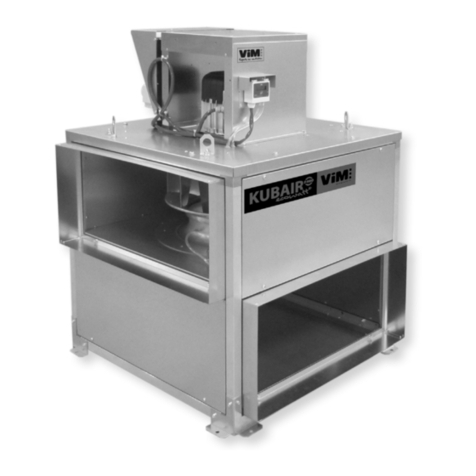
ViM KUBAIR F400 ECOWATT Technical manual
ViM

ViM KUBAIR F400 ECOWATT Technical manual

HIDRIA R10R-56LPS-ES50B-04C10 user guide
HIDRIA

HIDRIA R10R-56LPS-ES50B-04C10 user guide

BLAUBERG Ventilatoren CENTRO-M 100 L user manual
BLAUBERG Ventilatoren

BLAUBERG Ventilatoren CENTRO-M 100 L user manual

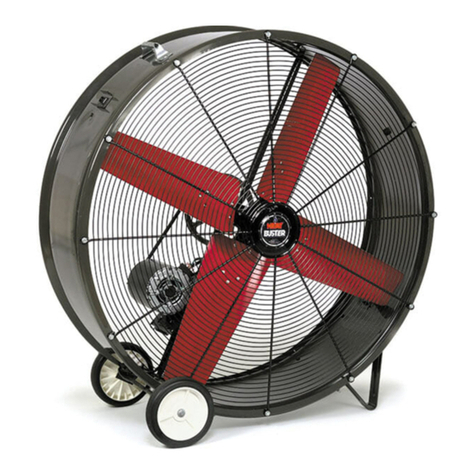
Triangle Engineering HEAT BUSTER SPL Series owner's manual

Triangle Engineering

Triangle Engineering HEAT BUSTER SPL Series owner's manual

manuals.online logo
manuals.online logoBrands
  • About & Mission
  • Contact us
  • Privacy Policy
  • Terms and Conditions

Copyright 2025 Manuals.Online. All Rights Reserved.

Akari
JUMBO
BOX
FAN
Name
of
Parts
1.
Body
2.
Protecting
Cover
3.
Front
Louver
4.
LED
Night
Light
5.
Handle
6.
Blade
7.
Back
Louver
8.
Function
Panel
9.
Charging
Input
Socket
(AC)
10.
Battery
Cover
11.
LED
Charging
Indicator
12.
Green
LED
Power
ON
Indicator
13.
Remote
Control
Reception
14.
Normal
Mode
Green
LED
Indicator
Front
Vi
ew Side View { Back View
fig
ur
e 2
15
.
Nature
Mode
Green
LED
Indicator
16
.
Sleep
Mode
Green
LED
Indicator
17.
15V
DC
Input
Socket
18.
5V
USB
Output
19.
Main
Switch
20.
Fan
Speed
Switch
21.
Fan
Mode
Switch
22.
LED
Switch
23.
Remote
Control
~
~
~
~ -
CHARGE POWER 0
NORMAL
NATU~~ SLEEP
0 0
_..
• \ C
15V DC OUTPUT POWER LED
0 10
24.
PowerON
Akari
25.
Nature
Mode
26.
Power
OFF
27.
LED
ON/OFF
28.
Speed
(+)
29.
Speed
(-)
Function
Panel
) I
ti
gu
re
1
\
IMPORTANT
1.
Please
read
the
instruct
i
on
before
opera
t
in
g
the
unit.
2.
Ensure
that
you
home
electri
cal
su
pplycorresponds to the requirements of
the
appliance
(220-240Vac
50/60
Ht).
3.
Always
charge
the
un
it
afte
rus
e.
4.
Periodically
charge
the
unit
atleast
8
hours
when
the unit
is
not
being
used
for
over
3
months
.
Otherwise
the
battery
will
be
over-exhausted
and
can
not
be
charged
again
.
5.
Turn
off
the
unit
when
not
in
use
.
6.
Keep
away
from
water
for
proper
use
.
7.
The
efficiency
may
decrease
if
the
unit
is
used
or
charged
w
hen
temperature
are
below
32°F
(0°C)
or
above
104
°F
(40°C).
8.
This
appliance
is
not
intended
for
use
by
persons
(incl ding children)
with
reduced
physical,
sensory,
or
mental
capabilities
or
lack
of
ex
~
rience
and
knowledge
unless
they
have
been
given
supervis
i
on
instruction
conce
n
ing
use
ofthe
appliance
by
a
person
responsible
for
their
safety.
9.
Do
not
use
detergents
or
chemical
cleaning
agen
to
clean
the unit.
If
power
cord
is
damaged,
please
replaced
by
th
ervice
center
or
the
person
who
designated
by
the
manufacturer
or
aqualified J
erson
to
avoid
electric
shock.
HOW
TO
OPERATE
FAN
(figur
The
unit
can
be
operated
on
either
AC
po
er
or built
in
DC
rechargeable
battery.
See
the
following
operation
details
1.
Press
the
(Part
No
.
19)
power
main
swit
ch
,
then
the
(Part
No
.
12)
tan
working
i
ndicator
will
turn
to
green,
it
means
tha
t he
fan
is
on
standby,
the
fan
starts
to
operate.
2.
For
the
fan
speed
(Part
No.20),
first pr sfor
high
speed,
then
second
press
for
middle
speed,
third
press
for
lo
f
peed,
fourth
press
for
power
off.
3.
For
the
mode
function (Part
No
.2
1)1/.
when
the fan
is
working,
press
the
(Part
No.21)
mode
switch
to
choos
e the
fan
mode,
then
the
corresponding
work
indicator
will
turn
to
green.
(Part
No
.
14/15/16)
•Normal
Mode
with
3
speed
.
•Nature
Mode
with
recirculating
win
d.
•Sleep
Mode:
\
-
First
20
minutes
with
high
I
-
Second
20
minutes
with
medium
spee
r/
I
4.
For
the
LED
function
:first
press,
the
LED
Ill
turn
ON,
second
press
to
turn
OFF.
5.
For
the
remote
control,
please
refer to po
i'
1t
(1.2.3.4)
b
ove
to
use
the
fan.
POWER
ON
-
(Part
N
..
24)
NATURE
MODE
-
(Part
N
o.2
V
POWER
OFF
-
(Par
t N
oJ
&)
LED
BUTTON
-
(P
art
No
.
~
\
FAN
INCREASE
SPEED
-
(Part
N9
'18
)
FAN
DECREASE
SPEED
-
(Par
t
No
.29)
6.
For
oscillating
function
,twist
the
pr
_o
tection c 1
ve
(,{,
rt
No.2)
on
a
counter
clockwise
direction
to
turn
on
,
an
do acloc:
ise
t~
urn
off.
HOW
TO
RECHARGE
A.
AC
Recharge
(figure
2)
•
Pull
out
the
power
cord/plug.
•
Plug
into
the
receptacle
of
AC
power
supply.
•
The
red
LED
charging
indicator lights
up
showing
the
fan
is
recharging
.
•
Normal
recharging
time
for
maximum
capacity
is
8-
10
hours
approximately.
B.
DC
Recharge
(figure
1)
•
Plug
into
the
15V
DC
port.
•
Press
the
power
switch,
the
green
LED
will light
up.
•
The
red
LED
indicator will light
up
when
the
fan
is
being
recharged.
CARE
AND
MAINTENANCE
•
The
unit
should
be
cleaned
by
wiping
the
damp
cloth
with
mild
detergent
or
water.
•
To
clean
the
propeller,
open
the
louver
holders
to
release
the
front
louver.
•
Never
use
strong
or
volatile chemicals to
clean
the unit
as
it
may
damage
the
plastic
parts
.
•
To
avoid
damage
of
unit,
please
do
not
use
other
specified
battery.
•
To
avoid
electric
shock,
please
do
not
open
the
unit
unless
qualified
person
comes
to
check
it
SPECIFICATIONS
POWER
50W
LUMENS
COLOR
TEMPERATURE
OPERATING
TIME
FAN
:
LED
:
FAN
(Low)+LED:
FAN
(Mid)+LED
:
FAN
(High)+LED:
CHARGING
TIME
CHARGING
INDICATOR
250Im
6500K
Da
Ii
ht
8
hrs
(Low)
6
hrs
(Mid)
4.5
hrs
(High)
Upto
50
hrs
7
hrs
4
hrs
3
hrs
8
hrs
•
Charging
•
Full
Char
ed
BATTERY
12V
7Ah
Sealed
Lead
Acid
REMOTE
CONTROL
U
to
5
meters
DIMENSION
467
x
187
x
582
mm
USBPORT
5V
500mAh
DCINPUT
15V
INPUT
VOLTAGE
230Va.c.
FREQUENCY
60Hz
ARBF-5913