manuals.online logo
Brands
  1. Home
  2. •
  3. Brands
  4. •
  5. Allied Telesis
  6. •
  7. Software
  8. •
  9. Allied Telesis 86241-06 Instruction Manual

Allied Telesis 86241-06 Instruction Manual

Other Allied Telesis Software manuals

Allied Telesis 86253-07 Instruction Manual

Allied Telesis

Allied Telesis 86253-07 Instruction Manual

Allied Telesis AT-S80 User manual

Allied Telesis

Allied Telesis AT-S80 User manual

Allied Telesis AR441S How to use

Allied Telesis

Allied Telesis AR441S How to use

Allied Telesis 86222-27 Instruction Manual

Allied Telesis

Allied Telesis 86222-27 Instruction Manual

Allied Telesis AT-S63 Specification sheet

Allied Telesis

Allied Telesis AT-S63 Specification sheet

Allied Telesis AT-8000S Series User manual

Allied Telesis

Allied Telesis AT-8000S Series User manual

Allied Telesis AT-x900-12XT/S User manual

Allied Telesis

Allied Telesis AT-x900-12XT/S User manual

Allied Telesis Broadcom Advanced Control Suite 3 User manual

Allied Telesis

Allied Telesis Broadcom Advanced Control Suite 3 User manual

Allied Telesis 86251-05 Instruction Manual

Allied Telesis

Allied Telesis 86251-05 Instruction Manual

Allied Telesis AT-S39 User manual

Allied Telesis

Allied Telesis AT-S39 User manual

Allied Telesis WebSmart AT-FS750/16 How to use

Allied Telesis

Allied Telesis WebSmart AT-FS750/16 How to use

Allied Telesis SwitchBlade AT-AR440S User manual

Allied Telesis

Allied Telesis SwitchBlade AT-AR440S User manual

Allied Telesis SB251-13 Instruction Manual

Allied Telesis

Allied Telesis SB251-13 Instruction Manual

Allied Telesis 86222-10 How to use

Allied Telesis

Allied Telesis 86222-10 How to use

Allied Telesis AR44xS Instruction Manual

Allied Telesis

Allied Telesis AR44xS Instruction Manual

Allied Telesis AT-S87 Instruction Manual

Allied Telesis

Allied Telesis AT-S87 Instruction Manual

Allied Telesis AT-8000S Series User manual

Allied Telesis

Allied Telesis AT-8000S Series User manual

Allied Telesis AT-S82 User manual

Allied Telesis

Allied Telesis AT-S82 User manual

Allied Telesis AT-8600 Series User manual

Allied Telesis

Allied Telesis AT-8600 Series User manual

Allied Telesis AlliedWare Plus 5.2.1 User manual

Allied Telesis

Allied Telesis AlliedWare Plus 5.2.1 User manual

Allied Telesis AT-S67 User manual

Allied Telesis

Allied Telesis AT-S67 User manual

Allied Telesis AT-9400 User manual

Allied Telesis

Allied Telesis AT-9400 User manual

Allied Telesis SwitchBlade AT-AR440S User manual

Allied Telesis

Allied Telesis SwitchBlade AT-AR440S User manual

Allied Telesis 86222-25 Instruction Manual

Allied Telesis

Allied Telesis 86222-25 Instruction Manual

Popular Software manuals by other brands

Red Hat ENTERPRISE LINUX 4 -  FOR X86-ITANIUM AND... installation guide

Red Hat

Red Hat ENTERPRISE LINUX 4 - FOR X86-ITANIUM AND... installation guide

Avaya OAISYS NetSuite 4.2 Application notes

Avaya

Avaya OAISYS NetSuite 4.2 Application notes

Asante SmartBridge V1.0 user manual

Asante

Asante SmartBridge V1.0 user manual

Xerox Wide Format 6204 installation guide

Xerox

Xerox Wide Format 6204 installation guide

SAS Scalable Performance Data Server 4.5 Administrator's guide

SAS

SAS Scalable Performance Data Server 4.5 Administrator's guide

Lucid FM2A85X Extreme6 installation guide

Lucid

Lucid FM2A85X Extreme6 installation guide

Juniper JUNOS PUS MOBILE SECURITY SUITE datasheet

Juniper

Juniper JUNOS PUS MOBILE SECURITY SUITE datasheet

GRASS VALLEY NETCONFIG V2.0.12 instruction manual

GRASS VALLEY

GRASS VALLEY NETCONFIG V2.0.12 instruction manual

Epson Stylus Pro 9880 ColorBurst Edition - Stylus Pro 9880... Getting started

Epson

Epson Stylus Pro 9880 ColorBurst Edition - Stylus Pro 9880... Getting started

COMPRO COMPROFM manual

COMPRO

COMPRO COMPROFM manual

Muratec OFFICEBRIDGE ONLINE user guide

Muratec

Muratec OFFICEBRIDGE ONLINE user guide

Oracle Contact Center Anywhere 8.1 installation guide

Oracle

Oracle Contact Center Anywhere 8.1 installation guide

Avaya NULL One-X for RIM Blackberry user guide

Avaya

Avaya NULL One-X for RIM Blackberry user guide

HP ProLiant BL420c user guide

HP

HP ProLiant BL420c user guide

PS Audio PowerPlay Programming manual

PS Audio

PS Audio PowerPlay Programming manual

Brady LOCKOUT PRO 3.0 Administrator's guide

Brady

Brady LOCKOUT PRO 3.0 Administrator's guide

Avaya Interaction Center user guide

Avaya

Avaya Interaction Center user guide

Texas Instruments TI-83 Plus Silver Edition Guide book

Texas Instruments

Texas Instruments TI-83 Plus Silver Edition Guide book

manuals.online logo
manuals.online logoBrands
  • About & Mission
  • Contact us
  • Privacy Policy
  • Terms and Conditions

Copyright 2025 Manuals.Online. All Rights Reserved.

Simply connecting the world
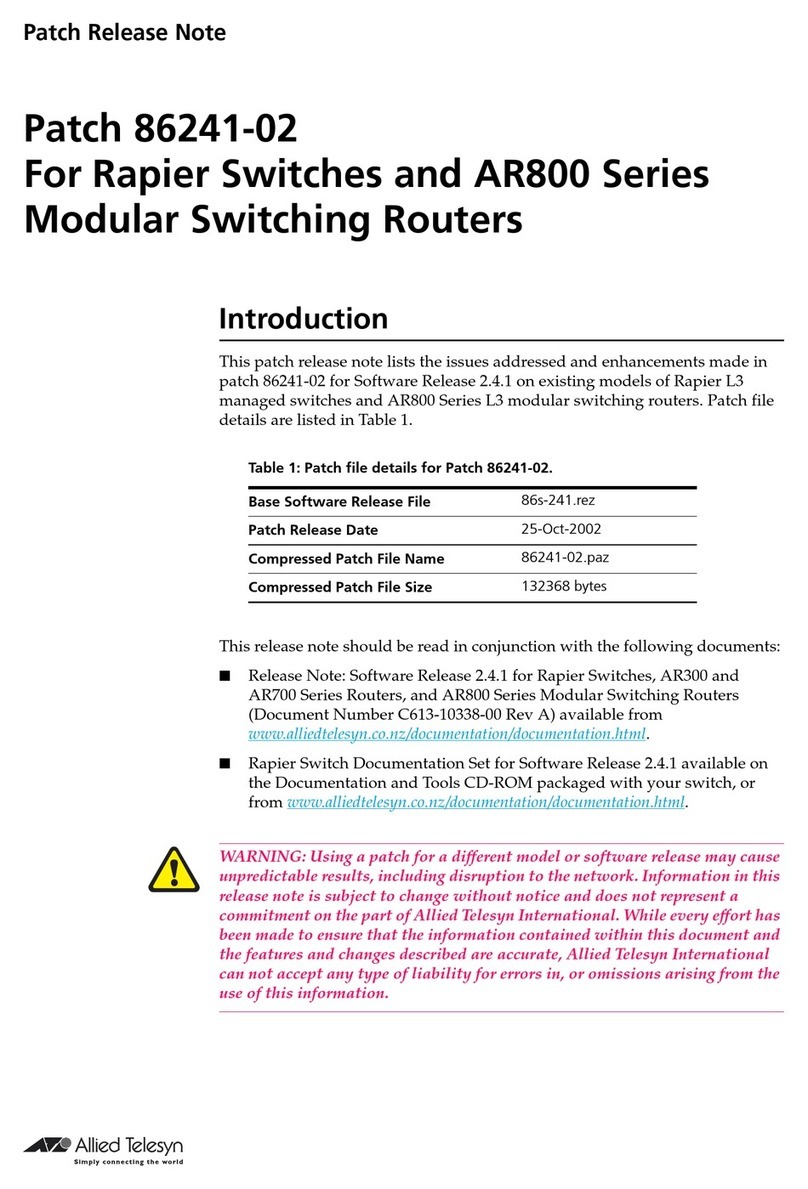
Patch Release Note
Patch 86241-06
For Rapier Switches
Introduction
This patch release note lists the issues addressed and enhancements made in
patch 86241-06 for Software Release 2.4.1 on existing models of Rapier L3
managed switches. Patch file details are listed in Table 1.
This release note should be read in conjunction with the following documents:
■Release Note: Software Release 2.4.1 for Rapier Switches, (Document
Number C613-10338-00 Rev A) available from www.alliedtelesyn.co.nz/
documentation/documentation.html.
■Rapier Switch Documentation Set for Software Release 2.4.1 available on
the Documentation and Tools CD-ROM packaged with your switch, or
from www.alliedtelesyn.co.nz/documentation/documentation.html.
WARNING: Using a patch for a different model or software release may cause
unpredictable results, including disruption to the network. Information in this
release note is subject to change without notice and does not represent a
commitment on the part of Allied Telesyn International. While every effort has
been made to ensure that the information contained within this document and
the features and changes described are accurate, Allied Telesyn International
can not accept any type of liability for errors in, or omissions arising from the
use of this information.
Some of the issues addressed in this Release Note include a level number. This
number reflects the importance of the the issue that has been resolved. For
details on level numbers, please contact your authorised distributor or reseller.
Table 1: Patch file details for Patch 86241-06.
Base Software Release File 86s-241.rez
Patch Release Date 28-Feb-2003
Compressed Patch File Name 86241-06.paz
Compressed Patch File Size 369480 bytes
2Patch Release Note
Patch 86241-05 for Software Release 2.4.1
C613-10340-00 REV E
Features in 86241-06
Patch 86241-06 includes all issues resolved and enhancements released in
previous patches for Software Release 2.4.1, and the following enhancements:
When more than two firewall policies were configured, an unexpected
switch restart sometimes occurred. This issue has been resolved.
Dynamic Port Security allows for dynamic MAC address learning on a
switch port. If a MAC address is unused for a period of time, it will be aged
from the database of currently accepted MAC addresses. This allows the
learning of new MAC addresses. Dynamic Port Security is useful because
port security allows the number of devices that are connected to a
particular switch port to be limited.
For more information on Dynamic Port Security, see “Dynamic Port
Security” on page 29 of this patch release note.
PIM join messages were being sent by a switch connected to an upstream
and a downstream switch or router in the same VLAN when a multicast
group had no members. This issue has been resolved.
The switch did not always advertise its preferred routes to destinations that
were affected by flapping routes. In these conditions, a BGP network does
not run efficiently. This issue has been resolved.
A switch port belonging to an enabled STP instance would not respond to
ARP requests if the port had been disabled from STP operation. This
prevented the flow of some types of traffic into affected switch ports. This
issue has been resolved.
When a connection is made by Telnet, or directly through the ASYN port, a
TTY session is created with:
■an idle timeout time. The default idle time is zero, which means the TTY
session will not time out if there is a lack of activity. If a TACACS+ server is
configured on the switch, and the idle time attribute value pair (AVP) is
configured on the TACACS+ server and is received by the switch, the value
of the idle time from the TACACS+ server is used to set the TTY session.
■a timeout of zero, which means that the TTY session will not time out. If a
TACACS+ server is configured on the switch, and the timeout attribute
value pair (AVP) is configured on the TACACS+ server and received by the
switch, the value of the timeout from the TACACS+ server is used to set
the TTY session timeout. After the timeout period has elapsed, the user
will either be disconnected by termination of their TTY connection (the
default setting), or have their privilege level reduced to USER (the lowest
privilege level). If the user’s privilege level is already at the lowest level,
then the user will be disconnected by termination of their TTY connection.
If the user’s privilege level is reduced, the TTY session timeout count is
reset to its initial value.
PCR: 02429 Module: IPG Level: 2
PCR: 02562 Module: SWI
PCR: 03042 Module: PIM Level: 3
PCR: 03044 Module: BGP Level: 2
PCR: 03048 Module: STP Level: 2
PCR: 03054 Module: TTY, TACPLUS

Patch 86241-06 For Rapier Switches 3
Patch 86241-05 for Software Release 2.4.1
C613-10340-00 REV E
During an SSH session between the switch and the Secure CRT client, the
client did not receive a reply to its MAX-packet-size CMSG. The switch
does not support this message, but will now send a negative response to
satisfy the secure CRT client’s requirements.
The MIB objects ifTestTable and ifRcvAddressTable were incorrectly included
in the switch’s SNMP implementation. These have been removed.
When the TX cable was unplugged from a fibre port the operating status
was incorrectly reported as UP. This issue has been resolved.
When BGP imported other route types, it would advertise routes that had
nexthops of the BGP peers themselves. The BGP peers would reject these
routes and close the peering session, thus preventing the exchange of
routing information between BGP peers. This issue has been resolved.
The Import parameter of the ADD, SET, DELETE and SHOW BGP
commands now has an INTERFACE type. INTERFACE routes were
previously grouped with STATIC routes.
If the CREATE QOS POLICY command was executed with a range that had
a number more than four characters long, for example, CREATE QOS
POLICY=123-12345, then a switch restart occured. Anerrormessage is now
displayed if more than four numbers are entered for a range.
The SET USER command now requires the PASSWORD option if a
PRIVILEGE is specified. This enables privilege levels to be lowered from a
higher level (MANAGER, or SECURITY OFFICER), to USER.
An untagged packet would occasionally be sent on a tagged port. This issue
has been resolved.
When PIM was enabled, IGMP snooping would occasionally work
incorrectly. This issue has been resolved.
When interfaces with IGMP proxies were deleted, a software restart could
sometimes occur. This issue has been resolved.
PCR: 03056 Module: SSH Level: 3
PCR: 03064 Module: SNMP Level: 4
PCR: 03065 Module: SWI Level: 2
PCR: 03070 Module: BGP Level: 2
PCR: 03072 Module: BGP Level: 4
PCR: 03073 Module: UTILITY Level: 2
PCR: 03074 Module: USER Level:
PCR: 03081 Module: SWI Level:
PCR: 03082 Module: SWI Level:
PCR: 03087 Module: IPG Level:
4Patch Release Note
Patch 86241-05 for Software Release 2.4.1
C613-10340-00 REV E
DHCP was assigning incorrect IP addresses to clients when they moved
from a relayed to a non-relayed range. Gateway checks have been added to
remove this issue.
Deriving the originating VLAN from incoming packets could, in some
circumstances, cause a software restart. This issue has been resolved.
The PING command when executed with the LENGTH and PATTERN
parameters could produce an ICMP echo packet with an incorrect ICMP
checksum. This issue has been resolved.
When an IP packet with an invalid TOTAL LENGTH field was received by
the CPU routing process, subsequent valid packets were dropped. This
issue has been resolved.
The mechanism for freeing discarded packets in Frame Relay and PPP
could, in some circumstances, cause a software restart. This issue has been
resolved.
The DISABLE MLDS command appeared twice in configuration files. This
issue has been resolved.
The ADD IP MVR command could cause a software restart. This issue has
been resolved.
TheADD IP MVRcommand parameter GROUP nowonly accepts multicast
addresses.
With DVMRP configured, the switch did not forward multicast data to
downstream interfaces on the same VLAN. This issue has been resolved.
DHCP clients that shifted between relayed ranges were not always
recognised, and were occasionally allocated incorrect addresses. This issue
has been resolved.
Invalid DVMRP prune messages could cause a software restart. This issue
has been resolved.
Adding a static ARP entry to a trunk group could cause a software restart.
This issue has been resolved.
PCR: 03100 Module: DHCP Level:
PCR: 03101 Module: IPG Level: 2
PCR: 03102 Module: IPG Level: 3
PCR: 03104 Module: IPG Level: 3
PCR: 03107 Module: FR, PPP Level: 2
PCR: 03108 Module: MLDS Level: 4
PCR: 03110 Module: IPG Level: 2
PCR: 03113 Module: DVMRP Level: 2
PCR: 03114 Module: DHCP Level: 3
PCR: 03121 Module: DVMRP Level: 2
PCR: 03122 Module: SWI Level: 2
Patch 86241-06 For Rapier Switches 5
Patch 86241-05 for Software Release 2.4.1
C613-10340-00 REV E
After sending a DHCP NAK in response to a client’s DHCP REQUEST with
a bad lease time, the switch would fail to age out its corresponding DHCP
OFFER entry. This issue has been resolved.
The switch would disassert the AIS, IDLE, LOF and LOS alarms if the
defect conditions that had caused the alarm were disasserted, then
reasserted before the alarms had been disasserted. This issue has been
resolved.
When a static link local address was configured using the ADD IPV6
INT=xxx IP=yyy command, it was not reflected in the switch’s dynamic
configuration. Consequently, the command would be absent from the
switch’s configuration after CREATE CONFIG and switch RESTART
commands were executed. This issue has been resolved.
The ADD BGP PEER command MAXPREFIX parameter now has a default
of 24000, instead of OFF. Previously, with no maximum prefix checking by
default, if the switch received a very large number of prefixes from a BGP
peer, buffer exhaustion could result in a software restart.
The SHOW OSPF NEIGHBOUR command did not reflect a change made to
the router priority on a dynamic OSPF interface of a neighbouring router.
This issue has been resolved.
Link state advertisements could incorrectly show an area as a stub area.
This happened during the time when a Direct Route (DR) was removed
from a configuration and before a Direct Backup Route (BDR), or an Other
Direct Route (Other DR) was elected. This issue has been resolved.
Theswitch would floodDVMRP unicastmessages to allports inthe VLAN.
This issue has been resolved.
ICMP packets originating from the switch used the wrong Equal Cost
Multiple Path route. This issue has been resolved. Also, improvements have
been made to ensure that the ICMP packet will be transmitted over the best
available route. If the best route becomes unavailable, a new route will be
found, if available, so that the ICMP packet continues to reach the
destination address.
The ECPAC card was not working correctly. This issue has been resolved.
PCR: 03123 Module: DHCP Level: 3
PCR: 03125 Module: DS3 Level: 3
PCR: 03127 Module: IPV6 Level: 2
PCR: 03136 Module: BGP Level: 2
PCR: 03011 Module: OSPF Level: 3
PCR: 03035 Module: OSPF
PCR: 03045 Module: IPG, SWI Level: 3
PCR: 03046 Module: IPG Level: 3
PCR: 03051 Module: PCI Level: 2
6Patch Release Note
Patch 86241-05 for Software Release 2.4.1
C613-10340-00 REV E
Features in 86241-05
Patch file details are listed in Table 2:
Patch 86241-05 includes all issues resolved and enhancements released in
previous patches for Software Release 2.4.1, and the following enhancements:
Support has been added for SNMPv2c.
SNMP responses will be sent in the same version format as the request
message. Minimal configuration is required to specify a SNMP format,
because this is decided on a message by message basis. The only thing you
need to specify is the version of SNMP received by trap hosts.
To create an SNMP community, use the command:
CREATE SNMP COMMUNITY=name [ACCESS={READ|WRITE}]
[TRAPHOST=ipadd] [MANAGER=ipadd]
[OPEN={ON|OFF|YES|NO|TRUE|FALSE}] [V1TRAPHOST=ipadd]
[V2CTRAPHOST=ipadd]
To add a trap host or management station to the previously created SNMP
community, use the command:
ADD SNMP COMMUNITY=name [TRAPHOST=ipadd] [MANAGER=ipadd]
[V1TRAPHOST=ipadd][V2CTRAPHOST=ipadd]
DS3 interface and board type support has been added. DS3 is now
supported over PPP and Frame Relay. DS3 MIB support has been added.
For moreinformation on DS3, see “DS3 Interfaces” on page 22 of this release
note.
This patch resolves issues that arose after previous modifications made
under this PCR number.
Sometimes IPv6 features did not enable correctly. Also, there were some
errors in the output from configuration commands. These issues have been
resolved.
IP packet throughput has been improved.
Table 2: Patch file details for Patch 86241-05.
Base Software Release File 86s-241.rez
Patch Release Date 17-Jan-2003
Compressed Patch File Name 86241-05.paz
Compressed Patch File Size 332388 bytes
PCR: 02315 Module: SNMP Network affecting: No
PCR: 02389 Module: DS3 Network affecting: No
PCR: 02414 Module: IPv6, SWI, IPG, VLAN Network affecting: No
PCR: 02560 Module: IPG, SWI, VLAN Network affecting: No
Patch 86241-06 For Rapier Switches 7
Patch 86241-05 for Software Release 2.4.1
C613-10340-00 REV E
Debugging commands are now available for the RADIUS and TACACS

control protocols. Raw packets, decoded packets, and errors can now be
displayed.
Access control packet debugging allows the contents of the packets to be
viewed. The debugging commands allow both raw (hexadecimal dumps)
and/or decoded (human-readable) packet displays. Information on any
errors occurring in the transactions can be displayed once the appropriate
debugging command is issued.
Only users with SECURITY OFFICER privileges in system secure mode are able to
enable RADIUS and TACACS debugging.
The debugging commands are:
ENABLE RADIUS DEBUG={ALL|PKT|DECODE|ERROR} [,...]
ENABLE TACACS DEBUG={ALL|PKT|DECODE|ERROR} [,...]
DISABLE RADIUS DEBUG={ALL|PKT|DECODE|ERROR} [,...]
DISABLE TACACS DEBUG={ALL|PKT|DECODE|ERROR} [,...]
SHOW RADIUS DEBUG
SHOW TACACS DEBUG
The SET INSTALL command was generating an unwanted warning
message on Rapier iseries switches. This issue has been resolved.
Features in 86241-04
Patch file details are listed in Table 3:
Patch 86241-04 includes all issues resolved and enhancements released in
previous patches for Software Release 2.4.1, and the following enhancements:
Virtual interfaces were displayed incorrectly when VLANs were
multihomed. This issue has been resolved.
If the command ADD FIREWALL POLICY RULE SOURCEPORT=ALL was
executed, a value of “65535” was incorrectly displayed for the
SOURCEPORT parameter for that rule in the SHOW FIREWALL POLICY
command. This issue has been resolved.
PCR: 03002 Module: USER Network affecting: No
PCR: 03013 Module: INSTALL Network affecting: No
Table 3: Patch file details for Patch 86241-04.
Base Software Release File 86s-241.rez
Patch Release Date 15-Jan-2003
Compressed Patch File Name 86241-04.paz
Compressed Patch File Size 208232 bytes
PCR 02244 Module: UTILITY Network affecting: No
PCR: 02300 Module: Firewall Network affecting: No
8Patch Release Note
Patch 86241-05 for Software Release 2.4.1
C613-10340-00 REV E
PIM was disabled permanently if the RESET IP command, or the DISABLE
IP command followed by the ENABLE IP commands were executed. PIM is
now automatically restarted if these commands are used.
Previously the SET FIREWALL POLICY RULE command permitted the use
of the GBLIP and GBLPORT parameters in ways that were not permitted by
the ADD FIREWALL POLICY RULE command. This caused problems
when a configuration file was generated because some of the illegal
parameters from the SET command were put into the ADD command. This
resulted in a configuration that contained illegal parameter combinations.
The restrictions placed on the GBLIP and GBLPORT parameters in the ADD
command have now been implemented in the SET command so that these
problems do not occur.
IP ARP packets that had invalid header values were erroneously accepted
by the router. Also, IP packets with a Class E source IP address were
erroneously fowarded. These issues have been resolved.
When the system time was set to a time that was before or significantly after
the current time, Firewall sessions were prematurely deleted. This issue has
been resolved.
If a problem occurred with NVS, some critical files were lost. As a result, the
equipment was forced to load only boot ROM software at boot time. This
patch combined with the new version of the boot ROM software (pr1-1.2.0
for the AR700 series) resolves this issue.
The ARP cache is now updated when a gratuitous ARP request or reply
packet is received.
The ADD IP ROUTE FILTER optional parameter INTERFACE caused the
filter to not work on the OSPF external LSA’s flooding.
The SHOW IP ROUTE FILTER interface name output was truncated to 6
characters. These issues have been resolved.
Executingthe PING command sometimescaused a memory leak. This issue
has been resolved.
The CREATE CONFIGURATION command inserted the IMTLEAVE
parameter into the configuration script when the IMTLEAVE parameter
was undefined. This caused an error in the configuration script. This issue
has been resolved.
PCR: 02340 Module: IPG Network affecting: No
PCR: 02356 Module: FIREWALL Network affecting: No
PCR: 02358 Module: IPG Network affecting: No
PCR: 02371 Module: FIREWALL Network affecting: No
PCR: 02400 Module:
CORE,FFS,FILE,INSTALL,SCR Network affecting: No
PCR: 02491 Module: IPG Network affecting: No
PCR: 02506 Module: OSPF IPG Network affecting: No
PCR: 02511 Module: Ping Network affecting: No
PCR: 02514 Module: IPG Network affecting: No
Patch 86241-06 For Rapier Switches 9
Patch 86241-05 for Software Release 2.4.1
C613-10340-00 REV E
The DELETE IPV6 6T04 command sometimes caused an error. This issue
has been resolved.
The DECREMENT parameter of the ADD IPV6INTERFACE command was
not recognised in the command line. This issue has been resolved.
The SET QOS TRAFFICCLASS command now requires 7 characters to be
entered for the optional EXCEEDACTION and EXCEEDREMARKVALUE
parameters.
The ADD IPV6 HOST command was not accepting the INTERFACE
parameter when adding a host with a link-local address. This issue has been
resolved.
Under some circumstances, multiple default routes were created for
DVMRP. This issue has been resolved.
TCP did not send a TCP Reset message under some circumstances, for
example when the Telnet server was disabled. This issue has been resolved.
The source IP address is now checked correctly when subnet NAT is used
with standard, double, or reverse NAT. Previously, it was sometimes
possible to specify an IP address outside the allowable range.
The Firewall showed the wrong counters on Total Received Packets and
DroppedPacketsand displayedtwice the number of receivedpackets when
discarding packets from the public side. Also, when a Deny rule was
applied to the private side, the Number of Dropped Packets was always
zero. These issues have been resolved.
The SYN test did not operate successfully when patch 52241-03 was
installed. This issue has been resolved.
A fatal error occurred when an IPv6 packet with an invalid payload length
was received. This issue has been resolved.
When PPP was used over an L2TP tunnel, a speed of zero was shown for
the PPP interface on the LNS side, while the LAC side showed a non-zero
PCR: 02519 Module: IPv6 Network affecting: No
PCR: 02521 Module: IPv6 Network affecting: No
PCR: 02523 Module: QOS, UTILITY Network affecting: No
PCR: 02525 Module: TELNET, PING, IPV6,
TCP Network affecting: No
PCR: 02526 Module: DVMRP Network affecting: No
PCR: 02527 Module: TCP Network affecting: No
PCR: 02529 Module: FIREWALL Network affecting: No
PCR: 02532 Module: FIREWALL Network affecting: No
PCR: 02534 Module: TEST Network affecting: No
PCR: 02535 Module: IPV6 Network affecting: No
PCR: 02537 Module: L2TP Network affecting: No
10 Patch Release Note
Patch 86241-05 for Software Release 2.4.1
C613-10340-00 REV E
PPP interface speed. This issue has been resolved so that the LNS side of the
PPP interface shows the correct speed.
The source mask is now always 0xffffffff in the DVMRP forwarding table.
The temporary route in the DVMRP route table was not displaying
correctly. This issue has been resolved.
An IGMP entry was erroneously added for the reserved IP address. This
issue has been resolved.
The TCP and UDP source and destination port parameters would accept
values of more than 65535. 65535 is now the maximum value for source and
destination ports. This complies with RFC768 for UDP and RFC793 for TCP.
TheSHOWIPV6 commands wereincorrectlyincludingRIPngdownroutes,
and routes on the sending interface. The IPv6 routing table now recognises
down routes.
BPDU messages are now sent to all active ports as soon as STP is enabled.
The ARP transmit counter total was not being incremented. This issue has
been resolved.
The standard subnet NAT rules on a private interface were not matching a
packet unless its source IP address was exactly the same as the IPADDRESS
value set for the rule, that is the NAT mask value was not being used. This
issue has been resolved.
Reserved multicast data was being duplicated. This issue has been resolved.
If ingress filtering was supported within trunk groups, ports with ingress
filtering enabled were erroneously added to thetrunk group. This issue has
been resolved.
Large RTSP continuation packets could cause a fatal error. This issue has
been resolved.
The SET CLASSIFIER and CREATE CLASSIFIER commands now display
the tagged and untagged parameters correctly when the PROTOCOL
parameter is set to IPX or 802.2.
An issue introduced in a previous patch with the SET IP ROUTE command
failing has been resolved.
PCR: 02538 Module: DVMRP Network affecting: No
PCR: 02539 Module: CLASSIFIER Network affecting: No
PCR: 02542 Module: IPV6 Network affecting: No
PCR: 02543 Module: SWI Network affecting: No
PCR: 02547 Module: IPG Network affecting: No
PCR: 02550 Module: FIREWALL Network affecting: No
PCR: 02551 Module: IPG Network affecting: No
PCR: 02552 Module: SWI Network affecting: No
PCR: 02564 Module: FIREWALL Network affecting: No
PCR: 02565 Module: CLASSIFIER Network affecting: No
PCR: 02572 Module: IPG Network affecting: No