manuals.online logo
Brands
  1. Home
  2. •
  3. Brands
  4. •
  5. Allied Telesis
  6. •
  7. Switch
  8. •
  9. Allied Telesis Patch 86261-04 How to use

Allied Telesis Patch 86261-04 How to use

This manual suits for next models

2

Other Allied Telesis Switch manuals

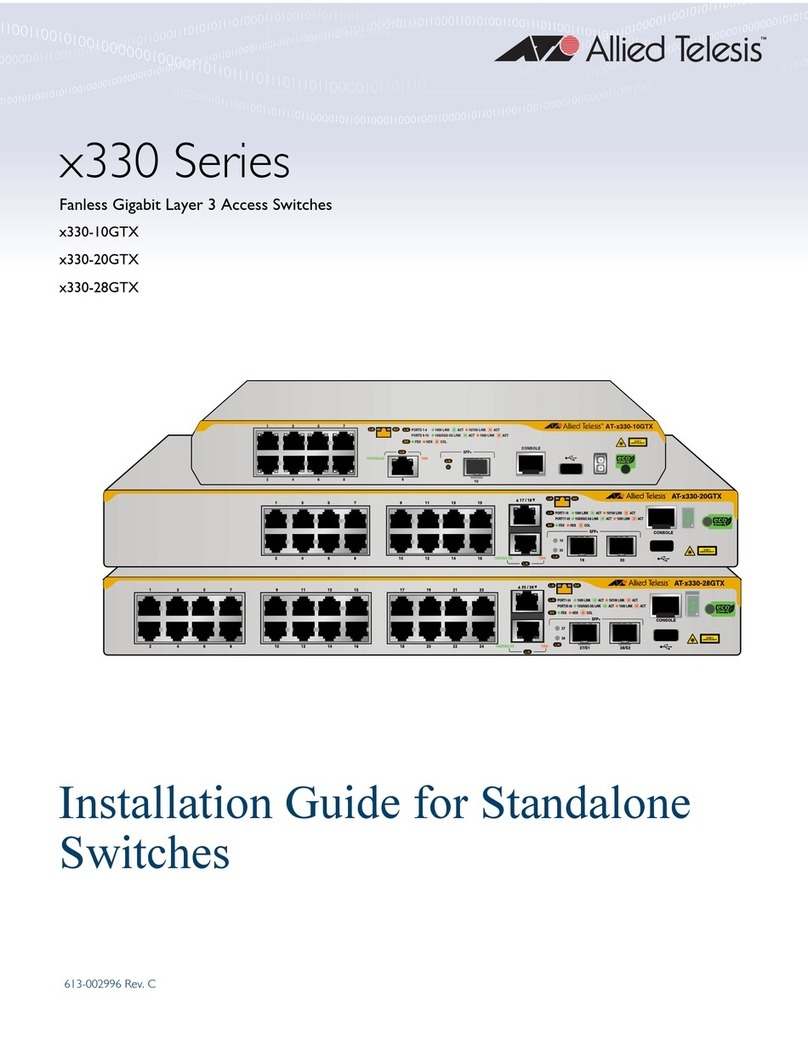
Allied Telesis IX5-28GPX Installation manual

Allied Telesis

Allied Telesis IX5-28GPX Installation manual

Allied Telesis AT-9410GB User manual

Allied Telesis

Allied Telesis AT-9410GB User manual

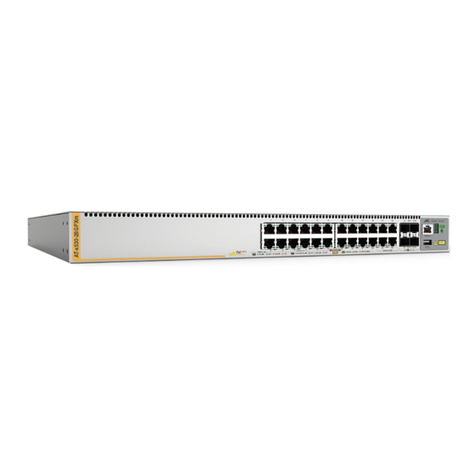
Allied Telesis x510-28GTX Installation manual

Allied Telesis

Allied Telesis x510-28GTX Installation manual

Allied Telesis AT-8216FXL/MT User manual

Allied Telesis

Allied Telesis AT-8216FXL/MT User manual

Allied Telesis AT-8000S/48 User manual

Allied Telesis

Allied Telesis AT-8000S/48 User manual

Allied Telesis AT-8324SX User manual

Allied Telesis

Allied Telesis AT-8324SX User manual

Allied Telesis Rapier AR 800 Series Instruction Manual

Allied Telesis

Allied Telesis Rapier AR 800 Series Instruction Manual

Allied Telesis TurboStack AT-S6 User manual

Allied Telesis

Allied Telesis TurboStack AT-S6 User manual

Allied Telesis x900-48 series Instruction and safety manual

Allied Telesis

Allied Telesis x900-48 series Instruction and safety manual

Allied Telesis AT-9108 User manual

Allied Telesis

Allied Telesis AT-9108 User manual

Allied Telesis Layer 3 Switches Installation and maintenance instructions

Allied Telesis

Allied Telesis Layer 3 Switches Installation and maintenance instructions

Allied Telesis x230-10GP Installation manual

Allied Telesis

Allied Telesis x230-10GP Installation manual

Allied Telesis AT-9900s Series Installation and operating manual

Allied Telesis

Allied Telesis AT-9900s Series Installation and operating manual

Allied Telesis AT-9108 User manual

Allied Telesis

Allied Telesis AT-9108 User manual

Allied Telesis x330 Series User manual

Allied Telesis

Allied Telesis x330 Series User manual

Allied Telesis AT FS708LE  AT-FS708LE AT-FS708LE User manual

Allied Telesis

Allied Telesis AT FS708LE AT-FS708LE AT-FS708LE User manual

Allied Telesis LANEDGE AT-LE700 User manual

Allied Telesis

Allied Telesis LANEDGE AT-LE700 User manual

Allied Telesis Patch 1 AT-S63 Instruction Manual

Allied Telesis

Allied Telesis Patch 1 AT-S63 Instruction Manual

Allied Telesis AT-SBx908 Gen2 User manual

Allied Telesis

Allied Telesis AT-SBx908 Gen2 User manual

Allied Telesis AT-8800 Series User manual

Allied Telesis

Allied Telesis AT-8800 Series User manual

Allied Telesis AT-8100S/24C User manual

Allied Telesis

Allied Telesis AT-8100S/24C User manual

Allied Telesis AT-RG624 User manual

Allied Telesis

Allied Telesis AT-RG624 User manual

Allied Telesis AT-9000 Series User manual

Allied Telesis

Allied Telesis AT-9000 Series User manual

Allied Telesis AT-8600 Series Operating instructions

Allied Telesis

Allied Telesis AT-8600 Series Operating instructions

Popular Switch manuals by other brands

SMC Networks SMC6224M Technical specifications

SMC Networks

SMC Networks SMC6224M Technical specifications

Aeotec ZWA003-S operating manual

Aeotec

Aeotec ZWA003-S operating manual

TRENDnet TK-209i Quick installation guide

TRENDnet

TRENDnet TK-209i Quick installation guide

Planet FGSW-2022VHP user manual

Planet

Planet FGSW-2022VHP user manual

Avocent AutoView 2000  AV2000BC AV2000BC Installer/user guide

Avocent

Avocent AutoView 2000 AV2000BC AV2000BC Installer/user guide

Moxa Technologies PT-7728 Series user manual

Moxa Technologies

Moxa Technologies PT-7728 Series user manual

Intos Electronic inLine 35392I operating instructions

Intos Electronic

Intos Electronic inLine 35392I operating instructions

Cisco Catalyst 3560-X-24T Technical specifications

Cisco

Cisco Catalyst 3560-X-24T Technical specifications

Asante IntraCore IC3648 Specifications

Asante

Asante IntraCore IC3648 Specifications

Siemens SIRIUS 3SE7310-1AE Series Original operating instructions

Siemens

Siemens SIRIUS 3SE7310-1AE Series Original operating instructions

Edge-Core DCS520 quick start guide

Edge-Core

Edge-Core DCS520 quick start guide

RGBLE S00203 user manual

RGBLE

RGBLE S00203 user manual

Thrustmaster FLIGHT SIMULATOR X quick guide

Thrustmaster

Thrustmaster FLIGHT SIMULATOR X quick guide

Southwire SURGE GUARD 41390 RVC troubleshooting guide

Southwire

Southwire SURGE GUARD 41390 RVC troubleshooting guide

Buhler Nivotemp NT 61 Brief instructions

Buhler

Buhler Nivotemp NT 61 Brief instructions

Kramer VS-41HDCP user manual

Kramer

Kramer VS-41HDCP user manual

Techly IDATA AU-270 user manual

Techly

Techly IDATA AU-270 user manual

Belkin F1U109 user manual

Belkin

Belkin F1U109 user manual

manuals.online logo
manuals.online logoBrands
  • About & Mission
  • Contact us
  • Privacy Policy
  • Terms and Conditions

Copyright 2025 Manuals.Online. All Rights Reserved.

Simply connecting the world
Patch Release Note
Patch 86261-04
For Rapier and AT-8800 Series Switches
Introduction
This patch release note lists the issues addressed and enhancements made in
patch 86261-04 for Software Release 2.6.1 on existing models of Rapier and
AT-8800 Series switches. Patch file details are listed in Table 1.
This release note should be read in conjunction with the following documents:
■Release Note: Software Release 2.6.1 for Rapier and AT-8800 Series
Switches (Document Number C613-10383-00 Rev A) available from
www.alliedtelesyn.co.nz/documentation/documentation.html.
■Rapier Series Switch or AT-8800 Series Switch Documentation Set for
Software Release 2.6.1 available on the Documentation and Tools CD-ROM
packaged with your switch, or from www.alliedtelesyn.co.nz/documentation/
documentation.html.
WARNING: Using a patch for a different model or software release may cause
unpredictable results, including disruption to the network. Information in this
release note is subject to change without notice and does not represent a
commitment on the part of Allied Telesyn International. While every effort has
been made to ensure that the information contained within this document and
the features and changes described are accurate, Allied Telesyn International
can not accept any type of liability for errors in, or omissions arising from the
use of this information.
Table 1: Patch file details for Patch 86261-04.
Base Software Release File 86-261.rez
Patch Release Date 19-Nov-2003
Compressed Patch File Name 86261-04.paz
Compressed Patch File Size 261628 bytes
2Patch Release Note
Patch 86261-04 for Software Release 2.6.1
C613-10386-00 REV D
Some of the issues addressed in this Release Note include a level number. This
number reflects the importance of the issue that has been resolved. The levels
are:
Features in 86261-04
Patch 86261-04 includes all issues resolved and enhancements released in
previous patches for Software Release 2.6.1, and the following enhancements:
When RIP demand mode was enabled, and one interface changed to a
reachable state, the triggered Request packet was not sent from that
interface, and triggered Response packets were not sent from all other RIP
interfaces. This resulted in slow convergence of routing tables across the
network. This issue has been resolved.
Support has been added for the AT-AR021 (S) BRI-S/T PIC (Port Interface
Card) with basic rate ISDN.
RIP did not send the correct next hop address if the route originated from a
different subnet to that of the egress interface. This issue has been resolved.
If an IPv6 filter that blocked traffic on a VLAN interface was removed, the
traffic was still blocked. This issue has been resolved.
Occasionally an error occurred with OSPF’s route table calculation, so all
routes in the network were not discovered. The error only happened with a
network topology that involved connections between routers via both a
Point to Point link and a transit network link. This issue has been resolved.
A new command has been added that forces a route table recalculation by
rerunning the Shortest Path First calculation. The command is:
RESET OSPF SPF [DEBUG]
If DEBUG is specified, debugging information for the route table calculation
is output to the port from which the command was executed. SPF
debugging can be turned on for every route table calculation using the
ENABLE OSPF DEBUG=SPF command, but this will be overridden if
DEBUG is specified with the RESET OSPF SPF command.
Level 1 This issue will cause significant interruption to network services, and
there is no work-around.
Level 2 This issue will cause interruption to network service, however there
is a work-around.
Level 3 This issue will seldom appear, and will cause minor inconvenience.
Level 4 This issue represents a cosmetic change and does not affect network
operation.
PCR: 03910 Module: IPG Level: 3
PCR: 03927 Module: BRI
PCR: 03967 Module: IPG Level: 2
PCR: 03970 Module: IPV6 Level: 3
PCR: 03978 Module: OSPF Level: 3
Patch 86261-04 For Rapier and AT-8800 Series Switches 3
Patch 86261-04 for Software Release 2.6.1
C613-10386-00 REV D
The server string was not copied correctly into an HTTP file request when
loading information from the configuration script. This issue has been
resolved.
When 10/100 copper ports were disabled with the DISABLE SWITCH
PORT command, their link state was still UP. This issue has been resolved.
If the DISABLE SWITCH PORT command appeared in the configuration
script, an interface could come up even though ifAdminStatus was set to
‘down’. This issue has been resolved.
A fatal error sometimes occurred because of incorrect responses to
Neighbour Solicitation messages. This issue has been resolved.
If a switch port was disabled on a switch running STP, traffic was sometimes
not passed through that port after it was re-enabled. This issue has been
resolved.
The SHOW FILE command caused an error when the displayed file had a
duplicate entry due to file size mismatch. This issue has been resolved. An
error message is now logged when the SHOW FILE command detects a
duplicate file. The first FFS file will be deleted when a duplicate exists.
Static DHCP address ranges were not reclaimed if the Reclaim operation was
interrupted by the interface going down. This issue has been resolved.
An error occurred in L2TP when call names consisted of numeric characters
only. This issue has been resolved. The ADD L2TP CALL command now
only accepts call names that contain at least one alphabetic character.
The maximum value that the MESSAGES parameter accepted for the
CREATE LOG OUTPUT command was different from the value that could
be set with the SET LOG OUTPUT command. The DESTROY LOG
OUTPUT command did not release the NVS memory that was reserved for
the output. These issues have been resolved.
The DHCP server did not take any action when it received a DHCP decline
packet. This was because the device only checked the ciaddr field in the
packet, and not the RequestedIPAddress option. This issue has been resolved.
PCR: 31009 Module: HTTP Level: 3
PCR: 31064 Module: SWI Level: 2
PCR: 31072 Module: SWI Level: 3
PCR: 31084 Module: IPV6 Level: 2
PCR: 31093 Module: SWI Level: 1
PCR: 31096 Module: FFS Level: 3
PCR: 31098 Module: DHCP Level: 3
PCR: 31100 Module: L2TP Level: 3
PCR: 31119 Module: LOG Level: 2
PCR: 31132 Module: DHCP Level: 2
4 ADD IGMPSNOOPING ROUTERADDRESS Patch Release Note
Patch 86261-04 for Software Release 2.6.1
C613-10386-00 REV D
This PCR introduces an enhancement that extends an issue that was
resolved in PCR 03890, in which switch port entries are only created for
special router multicast addresses. It is now possible to specify reserved
multicast addresses that will be treated as multicast packets from routers.
Use the following commands to configure this feature.
ADD IGMPSNOOPING ROUTERADDRESS
Syntax ADD IGMPSNOOPING ROUTERADDRESS=ipaddr[,...]
Description where:
•ipaddr is a reserved IP multicast address in dotted decimal notation.
This command adds reserved IP multicast addresses to the list of router
multicast addresses. The IP address specified must be within the range
224.0.0.1 to 224.0.0.255. This command is only valid if the IGMP snooping
router mode is set to IP with the SET IGMPSNOOPING ROUTERMODE
command.
SET IGMPSNOOPING ROUTERMODE
Syntax SET IGMPSNOOPING ROUTERMODE=
{ALL|DEFAULT|IP|MULTICASTROUTER|NONE}
Description This command sets the mode of operation for IGMP Snooping.
If ALL is specified, all reserved multicast addresses (i.e. 2240.0.1 to
224.0.0.255) are treated as router multicast addresses.
If DEFAULT is specified, the following addresses are treated as router
multicast addresses:
• IGMP Query: 224.0.0.1
• All routers on this subnet: 224.0.0.2
• DVMRP Routers: 224.0.0.4
• OSPFIGP all routers: 224.0.0.5
• OSPFIGP designated routers: 224.0.0.6
• RIP2 routers: 224.0.0.9
• All PIM routers: 224.0.0.13
• All CBT routers: 224.0.0.15
If IP is specified, addresses that are treated as router multicast addresses are
specified with the ADD/DELETE IGMPSNOOPING ROUTERADDRESS
command. In this mode, the switch will retain previous addresses that have
already been specified.
If MULTICAST is specified, the following addresses are treated as router
multicast addresses:
• DVMRP Routers: 224.0.0.4
• All PIM routers: 224.0.0.13
If NONE is specified, no router ports are created.
PCR: 31133 Module: IPG
Patch 86261-04 For Rapier and AT-8800 Series Switches SHOW IGMPSNOOPING ROUTERADDRESS 5
Patch 86261-04 for Software Release 2.6.1
C613-10386-00 REV D
DELETE IGMPSNOOPING ROUTERADDRESS
Syntax DELETE IGMPSNOOPING ROUTERADDRESS=ipaddr[,...]
where
•ipaddr is a reserved IP multicast address in dotted decimal notation.
Description This command deletes reserved IP multicast addresses from the list of router
multicast addresses. The IP address specified must be within the range
224.0.0.1 to 224.0.0.255. This command is only valid if the IGMP snooping
router mode is set to IP with the SET IGMPSNOOPING ROUTERMODE
command.
SHOW IGMPSNOOPING ROUTERADDRESS
Syntax SHOW IGMPSNOOPING ROUTERADDRESS
Description This command displays information about the list of configured IP multicast
router addresses currently configured on the switch (Figure 1).
Figure 1: Example output for SHOW IGMPSNOOPING ROUTERADDRESS
Bridges transmitted BPDUs at the rate specified by the local helloTime value
when they were not the root bridge. This is the behaviour specified in
802.1w-2001. This behaviour can cause instability in the spanning tree when
bridges are configured with different helloTime values, especially when the
root bridge's helloTime is significantly less than other bridges in the tree. This
issue has been resolved. Non-root bridges now adopt the root bridge's
helloTime value propagated in BPDUs.
The ADD IPV6 HOST command accepted an invalid IPv6 address. This
issue has been resolved.
IGMP Snooping Router Address
----------------------------------------------------------------------------
IGMP Snooping Router Mode ...... IP
Router Address List
--------------------------------
224.0.0.4
224.0.0.6
224.0.0.80
224.0.0.43
224.0.0.23
224.0.0.15
224.0.0.60
----------------------------------------------------------------------------
PCR: 31134 Module: RSTP Level: 2
PCR: 31135 Module: IPV6 Level: 3
6 SHOW IGMPSNOOPING ROUTERADDRESS Patch Release Note
Patch 86261-04 for Software Release 2.6.1
C613-10386-00 REV D
The firewall sent an erroneous IPSPOOF attack message when processing
large packets. This issue has been resolved.
The port counters were not incremented:
• ifInDiscards
•ifinErrors
•ifOutDiscards
•ifOutErrors
This issue has been resolved.
The following SNMP MIB objects could not be set:
•Dot1dStpPriority
•Dot1dStpBridgeMaxAge
•Dot1dStpBridgeHelloTime
•Dot1dStpBridgeForwardDelay
This issue has been resolved.
DHCP was incorrectly using the directly connected network interface
source IP address as the source IP address of packets it generates. This issue
has been resolved. DHCP now uses the local IP address as the source
address for the packets it generates when a local IP interface address is set.
If a local IP interface address is not set, then it uses the IP address of the
interface where packets are sent from as the source address.
When the device rebooted with PIM or PIM6 enabled, it sometimes did not
send a Hello packet quickly enough. This issue has been resolved.
When a DHCP client was in the renewing state, and it sent a DHCP Request,
the device did not add the ARP entry to the ARP table. Instead, the device
generated an ARP Request in order to transmit the DHCP Ack. This caused
a broadcast storm in the network when the client kept sending DHCP
Requests. This issue occurred because the ciaddr field, not the giaddr field,
was checked in the Request packet when the device determined whether to
add the ARP entry. This issue has been resolved.
In the output of the SHOW IP DNS CACHE command, “TTL” was
displayed as seconds. This has been changed to minutes because the TTL is
updated every minute.
PCR: 31140 Module: FIREWALL Level: 4
PCR: 31145 Module: SWI Level: 3
PCR: 31146 Module: SWI Level: 3
PCR: 31147 Module: DHCP Level: 3
PCR: 31148 Module: PIM, PIM6 Level: 2
PCR: 31152 Module: DHCP Level: 2
PCR: 31153 Module: IPG Level: 4
Patch 86261-04 For Rapier and AT-8800 Series Switches SHOW IGMPSNOOPING ROUTERADDRESS 7
Patch 86261-04 for Software Release 2.6.1
C613-10386-00 REV D
The current implementation of RSTP conforms to the IEEE standard
802.1w-2001. However, several minor deviations from the standard are
possible without having a functional impact on the behaviour of RSTP.
These changes are useful for debugging RSTP, and tidy up aspects of RSTP
that sometimes have no purpose. The following three variations have been
implemented:
•TheLearning and Forwarding flags are set in BPDUs to indicate the state
of the Port State Transition state machine.
•TheAgreement flag is set in BPDUs only when a Root Port is explicitly
agreeing to a proposal from a designated port. Do not set the Agreement
flag in BPDUs transmitted by Designated Ports.
•TheProposal flag is not set in a BPDU sent by a designated port once the
port has reached the forwarding state.
On AT-8800 series switches, when the fan status changed, the device did not
send a SNMP trap and log. When the temperature was above the allowable
threshold, the device sent the wrong SNMP trap. This issue has been
resolved. Also, the temperature thresholds of the AT-8824 and AT-8848 have
been set to different values of 62º C and 67º C respectively.
Static ARP entries sometimes prevented the firewall from working
correctly. This is because when an VLAN interface is added to the firewall,
the CPU takes over the routing from the switch silicon in order to inspect
the packet. Hence all the Layer 3 route entries must be deleted. However,
static ARP Layer 3 entries were not being deleted from the silicon. This issue
has been resolved. When interface is added to the firewall, all hardware
layer 3 routing is now turned off to allow the firewall to inspect packets.
If the number of messages to be stored in the TEMPORARY log output was
changed with the SET LOG OUTPUT MESSAGE command, the SHOW
LOG command output did not return any matching log messages. This
issue has been resolved. Existing messages are now displayed.
A STP topology change incorrectly deleted static ARP entries. This issue has
been resolved.
IP MVR member ports were not timing out. MVR member ports now
timeout in the same way as IP IGMP ports. The timeout values are
configured by IGMP. Also, IGMP interfaces were incorrectly being enabled
and disabled by MVR. This issue has been resolved.
After an AT-8800 series switch was powered down or rebooted, non-auto
negotiating copper GBICs were not handled correctly. This issue has been
resolved.
PCR: 31154 Module: STP Level: 4
PCR: 31158 Module: CORE Level: 3
PCR: 31159 Module: FW, VLAN Level: 2
PCR: 31161 Module: LOG Level: 3
PCR: 31162 Module: SWI Level: 2
PCR: 31167 Module: IPG Level: 2
PCR: 31170 Module: SWI Level: 2

8 SHOW IGMPSNOOPING ROUTERADDRESS Patch Release Note
Patch 86261-04 for Software Release 2.6.1
C613-10386-00 REV D
This PCR enhances the robustness of the 802.1x port authentication
protocol.
If a device had IPSec and firewall enabled, it could not handle long ICMP
packets even when enhanced fragment handling was enabled on the
firewall. If a long packet is passed to the firewall for processing, the firewall
chains the fragmented packets. The firewall can process chained packets,
but IPSec could not process these packets, and dropped them. This was only
an issue for packets between 1723 and 1799 bytes long. This issue has been
resolved. The way IP processes fragmented packets has been changed so
that IPsec no longer drops chained packets.
Addresses learned with static port security were not added to the
configuration when the CREATE CONFIG command was executed. This
issue has been resolved.
The following commands did not require security officer privilege when the
device was in security mode, but this privilege should have been required:
• ADD USER
• SET USER
• DELETE USER
•PURGEUSER
• ENABLE USER
• DISABLE USER
• RESET USER
This issue has been resolved. Security officer privilege is now required for
these commands when security mode is enabled with the ENABLE
SYSTEM SECURITY_MODE command.
Some issues occurred on 48 port Rapier series switches when MAC
addresses were learned and then relearned on a different port. These issues
have been resolved.
Tagged ports did not tag packets received from the bridge before
transmitting them. This issue has been resolved.
When static port security was enabled with the RELEARN parameter in the
SET SWITCH PORT command, and a switch port was reset or unplugged,
the MAC entries were removed (unlearned) from the forwarding database
table. The MAC entries should only be removed when dynamic port
security is in use. This issue has been resolved.
PCR: 31171 Module: PORTAUTH, USER,STP Level: 2
PCR: 31174 Module: IPG Level: 2
PCR: 31179 Module: SWI Level: 3
PCR: 31180 Module: USER Level: 2
PCR: 31184 Module: SW56 Level: 2
PCR: 31185 Module: SWI Level: 2
PCR: 31190 Module: SWI, SW56 Level: 2
Patch 86261-04 For Rapier and AT-8800 Series Switches SHOW IGMPSNOOPING ROUTERADDRESS 9
Patch 86261-04 for Software Release 2.6.1
C613-10386-00 REV D
A device in a supplicant role failed to authenticate if it used EAP-MD5
encryption with Windows 2000 or 2003 Server as the RADIUS server. Also,
a fatal error occurred if the device received EAPOL packets containing a
very large value in the packet length field. These issues have been resolved.
Syslog entries did not contain the date, time and unique identifier of the
message source. This issue has been resolved. The CREATE LOG OUTPUT
and SET LOG OUTPUT commands have been modified to control whether
or not this information is included.
The following parameter has been added to the CREATE LOG OUTPUT
and SET LOG OUTPUT commands:
[SYSLOGFORMAT=NORMAL|EXTENDED]
If the SYSLOGFORMAT parameter is set to EXTENDED the date, time and
unique identifier of message source are included in the syslog message. If
the parameter is set to NORMAL, this information is not included in the
syslog message. The default is NORMAL.
When IP multicasting was not enabled, all IP multicast packets were passed
to the CPU, causing overloading. This issue has been resolved. Now, if IP
multicasting is not enabled, these packets are not sent to the CPU.
When executing the command:
ADD IP ROUTEMAP ENTRY SET ASPATH
followed by the command:
ADD IP ROUTEMAP ENTRY COMMUNITY ADD=YES
where the values for ROUTEMAP and ENTRY were the same in both
commands, the second command failed and returned a “ROUTEMAP clause
already exists” error message. This issue has been resolved.
Fibre GBICs on Rapier and AT-8800 series switches sometimes did not
establish a link when powered on for the first time. This issue has been
resolved.
Two VRRP log messages were displayed when they should not have been.
The log messages were:
Vrrp 1: Vlan vlan2 10 Port Failed decrementing priority by 20
Vrrp 1: Vlan vlan2 1 Port up incrementing priority by 2
This issue has been resolved. These messages are now displayed at the
correct time.
PCR: 31191 Module: PORTAUTH, USER Level: 2
PCR: 31192 Module: LOG Level: 3
PCR: 31193 Module: IPG Level: 2
PCR: 31194 Module: BGP, IP Level: 3
PCR: 31201 Module: SW56, SWI Level: 2
PCR: 31205 Module: VRRP Level: 3
10 SHOW IGMPSNOOPING ROUTERADDRESS Patch Release Note
Patch 86261-04 for Software Release 2.6.1
C613-10386-00 REV D
The entry for the FanAndPs group in the private MIB did not return valid
information. This issue has been resolved.
On AT-8848 switches, a STP loop occurred if the Gigabit uplink port 49 was
in the blocking state. This issue has been resolved.
Sometimes the initialisation of fan and temperature monitoring was
delayed, and this was reported as a failure. This issue has been resolved.
The delay was temporary and is no longer reported as a failure.
Features in 86261-03
Patch file details are listed in Table 2:
Patch 86261-03 includes all issues resolved and enhancements released in
previous patches for Software Release 2.6.1, and the following enhancements:
On AT-8800 Series switches, fibre GBICs were treated like copper GBICs if
the switch had been powered off for more than one minute. This issue has
been resolved.
Features in 86261-02
Patch file details are listed in Table 3:
Patch 86261-02 includes all issues resolved and enhancements released in
previous patches for Software Release 2.6.1, and the following enhancements:
PCR: 31215 Module: SNMP Level: 4
PCR: 31221 Module: SW56 Level: 1
PCR: 31237 Module: CORE Level: 3
Table 2: Patch file details for Patch 86261-03.
Base Software Release File 86-261.rez
Patch Release Date 7-Nov-2003
Compressed Patch File Name 86261-03.paz
Compressed Patch File Size 176500 bytes
PCR: 31164 Module: SWI Level: 2
Table 3: Patch file details for Patch 86261-02.
Base Software Release File 86-261.rez
Patch Release Date 3-Nov-2003
Compressed Patch File Name 86261-02.paz
Compressed Patch File Size 384839 bytes