Connecting a Bluetooth Device
1. Press “ Menu ” on the TV’s remote control.
2. Press the arrow keys on the remote to scroll to “Audio Settings ”.
3. Press “ OK ” on the remote control.
4. Scroll to “ Advanced Audio ” and press “ OK ”. Some televisions may
not have an “Advanced Audio ” menu and may list various audio
settings instead.
5. Scroll to “Audio Output Mode ” or “ Digital Audio Output Mode ” and
press “OK”.
6. Scroll until “PCM ” is displayed as the current audio output.
7. Press “OK” to save the settings.
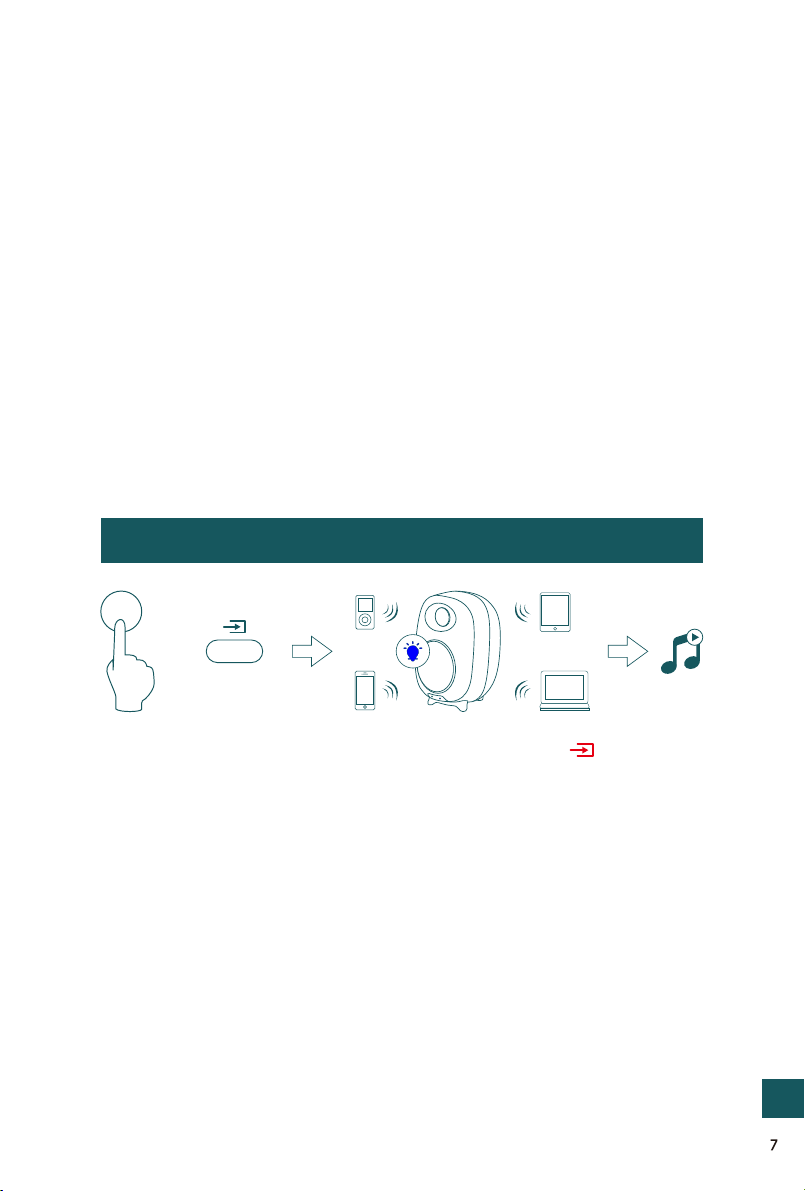
b. Turn on Bluetooth on the Bluetooth device.
c. Select “AHARMONY ” and connect it. When your Bluetooth device is
connected, the LED indicator will be on.
d. Play music files from the device, connected via Bluetooth, through
the bookshelf speaker.
a. Press the “ BT ” button on the remote or press the “ ” button on
back panel of the active speaker, the LED indicator blinks blue.
BT
or
Bluetooth signal
up to 10 m
GB