9
English Français Deutsche Italiano Español
English.............................2
Français...........................9
Deutsch...........................1 6
Italiano...........................23
Español...........................30
日本語..............................37
中文.................................44
Deutsche 日本語中文
FrançiasEnglish Italiano Español
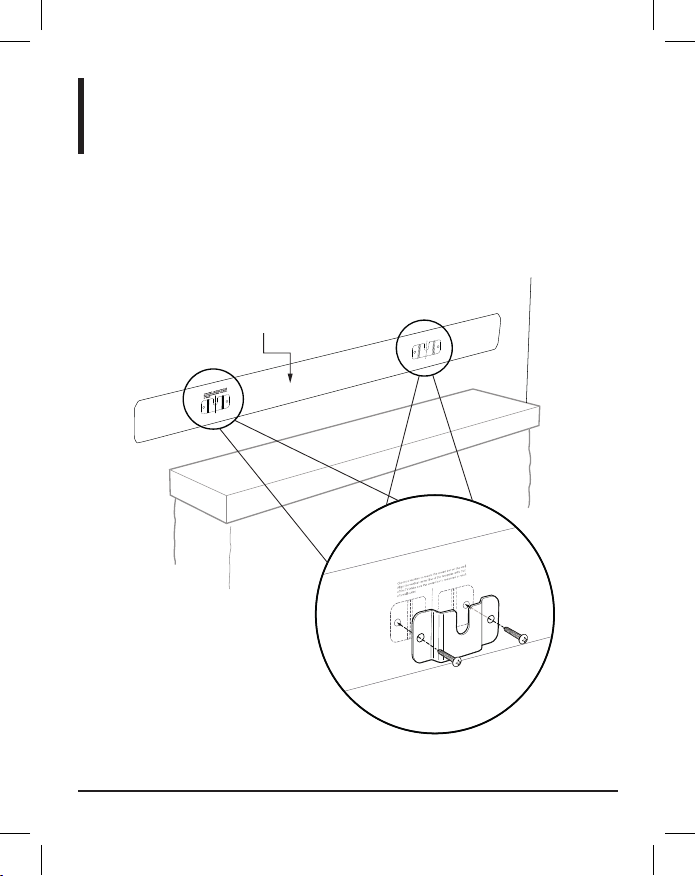
Setup Instructions
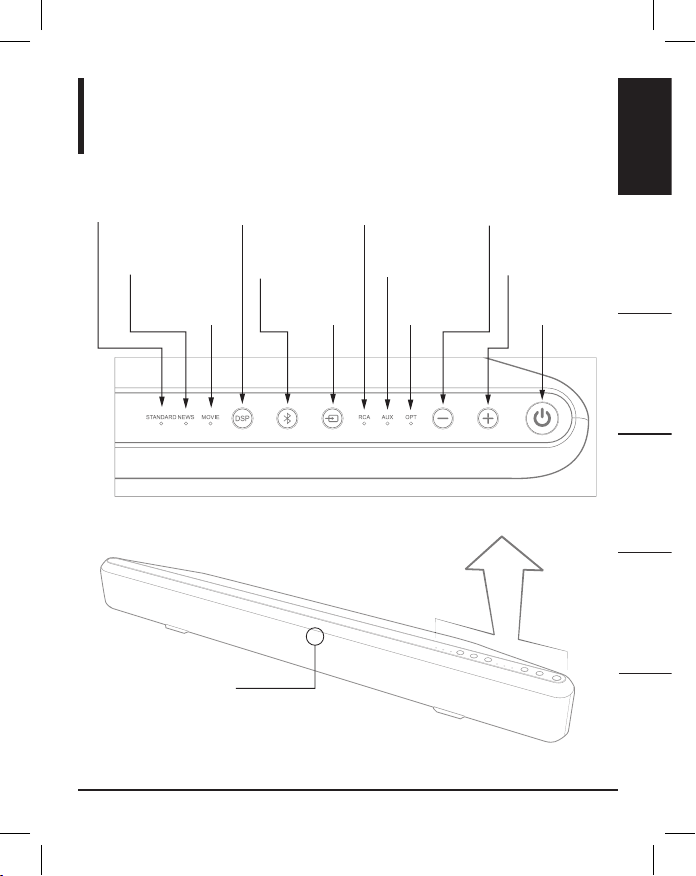
BUTTON COMMAND
POWER Press to turn on the Sound Bar. Press again to put
the Sound Bar into standby mode.
MUTE Press to mute and unmute.
VOLUME + Press to increase volume.
VOLUME — Press to decrease volume.
PREVIOUS Press to return to previous track.
PLAY/PAUSE Press to play or pause.
NEXT Press to move forward to next track.
STANDARD Press for Standard Digital Signal Processing (DSP)
Sound Mode.
NEWS Press for News (DSP) Sound Mode.
MOVIE Press for Movie (DSP) Sound Mode.
RCA Press for RCA Audio Source.
AUX Press for AUX Audio Source.
OPT Press for OPT Audio Source.
BLUETOOTH Press to enter Bluetooth input. (For force pairing
mode, press and hold for 5 seconds.)
Remote Control Command Guide