EVAL-SSM3525Z User Guide UG-1183
Rev. 0 | Page 3 of 16
SETTING UP THE HARDWARE
INPUT CONFIGURATION
There are several ways to source audio to the SSM3525 on the
E VA L-SSM3525Z evaluation board. The evaluation board can
accept direct inter-IC sound/time division multiplexed (I2S/TDM)
data or it can convert from Sony/Philips Digital Interface (S/PDIF)/
optical digital audio data to I2S using an on-board digital audio
receiver, U6. The E VA L-SSM3525Z can also accept a SoundWire®
interface.
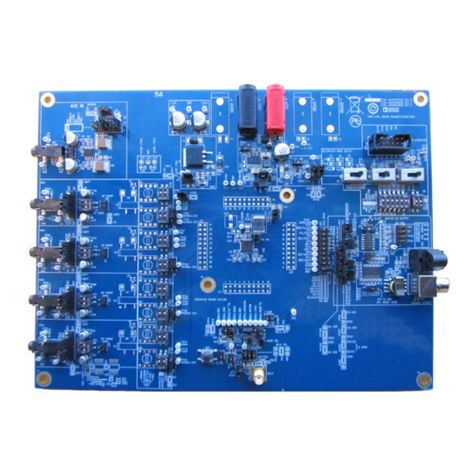
Use the 3 × 3 way header (J10) to make a connection from either
the on-board S/PDIF audio receiver circuitry or the external digital
audio signals to the SSM3525 device pins. The EVA L -SSM3525Z
comes set with three jumpers set for receiving the S/PDIF audio
data. The logic level for the inputs at J10 is 3.3 V.
To use the external I2S/TDM data, the three jumpers must be
removed, and the signal source (FSYNC, BCLK, and SDATA) must
be connected to the J10 center pins.
If the user does not have a direct I2S or TDM source, the on-board
digital audio receiver can accept S/PDIF data from a digital audio
source, such as the digital audio output of a CD player. In this case,
select either optical or coaxial using the S2 switch to properly
connect the desired input to the digital audio receiver.
The voltage/current sense, analog-to-digital converter (ADC)
output data is available at the J15 jumper at the IOVDD logic
level or at the J22 jumper at the 3.3 V logic level. Refer to the
SSM3525 data sheet for more information on placement options.
CONTROL PORT
The SSM3525 supports I2C control for setting the internal registers.
The J16 10-way header is used for connecting the external I2C
master for controlling the E VA L -SSM3525Z. The evaluation board
can be set for the desired I2C address by using two headers (JP9
and J25). The JP9 is used for setting the pull-up or pull-down to
the IOVDD and GND voltages on the printed circuit board (PCB),
whereas J25 can be used for bypassing the 47 kΩ resistor. Refer to
the SSM3525 data sheet for address selection options. Remove the
jumper across J25 to insert the 47 kΩ resistor in the signal path
for pull-up or pull-down operation. To properly float the
ADDR pin to a no connect state, do not insert jumpers on JP9
or J25. By default, the J25 is inserted, and JP9 is set so that the
ADDR pin is pulled to ground. Setting the ADDR pin to ground
sets the 7-bit device address to 0x24.
OUTPUT CONFIGURATION
The binding post output terminals (OUT+ and OUT−) provide
an option to connect the speaker with standard banana connectors.
In addition, 2-pin, 0.100-inch headers (J6 and J9) are provided
as alternate option.
To reduce the system radiated emission, especially if the speaker
cable length exceeds 20 cm, it may be necessary to include an
output filter. The recommended filter uses two ferrite beads (L2
and L3) and two capacitors (C1 and C2). See Figure 10 for more
details.
Note the addition of the ferrite beads other than the one used
on the evaluation board may affect the total harmonic distortion
(THD) and signal-to-noise ratio (SNR) performance as specified
in the SSM3525 data sheet. For best performance, the Murata
output ferrite beads in Table 1 are recommended.
Table 1. Recommended Output Ferrite Beads
Part No. Manufacturer1
Impedance (Z)
(Ω at 100 MHz)
Maximum
Current (IMAX) (mA)
Direct Conversion
Receiver (DCR) (Ω) Size (mm)
NFZ2MSM101SN10 Murata Manufacturing Co. 100 4000 0.014 2.0 ×
1.6 × 0.9
NFZ2MSM301SN10 Murata Manufacturing Co. 300 3100 0.024 2.0 ×
1.6 × 0.9
1Contact Murata Manufacturing Co. for further options.