Consumer Helpline: 0845 009 1789 |www.angelcare-uk.co.uk
Step 6 Menu 6: Other Functions
BATTERY MODE
ALWAYS insert the included
rechargeable batteries in the Parent
Unit and insert standard batteries in
the Nursery Unit as described in Steps
2a and 3a.
Your Angelcare Monitor will use the
Battery Mode during a power failure,
BUT only if batteries are inserted in
both units.
With batteries inserted in both units
you can also use the Angelcare
monitor in places where mains
electricity is not available.
When the Nursery Unit’s low battery
RED light is flashing, its batteries need
to be replaced. On the screen of the
Parent Unit, the battery icon flashes
and the Nursery Unit icon appears. A
short BEEP will also be heard every
15 seconds for about 30 minutes, until
the unit shuts itself off.
Parent Unit should be recharged
when icon is clear (will not flash) and a
beep sound is heard. This short BEEP
sound will be heard every 15 seconds
until the unit shuts itself down. Note:
Do not use Alkaline batteries in the
Parent Unit.
IMPORTANT: If the “Out of range”
function is ON, when the Nursery
Unit shuts itself off, the “Out of range”
signal will be heard and displayed on
the Parent Unit.
HOLD - ALARM & SOUND
Press and hold the DOWN ARROW
for 2 seconds. The symbol ‘H’ will
appear on the Parent Unit display.
This function allows you to put the
monitor on HOLD when you need to
pick up the baby out of his/her bed
for a short period of time. When the
monitor is on HOLD, the movement
alarm will not go off and no sound is
being transmitted. The Parent Unit will
sound a DOUBLE BEEP every minute
to confirm the monitor is still on HOLD.
Press and hold the DOWN ARROW
for 2 seconds again to deactivate the
HOLD function. The display will return
to normal.
TIP: When the movement alarm
sounds after you have picked up your
baby, press ANY key on the Parent
Unit to put the monitor on HOLD. The
HOLD function does now work when
the SOUND ONLY setting has been
selected.
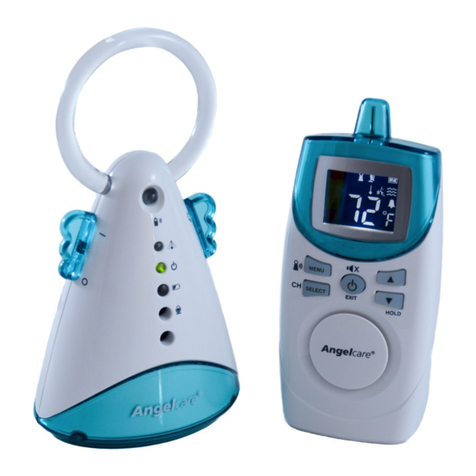
PAGING THE PARENT UNIT
Press the TOP BUTTON of the
Nursery Unit to locate the Parent Unit.
TEMPORARY MUTE - SOUND
Press the EXIT button to mute the
sound transmission for 2 minutes.
To reactivate the sound transmission
before the 2 minutes have lapsed,
press EXIT again.
Troubleshooting Problems
Baby was removed from his/her bed and Nursery Unit was
not switched OFF.
The SensorPad plug is not connected properly to the
Nursery Unit.
The SensorPad is not in full contact with baby’s mattress
and/or the mattress is not resting on a completely flat or
rigid surface.
Your baby is in a very deep sleep or has moved to a corner
of the bed, away from the SensorPad.
The sensitivity setting of the SensorPad is too low, e.g.
level 1.
The Nursery Unit is detecting external movement or
vibrations when baby’s bed is being touched.
Turn off the Nursery Unit.
Verify the connection between the SensorPad and Nursery
Unit. Unplug and reconnect the cord.
Make sure there is no bedding between mattress and
SensorPad. The SensorPad must rest on a completely
flat and rigid surface. Place a piece of 6mm thick plywood
under the SensorPad. Please follow the instructions in
Step 2.
Make sure the SensorPad is positioned, installed and
tested as described in Steps 3 and 5 to ensure that the
SensorPad is covering the complete mattress, also in the
corners of the bed.
If the sensitivity level is too low, the SensorPad may not
detect your baby’s movements. The standard setting of the
SensorPad sensitivity is approx. 3. This setting works for
most baby bed sizes and mattresses and can be adjusted
with the dial on the back of the Nursery Unit. ALWAYS
install and test the SensorPad according to the instructions
in Steps 1 and 5.
Avoid contact with the crib when monitor is ON.
The SensorPad is
giving false alarms
The SensorPad
alarm does not
go off
Description Possible Cause How to solve
Page 10