EnglishDeutsch
 logo
Brands
  1. Home
  2. •
  3. Brands
  4. •
  5. anko
  6. •
  7. Headphones
  8. •
  9. anko 43023462 User manual

anko 43023462 User manual

Other anko Headphones manuals

anko 43-233-625 User manual

anko

anko 43-233-625 User manual

anko 43243297 User manual

anko

anko 43243297 User manual

anko 42930747 User manual

anko

anko 42930747 User manual

anko 42967309 User manual

anko

anko 42967309 User manual

anko 43107261 User manual

anko

anko 43107261 User manual

anko KM42829676 User manual

anko

anko KM42829676 User manual

anko 43233366 User manual

anko

anko 43233366 User manual

anko 43241491 User manual

anko

anko 43241491 User manual

anko 23BF02 User manual

anko

anko 23BF02 User manual

anko JLR-78392 User manual

anko

anko JLR-78392 User manual

anko 42-901-969 User manual

anko

anko 42-901-969 User manual

anko KM42901969 User manual

anko

anko KM42901969 User manual

anko 42990055 User manual

anko

anko 42990055 User manual

anko 21TW22 User manual

anko

anko 21TW22 User manual

anko 43107254 User manual

anko

anko 43107254 User manual

anko 43-030-675 User manual

anko

anko 43-030-675 User manual

anko JLR-78394 User manual

anko

anko JLR-78394 User manual

Popular Headphones manuals by other brands

Panasonic RP-WF810 null

Panasonic

Panasonic RP-WF810 null

Sony MDR-NC8 Specifications

Sony

Sony MDR-NC8 Specifications

AUSounds AU-Stream quick start guide

AUSounds

AUSounds AU-Stream quick start guide

ENERGY SISTEM Style 7 user manual

ENERGY SISTEM

ENERGY SISTEM Style 7 user manual

Philips SHE3622 Specifications

Philips

Philips SHE3622 Specifications

Insignia NS-CAHBTSPORT quick start guide

Insignia

Insignia NS-CAHBTSPORT quick start guide

Movie Vision HP-400 Operation manual

Movie Vision

Movie Vision HP-400 Operation manual

MobiFren SM Pro user guide

MobiFren

MobiFren SM Pro user guide

Motorola solutions PMLN8120 user manual

Motorola solutions

Motorola solutions PMLN8120 user manual

Jaybird freedom Faq

Jaybird

Jaybird freedom Faq

Sony MDR-ED12LP manual

Sony

Sony MDR-ED12LP manual

HiFuture Tidy Buds Pro user manual

HiFuture

HiFuture Tidy Buds Pro user manual

Creative CB2530 user guide

Creative

Creative CB2530 user guide

Renkforce RF FTVK-100 operating instructions

Renkforce

Renkforce RF FTVK-100 operating instructions

Philips SHQ3000 Specifications

Philips

Philips SHQ3000 Specifications

Sennheiser 500371 instruction manual

Sennheiser

Sennheiser 500371 instruction manual

Califone 2924AV Specifications

Califone

Califone 2924AV Specifications

Philips EARGEAR HE205 Series Specifications

Philips

Philips EARGEAR HE205 Series Specifications

https://manuals.online logo
https://manuals.online logoBrands
  • About & Mission
  • Contact us
  • Privacy Policy
  • Terms and Conditions

Copyright 2026 Manuals.Online. All Rights Reserved.

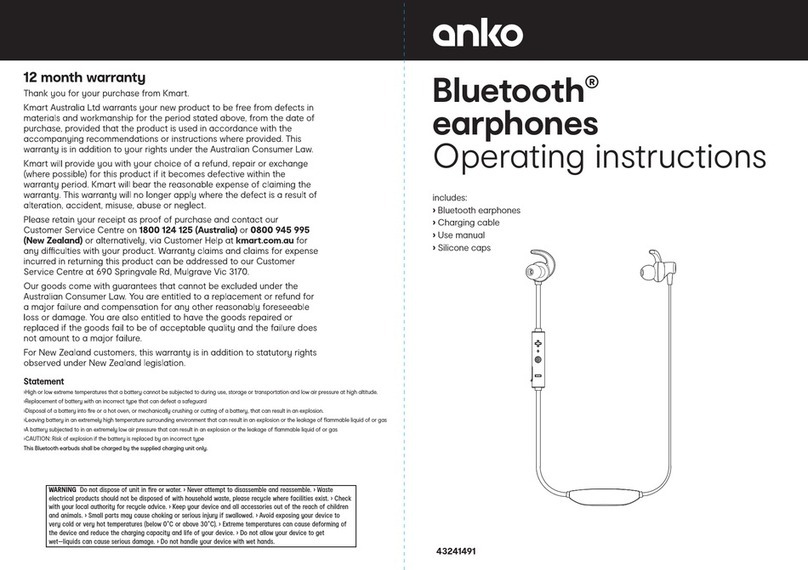
Bluetooth®
Sport Earphones
Operating instructions
43-023-462
12 month warranty
Thank you for your purchase from Kmart.
Kmart Australia Ltd warrants your new product to be free from defects in
materials and workmanship for the period stated above, from the date of
purchase, provided that the product is used in accordance with the
accompanying recommendations or instructions where provided. This
warranty is in addition to your rights under the Australian Consumer Law.
Kmart will provide you with your choice of a refund, repair or exchange
(where possible) for this product if it becomes defective within the
warranty period. Kmart will bear the reasonable expense of claiming the
warranty. This warranty will no longer apply where the defect is a result of
alteration, accident, misuse, abuse or neglect.
Please retain your receipt as proof of purchase and contact our
Customer Service Centre on 1800 124 125 (Australia) or 0800 945 995
(New Zealand) or alternatively, via Customer Help at kmart.com.au for
any diculties with your product. Warranty claims and claims for expense
incurred in returning this product can be addressed to our Customer
Service Centre at 690 Springvale Rd, Mulgrave Vic 3170.
Our goods come with guarantees that cannot be excluded under the
Australian Consumer Law. You are entitled to a replacement or refund for
a major failure and compensation for any other reasonably foreseeable
loss or damage. You are also entitled to have the goods repaired or
replaced if the goods fail to be of acceptable quality and the failure does
not amount to a major failure.
For New Zealand customers, this warranty is in addition to statutory rights
observed under New Zealand legislation.
includes:
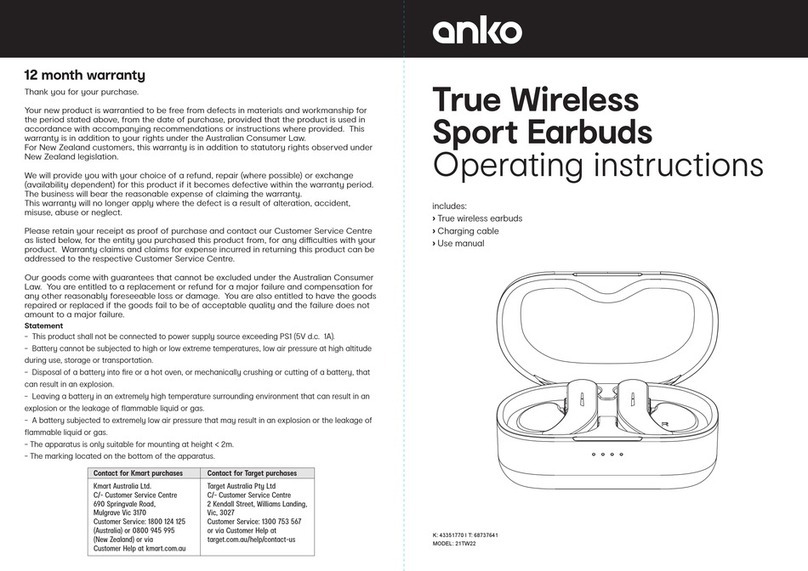
• Bluetooth Sport Earphones
• Charging Cable
• 3 Pairs of Ear Cap
• Manual
WARNING This product shall be supplied by a power source not exceeding PS1 only.>The battery in product is
non-replaceable.> Danger of explosion if battery is incorrectly replaced.>Battery cannot be subjected to high or
low extreme temperatures, low air pressure at high altitude during use, storage or transportation.>Replacement
of a battery with an incorrect type that can result in an explosion or the leakage of flammable liquid or
gas.>Disposal of a battery into fire or a hot oven, or mechanically crushing or cutting of a battery, that can
result in an explosion.>Leaving a battery in an extremely high temperature surrounding environment that can
result in an explosion or the leakage of flammable liquid or gas. The ambient temperature for product normal
operation is 0℃to 45℃>A battery subjected to extremely low air pressure that may result in an explosion or
the leakage of flammable liquid or gas.
Pairing the headset with
Bluetooth devices
• Once the Earphone is powered on,
it is in pairing mode (Red & Blue LED
flashes alternately) and will pair to the
last paired device (if available).
• Pair the Earphone in Bluetooth menu in
mobile phone and once it is paired, you
can hear a "connected" tone and the
LED will goes o.
Bluetooth Name: anko Sport ANC
Phone calls
• Press MFB button once to pick up/hang
up phone calls.
Playing music
When the Earphone connects with the
mobile phone via Bluetooth you can enjoy
music through the Earphone wirelessly.
Long press "-" button to switch to the
previous track, long press "+"button to
switch to the next track.
Battery Charging
This Bluetooth headset is powered by
rechargeable lithium battery.
Please use the accessory USB cable
to recharge the battery.
• Insert USB charging cable into a
suitable USB port.
• Connect charging cable with the
Earphone USB port .
• Indicator LED turns RED to show
battery is charging.
• Indicator LED turns OFF when
battery is fully charged.
• It takes about 1.5 hours to fully
charge the battery.
Function overview:
Function Operation
Pause Short press button 1 time
Play Short press button 1 time
Next track Long press +button 2s
Previous track long press -button 2s
Volume Up Short press +button
when the volume is adjusted to maximum
you will hear a voice indication tone
Volume Down Short press -button
Power ON / OFF
Power ON
Long press 2 seconds, until you hear a
"power on" prompt tone. LED indicator
flashes Blue 3 times.
Power OFF
Long press 3 seconds, until you hear a
"power o" prompt tone. LED indicator will
flashes red for 1 seconds, and then goes o.
Noise Reduction On
Short press the noise noise reduction
button 1 time.
How to use these headphones:
Specifications:
The Bluetooth® word mark and logos are registered trademarks owned by Bluetooth® SIG, Inc.,
and any use of such marks by KMART AUSTRALIA is under licence.
Model No:
43023462
Version:
Bluetooth V5.0
Support profiles:
H F P, A 2 D P, H S P, AV R C P
Working Distance:
10 meters
Music Time:
>5 Hours
Talk time:
>5 Hours
Standby time:
>100 Hours
Charging voltage:
5V_500mA
Battery capacity:
110mAh
Charge time:
1.5 Hours
Cable length:
0.3 m
Pairing window time:
5 minutes
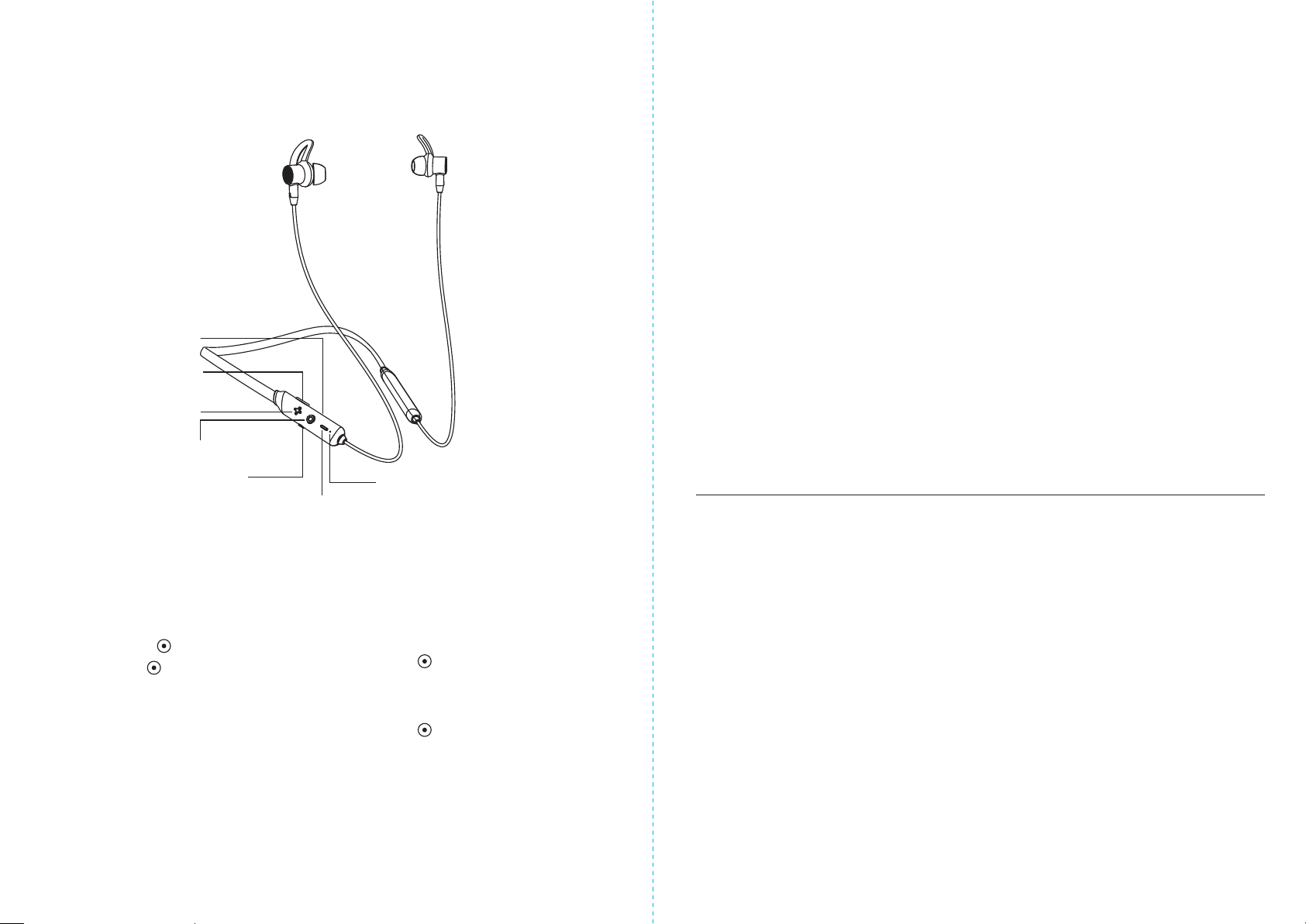
Play/Pause/Phone
Volume up/Next track
USB charging port-USB
Microphone
Volume down/Previous track
LED indicator
Noise-cancelling
button
The active noise cancelling function is eective to reduce low frequency range such
as airplanes, trains, or oces (near air-conditioning, etc.)