The timing for performing the calibration
First time use THRUST E
Shoes, cleat, battery has been changed.
Adjust tension screw.
Assemble THRUST E to another bike.
Pedal damaged by impact
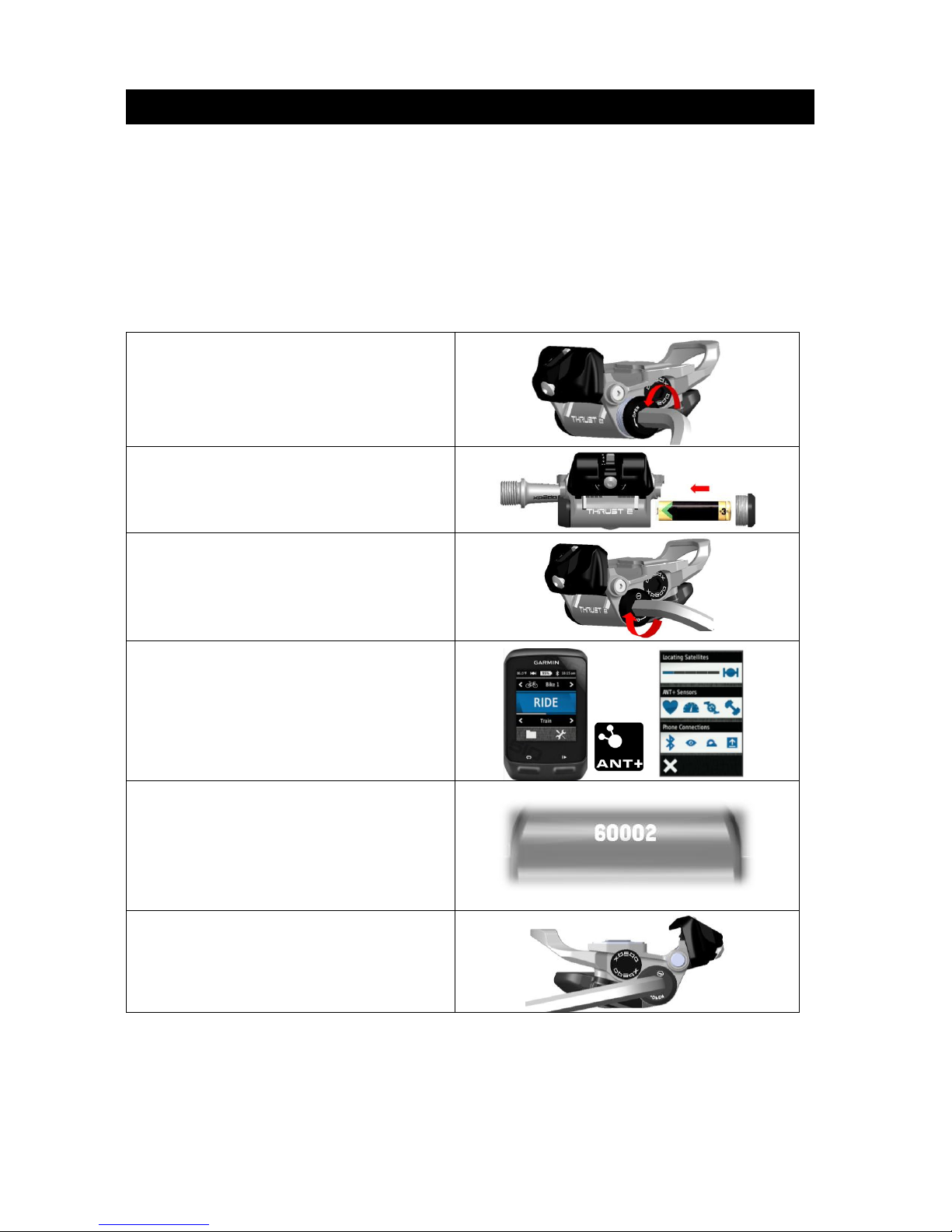
1) Make sure your bike is stable on the ground if with kickstand.
2) Assemble pedal to the correct crank thread.
3) Adjust the tension screw to your own suitable clip/release power, make sure clip/release
function is workable.
4) Make sure left and right pedal has inserted battery with correct battery polarity.
5) Turn on your compatible console.
6) Adjust derailleur to middle/light gear; take the 11-speed derailleur as an example.
Crankset 39T with freewheel 14T or 15T
Crankset 36T with freewheel 14T or 15T
Crankset 34T with freewheel 14T or 15T
7) From low cadence step up to 75 ~ 85RPM and keep pedaling more than 30 seconds, please
do not pulling up on the pedal.
Notice : 1. Performing the calibration when you insert battery,
2. Adjust the tension screw to your own suitable clip/release power before calibration
3. Data will be incorrect if calibration failed, please take out batteries of left and right
pedal then inserts batteries and performing the calibration again. If calibration still
failed, please refer the Troubleshooting at page 11.
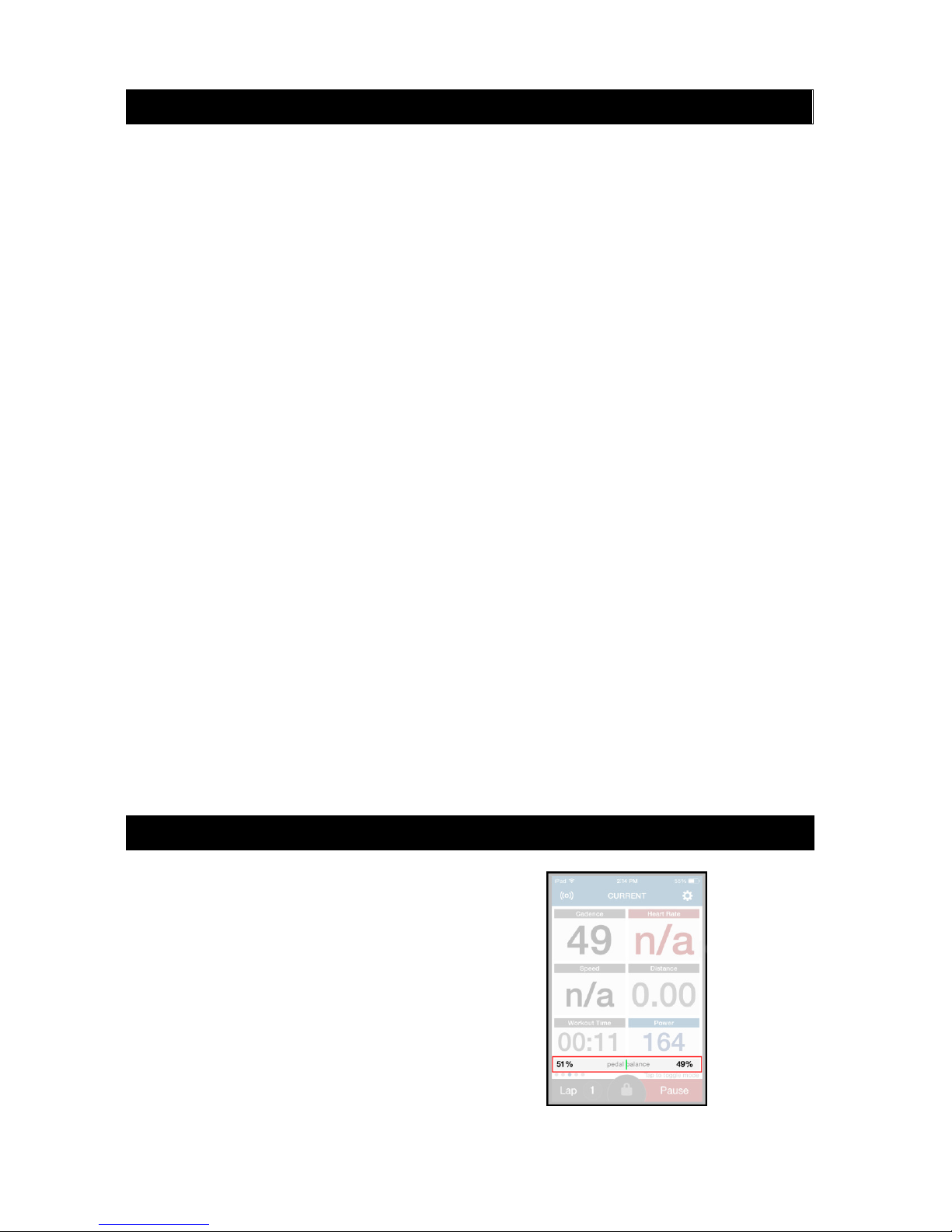
Clip into pedals and start
pedaling. Console will display the
power (watts), cadence and left-
right % balance. Different
consoles will display the data
differently on the screen. Please
refer to the console user manual
to properly display this data.