manuals.online logo
Brands
  1. Home
  2. •
  3. Brands
  4. •
  5. Apec Water
  6. •
  7. Water Filtration System
  8. •
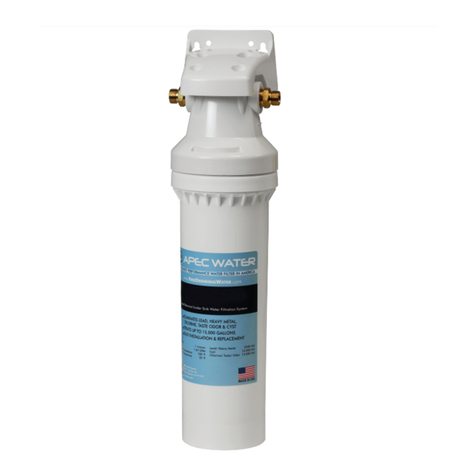
  9. Apec Water CS-2500P Service manual

Apec Water CS-2500P Service manual

This manual suits for next models

1

Other Apec Water Water Filtration System manuals
Apec Water WFS-1000 Service manual

Apec Water

Apec Water WFS-1000 Service manual
Apec Water ROES-PH75 Service manual

Apec Water

Apec Water ROES-PH75 Service manual
Apec Water ESSENCE ROES-PHUV75 Service manual
Apec Water

Apec Water ESSENCE ROES-PHUV75 Service manual

Apec Water CS-2500 Service manual

Apec Water

Apec Water CS-2500 Service manual

Apec Water ULTIMATE RO-90 Service manual
Apec Water

Apec Water ULTIMATE RO-90 Service manual

Apec Water TOTAL SOLUTION S Series User manual
Apec Water

Apec Water TOTAL SOLUTION S Series User manual

Apec Water ROES-50 Service manual

Apec Water

Apec Water ROES-50 Service manual
Apec Water FILTER-SET-CB2-20BB Service manual
Apec Water

Apec Water FILTER-SET-CB2-20BB Service manual

Apec Water CT Series Service manual

Apec Water

Apec Water CT Series Service manual
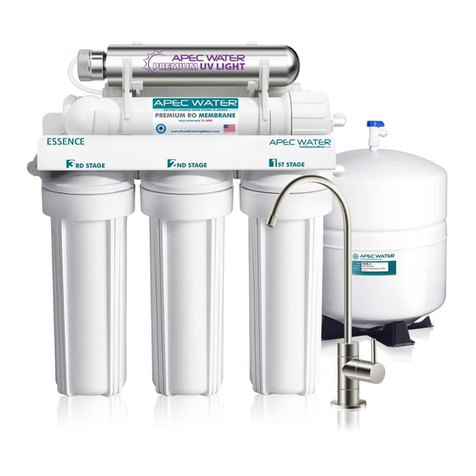
Apec Water ROES-UV75 Service manual

Apec Water

Apec Water ROES-UV75 Service manual
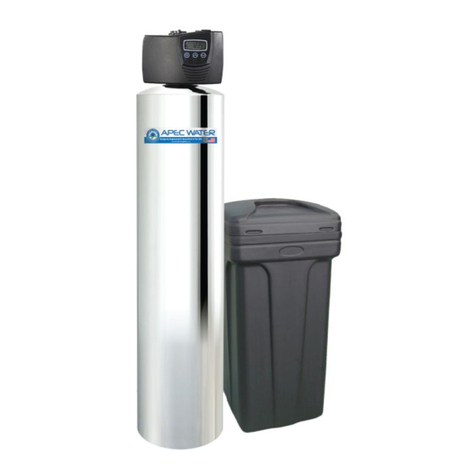
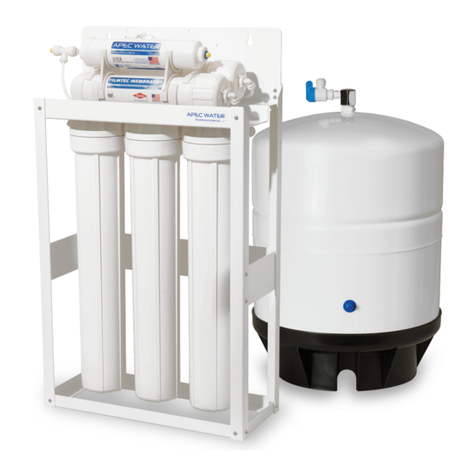
Apec Water SOFTENER Series Service manual
Apec Water

Apec Water SOFTENER Series Service manual

Apec Water Ultimate Ro-Lite Commercial Series Service manual

Apec Water

Apec Water Ultimate Ro-Lite Commercial Series Service manual

Apec Water Ultimate RO User manual

Apec Water

Apec Water Ultimate RO User manual
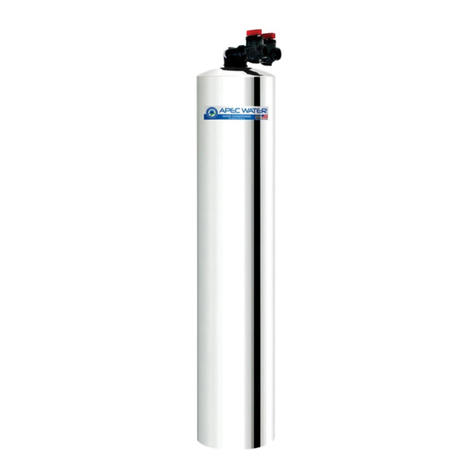
Apec Water GREEN CARBON Series Service manual
Apec Water

Apec Water GREEN CARBON Series Service manual

Apec Water Essence Series Service manual
Apec Water

Apec Water Essence Series Service manual

Apec Water ROES-PH75 User manual

Apec Water

Apec Water ROES-PH75 User manual
Apec Water WTS-MAX Owner's manual

Apec Water

Apec Water WTS-MAX Owner's manual
Apec Water ULTIMATE Quick start guide

Apec Water

Apec Water ULTIMATE Quick start guide

Popular Water Filtration System manuals by other brands
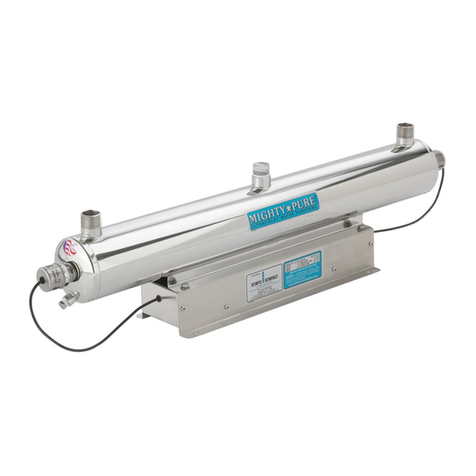
Atlantic Ultraviolet Mighty Pure MP16A owner's manual
Atlantic Ultraviolet

Atlantic Ultraviolet Mighty Pure MP16A owner's manual

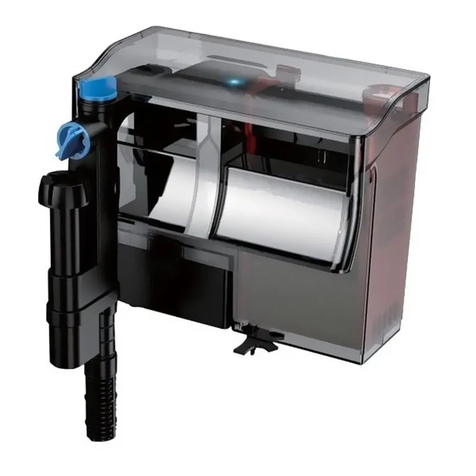
SunSun CBG-500 Operation manual

SunSun

SunSun CBG-500 Operation manual
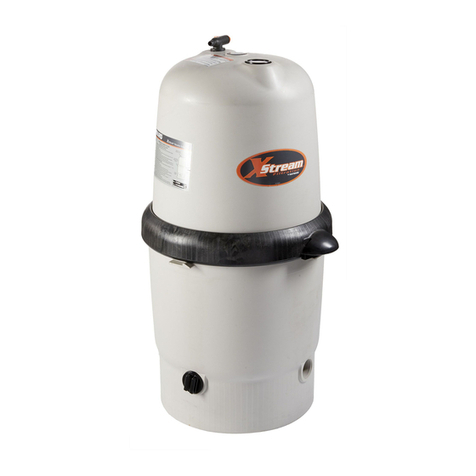
Hayward XStream Filtration Series owner's manual
Hayward

Hayward XStream Filtration Series owner's manual

Contech DownSpout StormFilter Operation and maintenance

Contech

Contech DownSpout StormFilter Operation and maintenance

Teka Airfilter MINI operating instructions
Teka

Teka Airfilter MINI operating instructions

Wisy LineAir 100 Installation and operating instructions

Wisy

Wisy LineAir 100 Installation and operating instructions

Schaffner Ecosine FN3446 Series User and installation manual
Schaffner

Schaffner Ecosine FN3446 Series User and installation manual

Pentair FLECK 4600 SXT Installer manual

Pentair

Pentair FLECK 4600 SXT Installer manual

H2O International H20-500 product manual

H2O International

H2O International H20-500 product manual

Renkforce 2306241 operating instructions
Renkforce

Renkforce 2306241 operating instructions

Neo-Pure TL3-A502 manual

Neo-Pure

Neo-Pure TL3-A502 manual

STA-RITE VERTICAL GRID DE FILTERS S7D75 owner's manual

STA-RITE

STA-RITE VERTICAL GRID DE FILTERS S7D75 owner's manual

Applied Membranes W-G844EM Operation and maintenance manual

Applied Membranes

Applied Membranes W-G844EM Operation and maintenance manual

BEGA 116 Instructions for use

BEGA

BEGA 116 Instructions for use

WATA Standard operating instructions

WATA

WATA Standard operating instructions

Price FFU series Installation and service manual

Price

Price FFU series Installation and service manual

Gaggenau BRITA INTENZA 467873 manual

Gaggenau

Gaggenau BRITA INTENZA 467873 manual

Brita SAFF-100 user guide

Brita

Brita SAFF-100 user guide

manuals.online logo
manuals.online logoBrands
  • About & Mission
  • Contact us
  • Privacy Policy
  • Terms and Conditions

Copyright 2025 Manuals.Online. All Rights Reserved.

CS-2500 & CS-2500P Water Filtration System
INSTALLATION INSTRUCTION
& OWNER’S MANUAL
All Rights Reserved © APEC Water Systems
Ver 1.2
C
S
S
-
-
2
2
5
5
00
&
C
S
-2
500
P
P
W
W
ater Filtration
S
S
yy
s
s
t
t
e
e
m
A
ll Ri
ght
s
R
e
s
er
v
ed © APEC
W
a
t
er
Sy
stem
s
Ver 1.
2
Please keep this Owner’s Manual for future reference.
It contains useful information on how to maintain and care for your
APEC CS-2500 or CS-2500P water filter system.
TABLE OF CONTENT
1. Installation:
Preparation ................................................................... page 1
Components ................................................................... page 2
Installing the system
with new provided water supply line ........................ page 3
with existing water supply line ................................... page 6
2. Maintenance:
Filter change schedule & instructions ...................... page 9
3. Warranty .......................................................................... page 11
Please keep this Owner’s Manual
f
or
f
uture re
f
erence.
It contains use
f
ul in
f
ormationonhow to maintain andcare
f
or
y
our
A
PEC CS-2500 orCS-2500P water
f
ilter system.
TA
BLE
O
F
C
O
N
TE
N
T
1. In
s
t
a
ll
a
ti
o
n
:
Preparation
...................................................................
page
1
C
omponent
s
...................................................................
page
2
Installing the syste
m
with new provided water supply lin
e
........................
page
3
with existing water supply lin
e
...................................
page
6
2
.
M
aintenance
:
Filter change schedule & instruction
s
......................
page
9
3
.
W
arranty
..........................................................................
page
11
Copyright:
This manual is copyrighted by APEC Inc. Under the copyright laws, this manual may
not be reproduced in any form, in whole or part, without the prior written consent of
APEC Inc. Manual print ver. 1.2, 2018 May.
Thank you for choosing APEC Water Filtration Systems.
You now own the finest water filter in America.
Please read and become familiar with instructions and parts needed before pro-
ceeding with the installation.
BEFORE INSTALLATION:
Inspect the system:
Please take the system and all the components out of the box. Inspect the system and
all the connection fittings carefully, make sure nothing is damaged during shipping. If
any part is cracked or broken, please do not proceed with the installation and con-
tact APEC or your distributor for an exchange or diagnosis.
Recommended tools list:
xAdjustable wrench, pliers
xPhillips screwdriver
xUtility knife, or scissors
xTeflon tape
Operating Parameter
xOperating pressure: 90 psi maximum
xFeed water temperature: 35 – 100 degree F (2-37 degree C)
xDo not connect this unit to hot water source
xInstall the system in a sheltered environment, avoid exposure to hot and cold
weather or under direct sun light.
General Installation/Operation/Maintenance Requirements
xInstallation needs to comply with state and local laws and regulations.
xSystem must be installed indoor away from possible environmental damage.
xDo not use with water that is microbiologically unsafe or of unknown quality
without adequate disinfection before or after system. Systems certified for cyst
reduction may be used on disinfected water that may contain filterable cysts.
1
Copyright
:
This manual is copyrighted by APEC Inc. Under the copyright laws, this manual ma
y
not be reproduced in any
f
orm, in whole or part, without the prior written consent o
f
APEC Inc. Manual print ver. 1.2, 2018 May.
Thank
y
ou
f
or choosin
g
APEC Water Filtration S
y
stems.
Y
ou now own the
f
inest water
f
ilter in America.
Please read and become
f
amiliar with instructions and parts needed be
f
ore pro
-
ceeding with the installation.
B
E
FO
RE I
NS
TALLAT
IO
N:
I
nspect the system:
P
lease take the
sy
stem and all the com
po
nents out o
f
the box. In
sp
ect the
sy
stem and
all the connection
f
ittings care
f
ully, make sure nothing is damaged during shipping. I
f
any part is cracked or broken, please do not proceed with the installation and con
-
tact APEC or your distributor
f
or an exchange or diagnosis.
R
eco
mm
e
n
ded
t
oo
l
s
li
s
t:
x
Adjustable wrench, pliers
x
P
hillips screwdrive
r
x
U
tility kni
f
e, or scissors
x
T
eflon tape
T
T
O
perating Parameter
x
Operating pressure: 90 psi maximum
x
F
e
ed water temperature: 35 – 100 degree F (2-37 degree C
)
x
D
o
n
ot
connect this unit to h
ot
water sourc
e
x
I
nstall the system in a sheltered environment, avoid exposure to h
o
t an
d
co
ld
weather or under direct sun light.
G
eneral Installation/O
pe
ration/Maintenance R
eq
uirement
s
x
I
nstallation needs to comply with state and local laws and regulat
i
o
n
s
.
x
System must be installed indoor away
f
rom possible environmental damag
e.
x
D
o not use with water that is microbiologically unsa
f
e or o
f
unknown quality
without adequate disin
f
ection be
f
ore or a
f
ter system. Systems certi
f
ied
f
or cyst
reduction may be used on disin
f
ected water that may contain
f
ilterable cysts.
Components included with the system:
Make sure you have all these parts before starting installation.
Filter Cartridge
w/ Cap & Fittings x 1
Bracket x 1
3/8” Water Supply Line x 2
Bracket Mounting Screw x 4
Important Recommendations:
Space: Make sure there is sufficient space under the counter for installation.
The system is best installed under the kitchen sink. But if that is not feasible
you can install the system anywhere where there is a cold water supply
with sufficient water pressure.
Note: System is primary used as a POU (point of use) system. It is not recom-
mended to connect it on a location that has multiple outlets.
Mounting: Recommend mounting the system on the wall; please leave minimum 6
inch of space underneath the filter to make sure filter cartridge can be
taken down easily for filter replacement.
2
Com
p
onents included with the s
y
stem:
py
Make sure you have all these parts be
f
ore starting installation.
F
ilter Cartridge
w
/
C
ap & Fittings x
1
B
racket x
1
3
/8” Water Supply Line x
2
B
racket Mounting Screw x
4
I
mportant Recommendations
:
Spac
e
:
Make sure there is su
ff
icient space under the counter
f
or installation.
The system is best installed under the kitchen sink. But i
f
that is not
f
easible
you can install the system anywhere where there is a cold water supply
with su
ff
icient water
pr
essure.
N
ot
e
:
System is primary used as a POU (point o
f
use) system. It is not reco
m
-
mended to connect it on a location that has multiple outlets.
M
ounting
:
Recommend mounting the system on the wall; please leave minimum 6
i
nch o
f
space underneath the
f
ilter to make sure
f
ilter cartridge can be
taken down easily
f
or
f
ilter replacement.
1st Line
IN
2nd Line
OUT
INSTALLING THE SYSTEM WITH NEW PROVIDED WATER SUPPLY LINE
Connect one end of the 1st water
supply line to the side of the cap
that indicate “IN”.
Connect one end of the 2nd water
supply line to the side of the cap
that indicate “OUT”.
Step 1: Connecting The Water Supply Line to the Cap
Sample Connection Diagram
2nd Water Supply Line
1st Water Supply Line
12
Step 2: Mounting the Bracket
Hold the system with the filter label side facing you.
Look on top of the cap to make sure the arrow is
pointing towards your right. That arrow indicates
the water flow direction.
Screw the bracket to the top of the system cap with
the front end facing the same side as the filter label.
Please use the front holes for the two screw holes on
the backside.
3
6”
OUTIN
3
1st Water Supply Line
1st Li
ne
IN
2nd Line
OU
T
Conne
c
t one end o
f
the
1
st water
supply lin
e
to the side o
f
the cap
that indi
c
ate “I
N
”.
Conne
c
t one end o
f
the 2nd water
supply lin
e
to the side o
f
the cap
that indi
c
ate “
OU
T
”
.
Step 1: Connecting The Water Supply Line to the Ca
p
Sample Connection Diagra
m
2nd Water Supply Lin
e
1
1
2
IN
S
TALLIN
G
THE
S
Y
S
TEM WITH NEW PR
O
VIDED WATER
SU
PPLY LIN
E
Step 2: Mounting the Bracke
t
H
old the system with the
f
ilter label side
f
acing you.
Look on to
p
o
f
the c
ap
to make sure the arrow is
pointing towards your right. That arrow indicates
the water
f
low direction.
Screw the bracket to the top o
f
the system cap with
the
f
ront end
f
acing the same side as the
f
ilter label.
P
lease use the
f
ront holes
f
or the two screw holes on
th
e
ba
c
k
si
de
.
3
6
”
O
U
T
I
N
1st Water Su
pp
y
Line
s
t Water Su
pp
l
y
Lin
e
Option: With the appropriate nails or hanger, mount the
system to the wall. Make sure to mount the system close
enough to connect to both the cold water valve and
connector to the faucet. Leave minimum 6 inch of space
underneath the filter for filter change.
4
Step 3: Disconnecting the Existing Cold Water Supply Line
Locate the Cold water supply valve under the kitchen
sink (the round or oblong handle on the right side).
Turn off the incoming cold water completely by turning
the shut off handle clockwise.
Note: If the cold water shut off valve cannot turn
off the water, the main water supply to the house
must be shut off for the installation.
5
Turn the faucet handle to
the ON position to release
the remaining water.
Disconnect and remove
the existing fittings and
hose from the cold water
supply valve to the faucet.
67
4
O
ption: With the appropriate nails or hanger, mount the
s
ystem to the wall. Make sure to mount the system close
e
nough to connect to both the cold water valve and
c
onnector to the
f
aucet. Leave minimum 6 inch o
f
space
underneath the
f
ilter
f
or
f
ilter change.
4
Step 3: Disconnecting the Existing Cold Water Supply Lin
e
L
o
c
ate the
Co
l
d
water supply valve under the kitchen
s
ink (the round or oblong handle on the right side).
Turn o
ff
the incoming cold water completely by turning
the shut o
ff
handle clockwise.
N
ote
:
I
f
the cold water shut o
ff
valve cannot turn
off
the water, the main water supply to the house
m
us
t
be
s
h
u
t
off
fo
r th
e
in
s
t
a
ll
a
ti
o
n.
5
Turn the
f
au
c
et handle to
th
e
ON
position to release
the remaining water.
D
isconnect and remove
the existing
f
ittings and
ho
se
f
ro
m
th
e
co
ld
w
at
er
s
upply valve to the
f
aucet.
6
7
Sink Faucet
Cold Water Input
2nd Line
Cold Water Valve
1st Line
Connect the end of the 1st line to
the cold water valve that has the
other end connected to the side of
the cap that indicate “IN”.
Connect the end of the 2nd line to
the sink faucet cold water input
that has the other end connected
to the side of the cap that indicate
“OUT”.
Step 4: Connecting The System
89
Turn on feed water:
Slowly, turn on your
Cold water supply. Turn
counter-clockwise to
allow the raw water to
enter the system.
Check for leaks! Turn on the cold water
faucet and let it flush
the new system for up
to 5 minutes.
10 11 12
Congratulations! You have successfully installed the APEC Water Filtration System!
Step 5: System Start-Up
5
Sink F
au
ce
t
Co
l
d
Wa
ter Inpu
t
2n
d
Li
ne
Co
ld
Wa
te
r
Va
lv
e
1
st L
i
n
e
Conne
c
t the end o
f
the 1st line to
the cold water valv
e
that has the
o
ther end
c
onne
c
ted to the side o
f
the cap that indicate “I
N
”.
Connect the end o
f
the 2nd line to
th
e
sink
f
aucet cold water inpu
t
that has the other end connected
to the side o
f
the cap that indicate
“
O
UT
”
.
Step 4: Connecting The Syste
m
8
9
T
urn on
f
eed water:
Slowly, turn on you
r
Cold water supply. Turn
counter-clockwis
e
t
o
allow the raw water to
e
nter the
sy
stem.
C
h
ec
k
fo
r l
ea
k
s!
Turn on the cold wate
r
f
aucet and let it
f
lush
the new system
f
or up
to
5
minutes.
1
0
11
11
1
2
C
ongratulations! You have success
f
ully installed the APEC Water Filtration System
!
Step 5: System Start-U
p
INSTALLING THE SYSTEM WITH EXISTING WATER SUPPLY LINE
Step 1: Disconnecting the Existing Cold Water Supply Line
1Locate the Cold water supply valve under the kitchen
sink (the round or oblong handle on the right side).
Turn off the incoming cold water completely by turning
the shut off handle clockwise.
Note: If the cold water shut off valve cannot turn
off the water, the main water supply to the house
must be shut off for the installation.
Turn the faucet handle to
the ON position to release
the remaining water.
Disconnect the existing water
supply line from the cold wa-
ter supply valve to the faucet.
23
Sample Connection Diagram
Existing Water Supply Line
1st Water Supply Line
6”
OUTIN
6
1st Water Supply Line
IN
S
TALLIN
G
THE
S
Y
S
TEM WITH EXI
S
TIN
G
WATER
SU
PPLY LINE
Step 1: Disconnecting theExisting Cold Water Supply Lin
e
1
L
o
c
ate the
Co
l
d
water supply valve under the kitchen
s
ink (the round or oblong handle on the right side).
Turn o
ff
the incoming cold water completely by turning
the shut o
ff
handle clockwise.
N
ote
:
I
f
the cold water shut o
ff
valve cannot turn
off
the water, the main water supply to the house
m
us
t
be
s
h
u
t
off
fo
r th
e
in
s
t
a
ll
a
ti
o
n.
Turn the
f
au
c
et handle to
the
ON
position to release
the remaining water.
D
isconnect the existing wate
r
s
upply line
f
rom the cold w
a
-
ter supply valve to the
f
aucet
.
2
3
Sample Connection Diagra
m
Existing Water Supply Lin
e
6”
O
UT
IN
1
st Water Supply Lin
e
1st Line
IN
Existing water
supply line
OUT
Connect one end of the 1st new
water supply line to the side of
the cap that indicate “IN”.
Connect the existing water
supply line to the side of the
cap that indicate “OUT”.
Step 2: Connecting The Water Supply Line to the Cap
45
Step 3: Mounting the Bracket
Hold the system with the filter label side facing you.
Look on top of the cap to make sure the arrow is
pointing towards your right. That arrow indicates
the water flow direction.
Screw the bracket to the top of the system cap with
the front end facing the same side as the filter label.
Please use the front holes for the two screw holes on
the backside.
6
Option: With the appropriate nails or hanger, mount the
system to the wall. Make sure to mount the system close
enough to connect to both the cold water valve and
connector to the faucet. Leave minimum 6 inch of space
underneath the filter for filter change.
7
7
1st Line
IN
Existing water
supply line
OU
T
Conne
c
t one end o
f
the
1
st new
water su
pp
ly lin
e
to the side o
f
the cap that indicate “I
N
”.
Connect the
e
x
i
st
i
ng water
supply lin
e
t
o
th
e
s
i
de
of
th
e
c
ap that indicate “
O
UT
”
.
Step 2: Connecting The Water Supply Lineto the Ca
p
4
4
5
Step 3: Mounting theBracke
t
H
old the system with the
f
ilter label side
f
acing you.
Look on top o
f
the cap to make sure the arrow is
pointing towards your right. That arrow indicates
the water
f
low direction.
Screw the bracket to the top o
f
the system cap with
the
f
ront end
f
acing the same side as the
f
ilter label.
P
l
ea
se
u
se
t
he
f
ro
nt h
ol
es
f
or
t
he
t
wo
s
cr
ew
h
ol
es
o
n
the backside.
6
O
ption: With the appropriate nails or hanger, mount the
s
ystem to the wall. Make sure to mount the system close
e
nough to connect to both the cold water valve and
c
onnector to the
f
aucet. Leave minimum 6 inch o
f
space
underneath the
f
ilter
f
or
f
ilter change.
7