5
FUNCTIONS & OPERATION
Functions & Operation
Rear Wash / Female Wash
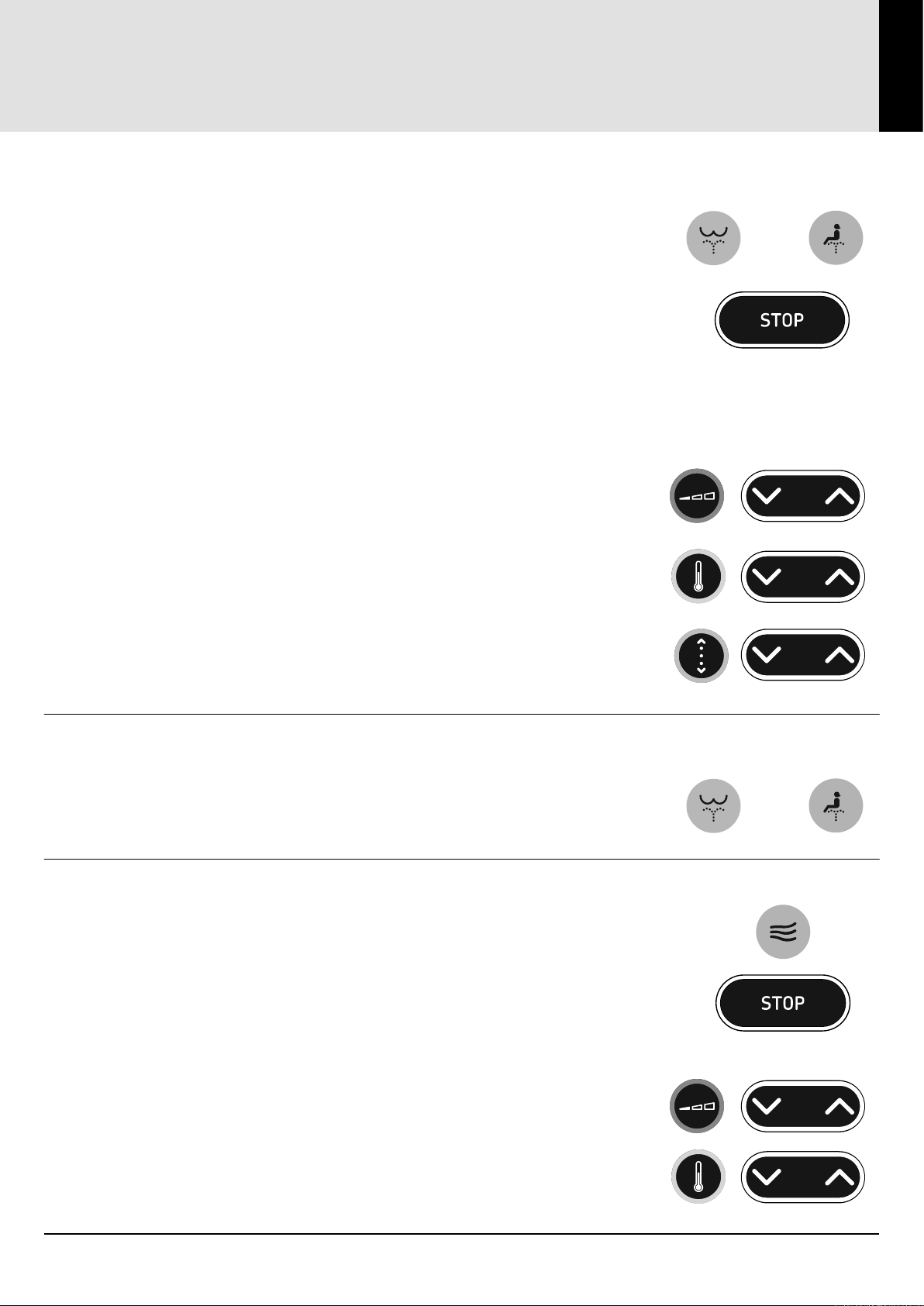
Press either the REAR WASH or FEMALE WASH button to start a wash
cycle. The wash cycle can be stopped at any time by pressing the
STOP button on the remote control or any button on the side of the bidet.
Otherwise the wash cycle will stop automatically after 2 minutes
constant temperature mode or 1 minute gradual cooling mode in
standard mode or if the unit is in low pressure mode the wash cycle
will stop automatically after 1 minute constant temperature mode and 1
minute gradual cooling mode. Also rising from the seat will cause a wash
cycle to stop.
Note: When using the side buttons, the ow rate, temperature and
nozzle position settings, will be as same the last remote control settings.
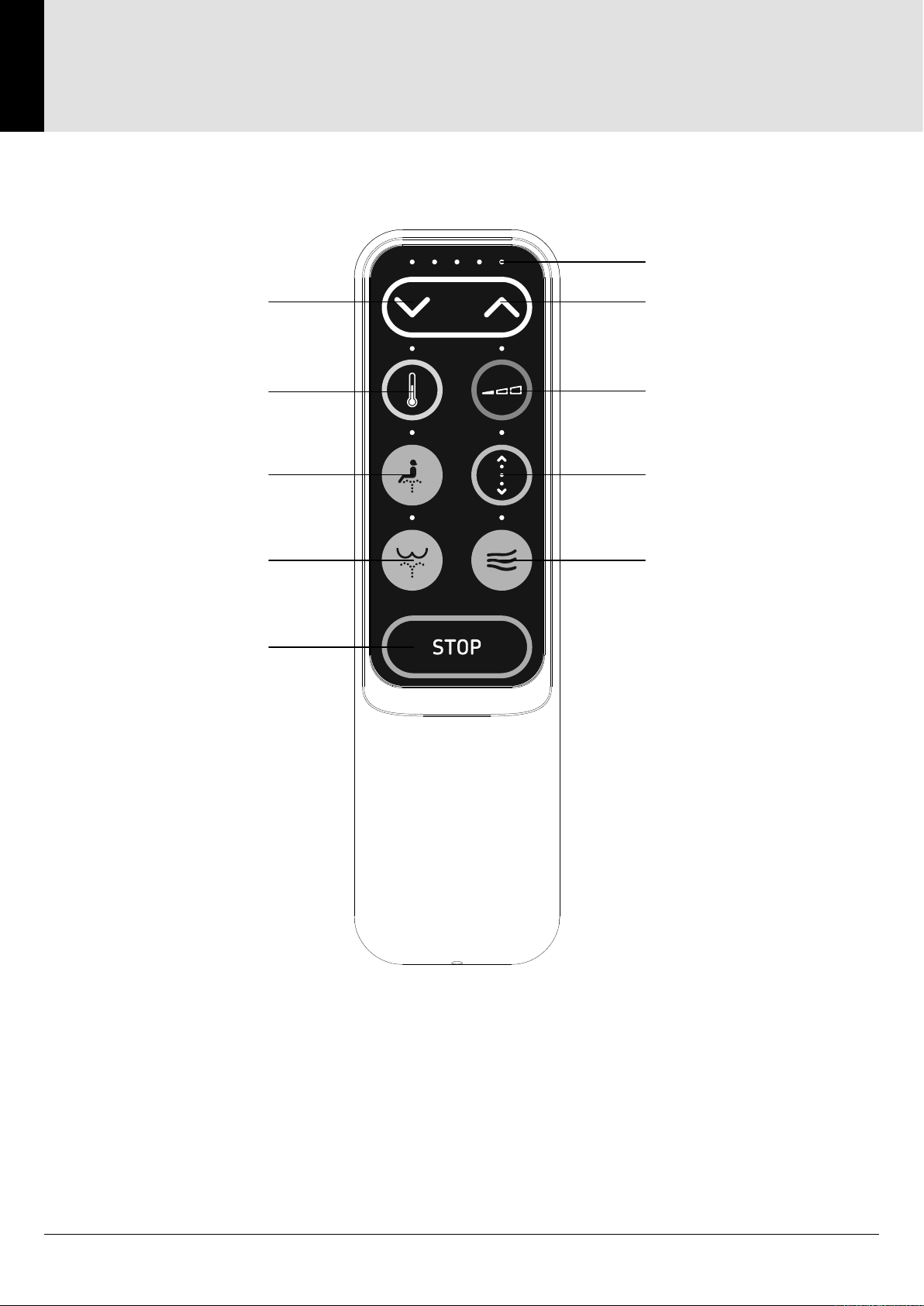
Using the remote control
To adjust the water ow rate, rst press and release the FLOW RATE
button and then the INCREASE or DECREASE buttons to achieve the
desired setting.
To adjust the water temperature, rst press and release the
TEMPERATURE button and then the INCREASE or DECREASE
buttons to achieve the desired setting.
To adjust the spray nozzle position, rst press and release the
POSITION button and then the INCREASE or DECREASE buttons
to achieve the desired setting.
Massage operation
During a wash cycle, pressing the respective rear wash or female
wash button on the remote control will cycle through massage
modes : Oscillate / Pulsate / Oscillate + Pulsate.
Dryer
Press the AIR DRY button to start a dry cycle.
The dry cycle can be stopped at any time by pressing the STOP button on
the remote control or any button on the side of the bidet. Otherwise the dry
cycle will stop automatically after 3 minutes.
Rising from the seat will also cause a dry cycle to stop.
Using the remote control.
To adjust the air ow rate, rst press and release the FLOW RATE button
and then the INCREASE or DECREASE buttons to achieve the desired
setting.
To adjust the air temperature, rst press and release the
TEMPERATURE button and then the INCREASE or DECREASE
buttons to achieve the desired setting.
or
or